Refurbished Laptop

Apple MacBook Pro (A2159) Review

Table of Contents

Specifications –

  • Quad-core 8th Gen Intel Core i5 (Clock speed: 1.4 GHz – 3.4 GHz with Turbo Boost)
  • Intel Iris Plus Graphics 645 (Integrated Graphics)
  • 8 GB (2133 MHz) LPDDR3 onboard memory
  • 128 GB SSD (Non-expandable)
  • 13.3” IPS 2560×1600 Display
  • Butterfly keyboard (Backlit)
  • Standard 720p FaceTime webcam
  • Weight – 1.370 kg

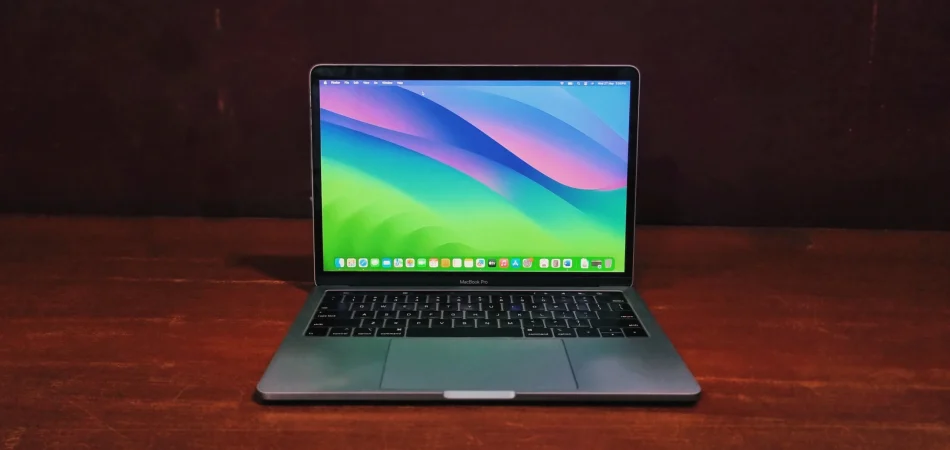
The 2019 Apple MacBook Pro A2159 is really good at being small and powerful, at the same time. It has an 8th-generation Intel Core i5 processor, 8GB of RAM and a 128 GB SSD. This Apple MacBook Pro is a 13-inch laptop that Apple made for people who want a higher-end laptop within their budget. 

Here is what I think about using the 2019 Apple MacBook Pro for work or doing creative work and getting things done in general on this machine.

Design & Build Quality

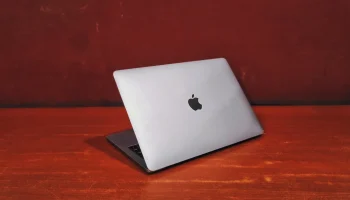
From the start, Apple’s approach to design was very minimalistic. The MacBook (A2159) is an example of this. It is made with an all-aluminum body which is only available in 2 colors – Space Gray or Silver. This MacBook feels high quality and strong and easy to carry as it weighs 1.3 kg. it strikes a near-perfect balance between a highly portable travel companion and a sturdy Ultrabook.

Apple macbook pro A2159

Apple MacBook Pro (A2159) review: Display & Audio

Apple does things in their own way and this thing is true to that. It has a very minimalistic design. It is made to last with a strong all-aluminum body. The best part is the 13.3-inch Retina display. This is what people will notice at first. It’s a gem for cinephiles with resolution of 2560×1600 the pictures look crisp and sharp. The screen is also very bright with 500 nits of brightness as per Apple. This is great for people who edit photos. The display also has something called True Tone technology. This means it can change brightness based on the light, in the room using the ambient sensor from the laptop. The 13.3-inch Retina display does this so it does not hurt your eyes when you use it for a long time.

The audio experience is equally impressive. Apple managed to squeeze in some of the best front firing speakers along the sides of the keyboard that easily outshine most ultraportable. They can easily fill a room, delivering ample volume, distinct vocals, and surprisingly full surround sound feels.

Performance & Benchmarks Analysis

The transition from the 2017 to the 2019 entry-level MacBook Pro brought one massive, foundational change: the shift from dual-core to quad-core processors. Equipped with the Intel Core i5-8257 and 8GB of RAM, this machine handles modern workflows differently than its predecessors.

CPU Performance (Geekbench)

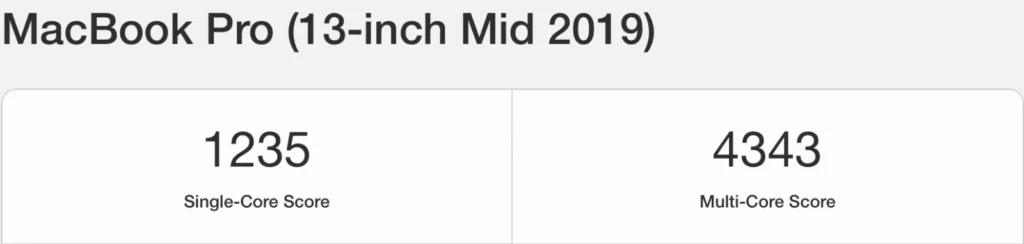
 It pulls a single-core score of 1235 and a multi-core score of 4343. For daily driving, think dozens of browser tabs, Slack, Spotify, and Excel all running at once this laptop feels incredibly responsive.

That single-core score ensures the operating system, app launches, and basic operations feel snappy and immediate. The multi-core score of 4343 is a massive leap over older dual-core models, meaning the system won’t immediately choke when you ask it to do two heavy things at once.

Apple macbook pro A2179

General Productivity

When pushing the laptop into more demanding territory, the limitations of Intel’s 8th-gen architecture become apparent.

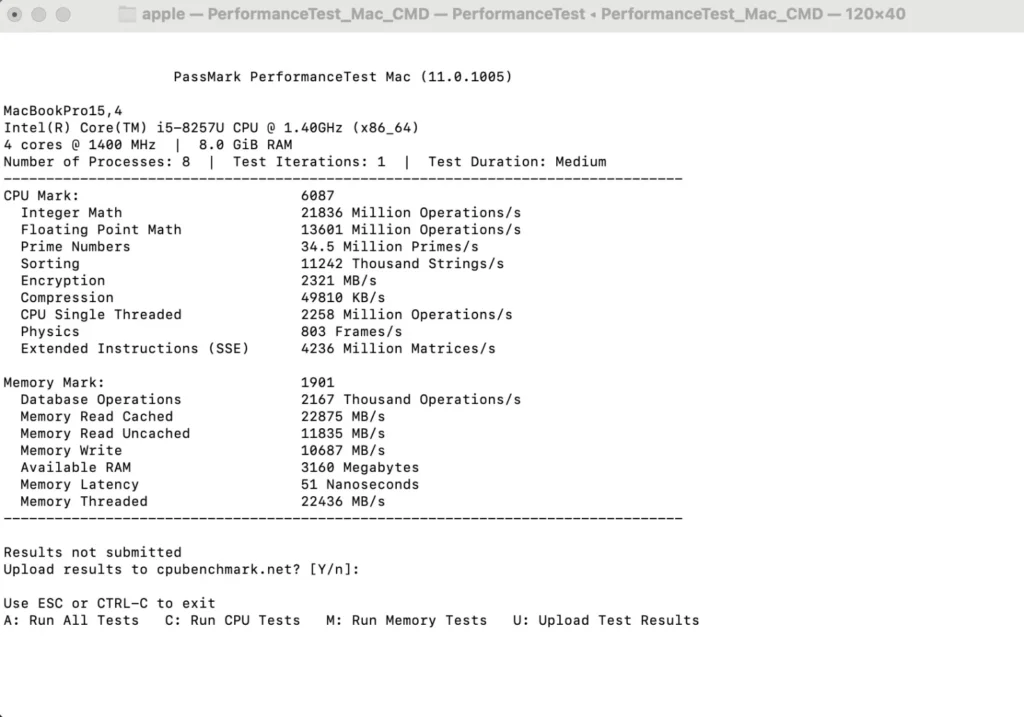
  • PassMark: It achieves a CPU Mark score of 6087 with Memory Mark at 1901
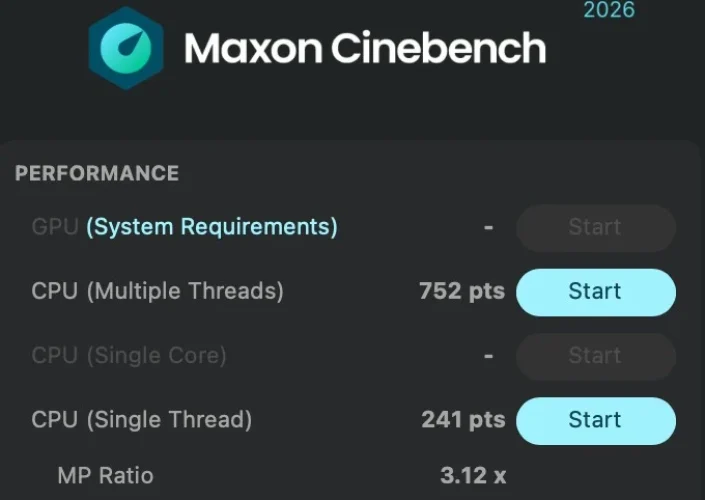
  • Cinebench: It rendered a multi-thread score of 752 pts and a single-thread score of 241 pts.

From both the results we conclude that It can handle short bursts of intense activity like exporting a short 1080p video or batch-processing RAW photos in lightroom quite well thanks to Intel’s Turbo Boost. However, under sustained, heavy loads, the processor will eventually heat up and throttle its speeds down to keep the chassis cool. It gets the job done, but it takes some time.

apple macbook pro A2159

Creative Workflows

If you are hoping to use this machine for heavy graphics work, you will need to lower your expectations.

The integrated Intel graphics scored a modest 6744 in the OpenCL benchmark. While not meant for gaming, the graphics are well-tuned for driving the Retina display, playing high-resolution video, and running design software like Photoshop or Illustrator.

Apple macbook pro A2159

Hardware details

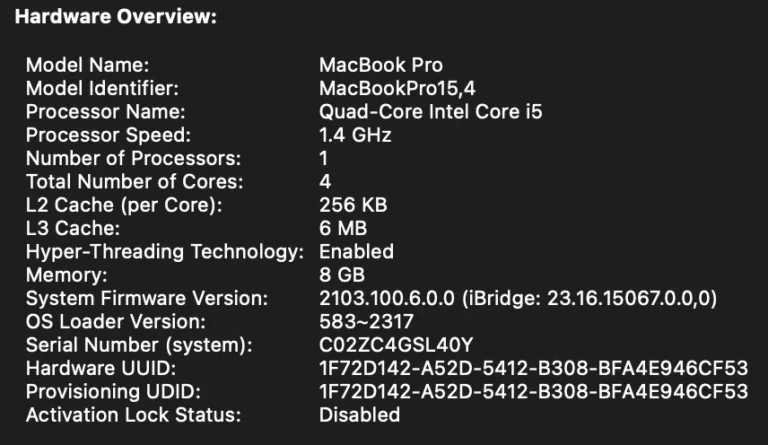
Under the chassis, it’s equipped with a 1.4 GHz quad-core Intel Core i5 processor. Thanks to a feature called “Hyper-Threading,” the laptop is actually pretty clever at handling multiple tasks at once without breaking a sweat. It also comes with 8GB of RAM, which is the sweet spot for everyday things like having a bunch of browser tabs open, streaming music, and getting office work done smoothly.

apple macbook pro A2159

Battery Back-up

Given that my review unit is refurbished, you can expect close to 4 – 5 hours of battery life for basic web browsing and word processing, while more demanding tasks like image editing will drain the battery in around 2 – 3 hours. It’s plenty to get you through a full workday without needing to hunt for an outlet.

Connectivity

The 2019 MacBook Pro (A2159) reflects a minimalist approach to connectivity. Apple opted for a forward-looking design by removing nearly all legacy ports.

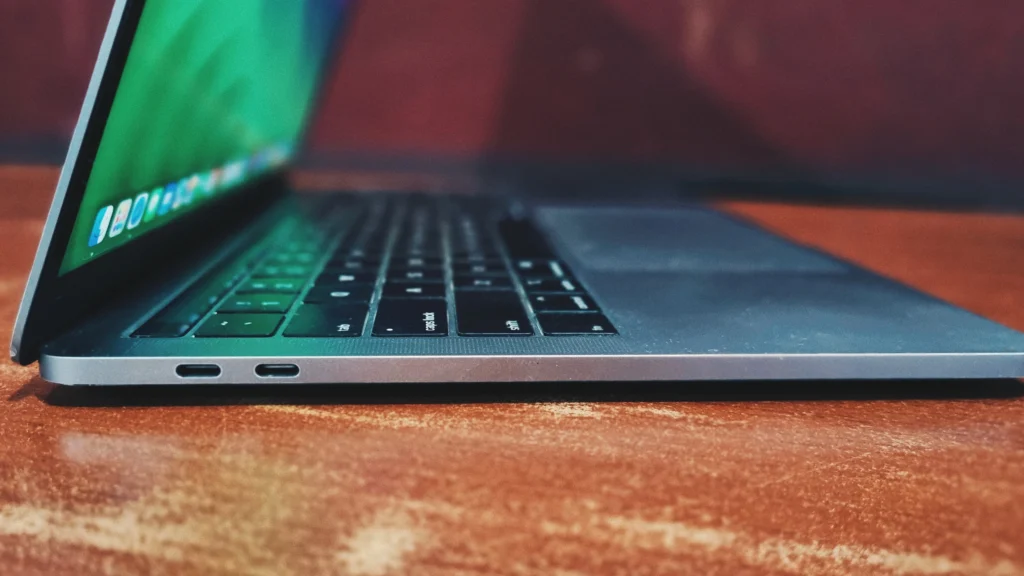
On the left side: Two Thunderbolt 3 (USB-C) ports.

apple macbook pro A2159

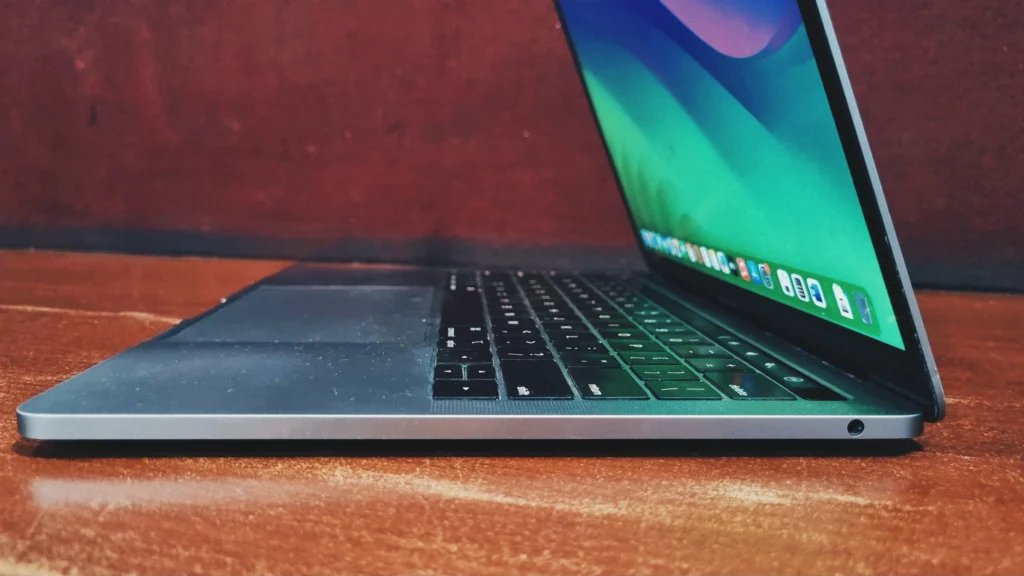
On the right side: A 3.5 mm headphone jack.

Apple macbook pro A2159

Apple MacBook Pro (A2159) Review: Keyboard and Touchpad

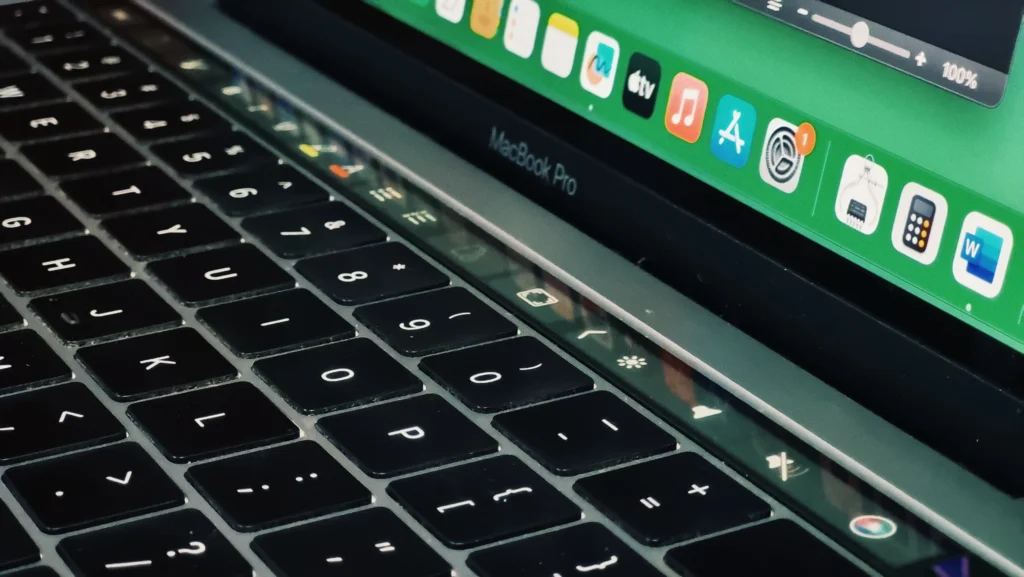
Input devices on this model can be polarizing. It utilizes Apple’s butterfly keyboard switch design which offers a very minuscule key travel. During our testing, typing for extended periods became uncomfortable due to noticeable heat buildup around the keyboard and palm rest s. Below the keyboard lies a massive Force Touch trackpad. Since it is a solid-state surface that doesn’t actually click, it relies on haptic feedback to simulate a physical press. It is one of the most accurate and spacious trackpads available, though learning the “half-press” for drag-and-drop actions requires some practice.

Apple macbook pro A2159

The Touch Bar: A Dynamic Assistant

Replacing the traditional top row of physical function keys is the Touch Bar, a thin, dynamic OLED strip that adapts to whatever application you are currently using. Rather than physical keys, the Touch Bar presents context-aware tools – if you open Safari, it displays your favorite bookmarks and open tabs; if you are typing an email or document, it offers predictive text and quick-formatting options; and in creative apps like Final Cut, it transforms into a highly responsive timeline scroller. Located neatly at the far-right end of this strip is the Touch ID sensor, which makes waking the laptop, authenticating system passwords.

Apple macbook pro A2159

Bottom Line

The 2019 Apple MacBook Pro (A2159) with a Core i5 and 8GB of RAM remains a highly capable laptop that, especially considering its age, handles everyday professional workloads and light creative tasks easily. Its brilliant Retina display and robust T2 security features make it feel thoroughly modern. However, the restrictive, non-expandable storage is a massive let-down for some people. If you don’t mind carrying an external drive and utilizing USB-C adapters and want a premium macOS experience then this is made just for you but if you power users and data hoarders should look for configurations with larger storage.

Frequently Asked Questions (FAQs)

For general productivity, if your daily workflow consists of web browsing, word processing, email and streaming media, the MacBook pro (A2159) is solid and affordable choice 

The ram on all MacBook (A2159) remains soldered to the logic board and cannot be upgraded after purchase. Our suggestion would be to choose a higher model.

On the software front, this model supports macOS Ventura. Apple has ended official compatibility for macOS Sonoma and subsequent releases, so major feature enhancements are no longer available. However, the machine remains viable for daily driving as it continues to receive critical security patches.

Leave a Reply

Your email address will not be published. Required fields are marked *