Blogs
Lenovo ThinkPad X280 Review
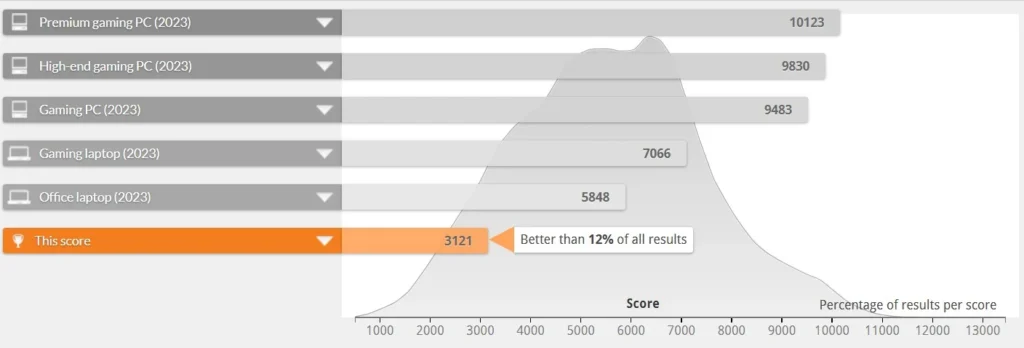
Table of Contents
Specifications –
- Intel Core Intel Core i5-8350U VPro Processor (8M Cache, 1.7GHz)
- 12.5 FHD (1920 x 1080) IPS touch Panel
- 8 GB DDR4 2133 MHz (non-upgradable, available in 16GB model also)
- 720p HD with Think Shutter
- TrackPoint pointing device and plastic multi-touch touchpad with buttons
- Integrated Match-on-Chip Fingerprint Reader
- 512GB PCIe NVMe (Expandable)
- 65W AC Adapter – Type-C
- Intel® Dual Band Wireless-AC (2 x 2), up to Bluetooth 4.2
- Weight – 1.243 kg
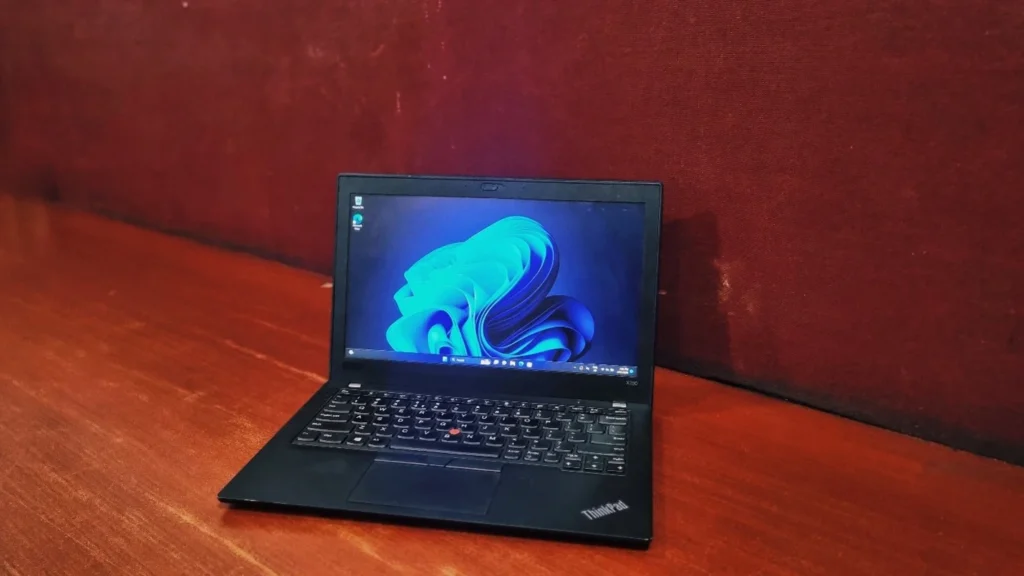
The Lenovo ThinkPad X280 is a perfect blend of a subnotebook with fantastic performance in a portable package. While this laptop used to be quite the investment, you can now grab it on the refurbished market for a genuinely good price.
Design & Build Quality
The X280 represents a major redesign for Lenovo’s 12-inch subnotebook, bringing its dimensions much closer to the premium X1 Carbon. It’s crafted using the premium carbon-fiber weave on the lid, combined with a magnesium alloy Chassis which feels incredibly light in your backpack, but it’s still rugged enough to survive rigorous drops and harsh temperatures with its MIL-STD-810G military certification. The metal hinges are sturdy and allow the screen to fold flat at a 180-degree angle
Lenovo ThinkPad X280 Carbon review: Display
The 12.5-inch 1080p (FHD) IPS panel is a highlight of the device. It is impressively bright with sharp details and vivid color reproduction. Unlike many modern touchscreens, the X280 features a display that is not mirror-glossy, which does an excellent job of minimizing distracting reflections from room lighting.
Performance & System Benchmark
To give you a real-world idea of what this laptop can handle, we put it through a few popular benchmark tests. Powered by the Intel Core i7-8350U processor and Intel UHD Graphics 620.
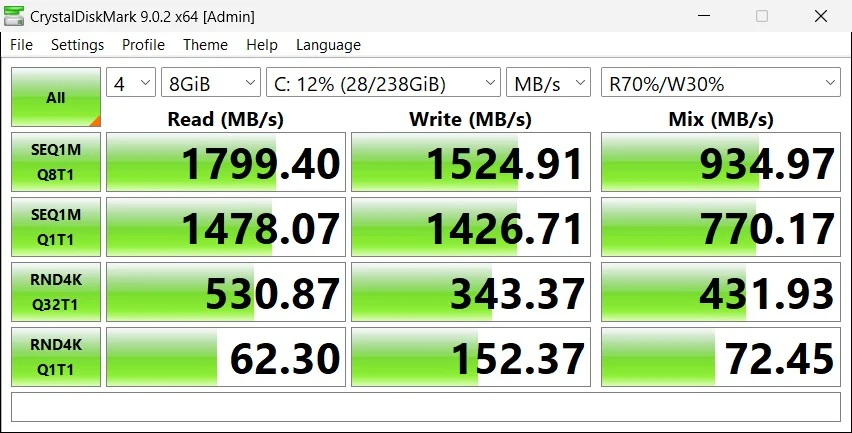
Storage Speed: (CrystalDiskMark)
The clocked sequential read speeds at around 1799 MB/s and write speeds at 1524 MB/s. These speeds are indicative of a solid mid-range PCIe Gen 3 NVMe SSD. While it doesn’t max out the Gen 3 interface (which caps around 3500 MB/s), speeds of 1500–1800 MB/s are more than enough to ensure very fast boot times, quick application launches, and snappy file transfers for daily use.
Everyday Processing: (Geekbench)
The laptop scored 1112 on the single-core test and 2834 on the multi-core test. In my testing, I found that this laptop can easily open a dozen Chrome tabs comfortably while working on Excel files without breaking a sweat because the single-core score is respectable for everyday tasks, meaning standard applications will open quickly. However, the multi-core score of 2834 is a bit low by modern standards. When placed under heavy workloads, the system’s temperature climbs to around 70–80°C, resulting in thermal throttling.
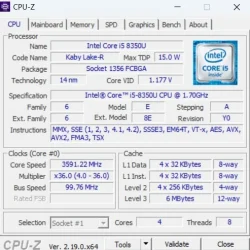
The Intel Core i5-8350U in this ThinkPad X280 is efficient. 15W quad-core processor designed to perfectly balance battery life and daily performance. It conserves power by idling at a low 1.7 GHz but can boost up to nearly 3.6 GHz to go through demanding tasks, making it a highly reliable engine for a subnotebook.
Real-World & Productivity Performance (PCMark 10)
The PCMark 10 tests how the laptop handles real-life workflows. The system scored an overall 3,121, placing it in the lower 12% of all submitted results (and notably placed below at the 2023 average for an “Office Laptop” which sounds quite good coming from a 2018 laptop). However, looking at the detailed scores we get the full picture.
- Essentials (5,872): This is the system’s strong area. With an App Start-up score of 9,639 and solid Web Browsing (5,031), the laptop will feel very responsive during standard, lightweight daily use.
- Productivity (4,828): It handles writing (5,301) and spreadsheets (4,398) quite well. It is perfectly suited for standard office environments and Microsoft Office suites.
Battery Back-up
Given that my review unit is refurbished, I am getting roughly half the battery life of a brand-new model, yielding about 2 to 4 hours of use. This is perfectly acceptable, especially considering the age of a laptop with such an ultra-thin chassis still working well.
Connectivity and Security
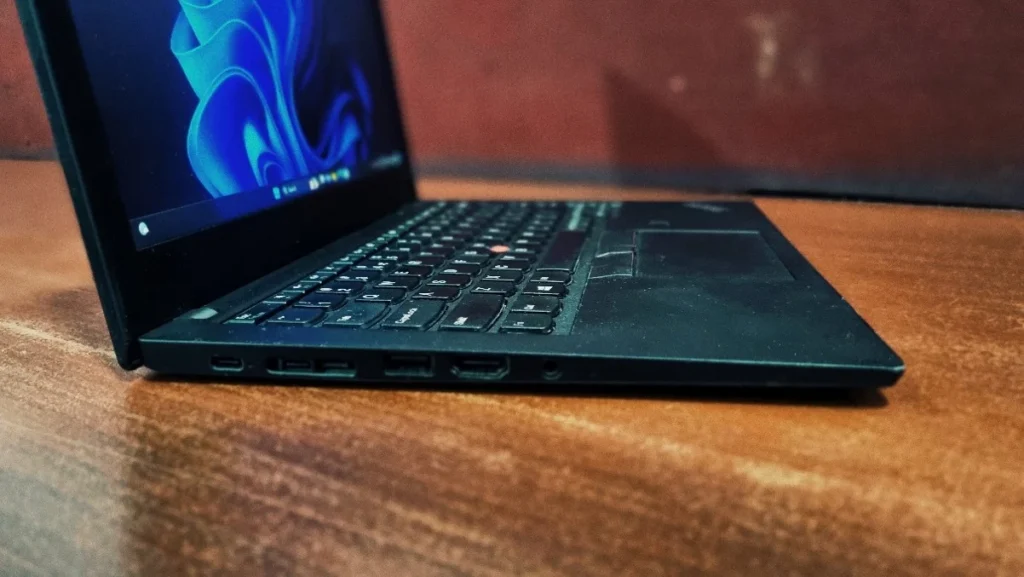
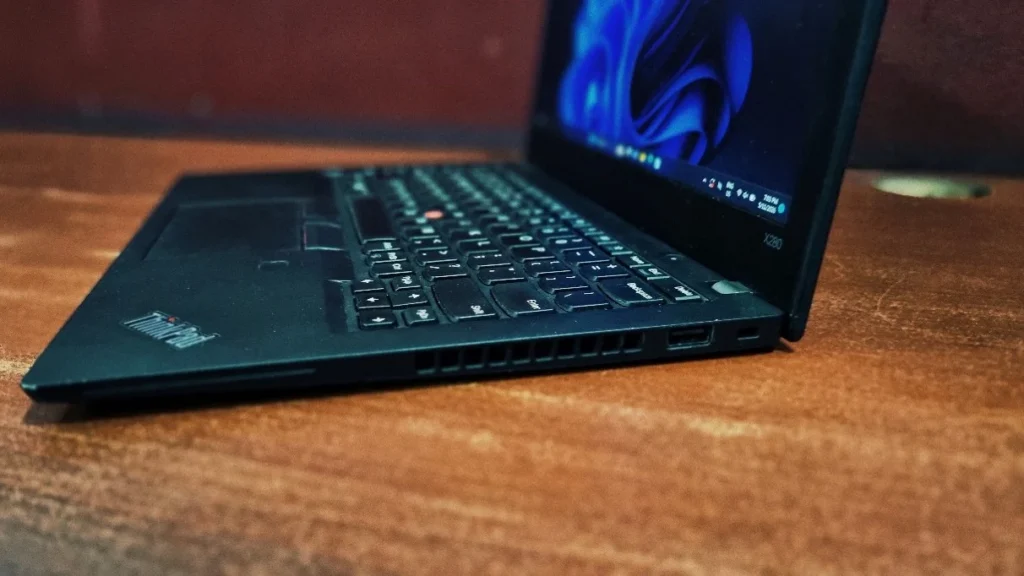
Lenovo has worked pretty well to give decent port connectivity for their ultra-thin subnotebook series:
On the left side, USB 3.1 Type-C, Thunderbolt 3, Mini Ethernet, Docking Port, USB 3.0 Type-A, HDMI, Audio port
On the right side, USB 3.0 Type-A, Kensington Lock and cooling vents
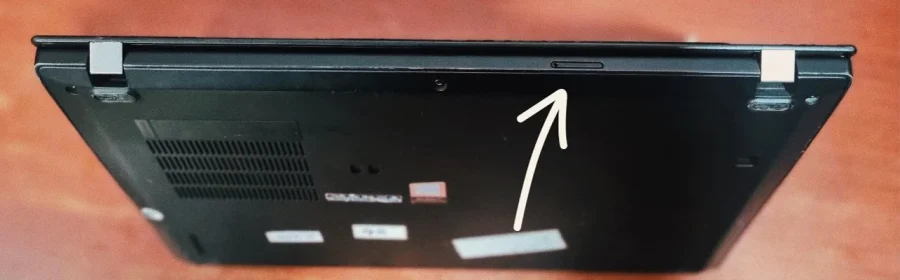
Backside: A hidden microSD card reader (which requires a SIM-style pin to open, making it better for permanent storage expansion rather than quick swapping).
Lenovo ThinkPad X280 review: Keyboard and touchpad
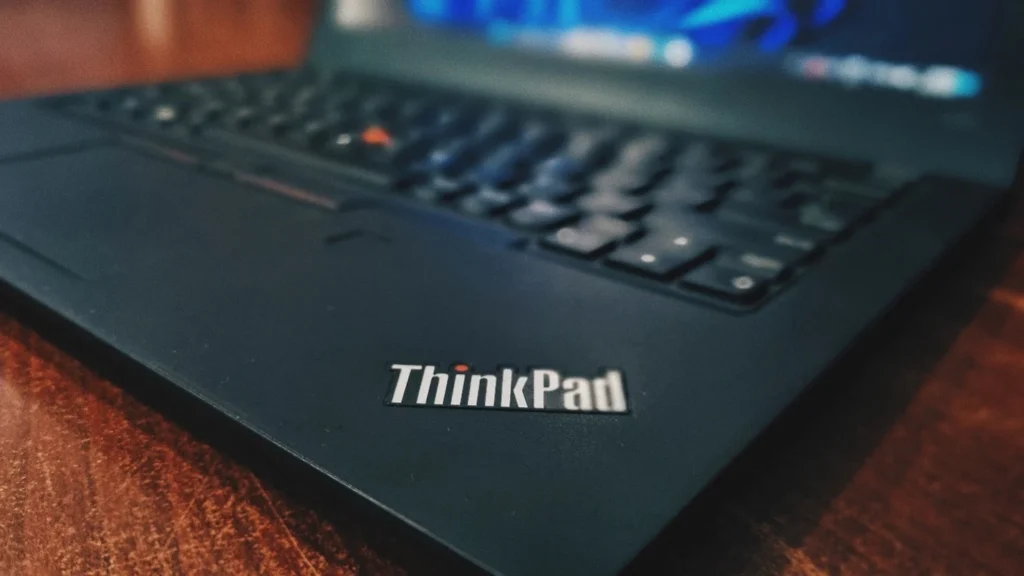
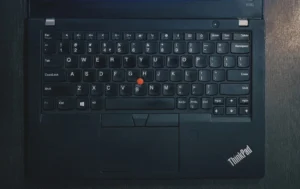
Lenovo’s ThinkPad keyboard remains top-tier on the X280 for typing warriors. The keys offer a firm typing feel with excellent tactile feedback with zero keyboard flex. Despite the laptop’s small footprint, the main typing area doesn’t look smaller than a standard Laptop keyboard. Navigation is handled by either the classic red TrackPoint “nub” embedded in the keyboard or the smooth, precise touchpad with three buttons on top.
Bottom Line
The Lenovo ThinkPad X280 introduces one of the major redesigns of the X200 series since its launch in 2008. This change can be felt the moment you pick up the laptop, as the weight is significantly reduced compared to previous models. However, to achieve this, Lenovo had to remove the swappable battery feature, and soldering the RAM to the motherboard was a downer for many people. This laptop is made for people who need portability and performance on a fraction of budget. Whether you are a recent college graduate or a professional who is always on the go, you should definitely consider getting this laptop.
Frequently Asked Questions (FAQs)
Q1. Can I upgrade the RAM on the Lenovo ThinkPad X280?
No, the RAM on the Lenovo ThinkPad X280 is soldered directly to the motherboard and cannot be upgraded after purchase. When buying a refurbished model, it is crucial to select a configuration with enough memory (typically 8GB or 16GB) to meet your long-term needs.
Q2. Does the ThinkPad X280 feature a touchscreen?
Yes, the ThinkPad X280 is available with a 12.5-inch FHD (1920 x 1080) IPS touchscreen. However, it is also sold in non-touch configurations, so be sure to check the specific listing if touch functionality is a priority for you.
Q3. What kind of battery life can I expect from a refurbished X280?
While a brand-new unit offered up to 13 hours of video playback, a refurbished ThinkPad X280 will generally provide about 2 to 4 hours of battery backup under standard workloads, depending on battery degradation and usage intensity.
Q4. Does the Lenovo ThinkPad X280 have a standard Ethernet port?
No, to maintain its ultra-thin chassis, Lenovo removed the standard RJ45 Ethernet port. Instead, the X280 utilizes a proprietary mini-Ethernet port, which requires a separate dongle adapter for a wired network connection.