Refurbished Laptop

Apple MacBook Pro (A1708) Review
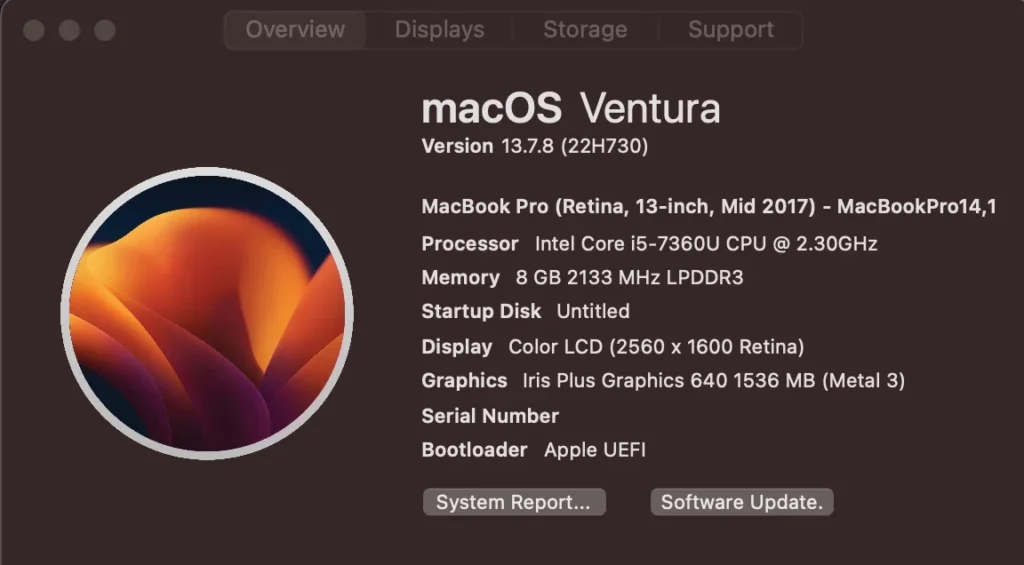
Table of Contents

Specifications –

  • Processor: 7th Gen Intel Core i5 (clock speed – 2.3GHz to 4.20GHz)
  • Graphics: Integrated Intel Iris Plus Graphics 640
  • Memory: 8 GB LPDDR3-2133 (non-upgradable soldered RAM)
  • Storage: 500GB SSD drive
  • Display: 13.3-inch Retina IPS panel (2560×1600 resolution)
  • Input: Full-size backlit butterfly keyboard
  • Camera: Built-in 720p FaceTime HD webcam
  • weight: 1.370 kg

The Apple MacBook Pro (A1708) is equipped with an Intel Core i5 and 8GB of RAM. Designed to succeed its 6th gen predecessor with 7th gen chips, it brought under the hood upgrades without altering the sleek aesthetic that Mac users have come to expect. Throughout the Intel era, Apple worked directly with Intel to create custom, modified versions of their standard processors. These changes usually involved specialized thermal tolerances, and integrated graphics adjustments to maximize efficiency within Apple’s ridiculously thin chassis.

Here is a breakdown of what this 13-inch machine has to offer based on thorough testing. 

Design & Build Quality

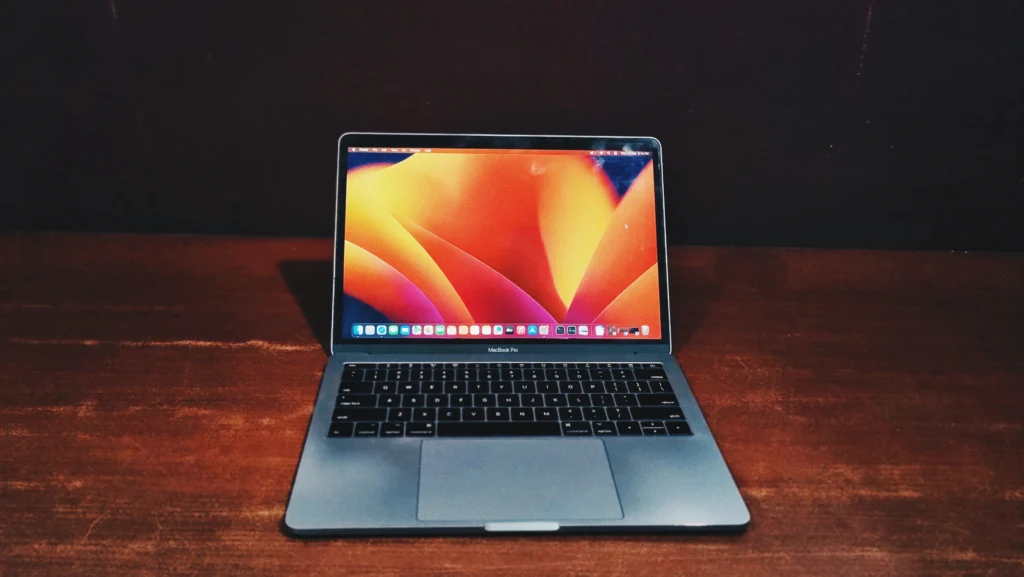
Visually, the Apple MacBook Pro (A1708) is virtually identical to the previous year’s model. It features Apple’s signature polished aluminum body, offering immense structural rigidity while feeling incredibly premium. It is highly portable, weighing in at just 1.37kg. Though the MacBook Air holds its crown as the Thin & light champion of the lineup, this model offers a superb balance between performance capabilities and a highly portable form factor. A major design trade-off, however, is the port selection. This year’s model features a total of two USB-C ports that double as ultra-fast Thunderbolt 3 ports, alongside a standard 3.5mm headphone jack. This inevitably ends the “Ports Era” that existed previously; now, you will need adapters for SD cards, USB-A devices, and HDMI cables.

apple macbook pro A1708

Apple MacBook Pro (A1708) Review: Keyboard and Touchpad

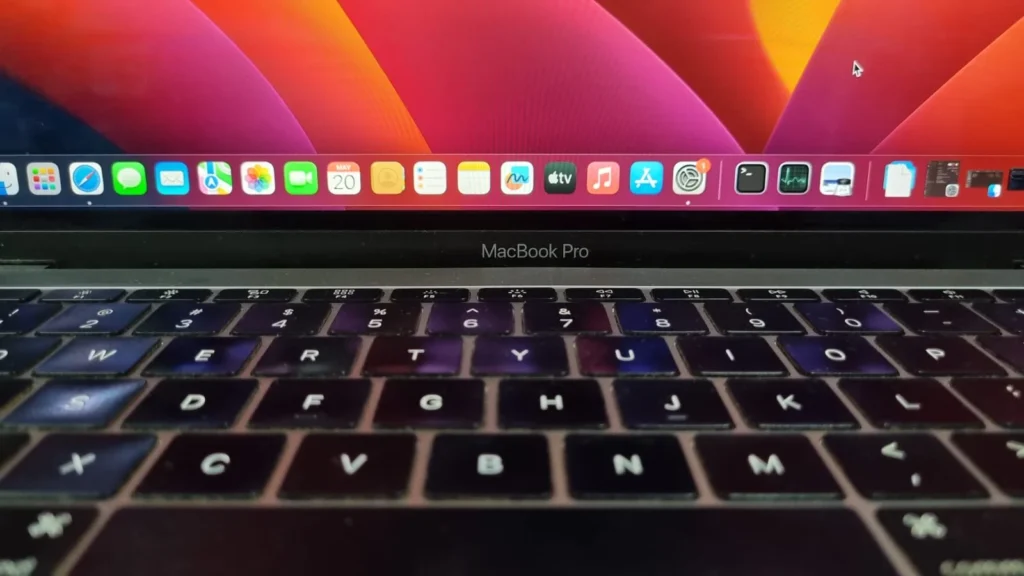
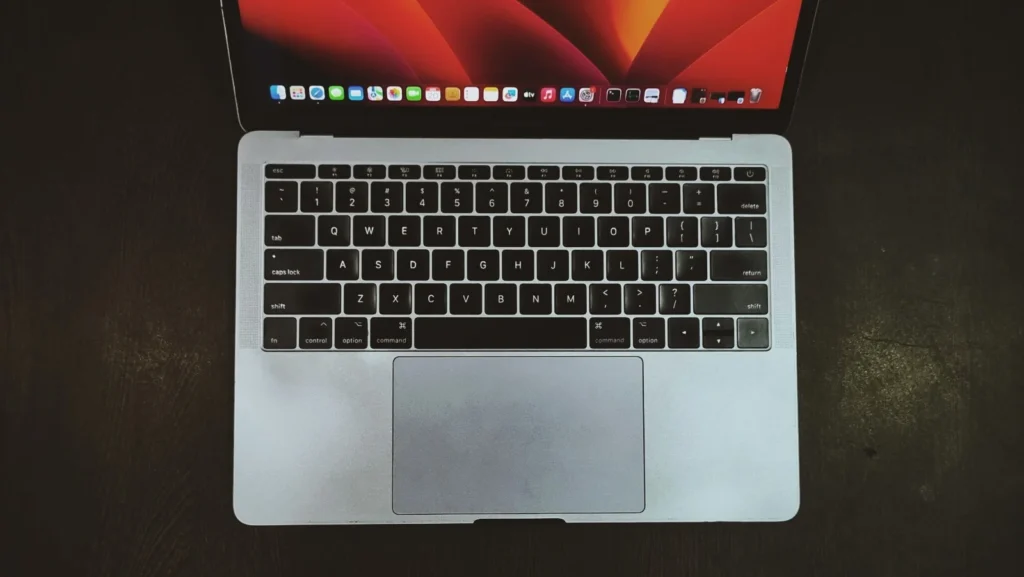
Input devices on this model can be polarizing. It utilizes Apple’s second-generation butterfly keyboard switch design, which offers very shallow key travel. During our testing, typing for extended periods became uncomfortable due to a noticeable heat buildup around the keyboard. This typically happens when the machine is handling heavy workloads. Below the keyboard lies a massive Force Touch trackpad. Since it is a solid-state surface that doesn’t actually click, it relies on haptic feedback to simulate a physical press. It is one of the most accurate and spacious trackpads available, though learning the “force-press” for certain actions requires some practice.

apple macbook pro A1708

Display & Audio

The display remains a standout feature. The 13.3-inch Retina display boasts a 2560 x 1600 resolution and delivers sharp text and details. What truly sets it apart is its brightness and color accuracy. Emitting up to 500 nits of brightness, according to Apple, the screen is easily readable even outdoors. Furthermore, it supports the DCI-P3 wide color gamut, which means deep blacks, brilliant whites, and incredibly vibrant hues making it an excellent panel for photo and video editors.

The audio experience is equally impressive. Apple managed to squeeze in some of the best front-firing speakers along the sides of the keyboard, which easily outshine most ultraportables. They can easily fill a room, delivering ample volume, distinct vocals, and a surprisingly full surround-sound feel.

Performance & Benchmarks Analysis

The Apple MacBook Pro (A1708) delivers capable everyday performance, though modern benchmark results highlight its age when compared to current-generation silicon.

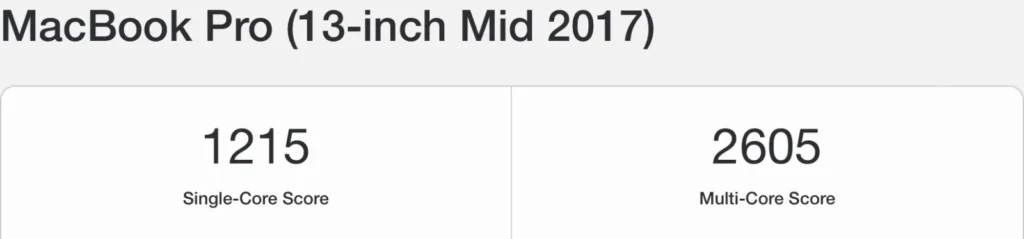
Geekbench CPU Performance: The machine achieves a Single-Core Score of 1215 and a Multi-Core Score of 2605.

  • Single-Core: The score of 1215  is acceptable for a 7th gen. Intel chip. This indicates that for tasks like web browsing, basic editing, and navigating macOS, the laptop remains quick and responsive.
  • Multi-Core: The multi-core score of 2605 explains there are some limitations of a dual-core processor which can be observed during the usage. heavily threaded applications (like video rendering or 3D modeling) will take significantly longer compared to other modern quad-core or Apple Silicon machines.
apple macbook pro A1708

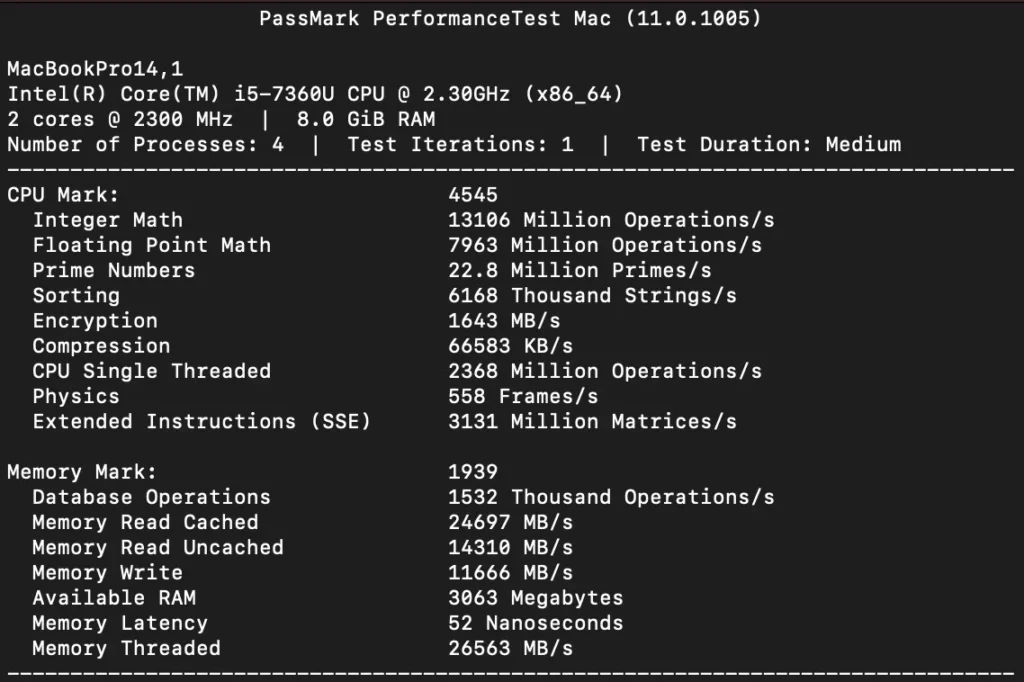
PassMark Performance Test Mac: The PassMark suite provides a more detailed look at the hardware.

  • CPU Score (4545): This overall score confirms the processor’s solid standing for general productivity but flags it as a bottleneck for intensive Processing tasks. It performs well in daily tasks, but scores in physics (558 frames) indicate it will struggle with CPU-bound gaming or simulations.
  • Memory Score (1939): The 8GB of RAM shows decent read/write speeds for DDR3 memory of that time. However, it is recommended for light tasks but it can handle heavy multitasking or dozens of browser tabs opened in chrome easily.
Apple macbook pro A1708

Hardware details

This MacBook Pro is currently running macOS Ventura (version 13.7.8). Under the hood, this machine is equipped with a dual-core 2.30GHz Intel Core i5 processor, 8GB of onboard RAM, and integrated Intel Iris Plus 640 graphics.

apple macbook pro A1708

Battery Back-up

Since my review unit is refurbished, you can expect close to 2-3 hours of battery life for basic web browsing or writing on word, while more demanding tasks like image editing will drain the battery much faster. This is enough to get you through part of a workday, though you may eventually need to keep the charger handy.

Connectivity

The Apple MacBook Pro (A1708) follows a streamlined approach. Apple made a controversial move toward the future by stripping away almost all legacy ports.

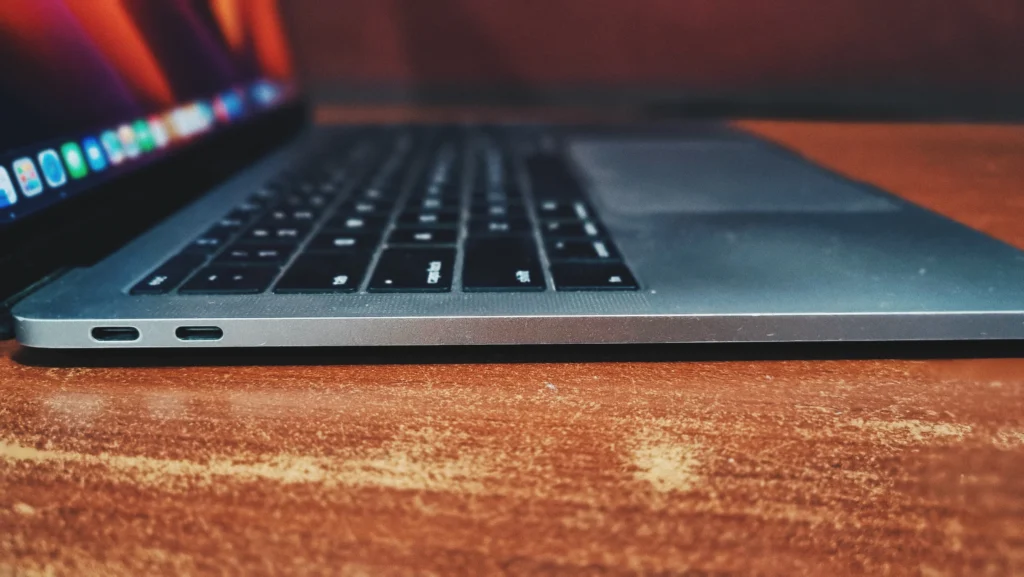
On the left side: 2x Thunderbolt 3 (USB-C) ports.

Apple macbook pro A1708

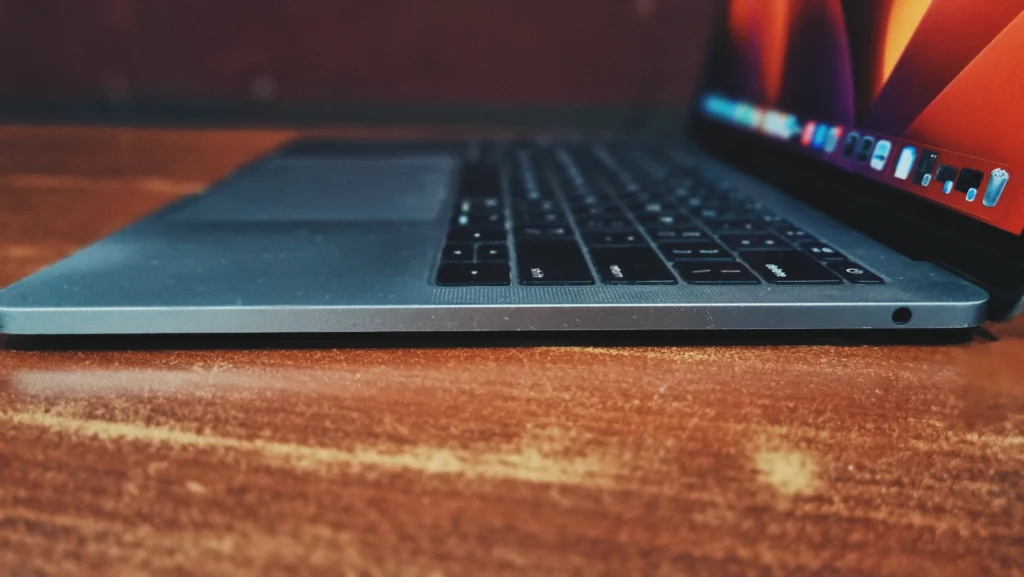
On the right side: A 3.5mm headphone jack.

Apple macbook pro A1708

Storage Upgradability

Users frequently complain that Apple permanently attaches laptop parts by soldering in the motherboard, forcing you to pay high prices for extra storage in the beginning. However, the A1708 model is a rare exception: it is the last modern MacBook Pro that allows you to upgrade the storage yourself.

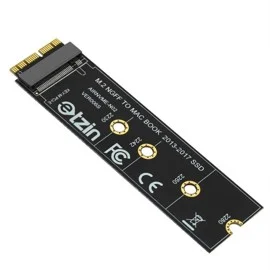
Unlike the Touch Bar versions from the same year, the storage drive in this model isn’t permanently attached or soldered to the motherboard. By using an adapter, you can easily install a massive 1TB or 2TB standard SSD. Because most modern tech cannot be upgraded at all, this feature helps the base-model 2017 MacBook Pro last much longer than its expected lifespan.

apple macbook pro A1708

Bottom Line

The MacBook Pro (A1708) is a well-crafted, highly capable machine which is still faster than many windows laptops of this age after many years. This laptop is for everyday users and students who are on a tight budget. While its dual-core processor and 8GB of RAM are a bit sluggish by modern standards, it still boasts a stunning Retina display, excellent speakers, and is the last MacBook to offer user-upgradable storage. You will have to rely on USB-C dongles for connecting older accessories. However, if that doesn’t bother you and you just need the premium feel of a MacBook for web browsing, media consumption, and office work without spending a fortune, this model offers surprisingly good value in refurbished markets .

Frequently Asked Questions (FAQs)

Yes, basic productivity tasks or if your workflow consists of web browsing, word processing, email, and streaming media, Apple Macbook (A1708) remains a solid and affordable choice. However, it struggles a bit doing modern tasks like 3D rendering or modeling. .

The RAM on all MacBook Pro models is soldered to the logic board and cannot be upgraded. However, the non-Touch Bar model (A1708) has a removable SSD. With a third-party adapter (easily available locally) you can upgrade the storage using a standard M.2 NVMe SSD.

Officially, Apple MacBook Pro (A1708) can run up to macOS Ventura (version 13). It is not officially supported for macOS Sonoma (version 14) or later, meaning it will no longer receive major feature updates, though it will still receive essential security patches.

Leave a Reply

Your email address will not be published. Required fields are marked *