




Blogs
Dell Latitude 5490 [Review]

Specifications –
- Processor: Intel® Core™ i5-8250U
- Graphics: Integrated Intel® UHD Graphics 620
- Memory: 8GB DDR4 (up to 32GB)
- Storage: 256GB SSD (Expandable up to 1TB)
- Display: 14.0”, Full HD (1920 x 1080), IPS
- Wireless: Wi-Fi 802.11ac, Bluetooth 4.2
- Weight: 1.6 kg
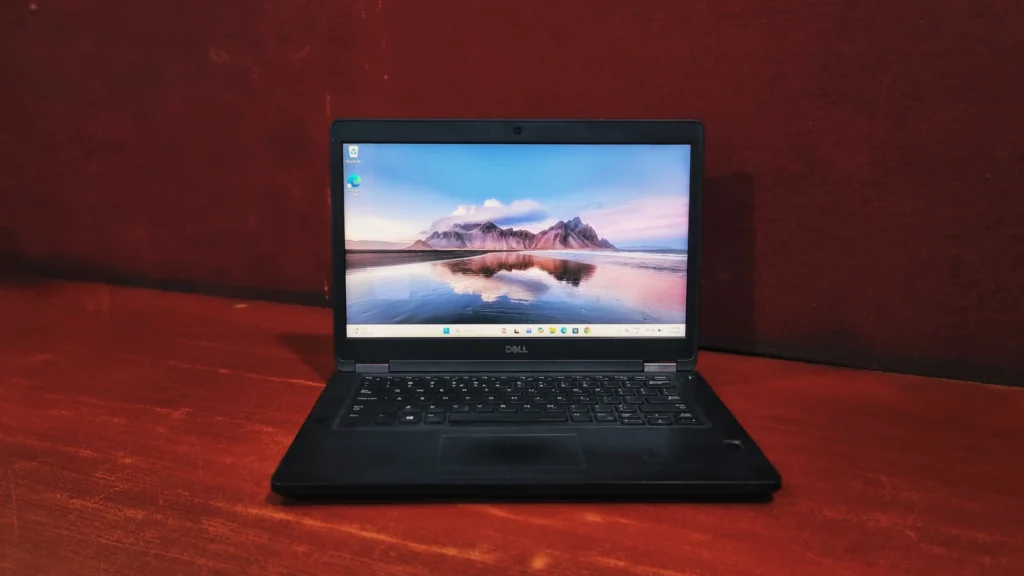
The Dell Latitude 5490 doesn’t try to be thin & light, and it doesn’t have any premium aluminum accents. But if you want a reliable, tank-like machine that handles heavy multitasking, presents a phenomenal typing experience, and offers every port you could possibly need, this laptop is hard to beat.
Design And Build Quality
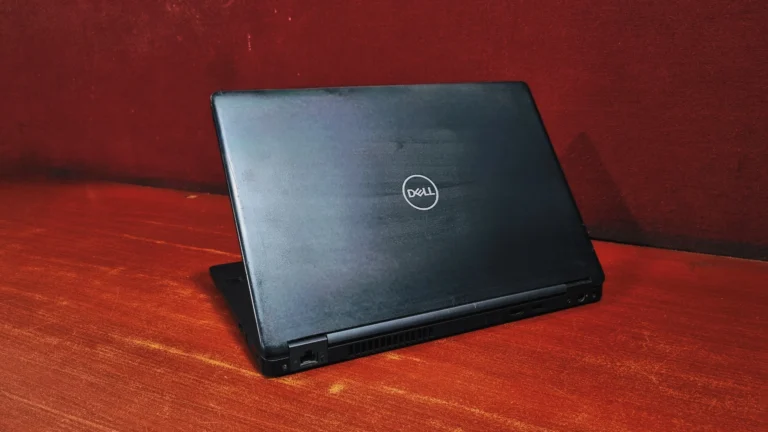
The Latitude 5490 has an identity of all – business aesthetics. Its matte-black, carbon-fiber chassis makes it look minimalist. While it might look a bit old compared to the latest tech, it is incredibly durable. The machine passed 14 different MIL-SPEC tests, meaning it can survive drops, vibration, dust, and extreme temperatures. The trade-off for that ruggedness is portability. It’s noticeably heavier and bulkier than some of its sleeker competitors. You will definitely feel it in your backpack while travelling.
Dell Latitude 5490 review: Display
This laptop comes with a 14-inch screen with 1920×1080 Full HD resolution, which keeps text crisp and spreadsheets easy to read. It struggles significantly with color vibrancy, covering only about 65% of the sRGB according to Dell, which leaves colors looking dull or washed out. Also, because of the wide viewing angles on the anti glare panel, the screen doesn’t work outdoors very well. This screen is built strictly for indoor productivity. If your work involves color-accurate photo editing or you want a vibrant movie-watching experience, you will find it a bit lacking.
Keyboard & Touchpad
Dell’s business-class keyboards of this generation are highly regarded, and the Latitude 5490 is no exception.
If you type for hours at a time, this laptop is an absolute joy. The island-style, backlit keyboard features deep key travel and requires a firm actuation force. This prevents accidental typos and provides a snappy, tactile click that matches the best enterprise keyboards on the market.
The touchpad is a bit small by modern standards, but its smooth surface tracks multi-finger Windows gestures flawlessly. Instead of an all-in-one clicking click pad, it utilizes physical, quiet click buttons below it. Nestled right in the middle of the keyboard is the classic rubber pointing stick paired with an extra set of mouse buttons at the top of the trackpad, giving you complete, precise control without lifting your hands off the home row.
Performance & Benchmarks
To give you a clear picture of how the Dell Latitude 5490 performs in the real world, we ran it through a few popular benchmark tests:
CrystalDiskMark (Storage Speed)
- The scores are as follows:
- Sequential Read: 530.82 MB/s
- Sequential Write: 478.00 MB/s
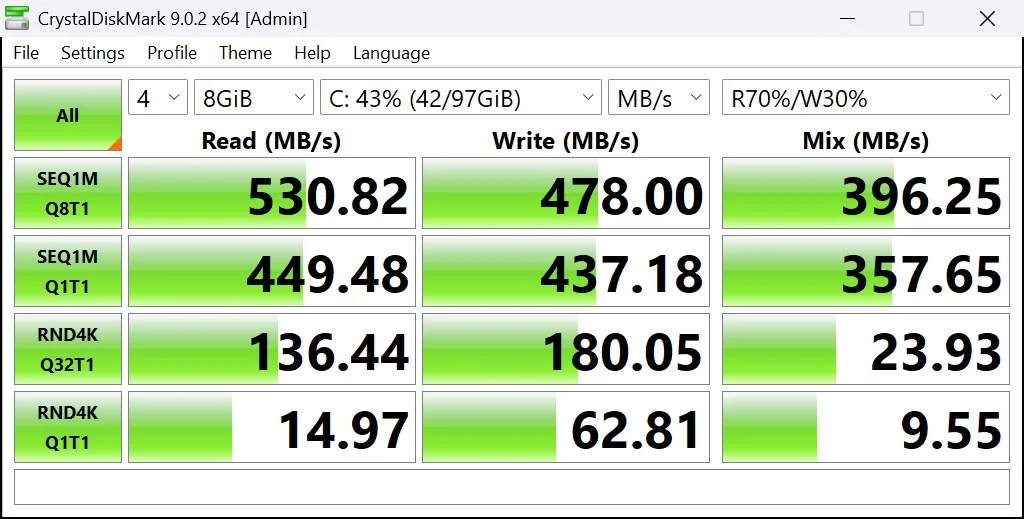
Sequential speeds measure how fast the drive can move large, continuous blocks of data like copying a massive 4K movie file or installing a large program. These numbers are actually excellent for SATA drives, basically maxing out the physical limits of that interface (which caps around 550 MB/s). While these numbers look small compared to the sequential speeds, they are completely normal for a SATA SSD and are still exponentially faster than an old mechanical hard drive.
Geekbench CPU Benchmark (Processor Performance)
- Explanation: Geekbench measures the raw processing power of the CPU.
- Single-Core Score: 1183
- Multi-Core Score: 3381
Everyday Processing (Single-Core): This processor got a Single-Core Score of 1183. This score reflects how well the computer handles basic, everyday tasks that rely on just one processor core at a time, meaning you can expect a responsive experience when typing documents, checking emails, or opening individual applications.
Multitasking Power (Multi-Core): The system scored 3381 on the multi-core test. This indicates that the computer is very capable of handling multiple tasks simultaneously, making it a great fit for standard office productivity where you might be running a video conference, managing a large spreadsheet, and keeping several web browser tabs open all at once.

Graphical Capabilities (OpenCL): The OpenCL Score of 5067 measures the performance of the laptop’s graphics processor. While this score indicates that the machine is not built for heavy 3D rendering or serious professional video editing, it is perfectly equipped to handle hardware acceleration for daily visual tasks, such as smoothly streaming HD videos, rendering web pages, and performing basic photo editing.

PC Mark 10 (Overall System Productivity)
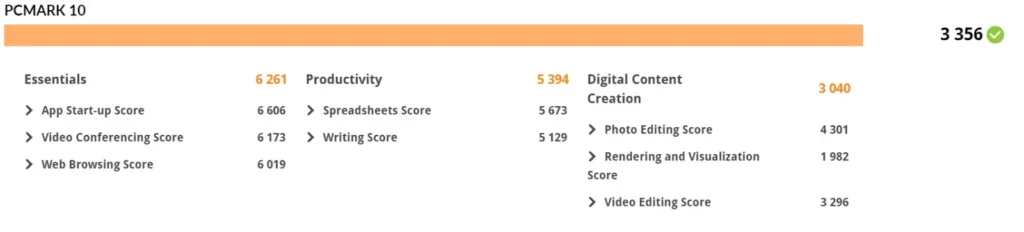
This PCMark 10 score of 3356 shows this computer is a solid, reliable companion for everyday tasks, best suited for standard office and student work rather than heavy-duty gaming or intensive 3D design. To break down what these numbers mean for your daily experience:
- Snappy Everyday Use (Score: 6,261): This is the system’s strongest area. You will enjoy a smooth, responsive experience when on video calls, surfing browsers, and launching your favorite everyday apps.
- Reliable Productivity (Score: 5,394): The computer easily manages word processing and spreadsheet tasks, making it a great, dependable fit for getting your standard work or homework done without any trouble.
- Light Content Creation (Score: 3,040): While it isn’t a powerful machine designed for professional video editing or heavy 3D rendering, it still has enough power to handle basic photo editing and light media tasks just fine.
Hardware details
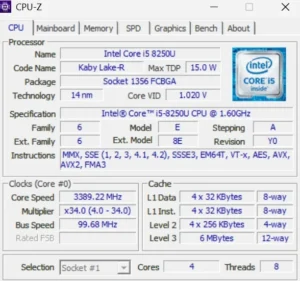
This laptop comes with an Intel core i5-8250U processor from the “Kaby Lake-R” family, built on a 14 nm manufacturing process. It is a power-efficient mobile chip designed to maximize battery life, operating with a maximum Thermal Design Power (TDP) of 15.0 W. Inside, it features 4 cores and 8 threads to handle multitasking, alongside 6 MB of cache. While its base clock speed sits at a modest 1.60 GHz, the core speed actively boosts to roughly 3.58 GHz.
Battery life
On a refurbished unit, you can realistically expect up to 2 hours of continuous real-world use depending on the battery’s health percentage. Fortunately, Dell engineered this laptop with excellent serviceability. If the battery life degrades too much, the bottom panel can be quickly removed by undoing a few standard screws, giving you direct access to swap out the internal battery yourself in under five minutes.
Ports and Connectivity
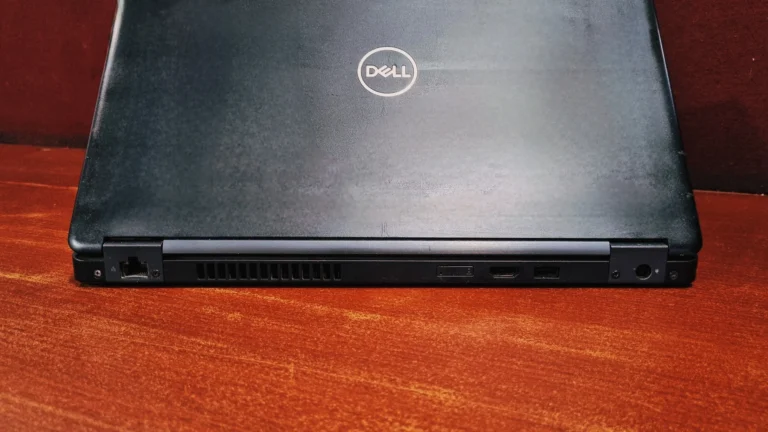
In a modern landscape plagued by sparse USB-C configurations and cumbersome dongles, the Latitude 5490 feels incredibly refreshing. Dell ingeniously placed the majority of the ports on the rear of the chassis, keeping your desk entirely clean of side-jutting cables.
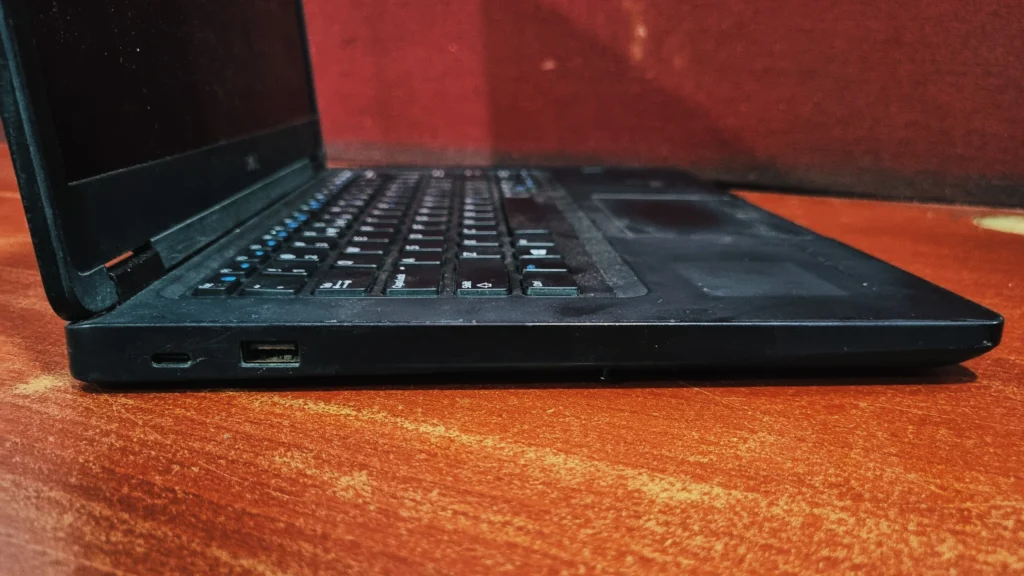
- Left Side: USB Type-C (with DisplayPort support), USB Type-A 3.1, SD Card Reader
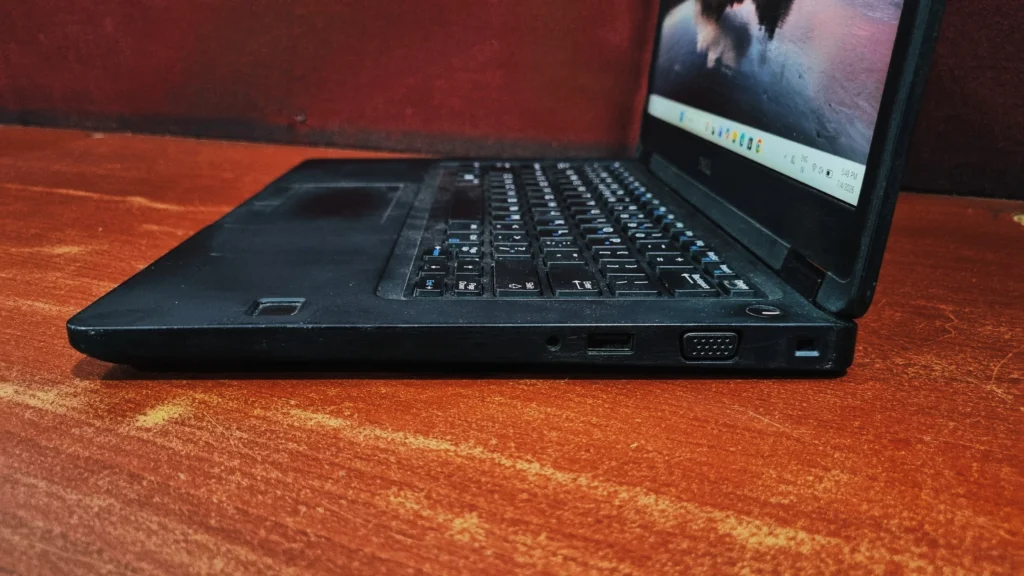
- Right Side, Headphone/Microphone Combo Jack, USB Type-A 3.1, VGA, Noble Wedge Lock.
- Back: RJ45, SIM Card Slot, HDMI 1.4, USB Type-A 3.1, Power Port
Final Verdict
The Dell Latitude 5490 is unapologetically a tool for productivity and basic office tasks, which is what matters to professionals: raw processing power, military-grade ruggedness, an unparalleled typing layout, and a massive array of native ports.
If you are buying it refurbished, keep in mind for battery backup as it will function largely as a portable desktop station rather than an all-day traveler. However, if you want a Core i5 for multitasking performance and built-to-last durability on a budget, this machine delivers incredible value.
Check Out Other Blog – Lenovo ThinkPad T480 Review
Frequently Asked Questions (FAQs)
Q: Can I upgrade the RAM and storage?
A: Yes. The base cover is easily removable, revealing two slots supporting up to 32GB of RAM and a standard slot for an M.2 NVMe SSD.
Q: Does Dell Latitude 5490 have USB-C port support Thunderbolt?
A: No. The USB-C port supports data transfer and DisplayPort output for external monitors, but it lacks Thunderbolt speeds.
Q: Is Dell Latitude 5490 good for gaming?
A: No. The integrated Intel graphics are fine for casual browser games and older games like Minecraft, but will struggle a lot with modern 3D games.
Q: Does Dell Latitude 5490 have a webcam?
A: Yes, it has a basic (720p) webcam centered above the display. It is functional for Zoom or Teams calls, though the image quality is somewhat grainy.

