




Blogs
Refurbished MacBook vs New Windows Laptop Under ₹50,000

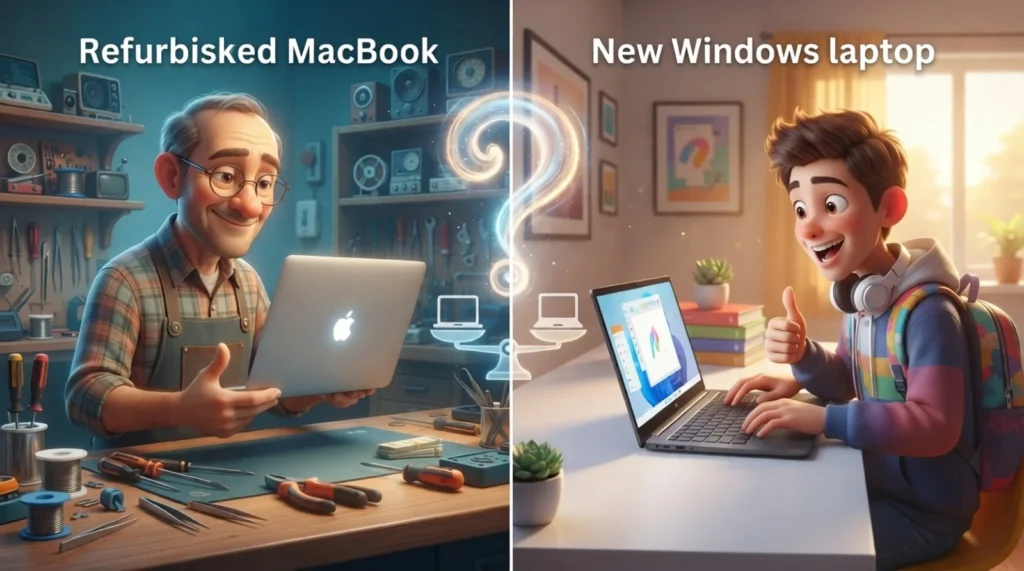
At this budget, a new Windows laptop buys you the latest specs on a mid-range chassis, a refurbished MacBook buys you Apple’s build quality and macOS. Here’s how to decide.
Refurbished MacBook vs New Windows Laptop: What's the Better Buy at ₹50,000?
₹50,000 is a pivotal budget in the Indian laptop market. It's enough for a genuinely capable new Windows laptop — or, spent on a refurbished MacBook Air or Pro instead, it opens the door to Apple hardware that would otherwise cost ₹90,000+ new. Which is the better buy depends heavily on what you actually use a laptop for.
What ₹50,000 Buys You Each Way
| Spec | 🍎 Refurbished MacBook (₹50,000) | 🪟 New Windows Laptop (₹50,000) |
|---|---|---|
| Typical spec | MacBook Air/Pro, Intel or M1-era | Core i5, 8GB RAM, mid-range GPU |
| Build quality | Aluminum unibody, Apple-grade | Mixed, varies widely by brand |
| Display | Retina display, color-accurate | Standard FHD IPS, varies by brand |
| Battery life | Excellent, especially M1 models | Good, varies by model |
| OS | macOS | Windows 11 — broadest software/game compatibility |
| Upgradability | Limited, RAM/storage fixed | Often upgradable |
| Latest ports & features | Model-dependent, Type-C ports only in newer gens | Current generation |
🍎 Choose a Refurbished MacBook If...
- You work in design, video, or content creation where macOS and Apple's ecosystem matter
- You want premium build quality and display at a fraction of new-MacBook pricing
- Battery life and quiet, fanless (or near-silent) operation are priorities
- You already use an iPhone/iPad and want ecosystem continuity
🪟 Choose a New Windows Laptop If...
- You need software that's Windows-only (many enterprise, engineering, or gaming applications)
- You want a dedicated GPU for gaming or GPU-accelerated work
- You need ports, RAM, or storage that's user-upgradable down the line
- You want the latest-generation chipset with full manufacturer warranty
💡 Worth knowing: Refurbished M1 MacBook Airs, when available, are often the single best value in this price bracket, combining Apple Silicon efficiency with a price that undercuts even mid-range new Windows laptops.
The "Unified Memory" Myth vs. Windows RAM Reality
One of the biggest points of confusion at this price point is comparing the memory specs. A new Windows laptop under ₹50,000 will easily offer 16GB of DDR4 or DDR5 RAM. Meanwhile, a refurbished M1 MacBook Air at this budget will almost always feature the base 8GB of Unified Memory.
🍎 How macOS Maximizes 8GB
Apple's M-series architecture places RAM directly onto the processor chip. Because it shares a connection with CPU and GPU, data transfers instantly. Combined with aggressive macOS memory compression, 8GB on an M1 Mac performs smoothly, handling 20+ browser tabs and lightweight 4K video editing without breaking a sweat.
🪟 How Windows Utilizes 16GB
Windows 11 is inherently hungrier for memory right out of the box. However, having a physical 16GB pool means a mid-range Windows laptop will suffer much less slowdown when running specialized software (like AutoCAD), virtualization software, or modern PC games that strictly require massive memory footprints.
Performance Under Pressure: The Charging Cable Factor
This is a critical behavior difference that specs on paper never tell you:
🪟 The Windows Power Drop
Most mid-range Windows laptops only give you 100% of their processor power when they are plugged into a wall outlet. The moment you unplug and go on battery power, the system aggressively throttles the hardware performance to prevent the battery from draining in two hours.
🍎 The Apple Silicon Consistency
If you buy a refurbished M1 MacBook Air, its ARM-based architecture is so efficient that it delivers the exact same computing speed whether it is plugged into a charger or running on battery power on a flight. It doesn't drop performance frames, and it stays completely silent because it doesn't even have a cooling fan to spin up.
One factor people underweight is how long each machine will keep receiving OS updates. An M1 MacBook, even bought today, is still comfortably inside Apple's support and will likely keep getting macOS updates for several more years. An Intel-based MacBook from 2017–2019, by contrast, may already be at or near the end of macOS support, even though the hardware itself is fine. On the Windows side, a new laptop today gets installed with the latest OS — useful if you plan to keep it 5+ years, less relevant if you upgrade every 2–3 years.
Ready to Buy?
Browse EazyPC's certified refurbished Dell, HP, Lenovo & Apple laptops — every unit quality-checked, warrantied, and ready to ship across India.
Shop Refurbished Laptops →Frequently Asked Questions
Is a refurbished MacBook a safe buy?
From a specialist refurbisher offering battery health verification and warranty, yes — Apple hardware is known for longevity well beyond typical refurbishment cycles.
Can a refurbished MacBook run Windows software?
Intel-based MacBooks can dual-boot or run Windows via Boot Camp; M1/M-series models require virtualization, which has more limitations.
Which holds resale value better?
MacBooks are widely known to retain resale value better than most Windows laptops, refurbished or new.
