




Blogs
Dell Latitude 3400 (I5 8th gen) Review

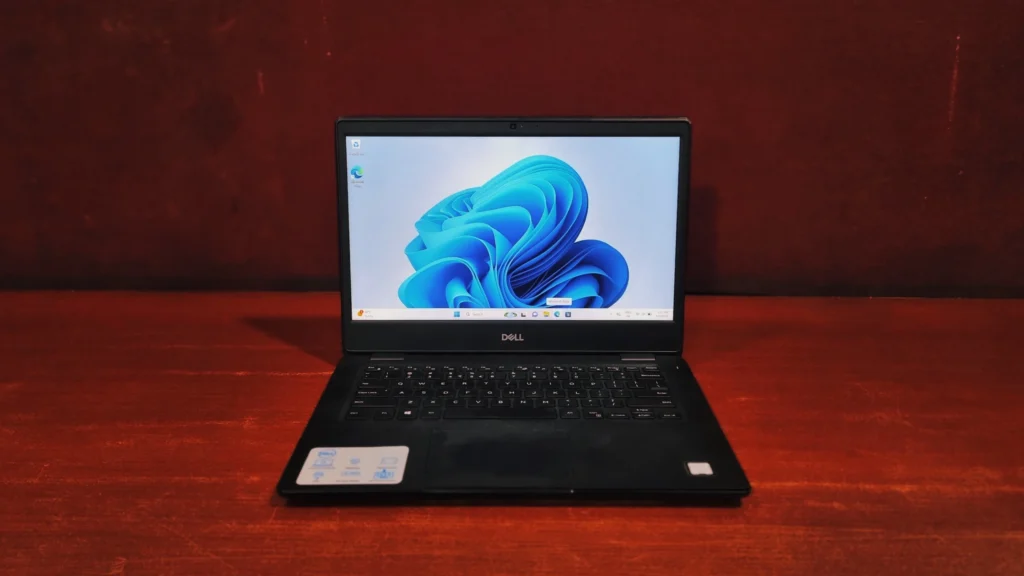
Specifications –
- OS: Windows 11 Pro
- CPU: Intel 8th Generation Core i5-8365U Processor (1.60GHz, up to 4.10GHz Max Turbo, 4 Cores, 8 Threads, 6MB Cache)
- Memory: 8GB DDR4, 2400MHz (expandable up to 32GB)
- Storage: 256GB SATA SSD (expandable)
- Graphics: Integrated Intel UHD Graphics 620
- Screen: 14.0″ FHD (1920 x 1080) IPS, anti-glare, non-touch.
- Connectivity: 802.11ac Wi-Fi, Bluetooth 5.0, Gigabit Ethernet
- Weight: 1.70 kg
- Camera: 720p (1280 x 720)
The Dell Latitude series offers some of the best laptops you can find under 30K in refurbished markets. Today, we are bringing you an in-depth review of the Dell Latitude 3400. At first glance, it’s exactly what you’d expect from a business laptop – robust, industrial, and incredibly stable. While it doesn’t have any visual difference across the lineup, there’s a reason for it. Ultimately, it’s all about brand recognition and that “built-to-last” reputation that users have come to rely on.
Design And Build Quality
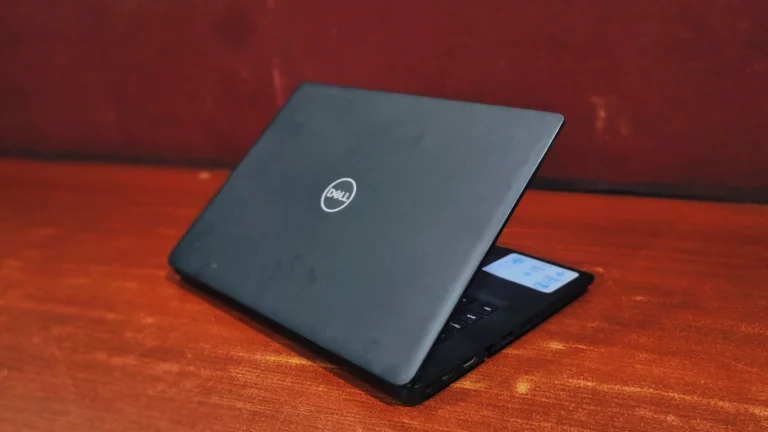
The Dell Latitude 3400 is designed to be practical rather than flashy. It features a robust, plastic chassis (available in classic Black with a matte & glossy finish) that feels incredibly stable. The sides are plastic too but feels smooth though. This laptop can survive some harsh conditions. which means it will survive general wear and tear. The hinges are also durable, keeping the display firmly in place with a slight wobble that doesn’t affect the structural capability of the chassis.
Dell Latitude 5490 review: Display
The 14-inch Full HD screen is pretty basic. It has an anti-glare finish, which is fantastic if you sit under bright office lights or near a sunny window because it stops annoying reflections. However, the screen doesn’t get extremely bright, and the colors can look a bit washed out from some angles. It is perfectly fine for typing documents, reading emails, and working on spreadsheets. But, if you want to edit photos, grade colors, you will notice that the colors just don’t pop.
Keyboard & Touchpad
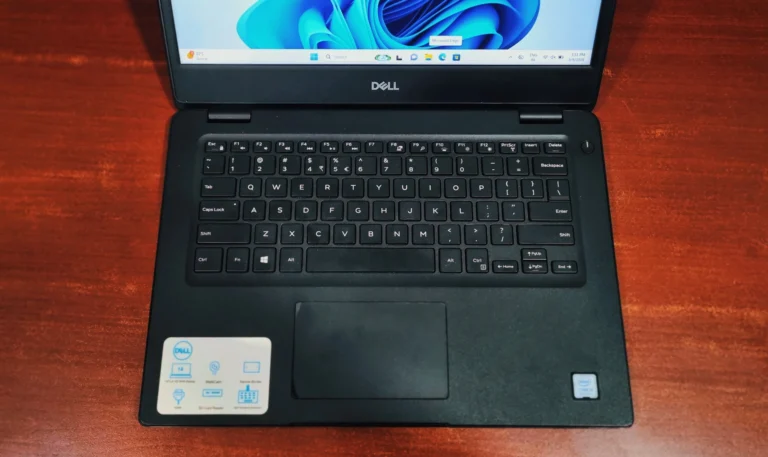
If you type a lot, you will be happy here. Dell included a very comfortable keyboard. The keys have a nice, short travel and feel crisp when you press them down. The keyboard feels sturdy, meaning it won’t flex around much while you are typing. The touchpad is also large enough for easy scrolling and swiping gestures. It feels smooth to the touch, tracks your fingers accurately, and features integrated 3 (left,rightand middle) buttons that are easy to click.
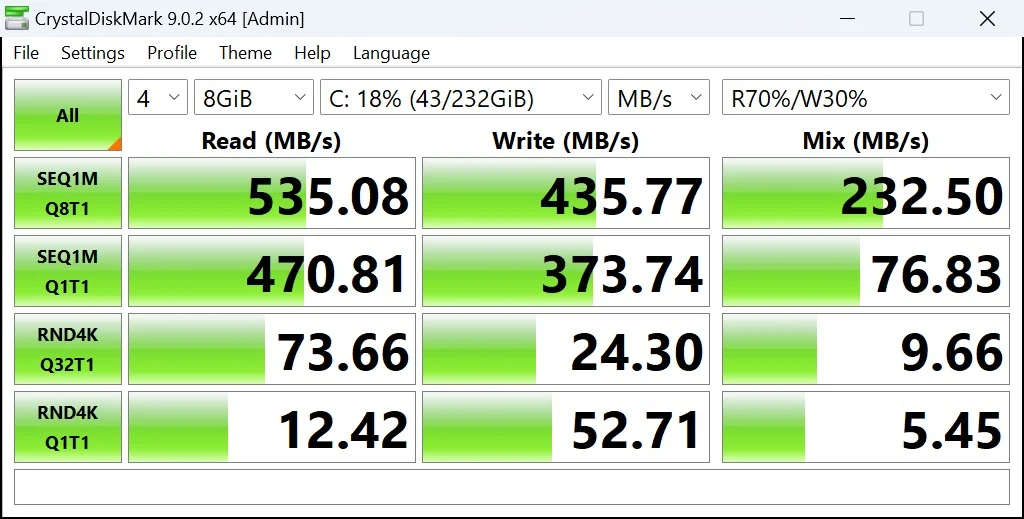
To give you a clear picture of how the Dell Latitude 3400 performs in the real world, we ran it through a few popular benchmark tests: CrystalDiskMark, Geekbench, and PCMark 10.
- Storage Performance (CrystalDiskMark) Based on our tests, the SSD delivers everyday speeds that are typical of a standard solid-state drive. While the speeds indicate it is likely a SATA SSD, it is still miles ahead of old hard drives and ensures quick boot times and file transfers.
- Sequential Read: 535.08 MB/s
- Sequential Write: 435.77 MB/s
- Random 4K Read: 73.66 MB/s
- Random 4K Write: 24.30 MB/s
- Processor (Geekbench) Testing the Intel Core i5 8th Gen processor gave us a realistic look at its capabilities today:
- Single-Core Score: 1311
- Multi-Core Score: 2736
- OpenCL (Graphics) Score: 4808
This laptop is a highly dependable daily driver for everyday work. Browsing tabs, streaming videos, and typing up documents will be smooth sailing. However, the integrated graphics are strictly for the basic use, so leave the heavy 3D rendering and modern gaming to the gaming rigs.
(See also – https://eazypc.in/best-laptop-for-graphic-design-students/)
- Everyday Office Workload (PCMark 10) We put the laptop through PCMark 10 to see how it holds up during a typical workday, and it landed a solid overall score of 3,364. Here is the real-world breakdown:
- Essentials (6,339 – Great): It breezes through web browsing, video meetings, and app launches. No frustrating lag here.
- Productivity (5,742 – Good): Heavy spreadsheets and long word documents are no problem. It powers through typical office productivity tasks with ease.
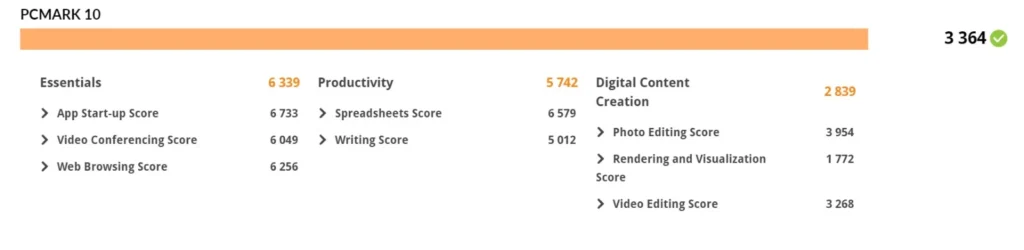
PC Mark 10 (Overall System Productivity)
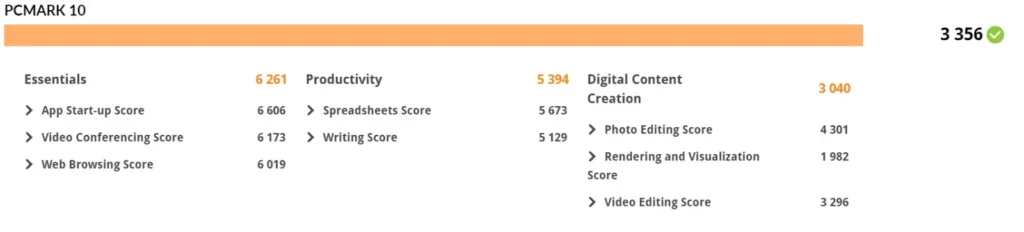
This PCMark 10 score of 3356 shows this computer is a solid, reliable companion for everyday tasks, best suited for standard office and student work rather than heavy-duty gaming or intensive 3D design. To break down what these numbers mean for your daily experience:
- Snappy Everyday Use (Score: 6,261): This is the system’s strongest area. You will enjoy a smooth, responsive experience when on video calls, surfing browsers, and launching your favorite everyday apps.
- Reliable Productivity (Score: 5,394): The computer easily manages word processing and spreadsheet tasks, making it a great, dependable fit for getting your standard work or homework done without any trouble.
- Light Content Creation (Score: 3,040): While it isn’t a powerful machine designed for professional video editing or heavy 3D rendering, it still has enough power to handle basic photo editing and light media tasks just fine.
CPU Details
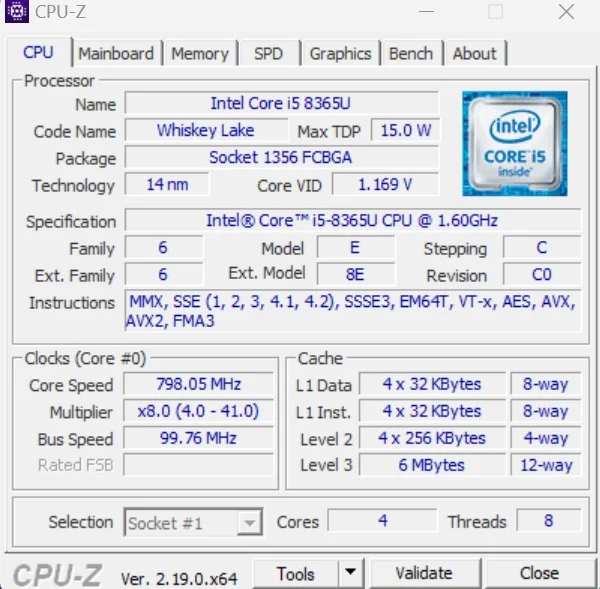
Dell Latitude 3400 is powered by an Intel Core i5-8365U processor, which is built on the 14-nanometer Code named – “Whiskey Lake” architecture. This is a power-efficient, mobile-focused CPU with a low Thermal Design Power (TDP) of 15.0 watts,designed to balance performance with battery life in laptops. It features 4 cores and 8 threads, meaning it can efficiently handle everyday multitasking and general productivity workloads. While its base specification speed is 1.60 GHz and Max speed up to 4.1 GHz when demanding tasks require it.
Battery life
While you can anticipate getting around 3 to 4 hours of use out of it, because it is a refurbished machine, the battery has already seen some wear and tear before, so you should expect a limited battery capacity. For that reason, it is best to keep your charger handy if you plan to work away from a desk for extended periods.
Ports and Connectivity
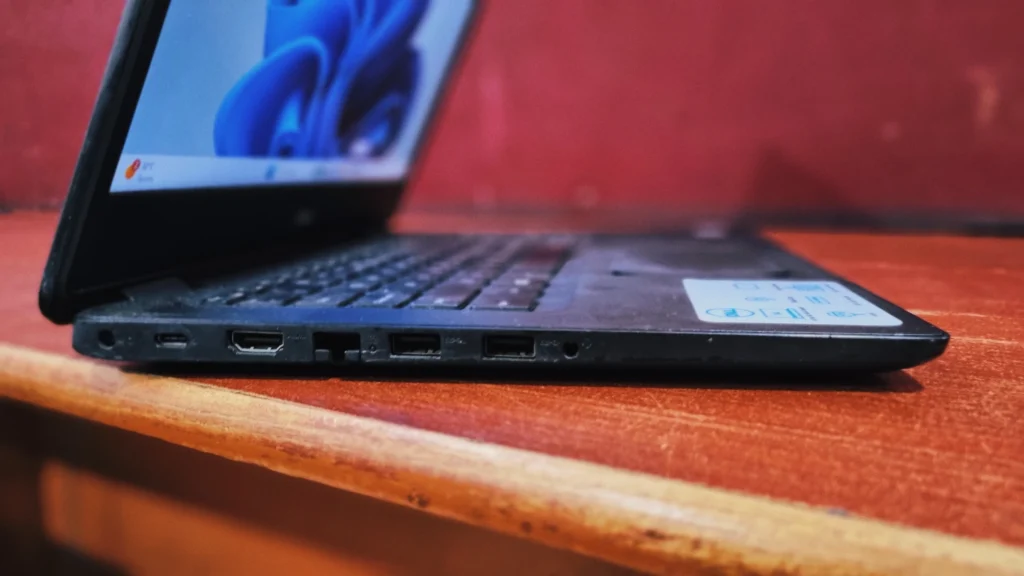
Dell made a great move by ditching the old proprietary barrel charger. The I/O is thoroughly modern:
Left Side: Type-C port, RJ-45 Ethernet, an HDMI port, 2x USB ports, and a Audio combo jack
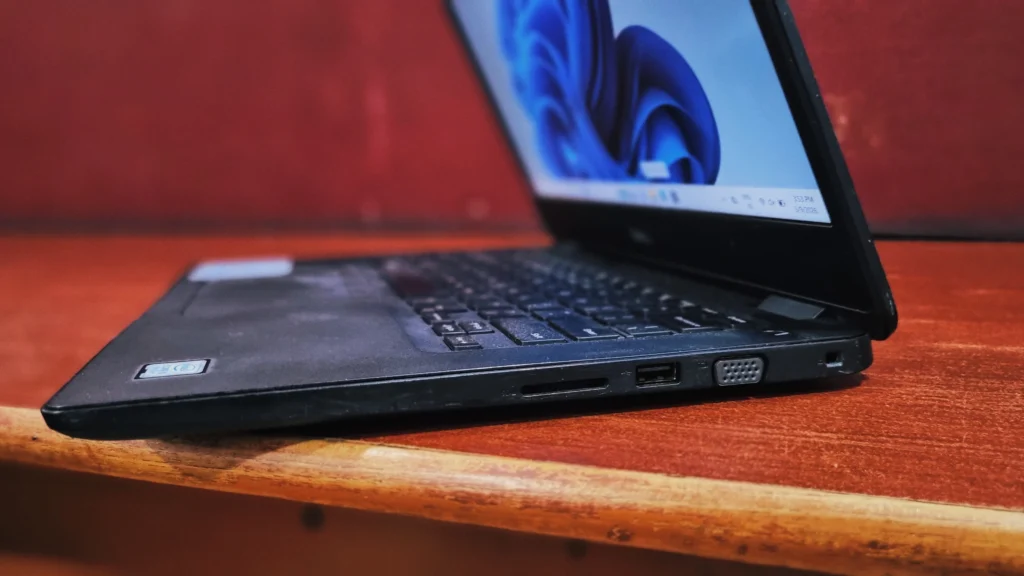
- Right Side: Kensington lock slot, VGA port, USB port, SD card reader.
Final Verdict
The Dell Latitude 3400 is a tough, Rigid laptop. While it lacks a vibrant screen, it makes up for it with amazing durability, a great typing experience, and every port you could possibly need. It is a highly practical choice for students, office workers, and small business owners on a budget. If you are buying one on the refurbished market, just be sure to get a model with an SSD and 16GB of RAM so it stays speedy in future.
Link: https://eazypc.in/product/dell-latitude-3400-intel-core-i5-8th-gen-laptop/
Frequently Asked Questions (FAQs)
Q: Can I upgrade RAM on the Dell Latitude 3400?
Yes, the RAM on the Dell Latitude 3400 can be upgraded. It has two slots that support up to 32GB of DDR4 memory. Also you can easily replace the M.2 NVMe SSD storage.
Q: Does the Dell Latitude 3400 support Windows 11?
Yes, the Dell Latitude 3400 works with Windows 11. It has Intel 8th Gen processors and a TPM 2.0 security chip. which meets Microsoft’s requirements for Windows 11.
Q: Is the Latitude 3400 a good buy today?
Absolutely it is still worth buying especially if you find a good deal in refurbish markets. The Latitude 3400 has a good keyboard and many ports, such as Ethernet, HDMI and VGA. It’s very robust which makes it a practical choice for students or professionals, on a budget who want a business laptop.
Q: Does Dell Latitude 5490 have a webcam?
A: Yes, it has a basic (720p) webcam centered above the display. It is functional for Zoom or Teams calls, though the image quality is somewhat grainy.
