




Blogs
Buy Used Laptops the Smart Way: A Complete Guide for 2026

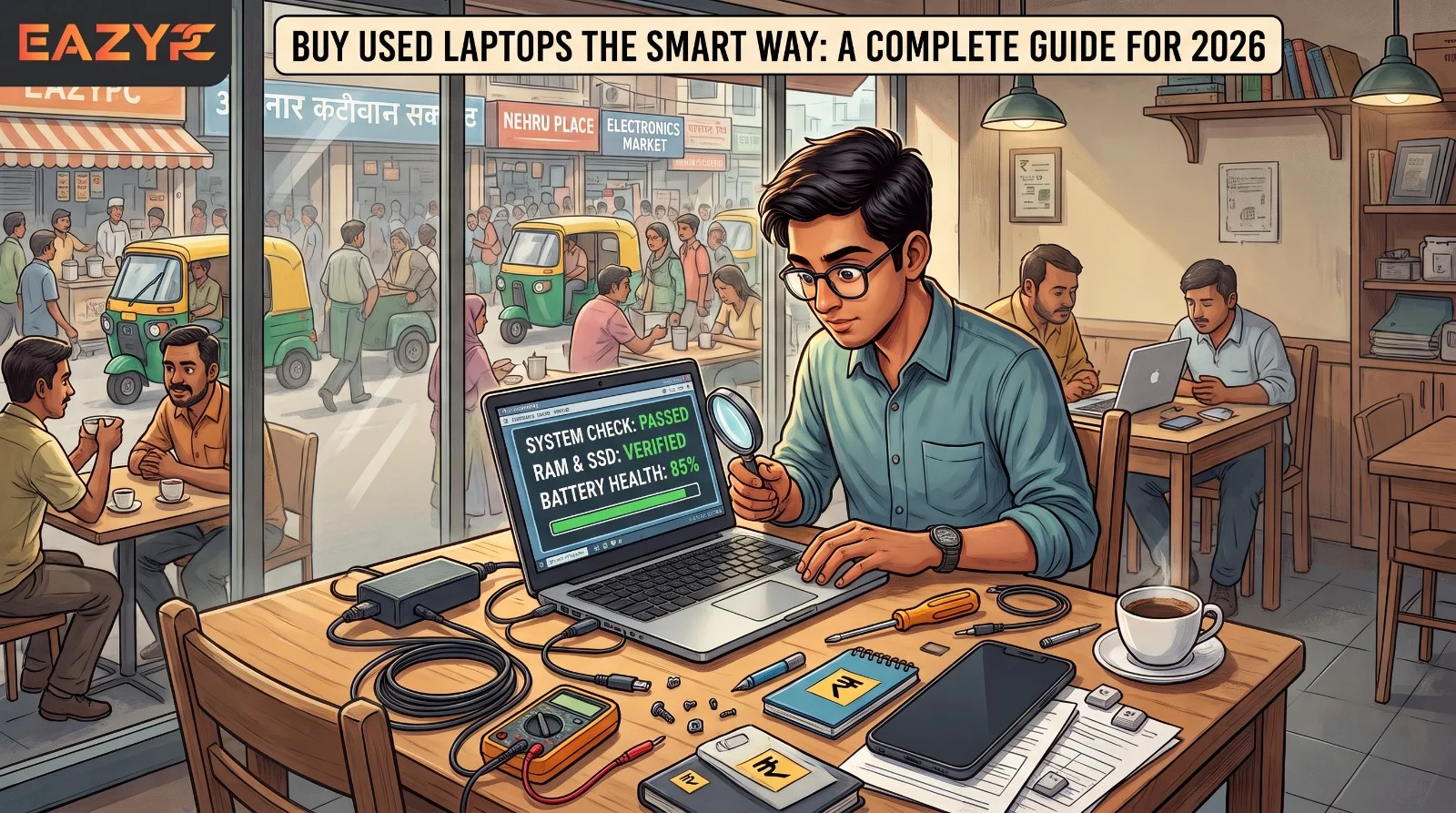
Where to buy, which models are worth your money, what to inspect, and which warning signs mean you should walk away.
Not long ago, admitting you'd bought a second-hand laptop earned you a slightly worried look. Now people mostly ask where you got it. New laptops cost more every year, RAM and SSD prices have shot up, and a business laptop that's two or three years old still handles pretty much everything the average person throws at it. Going refurbished in 2026 is not a compromise. For most buyers, it's just a better use of their money.
The used market does have its traps, though. In this guide we'll cover where to buy, which models are worth your money, what to inspect, and which warning signs mean you should walk away. We've also updated our model picks, since the value list from just a year ago already looks dated.
Summary: how do you buy a used laptop safely in 2026?
Pick a business-class laptop (a ThinkPad, Latitude, EliteBook or an Apple Silicon MacBook) with at least an Intel Core i5 8th gen processor, 8GB RAM and a 256GB SSD, and buy it from a seller who puts the warranty in writing and hands you a GST invoice. Before you pay, make sure the battery health is over 80%, Windows 11 is activated, and the machine isn't locked to a company account or someone's Apple ID.
The essentials (as of October 2026)
- Free security updates for Windows 10 home users stopped on 13 October 2026, so stick to laptops that are ready for Windows 11 (Intel 8th gen or newer).
- In India, most people pay somewhere between ₹15,000 and ₹30,000 for a certified refurbished laptop with 8GB to 16GB RAM and an SSD.
- Our top value picks at the moment: ThinkPad T14, Dell Latitude 5420/5430, HP EliteBook 840 G7/G8 and MacBook Air M1/M2.
- A genuine certified listing comes with a 6-month written warranty, a GST invoice and a return window (7 days at EazyPC).
- Give Intel MacBooks a miss. macOS 26 Tahoe is the final version they'll get.
What has changed for used-laptop buyers in 2026?
Three big changes are worth knowing about before you start shopping:
Windows 10 has reached the end of the road
Mainstream support stopped on 14 October 2025, and the paid Extended Security Updates for home users ran out on 13 October 2026. A laptop that can't run Windows 11 isn't a good deal; however cheap it looks. You'd basically be paying for a security problem.
Memory and storage got more expensive
AI data centers are soaking up huge amounts of RAM, and that has pushed prices up across the board. New laptops with 16GB now cost noticeably more than they used to, so a used machine that already has 16GB, or a free slot to add more, is worth more than it was.
Intel Macs are being phased out
Apple has confirmed that macOS 26 Tahoe is the last version for Intel-based Macs, and macOS 27 will need Apple Silicon. Intel MacBook Airs were left off the Tahoe list entirely. If you want a MacBook, go for M1 or newer.
1. Where should you buy a used laptop?
Your safest bet is a certified online seller that offers a written warranty, a GST invoice and a return window. Peer-to-peer sites are the cheapest but also the riskiest, and local shops land somewhere in the middle. Here's a side-by-side look:
| Where to buy | Price | Warranty | Returns | Paperwork | Main risk |
|---|---|---|---|---|---|
| Peer-to-peer (OLX, Facebook Marketplace) | Lowest | None | None | Rarely | Hidden faults, scams |
| Local refurbished shop | Low to mid | Usually verbal | Rarely | Sometimes | Weak or unwritten terms |
| Certified online seller | Mid | Written (6 months at EazyPC) | Yes (7 days at EazyPC) | GST invoice | Pick a seller with real reviews |
A closer look at each option
2. What does “certified refurbished” actually mean?
A certified refurbished laptop is a used machine that's been tested by professionals, fixed where needed, wiped clean, and sold with a written warranty and a GST invoice. Plenty of sellers use the term loosely, so here's what you should actually expect:
- A hardware check covering 30+ points, including the display, keyboard, ports, battery, motherboard and cooling
- A battery that's either new or tested at 80% health or higher
- A fresh operating system install, with nothing left behind from the last owner
- The original charger, or a proper 65W replacement
- At least 6 months of written warranty on hardware faults (physical and liquid damage are excluded almost everywhere, which is standard)
- A GST invoice, which you'll need for business purchases, tax filing and any warranty claim later on
Uncertified laptops from marketplaces or unknown shops usually cost about 5 to 7% less. That saving vanishes quickly once you need a new battery or a motherboard repair.
3. Which brands and models should you look for?
The most reliable used laptops come from business ranges: Lenovo ThinkPad, Dell Latitude, HP EliteBook and, for Apple fans, Apple Silicon MacBooks. We only sell commercial (business-grade) laptops, and we do that on purpose. ThinkPads, Latitudes and EliteBooks are made for long workdays, go through tougher durability testing and are designed so parts can be swapped out. Consumer laptops are built to hit an attractive price in the shop, and the shortcuts taken to get there usually start showing in the second or third year.
| Brand / series | Best for | Why it stands out |
|---|---|---|
| Lenovo ThinkPad (T, X1 Carbon) | Office work, developers, students | Best-in-class keyboard, solid battery life, easy to repair and upgrade |
| Dell Latitude (5000/7000) | Business users, corporate work | Tough chassis, good port selection, parts easy to find in India |
| HP EliteBook / ProBook | Travelers, presentations, light creative work | Slim and light, good displays, decent speakers |
| Apple MacBook Air / Pro (Apple Silicon) | Design, content creation, Apple users | Excellent performance per watt, great battery, strong resale value |
Which used laptop models are the best value in 2026?
The older generation, think T480 and Latitude 5490, is still out there and still does the job, but it now sits in the budget bracket. The best value has moved up a generation or two:
4. What are the minimum specs for a used laptop in 2026?
For everyday use in 2026, don't go below an Intel Core i5 8th gen (or Apple M1), 8GB RAM and a 256GB SSD running Windows 11. A low price means nothing if the hardware is too old to keep up. Here's the baseline for 2026:
Processor
Intel Core i5 8th gen or later (or AMD Ryzen 5 3000 series or later). This is where official Windows 11 support begins. Skip 7th gen and older, however tempting the price. On the Mac side, Apple Silicon (M1 or newer) is the equivalent.
RAM
8GB is the least you should accept for daily use. Go for 16GB if you juggle lots of apps, work with large Excel sheets, use Photoshop or write code. Since memory has become more expensive, a laptop that already comes with 16GB is a good buy. Also find out whether the RAM is soldered or there's a spare slot.
Storage
A 256GB SSD at minimum, and 512GB if your budget allows. NVMe drives are quicker than SATA, but most people won't notice much difference. Stay away from laptops that only have a hard disk.
Operating system
A genuine, activated copy of Windows 11 Pro, or a macOS version that's still supported. Windows 11 requires TPM 2.0 and a compatible CPU, and most business laptops from 8th gen onwards have both.
5. What should you check before buying a used laptop? (12-point checklist)
Before you hand over any money, check the battery, screen, keyboard, ports, audio, Windows activation, hinges, upgrade options, cooling, warranty paperwork, admin locks and serial number. Use this list whether you're meeting a seller face to face or going through a certified seller's photos and video. We've included two checks that buyers tend to overlook.
| # | What to check | Red flag |
|---|---|---|
| 1 | Battery health (should be 80%+ of design capacity) | Below 70%, swelling, or the seller won’t show you |
| 2 | Display: dead pixels, yellow tint, cracks, backlight bleed | Visible patches, lines or flickering |
| 3 | Keyboard and trackpad: test every key and gesture | Sticky, unresponsive or repeating keys |
| 4 | Ports: USB, HDMI, charging, audio, SD | Loose or dead ports |
| 5 | Speakers, webcam and mic: make a quick test call | Crackling sound, dead mic, no camera |
| 6 | Operating system: genuine and activated | “Activate Windows” watermark |
| 7 | Hinges and body: open and close it slowly | Cracks, wobble or a bent base |
| 8 | RAM and SSD: is there an upgrade path? | Soldered RAM and a nearly full small SSD |
| 9 | Cooling: run it for 10 minutes under load | Loud fan, high heat, performance drops |
| 10 | Written warranty and invoice | Verbal promises only |
| 11 | BIOS / admin lock: boot into BIOS and check there’s no password or company management lock | Password prompt, “managed by your organization”, or MDM enrolment |
| 12 | Serial number check: look it up on the manufacturer’s warranty site to confirm model and specs | Specs don’t match what you were told |
How do you check battery and SSD health on a used Windows laptop?
powercfg /batteryreport. This generates a report comparing the battery's original design capacity with how much it holds on a full charge today.6. How much should a used laptop cost in India in 2026?
Most Indian buyers spend ₹15,000 to ₹30,000 on a certified refurbished laptop, while Apple Silicon MacBooks and newer i7 business machines usually cost ₹30,000 to ₹50,000. Prices depend on specs, condition and what's in stock, so use these figures as a rough guide for certified refurbished laptops from trusted Indian sellers in 2026. Because RAM has become pricier, 16GB models may cost a little more than they did a year ago.
7. What are the red flags when buying a used laptop?
Walk away if a used laptop comes with no written warranty, no GST invoice, unactivated Windows, hidden battery health, or a company or Apple ID lock. If you notice several of these at once, don't think twice. Close the tab.
- No written warranty. A verbal promise counts for very little once you've paid.
- The seller won't let you switch it on, or refuses to let you test certain parts.
- Windows hasn't been activated.
- The seller won't share the battery health, or can't show it to you.
- The price is way below every similar listing. When a deal looks too good, there's usually a reason.
- The listing shows stock images rather than photos of the actual laptop.
- There's no GST invoice, even after you politely ask for one.
- The seller turns evasive or defensive when you ask technical questions.
- The laptop is tied to a company (a BIOS password, MDM, or Apple Activation Lock/iCloud on a MacBook).
8. Can you buy a used laptop on EMI?
Yes. Most certified sellers, including EazyPC, offer EMI, so you don't have to pay ₹30,000 to ₹40,000 all at once. Monthly payments usually fall between ₹1,500 and ₹2,500, depending on the laptop's price and the tenure you choose. A few pointers:
- Watch out for processing fees. Some plans charge 1 to 2% upfront.
- No-cost EMI is generally offered on 3- and 6-month plans with leading banks and credit cards.
- Bajaj FinServ EMI is usually available if you already have one of their cards.
- Cash on delivery (COD) is available on most orders with a ₹500 token advance.
- Go through the full terms before you hit “confirm”. The EMI that looks cheapest isn't always the cheapest in the end.
9. How do you make a used laptop last longer?
Look after a good used laptop and it can keep going for years. Keep it updated, be kind to the battery, clean the vents and back up your files.
- Install all Windows updates on the first day, then update the BIOS and drivers from the manufacturer's website.
- Try not to leave it plugged in at 100% all day. If your laptop has a battery-care option (Lenovo Vantage, Dell Power Manager, HP Support Assistant), set the charge limit to 80%.
- Clean the vents every few months, and use the laptop on a firm, flat surface.
- Keep backups of important files in the cloud or on an external drive. New or old, any laptop can fail without warning.
- Stick to a good-quality charger. Cheap copies can harm both the battery and the charging port.
- Put it through its paces during the return window. Use it properly for the first few days: video calls, lots of browser tabs, charging, opening and closing the lid. If there's a problem, you want to catch it in the first week.
10. Is buying a refurbished laptop good for the environment?
Yes, refurbished is the greener option. Making a new laptop uses a lot of raw materials, water and energy, and keeping an existing one working for another three or four years cancels out a large part of that impact. In India, where e-waste handling is still developing, every laptop that stays in use is one fewer heading to the informal scrap trade. For companies, buying refurbished in bulk can also count as a genuine, documented part of their sustainability or CSR goals.
The bottom line: is a used laptop worth it?
The Bottom Line
A certified refurbished laptop gets your business-grade hardware, often tougher than consumer models, for much less money, and you avoid the big drop in value a new laptop takes the moment you open the box. Do a bit of research, stick to the basics (8th gen or newer, enough RAM, a written warranty and a proper invoice), and you'll have a laptop that serves you well for years.
And if checking every detail yourself sounds like too much work, that's exactly what certified sellers are for. At EazyPC, every device is tested and comes with a 6-month warranty, a GST invoice and a 7-day return window.
Frequently asked questions about buying a used laptop
Yes, provided you buy from a certified seller like EazyPC that gives you a written warranty and a proper invoice.
Certified sellers such as EazyPC offer a 6-month warranty with clear, written terms. Don't settle for verbal promises.
At the very least: an Intel Core i5 8th gen or newer (or Apple M1 or newer), 8GB RAM, a 256GB SSD, and Windows 11 Pro or a supported macOS version. If you multitask a lot, get 16GB RAM.
We'd advise against it. Free security updates have already stopped, and the paid extension for home users ended in October 2026. Pick a laptop that officially supports Windows 11.
Lenovo ThinkPads and Dell Latitudes are the most reliable time after time, thanks to their commercial-grade build, and spare parts are easy to get in India.
Yes, as long as it has Apple Silicon (M1 or newer). Steer clear of Intel MacBooks, because Apple is dropping support for them. Make sure the previous owner has signed out of their Apple ID and turned off Activation Lock.
Either can work. Certified online stores like EazyPC give you pre-dispatch photos, GST invoices and 7-day returns. Local shops tend to offer only a verbal warranty and often don't cover no-display or motherboard faults.
Only if it's a well-established one. Check for written warranty terms, a return policy, real photos of the actual laptop, genuine reviews and a GST invoice. Be cautious with unknown sellers that don't offer returns.
Yes. For the same money as a new laptop, a certified refurbished business laptop gives you better build quality and a written warranty. Just make sure it runs Windows 11 (Intel 8th gen or newer) and the battery health is over 80%.
“Used” and “second-hand” mean the laptop is sold as is, usually without any checks. “Refurbished” should mean it's been tested, repaired if needed, reset and sold with a warranty. Always get the warranty in writing.
A business-grade laptop in good shape will usually give you several more years of use. The battery wears out first, so check its health, and remember it can be replaced.
Not officially. Windows 11 requires an 8th gen Intel Core or newer (or a supported AMD Ryzen) along with TPM 2.0. Skip 7th gen and older laptops, since Windows 10 no longer receives free security updates.
On Windows, open Command Prompt and run powercfg /batteryreport. In the report, compare the design capacity with the full-charge capacity. Anything over 80% is in good shape. On a MacBook, go to System Settings and check Battery Health.
Go for a business-grade i5 8th or 10th gen with 8GB RAM and a 256GB SSD, such as a ThinkPad T480, Dell Latitude 5490 or HP EliteBook 840 G5/G6, from a seller who offers a written warranty. Stock and prices change, so compare what's currently listed.
Yes, for browsing, documents, online classes and video calls. If you code, work with large Excel files or edit photos and videos, go for 16GB or a laptop with upgradeable RAM.
It should. A certified seller will install a genuine, activated copy of Windows 11. An “Activate Windows” watermark is a red flag, so ask for proof of the license.
Yes, as long as it has Apple Silicon (M1 or newer). Check that the previous owner has signed out of iCloud, Activation Lock is turned off, and the serial number matches the listing.

About Aryamann Saini
Avid tech enthusiast with a focus on strategic problem-solving. Always looking to tackle the next big challenge or learning milestone. Outside of work and studies, I enjoy traveling to historical sites and exploring the open road.
View all posts by Aryamann Saini
