




Blogs
MacBook Air M1 vs M2 | Complete Comparison (2026)

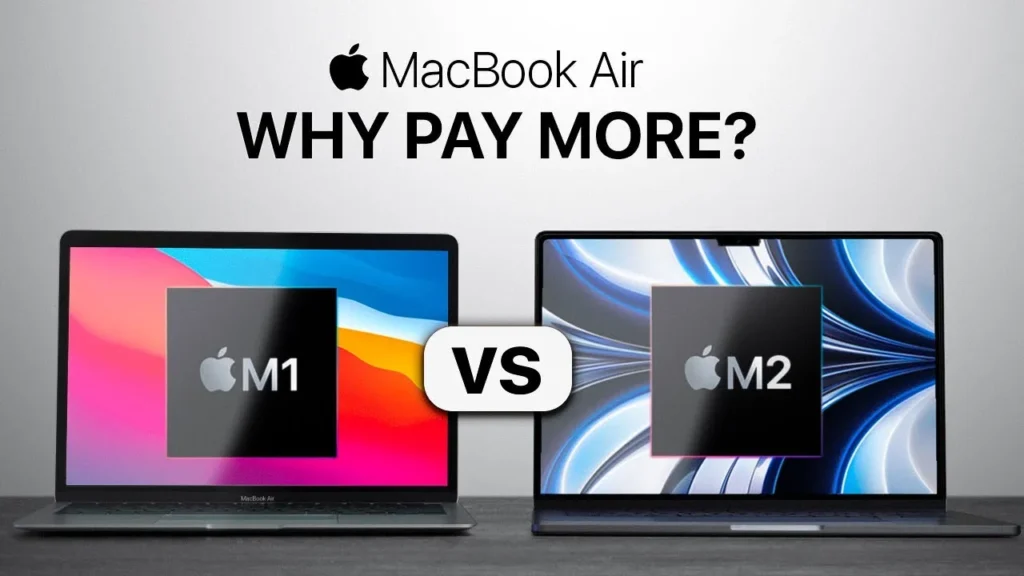
Table of Contents
- M1 vs M2 Chip — Architecture & Benchmark Comparison
- Design — Wedge (M1) vs Flat (M2)
- Display, Camera, Speakers & MagSafe
- Performance Side-by-Side — Everyday, Coding, Editing
- Battery Life Head-to-Head
- Decision Framework — Pick M1 If… Pick M2 If…
- Our Final Verdict
1. M1 vs M2 Chip — Architecture & Benchmark Comparison
M1 and M2 are both based on Apple’s unique custom-made architecture and have many similarities. But are from different generations. I have detailed below the technical specifications below along with what are the differences between the two.
Specification | MacBook Air M1 (2020) | MacBook Air M2 (2022) |
Process node | TSMC 5nm | TSMC 5nm (enhanced, N5P) |
CPU cores | 8 (4P + 4E) | 8 (4P + 4E, faster cores) |
GPU cores | 7 or 8 | 8 or 10 |
Transistor count | 16 billion | 20 billion |
Max unified memory | 16 GB | 24 GB |
Memory bandwidth | 68.25 GB/s | 100 GB/s |
Neural Engine | 16-core (11 TOPS) | 16-core (15.8 TOPS) |
ProRes hardware engine | No | Yes |
Geekbench 6 single-core | ~2,350 | ~2,650 |
Geekbench 6 multi-core | ~8,400 | ~10,100 |
In benchmark tests, M2 outperforms M1 by 18% in CPU tasks and 35% in GPU tasks. However, these are measured at peak performance under stress testing. Most users, will never be able to utilize the compute power to the fullest to feel the difference. It does not translate to a speed difference when using Safari, Google Docs, or Zoom call. Only users working on tasks like video rendering, large Xcode compilations, and GPU-heavy design work, will feel the difference
📌 Section Takeaway
For everyday tasks, the difference is invisible. For sustained creative or development workloads, the M2 has a meaningful edge
2. Design — Wedge (M1) vs Flat (M2)
This is where the two machines feel like different products.
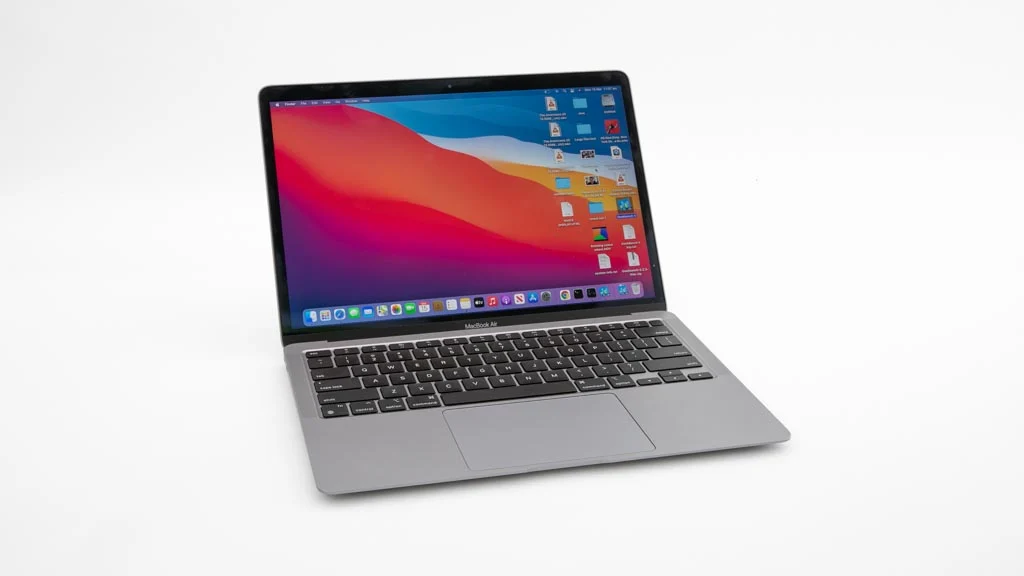
- The M1 MacBook Air, has wedge design, that Apple introduced in 2010. It is thicker at hinge and tapers down at the front. The lid has the traditional Apple logo. The body is the same aluminium unibody that defined the Air line for a decade.
- The M2 MacBook Air is a complete redesign. Flat, uniform thickness from front to back (11.3mm). Slightly squared-off edges that echo the iPhone and iPad Pro design language.
Design Element | M1 Air (A2337) | M2 Air (A2681) |
Form factor | Wedge (tapered) | Flat (uniform thickness) |
Thickness | 0.41–1.61 cm | 1.13 cm uniform |
Weight | 1.29 kg | 1.24 kg |
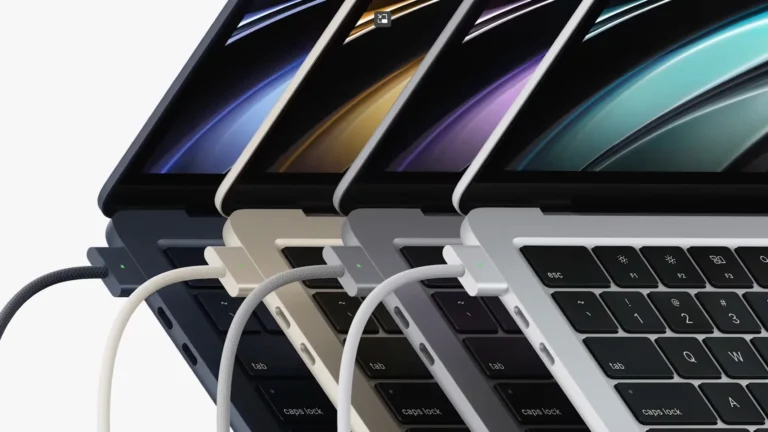
Ports | 2x Thunderbolt/USB-C | 2x Thunderbolt/USB-C + MagSafe |
Charging | Via USB-C port | MagSafe 3 + USB-C |
Colour options | Silver, Space Gray, Gold | Silver, Starlight, Space Gray, Midnight |
Headphone jack | 3.5mm | 3.5mm (high-impedance support) |
The major win for the M2 is MagSafe. With a dedicated charging port, you get two USB-C ports free for connectivity options. If you regularly use an external monitor and a USB device while charging, the M1’s port situation gets tight.
3. Display, Camera, Speakers & MagSafe
The spec sheet differences here are significant. Whether they matter to you depends on what you use the screen for.
Feature | M1 Air | M2 Air |
Display size | 13.3” | 13.6” (thinner bezels, notch) |
Resolution | 2560 × 1600 (227 ppi) | 2560 × 1664 (224 ppi) |
Peak brightness | 400 nits | 500 nits |
Colour gamut | P3 wide colour | P3 wide colour |
True Tone | Yes | Yes |
FaceTime camera | 720p | 1080p |
Speakers | Stereo | 4-speaker with Spatial Audio |
MagSafe | No | Yes (MagSafe 3) |
- Display: With extra 100 nits of brightness M2 Air, is better for outdoors and against glare.
- Web Cam: M2 Air has a 1080p FaceTime camera, a massive upgrade from the M1’s grainy 720p webcam. If you’re on video calls regularly, this alone is a compelling upgrade.
- Speakers: If you watch content on your laptop without headphones, the M2’s speakers are in a different league
4. Performance Side-by-Side — Everyday, Coding, Editing
Here is how the two machines compare in the tasks Indian buyers actually do:
- Everyday Tasks (Browsing, Docs, Email, Streaming)
Users while working on everyday productivity tools will not find any difference.
- Software Development
For moderate coding, both are excellent. Compiling a mid size project will take 15-18% less time on M2. If you are a full stack developer, If you are a full stack developer, the higher Memory bandwidth advantage of (100GB/s vis a vi 68GB/s) is significant.
- Photo & Video Editing
The most major gap will be felt while video editing, in M2 vs M1. M2 does the same task 30% faster, because of faster GPU and a dedicated ProRes engine. If you edit video’s professionally it matters.
- Important Caveat: Both Are Fanless
Neither the M1 nor M2 MacBook Air has a fan. Under sustained heavy load (30+ minutes of video export, long compilations), both will thermally throttle, the CPU slows down to prevent overheating. If you require sustained peak performance for hours at a time, you need a MacBook Pro with active cooling, not an Air.
📌 Section Takeaway
For everyday use and light coding: identical performance. For development with heavy multitasking: M2’s memory bandwidth helps. For video editing: M2 is 25–30% faster in exports. Both throttle under sustained load because they’re fanless — if that’s a problem, you need a Pro
5. Battery Life Head-to-Head
Apple rates both machines at roughly the same battery life:
Battery Metric | M1 Air | M2 Air |
Battery capacity | 49.9 Wh | 52.6 Wh |
Apple’s claimed web browsing | Up to 15 hours | Up to 15 hours |
Apple’s claimed video playback | Up to 18 hours | Up to 18 hours |
Real-world mixed use* | 9–12 hours | 10–13 hours |
Charging | USB-C (30W adapter) | MagSafe or USB-C (30W / 67W fast charge) |
Fast charge option | No | Yes (67W: 0–50% in ~30 min) |
📌 Section Takeaway
The M2’s fast charge (0–50% in 30 minutes with a 67W adapter) is the real advantage.
6. Decision Framework — Pick M1 If… Pick M2 If…
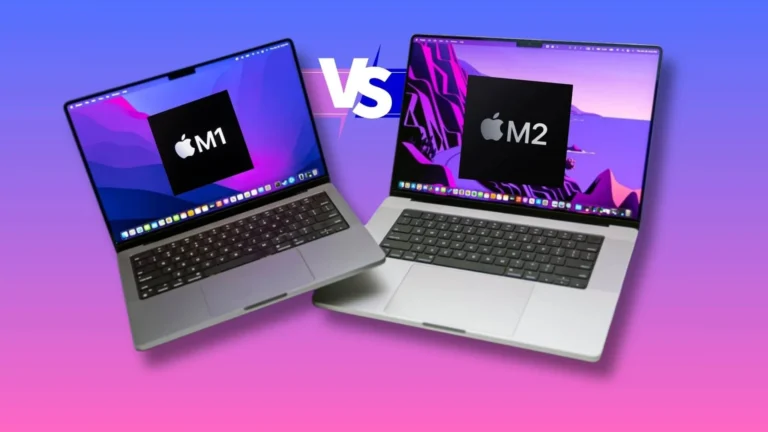
Enough nuance. Here’s the clean decision guide:
1-Pick the M1 MacBook Air If:
- Budget is your primary constraint. It is the most affordable way into the Apple ecosystem without any meaningful compromise on performance or build quality.
- Your workload is everyday computing. Browsing, email, Google Workspace, Microsoft Office, Zoom calls, Netflix, light coding. The M1 handles all of this without breaking a sweat.
- You rarely use video calls. The 720p webcam is the M1’s weakest point. If video calls are occasional, it’s tolerable. If you’re on Zoom five hours a day, the M2’s 1080p camera is worth the upgrade.
- You’re switching from Windows to test macOS. Lower financial commitment to find out if the Apple ecosystem is right for you. If you love it, you can always sell the M1 later and upgrade, its resale value holds well.
2-Pick the M2 MacBook Air If:
- The design matters to you. The flat profile, Midnight/Starlight colours, thinner bezels, and modern aesthetic are genuinely more attractive. If you care about how your daily tool looks and feels, the M2 delivers.
- You’re on video calls frequently. The jump from 720p to 1080p is not subtle. In well-lit conditions, it’s the difference between looking presentable and looking professional. For remote workers and freelancers, this is a business-facing upgrade.
- You want MagSafe and fast charging. Dedicated charging frees both USB-C ports. Fast charge gets you to 50% in 30 minutes. If port availability and quick top-ups matter to your workflow, this is a practical daily benefit.
- You want to keep this machine for 5+ years. The M2’s 24 GB memory option and higher bandwidth give it slightly more runway for future macOS versions and increasingly demanding apps. It’s marginal, but over a 5–6 year horizon, every bit of headroom counts.
📌 Section TakeawayM1: best value, ideal for students and everyday users, ₹15K saved for other needs. M2: better design, camera, speakers, and GPU, ideal for remote workers, video editors, and those keeping the machine 5+ years. |
7. Our Final Verdict
- If you ask us which is the better machine, it’s the M2. Better chip, better design, better camera, better speakers, better charging. That’s not a debate. If you ask us which is the smarter buy for most Indian buyers in 2026, it’s the M1.
- The M1 MacBook Air, in refurbished category remains value for money buy. It costs less than most new Windows laptops, and still outperforms them.
FAQs
Yes, Apple provides long term OS support on its devices. Since it was released only in 2020, you can expect it to have support for atleast 5 more years.
No. RAM and storage are soldered on the motherboard.
The 256 GB M2 Air uses a single NAND chip instead of two, resulting in slower read/write speeds compared to the M1’s 256 GB SSD
M3 currently is trading a huger premium, and is unlikely to fall, due to increased demand of used MacBooks to install latest Agentic softwares such as Open Claw and others
No, Apple never puts out a hardware which does not perform. However, under sustained heavy usage the CPU may throttle but they will never heat.
Browse M1 MacBook Air: eazypc.in/macbook-air-m1 — from ₹41,000
Browse M2 MacBook Air: eazypc.in/macbook-air-m2 — from ₹62,999
Not sure which to pick? Read our complete buying guide: Ultimate Guide to Buying a Refurbished MacBook in India (2026)
