Blogs
Dell Precision 3520 (I7 7thgen) Review
Table of Contents
Specifications –
- Processor: Intel Core I7-7700HQ
- Graphics: Nvidia Quadro M620 & Intel HD graphics 630
- Memory: 16GB 2400MHz (expandable upto 32GB)
- Storage: 512GB SSD
- Display: 15.60 inch 16:9, 1920 x 1080 IPS panel
- Wireless: Wi-Fi 5, Bluetooth 4.1
- Weight: 2.2kg
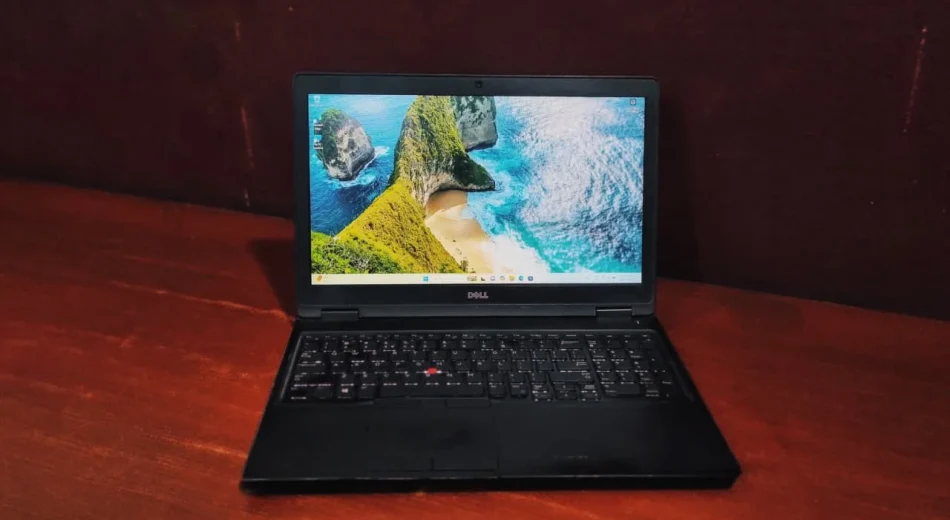
If you’re hunting for a reliable, workhorse laptop, the Dell Precision 3520 might have already crossed your radar. It’s a mobile workstation that firmly prioritizes functionality over Aesthetics.
Here is the breakdown of the Dell Precision 3520.
Design And Build Quality
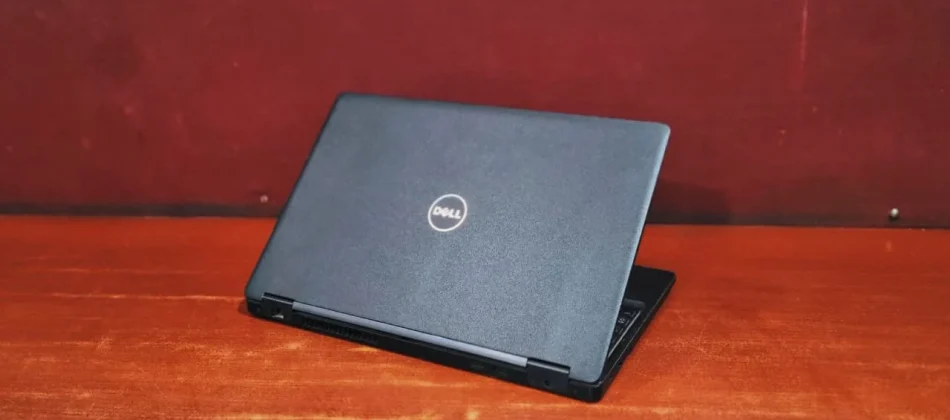
In my opinion the Dell Precision 3520 is a no-nonsense workstation built for the enterprises. It brings back the “classic chunky rectangular black box” aesthetic that desktop replacements have been sporting for over a decade. Dell wrapped the chassis and palm rests in a matte black plastic that, while it becomes unsettling to look at after some time, it’s soft to touch.
It’s by no means an ultraportable device, weighing in at around 2.2Kg depending on your battery and hardware configuration, and measuring almost an inch thick. However, compared to other 15-inch heavy-duty mobile workstations like Lenovo P50, it sits comfortably in the middle of the pack. It trades a sleek, metallic profile for rugged reliability and room for serious cooling.
Dell precision 3520 Review : Display
Opening the heavy black lid, and the Dell Precision 3520 suddenly comes to life. Dell offers a few display variations, but the standout is the 15.6-inch Full HD (1920 x 1080) IPS panel. This 1080p screen is genuinely nice to look at, with 300 nits of brightness and offering a great contrast ratio. It covers roughly 95% of the sRGB color gamut, making the colors pop .It is perfectly suited for semi-professional photo editing or editing in lightroom a movie in premier pro.
Keyboard & Touchpad
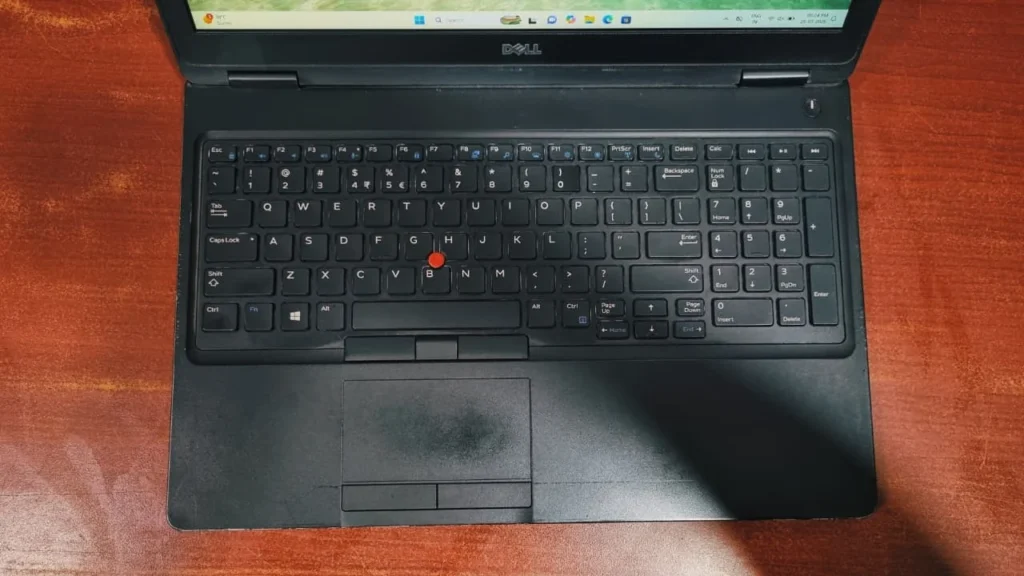
The main keys and touchpad are slightly pushed to the left side; it takes some time to adjust the muscle memory to keep hands off-center. Dell squeezed a full 10-key numeric keypad onto the deck at the right side for the people who mostly work with calculation or spreadsheets.
Once you adapt, the typing experience is very solid. The keys on chiclet keyboard are evenly spaced and provide adequate travel during long typing sessions, Fans of old-school navigation will also appreciate the inclusion of a classic pointing stick fitted between the G, H, and B keys.
Performance & Benchmarks
To give you a clear picture of how the Dell precision 3520 performs in the real world, we ran it through a few popular benchmark tests:
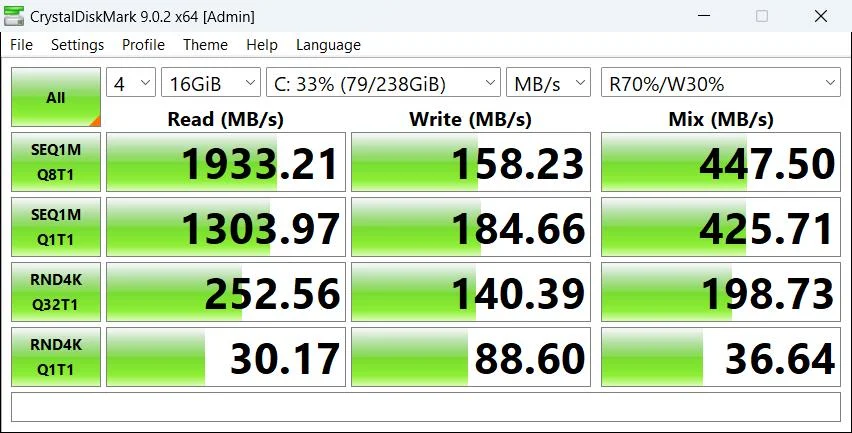
- Storage Speed (CrystalDiskMark)
The internal SSD delivers instantons read performance, topping out at a sequential read speed of 1,933.21 MB/s. However, write speeds are a little slow, peaking at just 158.23 MB/s. While the fast read speeds guarantee fast system boot-ups and rapid application loading, saving or transferring some large files will take noticeably longer due to the lower write speed.
- 3D Graphics & Rendering (3DMark Time Spy & Blender)
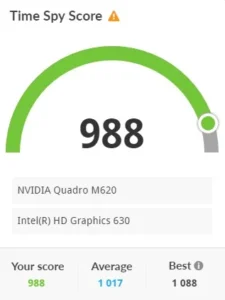
In the 3DMark Time Spy benchmark, the system scored 988, which sits slightly below the average score of 1,017 but remains competitive for this tier considering this laptop was launched in 2017. On the Blender Open Data test, it handled 3D rendering scenes, pushing out 25.97 SPM (samples per minute) on the monster scene, 19.55 SPM on the junkshop, and 13.75 SPM on the classroom, which is quite respectable for a mobile workstation.
Overall System Productivity (PCMark 10)
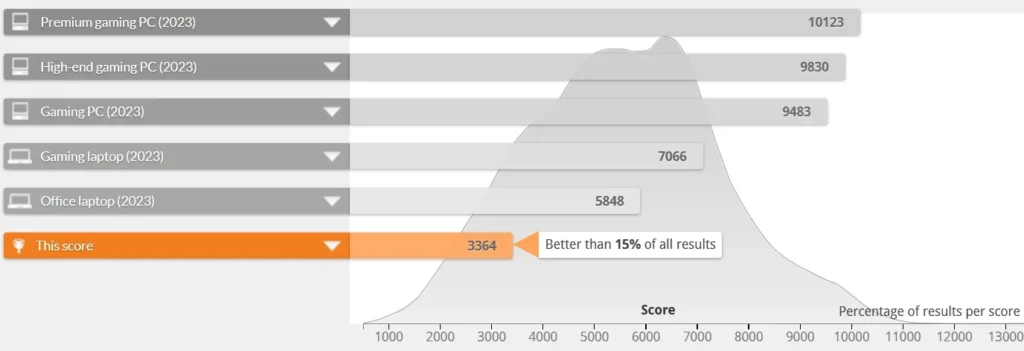
The system achieved an overall score of 3,364, positioning it better than 15% of all results compared to newer 2023 hardware Average. It showcases strong capability in Essentials (7,083) – such as app start-up time, web browsing and Productivity (5,223), making it exceptionally reliable for handling daily workplace multitasking, spreadsheets, and document writing.
here are the detailed specifications for the laptop’s graphics and processing hardware:
Graphics (GPU) Specifications
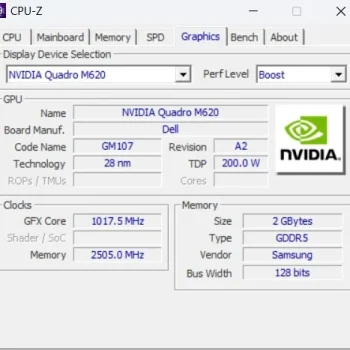
- Model: NVIDIA Quadro M620, a professional-grade mobile workstation GPU.
- Video Memory (VRAM): It is equipped with 2 GB of GDDR5 memory manufactured by Samsung, running on a 128-bit bus width.
- Board Manufacturer: The card is integrated/manufactured by Dell.
Processor (CPU) Specifications
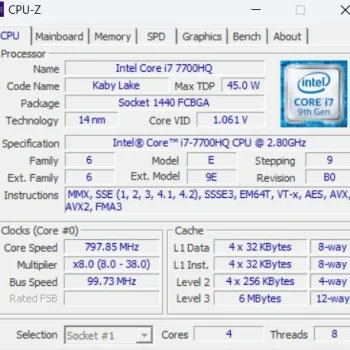
- Model: Intel Core i7-7700HQ.
- Cores and Threads: The CPU features a quad-core (4 cores) with Hyper-Threading, allowing it to process 8 threads simultaneously.
- Base Frequency: The processor has a base clock speed of 2.80 GHz.
Power Output: It has a maximum Thermal Design Power (TDP) rating of 45.0 W.
Battery life
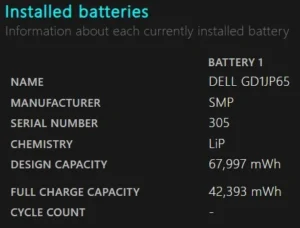
A refurbished laptop’s battery health is essentially its current capacity to hold a charge compared to its original factory design. This laptop can get you somewhere around 2-3 hrs. of backup but the actual battery runtime will depend heavily on the laptop’s previous usage. A battery naturally degrades based on its history of charge cycles, exposure to heat, and the charging habits of its user.
Ports and Connectivity
Dell made a great move by ditching the old proprietary barrel charger. The I/O is thoroughly modern:
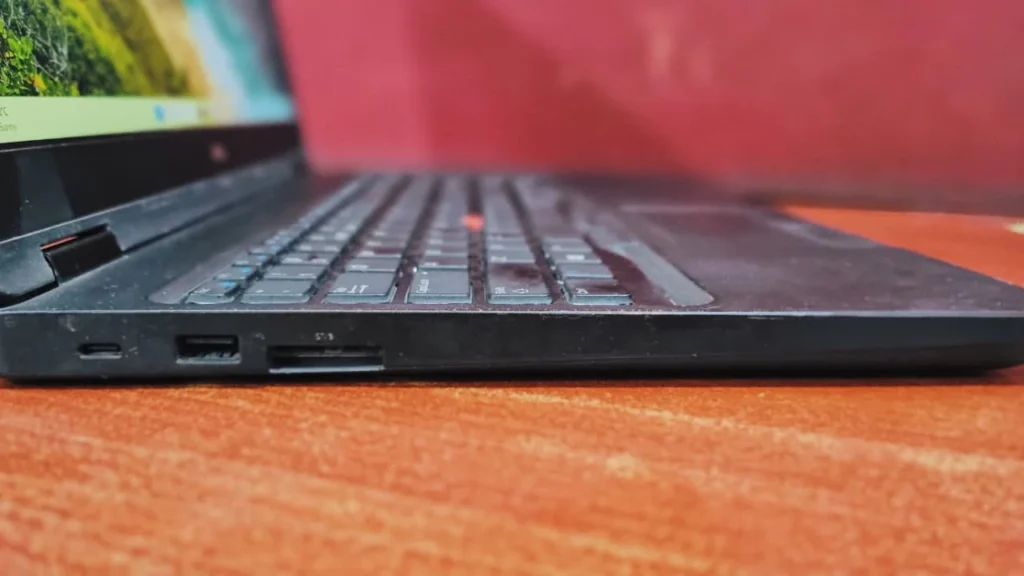
- Left Side: Thunderbolt 3, USB 3.0, SD card reader for memory transfer.
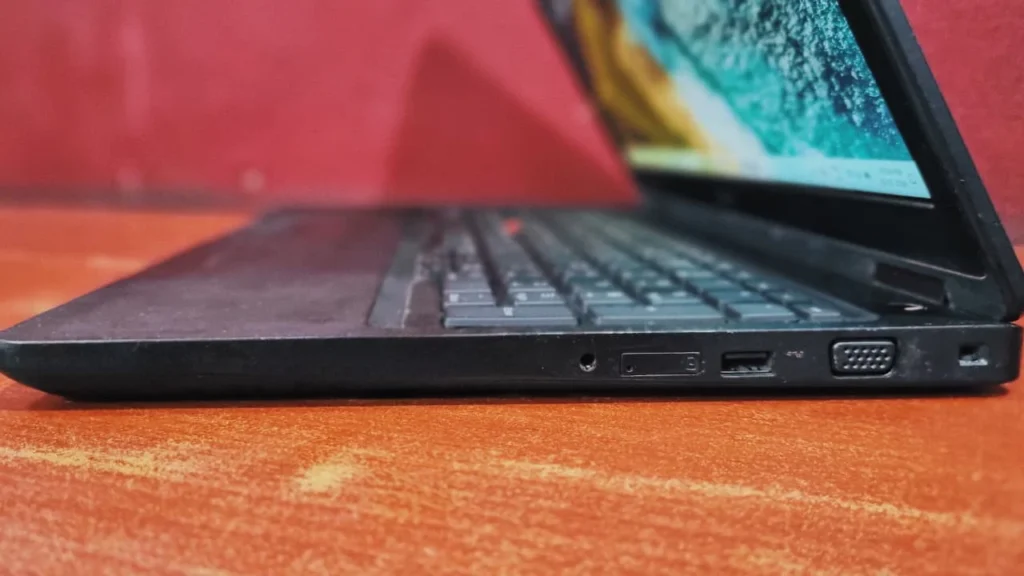
- Right Side, 3.5mm audio jack, Sim tray, USB 3.0, VGA port , Kensington slot
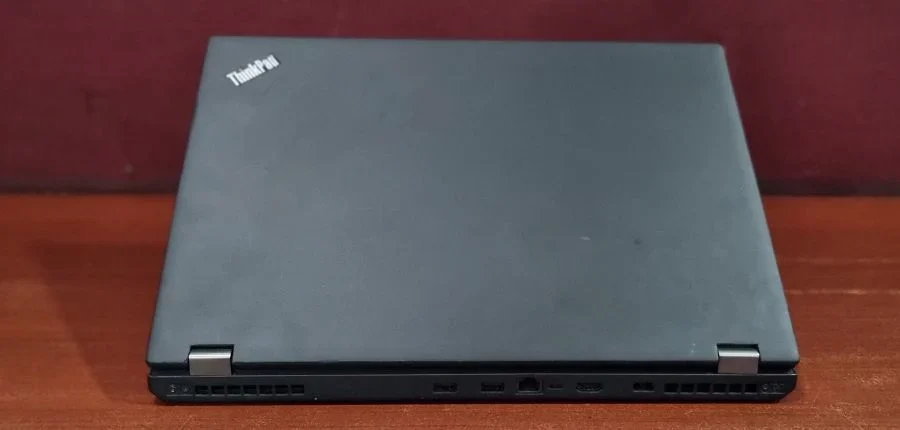
- Back Side, Ethernet, HDMI, USB 3.0, Power jack
Final Verdict
The Dell Precision 3520 is the definition of “practicality over style.” It absolutely nails the fundamentals that matter most to working professionals. With a surprisingly good vibrant display, easily upgradeable internal components, and a wide variety of ports selection. It offers incredible value. If you need a reliable, budget-friendly machine that can fit into your workflow then Precision 3520 is an exceptional choice.
Frequently Asked Questions (FAQs)
Q: Can I travel with the Dell precision 3520?
Of course it’s a portable workstation, but keep that in mind it weights around 2.2kg so handling in the transit could be quite a task.
Q: What is the Dell Precision 3520 best used for?
The Dell Precision 3520 is a mobile workstation tailored for the needs of business professionals and engineers. Equipped with Intel Core i7 processors and NVIDIA Quadro graphics, it excels at heavy multitasking, entry-level 3D rendering, and basic CAD applications.
Q: Can I upgrade the RAM and storage on the Dell Precision 3520?
Yes! Unlike many modern laptops, the Precision 3520 is highly upgradeable. By removing the bottom panel, you have direct access to swap or upgrade the DDR4 RAM (up to 32GB) and the SSD storage.
Q: Can I put a SIM card in the Dell precision 3520 for cellular internet?
Yes, for professionals who are frequently away from Wi-Fi, the Dell precision 3520 does include a SIM card slot for LTE connectivity.