Refurbished Laptop

Apple MacBook Air (A2337) Review

apple macbook air A2337

Specifications –

  • Apple M1 Chip 8-core CPU with 4 performance Cores and 4 efficiency Cores.
  • Integrated 7-core GPU
  • 8GB unified memory (Configurable to 16GB)
  • 256GB SSD (Configurable to 512GB, 1TB or 2TB) 
  • 13-inch 2560×1600 Retina Display
  • backlit Magic keyboard
  • Standard 720p facetime webcam 
  • Weight – 1.285 kg

Apple really outdid themselves. When they ditched Intel chips for their own custom M1 silicon processor, it fundamentally changed the whole game. At the launch, the audience did not expect it to be that much of a deal. 

Here is what I think about using the Apple MacBook Air A2337 M1 for work, doing creative tasks, and getting things done in general.

Design & Build Quality

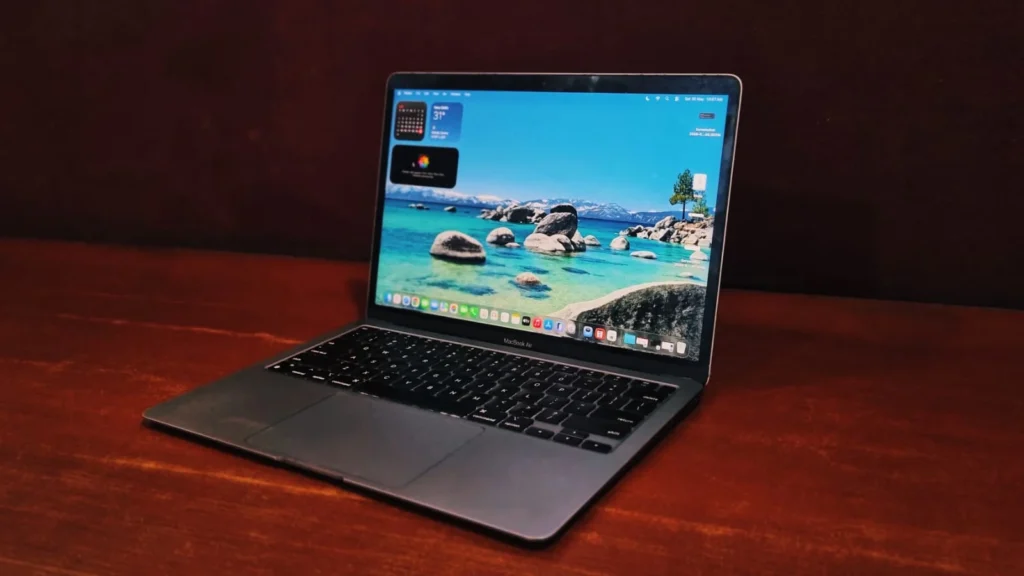
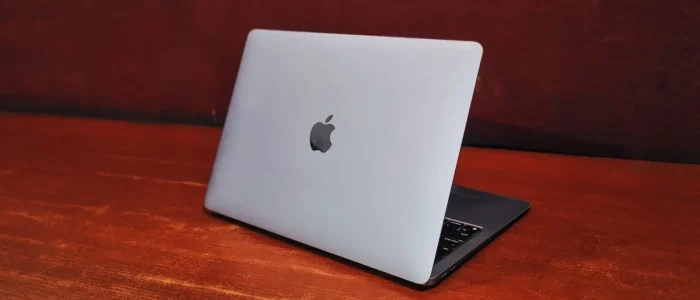
The M1 Air features the iconic, Minimalistic aluminum shape that Apple perfected over a decade. While the build quality is rigid and premium to the touch and feel, Apple played it safe here. The chassis is entirely unchanged from the previous Intel models, right down to those chunky looking display bezels. The real design triumph is what you can’t see: the fan. Because the M1 chip runs so efficiently, Apple removed the internal cooling fan entirely. It is a completely silent machine, no matter how hard you push it.

apple macbook air A2337

Apple MacBook Air (A2337) review: Display

What you get is a 13.3-inch retina display that remains stunning for daily use. With the launch of silicon chip apple has finally gained support for the P3 wide color gamut. This means viewing photos, videos and graphics will pop with far more vibrancy and true to life colors than on other models. While the solid black bezels around the screen will remind you of its age compared to today’s edge-to-edge laptops, the panel itself is bright, crisp with not much strain on the eyes. The Front firing speaker also provides a loud enough volume to fill a room but lacks bass.

Performance & Benchmarks Analysis

The transition of the MacBook Air from Intel processors to Apple Silicon (M1) fundamentally changed how light, ultra-portable laptops work by utilizing an ARM-based System-on-Chip (SoC) with a Unified Memory Architecture (UMA), the CPU, GPU, and Neural Engine share a single pool of high-bandwidth memory, eliminating any latency in the data.

General Productivity

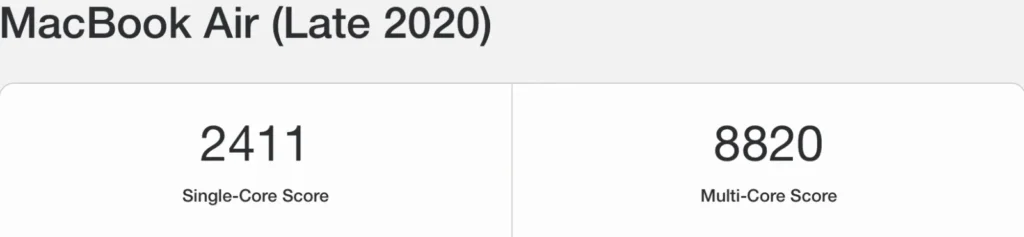
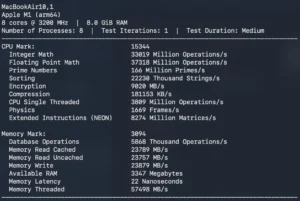
  • Geekbench 5 (CPU Power): The M1 MacBook Air achieves a Single-Core score of  2411 and a multi-core score of around 8820, the single-core performance means day-to-day interactions—opening apps, browsing heavy web pages, and waking from sleep—happen instantaneously. The multi-core score shows its capacity to handle multi-threaded tasks like compiling code or rendering audio.
apple macbook air a2337
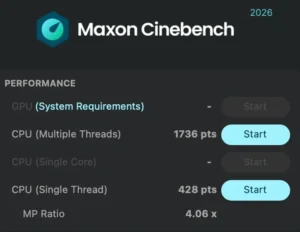
  • Cinebench R23 (3D Rendering & Sustained Load): it hits a multi-core score of roughly 1736 pts. However, because the MacBook Air is entirely fanless, running a continuous 10-minute loop causes the chip to slightly warm up. To keep temperatures safe, the system intelligently throttles performance by about 10% to 15%, stabilizing around 428 pts. Even with this drop, it outperforms older quad-core Intel configurations while remaining dead silent.
apple macbook air a2337
  • Storage Speed (SSD): The internal storage registers read speeds around 2,800 MB/s and write speeds near 2,200 MB/s. This high bandwidth ensures that transferring large video files or launching hefty applications feels fluid and uninhibited by traditional data bottlenecks.
apple macbook air a2337

Graphics Performance

In the 3DMark Wild Life Extreme benchmark, The Apple MacBook Air M1 achieved:

  • Overall Score: 4,834
  • Average Frame Rate: 28.9 FPS

Wild Life Extreme is a demanding, cross-platform test designed to push mobile and thin-and-light GPUs to their limits using modern graphics APIs. An average of nearly 29 FPS on this intensive test indicates that the integrated 8-core M1 GPU is fully capable of smooth casual gaming, driving high-resolution displays, and providing hardware acceleration for video editing timeline playback without breaking a sweat.

apple macbook air a2337

3D Rendering: Blender 4.0 Benchmark

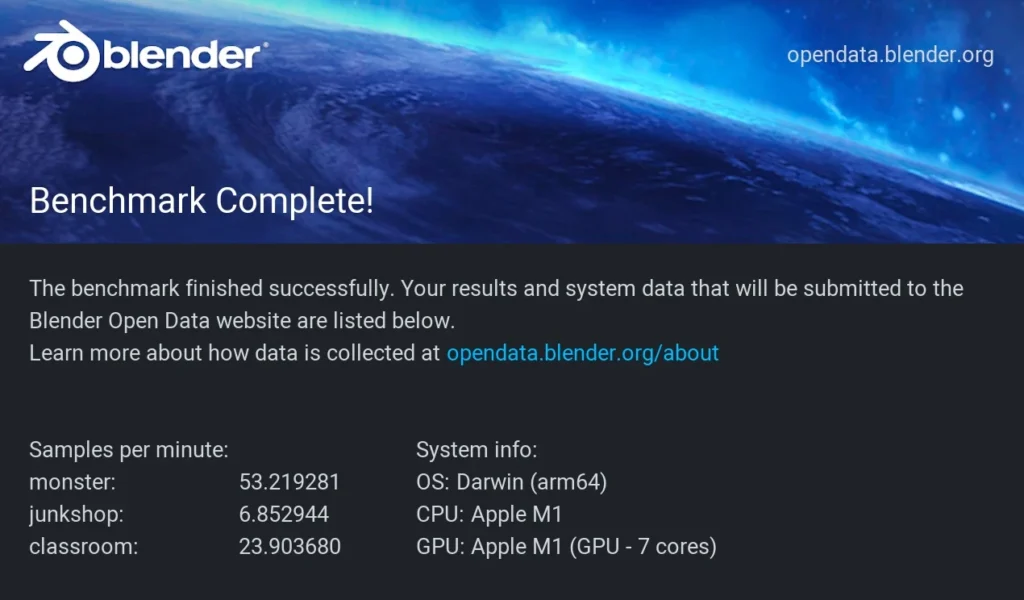
When rendering standard reference scenes in Blender 4.0, it scored the following (measured in samples per minute):

  • monster: 53.21 samples/min
  • junkshop: 6.85 samples/min
  • classroom: 23.90 samples/min

Blender is a rigorous stability test for thin laptops because it demands prolonged, sustained heavy compute workloads. For a fanless laptop that operates in complete silence, these scores are highly respectable. While it won’t rival dedicated studio desktop workstations for massive rendering power, it provides more than enough computing muscle for students, architects, and hobbyists modifying 3D assets on the fly.

apple macbook air a2337

AI Performance

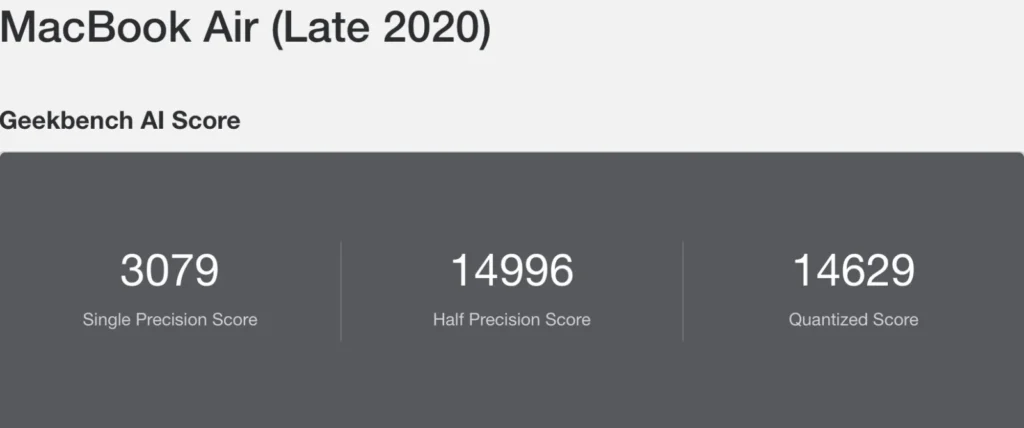
The AI architecture performance of the M1’s Neural Engine is measured across three precision layers:

  • Single Precision Score: 3079
  • Half Precision Score: 14996
  • Quantized Score: 14629

This score highlights the M1 Neural Engine’s optimization for lower-bit dynamic ranges. This type of processing is precisely what handles modern features like live language translation, on-device image upscaling, smart photo search, and automated video transcriptions instantly and efficiently, bypassing the main CPU/GPU to save battery power. This laptop can easily handle Heavy LLM models for advance development of apps and software.

apple macbook air a2337

Hardware details

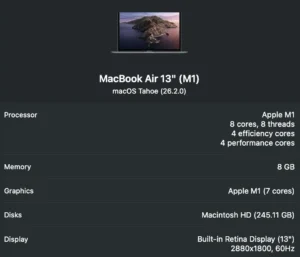
Processor (Chip): Apple M1 system-on-a-chip (SoC). It features an 8-core CPU split into a balanced architecture:

  • 4 Performance Cores: Used for heavy tasks like video editing, rendering, and gaming.
  • 4 Efficiency Cores: Used for lighter, background tasks like web browsing and email to maximize battery longevity.

Memory (RAM): 8 GB of Unified Memory. Because it is unified directly onto the M1 chip package, it operates at high speed and is shared seamlessly between both the CPU and the GPU.

apple macbook air a2337

Battery Back-up

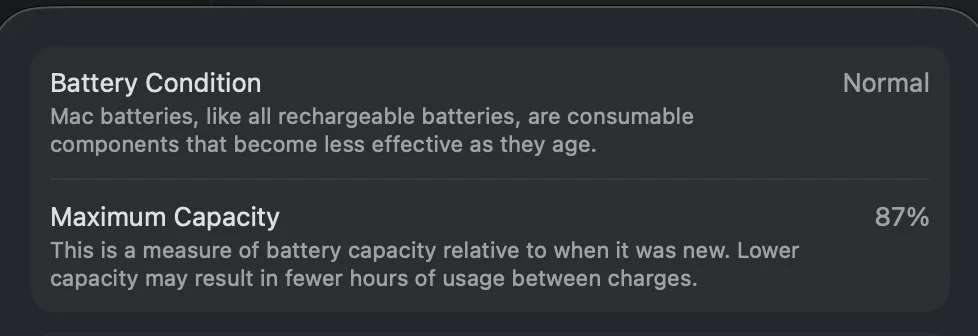
A standard refurbished unit will typically arrive with a battery health between 85% and 95%. Even with that slight degradation, a refurbished M1 Air regularly delivers 4 to 6 hours of active screen time. It will still easily outlast a brand-new, out-of-the-box Windows laptop at the same price point. You can comfortably leave the charger at home for a day at the office or coffee shop.

apple macbook air a2337

Connectivity

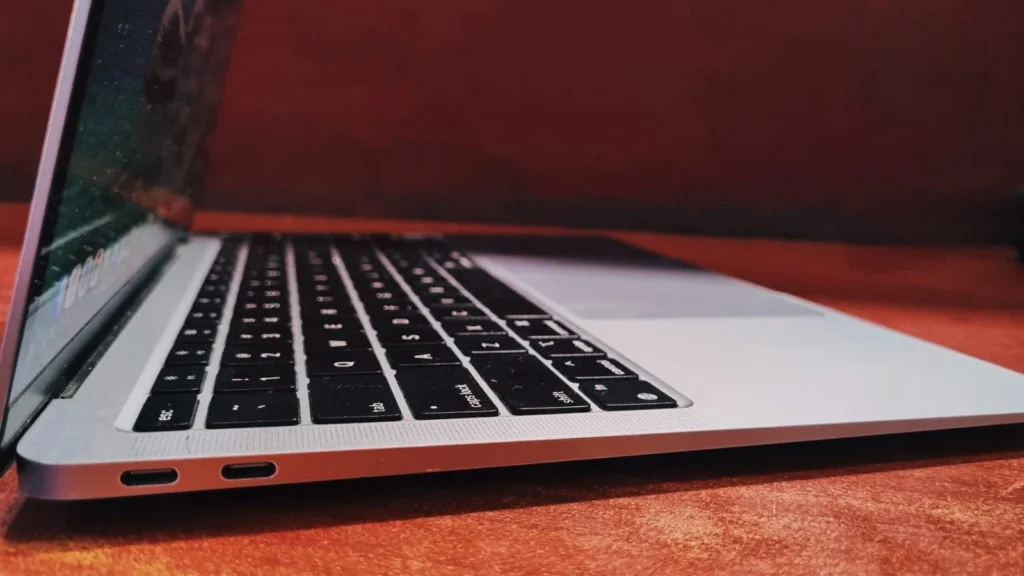
The MacBook air (A2337) with its minimalist approach. Apple made a bold push toward the future by stripping away almost all legacy ports.

On the left side, 2x Thunderbolt 3 with USB-C

apple macbook air a2337

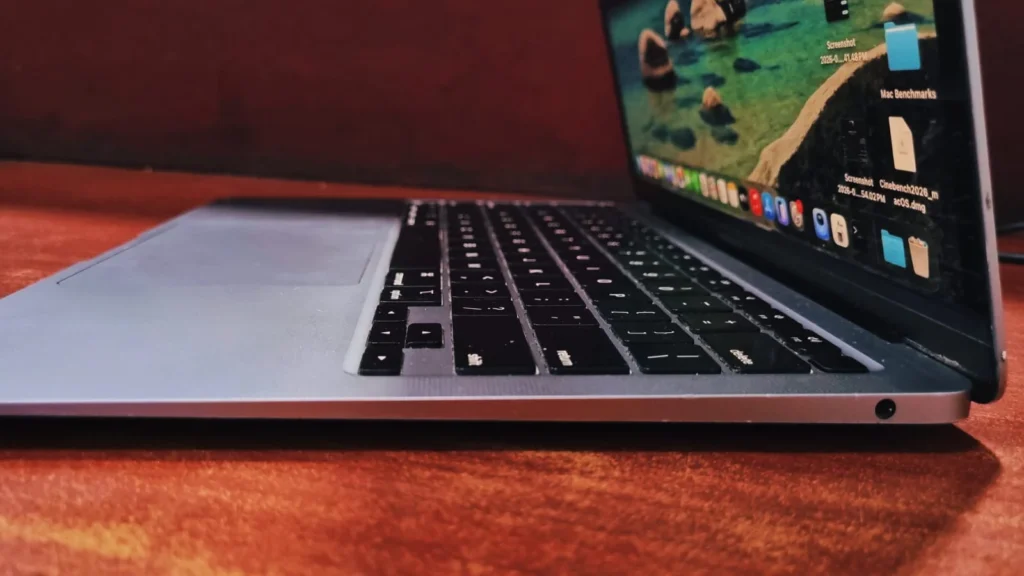
On the right side, a 3.5 mm jack port

apple macbook air a2337

Keyboard and touchpad

The M1 MacBook Air features the Backlit Magic Keyboard, utilizing traditional scissor switches. Most importantly. For anyone familiar with Apple’s previous laptops, there is great news: Apple has entirely ditched the notoriously fragile and shallow “butterfly” keyboard found in older models. The keys have a satisfying 1mm of travel, which feel clicky, and are incredibly reliable.

Below the keyboard sits the Force Touch trackpad. It remains in the top tier of laptops with glass-topped, and flawlessly responsive to multi-finger swipes and gestures.

apple macbook air a2337

Bottom Line

The M1 Apple MacBook Air (A2337) is a great piece of tech in till this day. By maintaining the design & aesthetic with overhauling the brain, Apple created a fan less, silent machine that punches wildly above its price tag. Especially on the refurbished market, it offers an unmatched balance of performance, brilliant battery life, and typing comfort. If you don’t mind the thicker screen bezels and limitation of ports, it is arguably the best value-for-money laptop available today.

Click the link below to get the best deal on a refurbished MacBook Air (A2337):

Frequently Asked Questions (FAQs)

Yes, it remains one of the best value-for-money laptops available, especially if is available in refurbished market. Because the M1 chip was so far ahead of its time, it still handles everyday multitasking, coding, and creative workloads with ease. It is the perfect entry point into the MacOS for students and professionals on a budget.

Since it’s a refurbished unit with slightly degraded battery health (around 85% to 95%), it will easily get you through the day without needing to reach for a charger.

No. It doesn’t heat as the M1 chip is incredibly power-efficient, allowing Apple to use a completely fanless design with a passive aluminum heat spreader. While the bottom chassis might get slightly warm during sustained, heavy tasks (like exporting a long 4K video or 3D rendering), the laptop remains 100% silent at all times.

For the vast majority of users, yes. Apple uses Unified Memory, meaning the RAM is baked directly onto the M1 chip and shared between the CPU and GPU. This makes it perform significantly faster and more efficiently than 8GB on a traditional Windows PC. It easily manages dozens of browser tabs, streaming, with everyday office applications.

Leave a Reply

Your email address will not be published. Required fields are marked *