Laptop reviews

Apple MacBook Pro 16” (A2141) Review
Apple MacBook Pro 16” (A2141)

Specifications

  • Intel Core i7 9th-Generation 2.6GHz (Turbo Boost up to 4.5GHz)
  • AMD Radeon Pro 5300M with 4GB of GDDR6 memory (alongside Intel UHD Graphics 630)
  • 16GB of 2666MHz DDR4 RAM
  • 512GB PCIe-based onboard SSD
  • 16” 3072 x 1920 Retina display with True Tone
  • Magic keyboard (Backlit)
  • Standard 720p facetime webcam
  • High-fidelity six-speaker system with force-canceling woofers and a studio-quality three-mic array
  • Weight – 1.9 kg

When Apple first introduced the Apple MacBook Pro 16” (A2141), there was a collective sigh of relief from creative professionals and heavy-duty users alike. If you are looking at the standard configuration you might wonder how this specific setup holds up in the tests.

Let’s dive into what makes this machine tick, drawing on the hard numbers and everyday user experiences.

Design & Build Quality

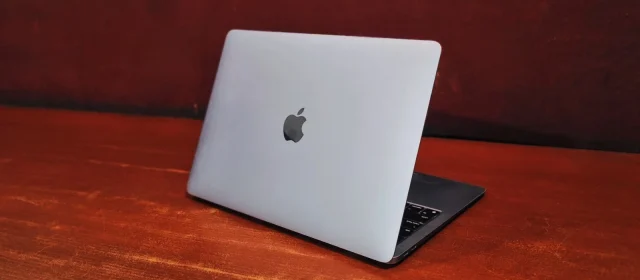
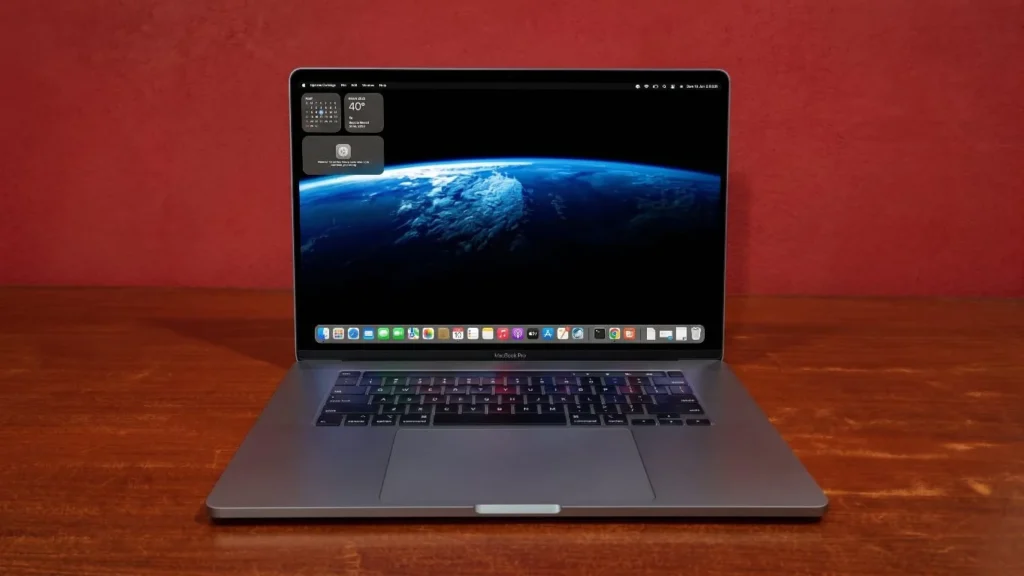
MacBook’s aesthetics are considered gold standard for laptops, the Apple MacBook Pro 16” (A2141) is no exception carved from a single bock of aluminum, The chassis feels incredibly rigid and premium with zero flex on the palm rest or the display lid. Weighing in at 1.9 Kg’s, it has a substantial footprint, but it remains surprisingly sleek for a machine housing a massive 16” screen with a dedicated graphics card. The slimmed down bezels give it a modern feel that still holds up beautifully against today’s laptops.

Apple MacBook Pro 16” (A2141))

Apple MacBook pro 16” (A2141) review: Display

For creative professionals, the display is arguably the most critical component. the 16-inch Retina display is a visual powerhouse. The panel’s exceptional brightness lit’s the room out of dark, while easily hitting Apple’s claimed 500 nits, making it highly usable even in brightly lit environments. The screen’s outstanding color accuracy out of the box and 100% coverage of the sRGB space, alongside DCI-P3 wide color gamut support. While it lacks modern 120Hz promotion refresh rate or Mini-LED true blacks found on newer M-series Macs, The Display of apple MacBook remains an incredibly sharp, vibrant, and reliable canvas for photo and video editing.

Performance & Benchmarks Analysis

To see how the Apple MacBook Pro 16” (A2141) actually handles workloads, we ran it through a bunch of industry-standard benchmarks.

General Productivity & Multi-Core Processing

For everyday office applications, heavy multitasking, and multi-threaded developer workflows, the 9th-Gen Intel Core i7 processor still puts up a very respectable fight.

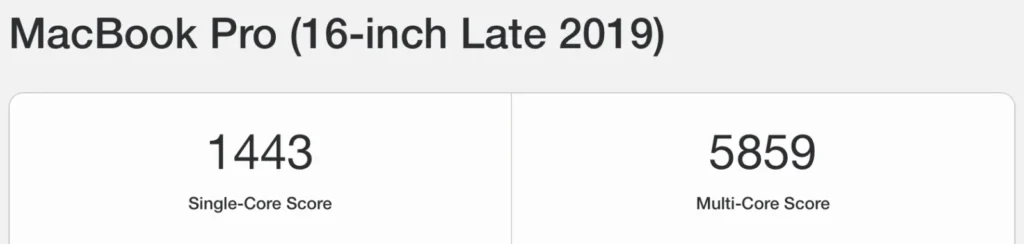
  • Geekbench CPU Insights: In pure computational testing, the laptop achieved a Single-Core Score of 1,443 and a Multi-Core Score of 5,859. These numbers indicate that while it won’t match the blistering speed of modern Apple Silicon, it has plenty of muscle for fluid multitasking and heavy web-browsing sessions.
Apple MacBook Pro 16” (A2141))
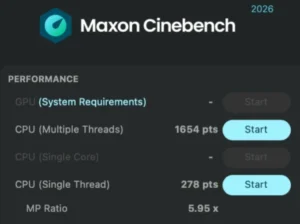
  • Maxon Cinebench Stress Test: When pushed to its limits during rendering simulation tasks, the i7 9th gen processor logged a Single-Thread score of 278 points and a Multiple-Threads score of 1,654 points. This high scaling ratio proves that the internal cooling system does a solid job of letting all 6 cores stretch their legs under sustained load.
Apple MacBook Pro 16” (A2141))
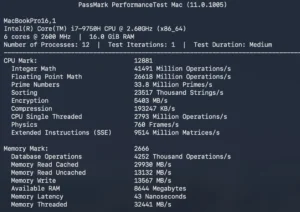
  • PassMark System Diagnostics: Looking at overall system agility, the machine secured an overall CPU Mark of 12,881 and a Memory Mark of 2,666. It maintains an impressive mathematical operation capacity, though memory latency sits around 43 nanoseconds, a bottleneck common to this hardware generation compared to today’s unified memory systems.
Apple MacBook Pro 16” (A2141))

Graphical Power & AI Capabilities

Where Apple MacBook Pro 16” (A2141) truly distances itself from smaller, older MacBooks is in its dedicated graphical processing unit (GPU), which takes the heavy lifting off the processor when you launch visual editing software or modern frameworks.

  • OpenCL Compute Performance: The AMD Radeon Pro 5300M delivered a powerful OpenCL Score of 23,896. For photo editors rendering high-res layers in Photoshop or video creators working with color grading pipelines, this score translates to smooth real-time scrubbing and hardware-accelerated playback.
Apple MacBook Pro 16” (A2141))
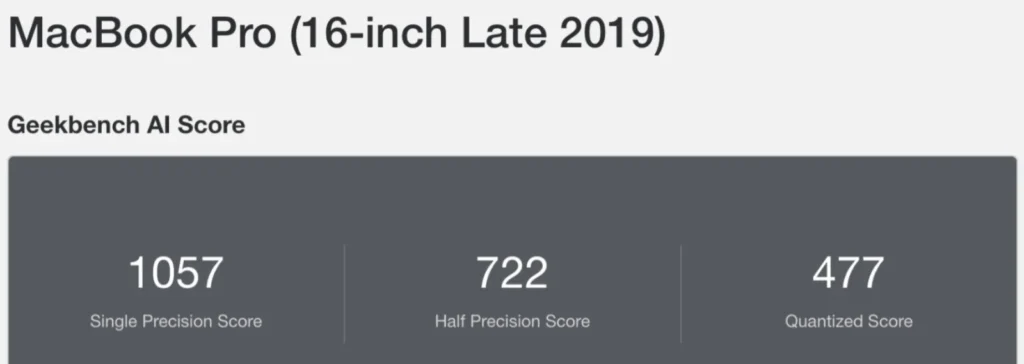
  • Geekbench AI Analysis: To round out the testing, we checked the machine’s proficiency in handling machine learning models. The system recorded a Single Precision Score of 1,057, a Half Precision Score of 722, and a Quantized Score of 477. While it lacks a modern, dedicated Neural Engine, these scores show it can still process localized AI queries and photo-upscaling models without falling flat on its face.
Apple MacBook Pro 16” (A2141))

Hardware details

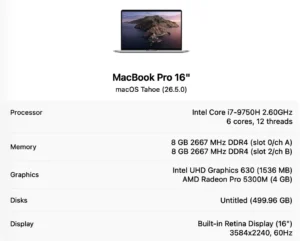
  • Processor Model: This MacBook is equipped with a high-performance, productivity-focused Intel Core i7-9750H processor.
  • Clock Speed: It operates at a stable baseline frequency of 2.60GHz, which balances power efficiency with computational speed. With turbo boost up to 4.5GHz.
  • Core Configuration: The CPU features a 6-core architecture, enabling it to manage multiple demanding hardware tasks efficiently.
Apple MacBook Pro 16” (A2141))

Battery Back-up

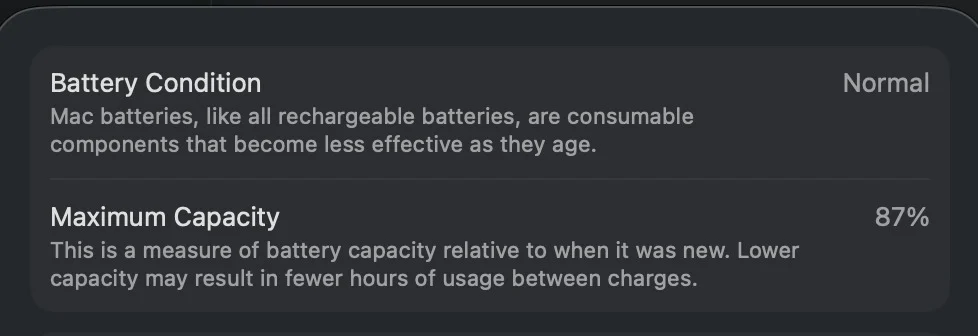
Lithium-ion batteries degrade over time. Depending on the condition of the refurbished model and its total cycle count, you will likely be looking at a battery health hovering around 80% to 85% of its original capacity. In real-world, modern usage, a refurbished Apple MacBook pro-16” (A2141) will realistically yield around 3 to 4 hours of standard use off the charger. If you are rendering video or utilizing the dedicated AMD graphics, expect that number to drop significantly faster. Keeping the power brick handy is highly recommended.

Apple MacBook Pro 16” (A2141))

Connectivity

The Apple MacBook pro 16” (A2141) with its minimalist approach. Apple made a bold push toward the future by stripping away almost all legacy ports.

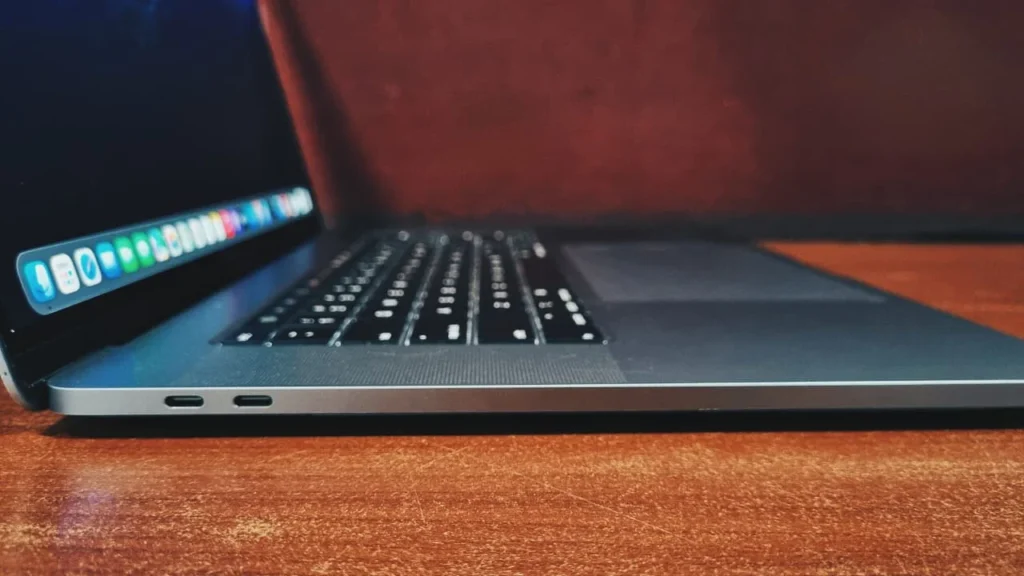
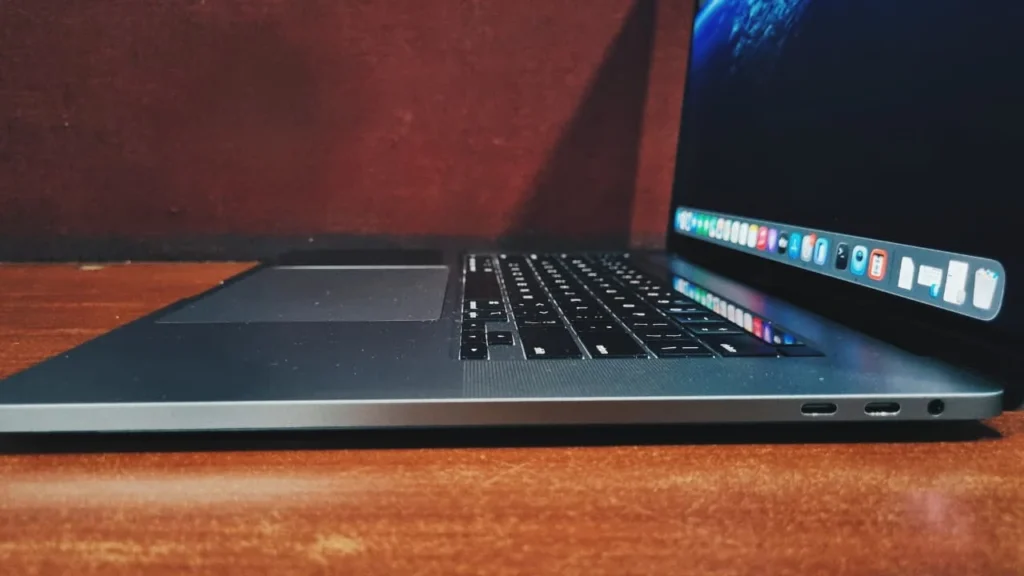
On the left side, Two Thunderbolt 3 (USB-C) ports (supports charging, DisplayPort, and data transfer up to 40Gb/s).

Apple MacBook Pro 16” (A2141))

On the right side, Two Thunderbolt 3 (USB-C) ports., One 3.5mm headphone jack.

Apple MacBook Pro 16” (A2141))

Keyboard and touchpad

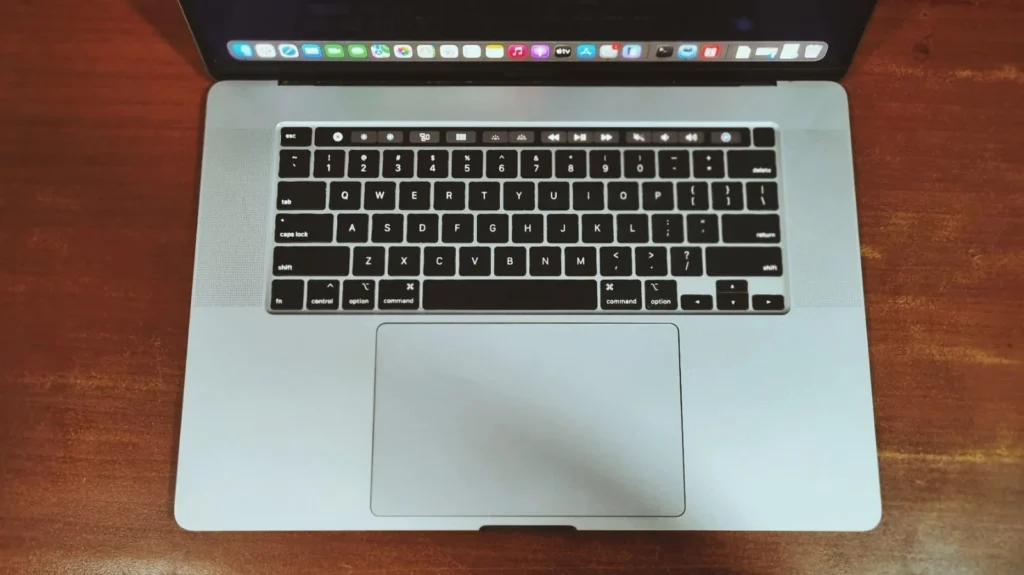
This laptop is historically significant because it marked the death of the infamous “butterfly” keyboard. Apple introduced the “Magic Keyboard” here, utilizing traditional scissor switches that offer a full 1mm of key travel. The result is a quiet, comfortable, and reliable typing experience that doesn’t feel like tapping on a solid block of glass. Apple also brought back the physical Escape key.

Below the keyboard sits an absolutely massive Force Touch trackpad. It is essentially a large glass canvas that uses haptic feedback to simulate clicks. It remains the best trackpad in the industry as it is responsive, smooth, and incredibly accurate for multi-touch gestures.

Apple MacBook Pro 16” (A2141))

Bottom Line

The Apple MacBook Pro 16” (A2141) was a pleasant return to form for Apple by fixing the keyboard woes and thermal issues of the past. Today, in the refurbished market, it represents a fascinating value proposition.

If you absolutely require an Intel processor and are required to run Windows on a MacBook, or want a premium, large-screen macOS experience on a tighter budget, it is a fantastic choice of machine with a high-quality screen and unmatched speakers. However, you must wager this against its refurbished batteries and the efficiency of the modern Apple silicon chips. it is no longer the king of the MacBook’s, but remains a remarkably sturdy, capable and beautiful workhorse.

Frequently Asked Questions (FAQs)

Definitely, especially if you are on a budget or need a massive screen without a massive price tag. It has a gorgeous retina display, incredible speakers, and plenty of power for everyday task.

Yes, perfectly. Because this laptop uses an Intel Core i7 chip, you can use Apple’s built-in Boot Camp to install a full, native version of Windows alongside macOS. This is something newer Apple Silicon Macs simply can’t do, making this machine a hidden gem if you rely on Windows-only apps.

No, This specific model was Apple’s apology letter to typing fans. They completely ditched the fragile butterfly keys and brought back the reliable Magic Keyboard. It uses traditional scissor switches that feel fantastic to type on, plus it brings back a real, physical Escape key.

The Lithium-ion batteries (used in MacBook’s) naturally wear down over time. If you buy a refurbished unit today, you should realistically expect around 3 to 4 hours of basic use (like typing or web browsing) before needing to plug it in.

No. Both the 16GB of RAM and the 512GB SSD are permanently soldered right onto the main board. What you buy is what you’re stuck with, so make sure to double -check that you are getting enough space for your files and apps from day one.

Leave a Reply

Your email address will not be published. Required fields are marked *