




Blogs
ASUS TUF Gaming F15 vs. F17: Which Should You Buy in India?

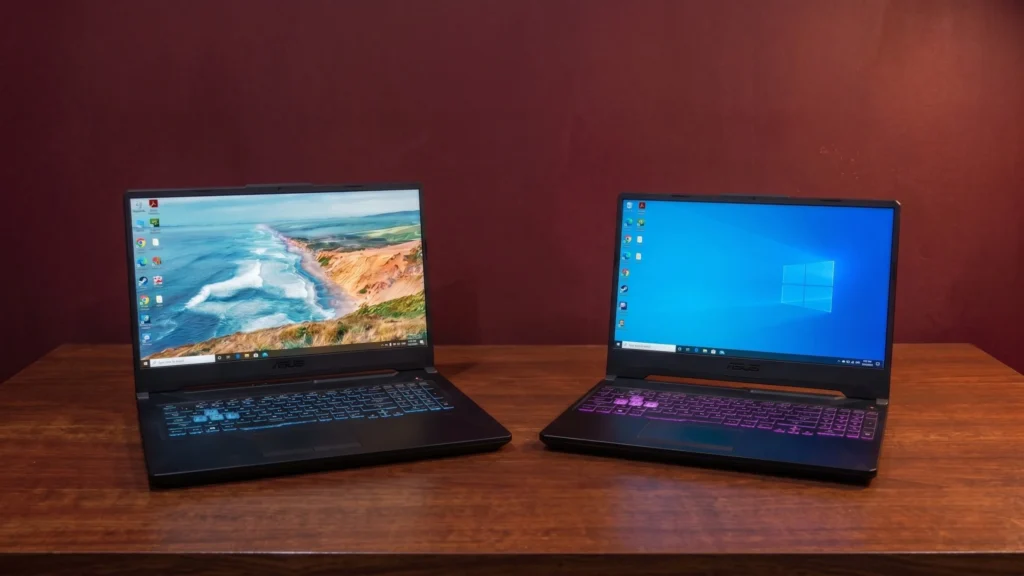
Whether you're grinding in the fast-paced ranked battle of Call of Duty where reaction timing is everything, or planning late-night sessions to explore open-world RPGs, finding a reliable gaming setup that hits the sweet spot between performance and price can be a real balancing act. If you've been hunting for a dependable entry-level gaming machine that handles your daily tasks but refuses to compromise on all the fun stuff when you boot up your favorite titles, you've narrowed your search down to the ASUS TUF Gaming F17 and F15. Let's dive into how these two battle-tested rigs stack up against each other.
Specs Comparison
Here is the direct hardware comparison between the two machines.
Design and Build Quality
The TUF series is famous for taking a beating, and both laptops feature MIL-STD-810H military-grade durability to comfortably survive minor drops, vibrations, and the daily commute to your office in a backpack. The ASUS TUF Gaming F17 comes with a rugged "Graphite Black" finish, while the ASUS TUF Gaming F15 maintains an aggressive, metal-like chassis with sharp lines. The main difference you will feel is the bulk: the F17 sits at a hefty 2.5 kg, whereas the F15 is slightly more portable at 2.1 kg. Regardless of the weight, both feel incredibly solid and firmly planted on the desk.
Display
When it comes to visual fluidity in fast-paced competitive shooters like Valorant, both laptops deliver exactly what you need with their 144Hz refresh rates and Adaptive-Sync technology. This dynamic pairing ensures that your gameplay remains buttery-smooth and completely free of visual tearing. Both displays feature anti-glare panels with color gamuts best suited for gaming rather than professional video editing. The F17 steps up the immersion with a larger 17-inch panel, while the F15 keeps things slightly more compact with a standard 15.6-inch screen.
Performance and Upgradability
When we step away from the marketing hype and look at the actual diagnostic data from the ASUS TUF Gaming F17 and ASUS TUF Gaming F15, we can exactly understand how their internal hardware stacks up against each other. Here is a quick, real-world breakdown of how these machines handle pure processing, graphics rendering, and day-to-day multitasking.
1. General Productivity & Everyday Power (PCMark 10)
F17 Score: 5,976 overall (Essentials: 9,816 | Productivity: 8,676)
F15 Score: 4,714 overall (Essentials: 7,948 | Productivity: 7,873)
The F17's 11th-gen architecture gives it a massive lead. While the F15 handles standard tasks like Word documents and basic web browsing beautifully, the F17 handles heavy multitasking, massive datasets, and app startup sequences with an extra layer of effortless, fluid speed.
2. Raw Processor Horsepower (Geekbench CPU)
F17 Score: Single-Core 1,995 | Multi-Core 6,201
F15 Score: Single-Core 1,584 | Multi-Core 4,268
The F17 packs 6 cores and 12 threads compared to the F15's 4 cores and 8 threads, its multi-core performance is roughly 45% faster. This extra muscle ensures that coding, gaming, and rendering remain incredibly snappy without lag on the F17.
3. Graphics & Rendering Depth (3DMark)
F17 Score: Solar Bay (Ray Tracing) 19,862 (75.52 FPS) | Combined Gaming Suite 4,197
F15 Score: Time Spy 3,337
The F15's GTX 1650 performs strictly as a reliable, baseline entry point for gaming laptops. However, the F17's RTX 2050 completely changes the game. Its massive Geekbench OpenCL score (48,278) and specialized hardware cores mean it can process ray-traced lighting effects and utilize hardware acceleration seamlessly.
4. Storage Snappiness (CrystalDiskMark)
F17 Speeds: Sequential Read 3,130.16 MB/s | Sequential Write 1,054.95 MB/s
F15 Speeds: Sequential Read 2,241.86 MB/s | Sequential Write 1,079.27 MB/s
While both laptops use fast NVMe SSD storage that keeps Windows booting up in mere seconds, the F17 has a distinct speed advantage when loading immense, modern open-world maps. Your fast-travel loading screens in heavy games will pass by significantly quicker on the F17.
Gaming Performance Analysis
The following points detail the real-world gaming capabilities of the two systems based on local benchmark data.
1. Grand Theft Auto V (GTA 5)
F17: Keeps a steady average framerate of 54.7–67.0 FPS on high settings at 1080p, with peaks between 74.0–94.7 FPS in less congested areas. 99.8% of rendered frames stay below the 33ms threshold, eliminating micro-stutters.
F15: Runs smoothly at an average of 48.8 FPS at 1080p with high/very high textures and shadows, peaking at 74.2 FPS in lighter scenes. 98.8% of frames stay well under the 33ms threshold.
2. Title-Specific Modern Game Performance
F17 (Ghost of Tsushima): Delivers a fluid, console-like experience by maintaining a highly stable 59 FPS at full 1080p. Good thermal efficiency, the dual-fan design keeps GPU temperature at a comfortable 67°C, with VRAM utilization at 3,318 MB, avoiding thermal throttling.
F15 (Assassin's Creed Odyssey): A demanding, CPU-bound title that limits the system to an average of around 37 FPS at 1080p. Comfortably clears a 30 FPS floor, though dropping to medium settings is recommended to maximize framerate.
Keyboard & Touchpad
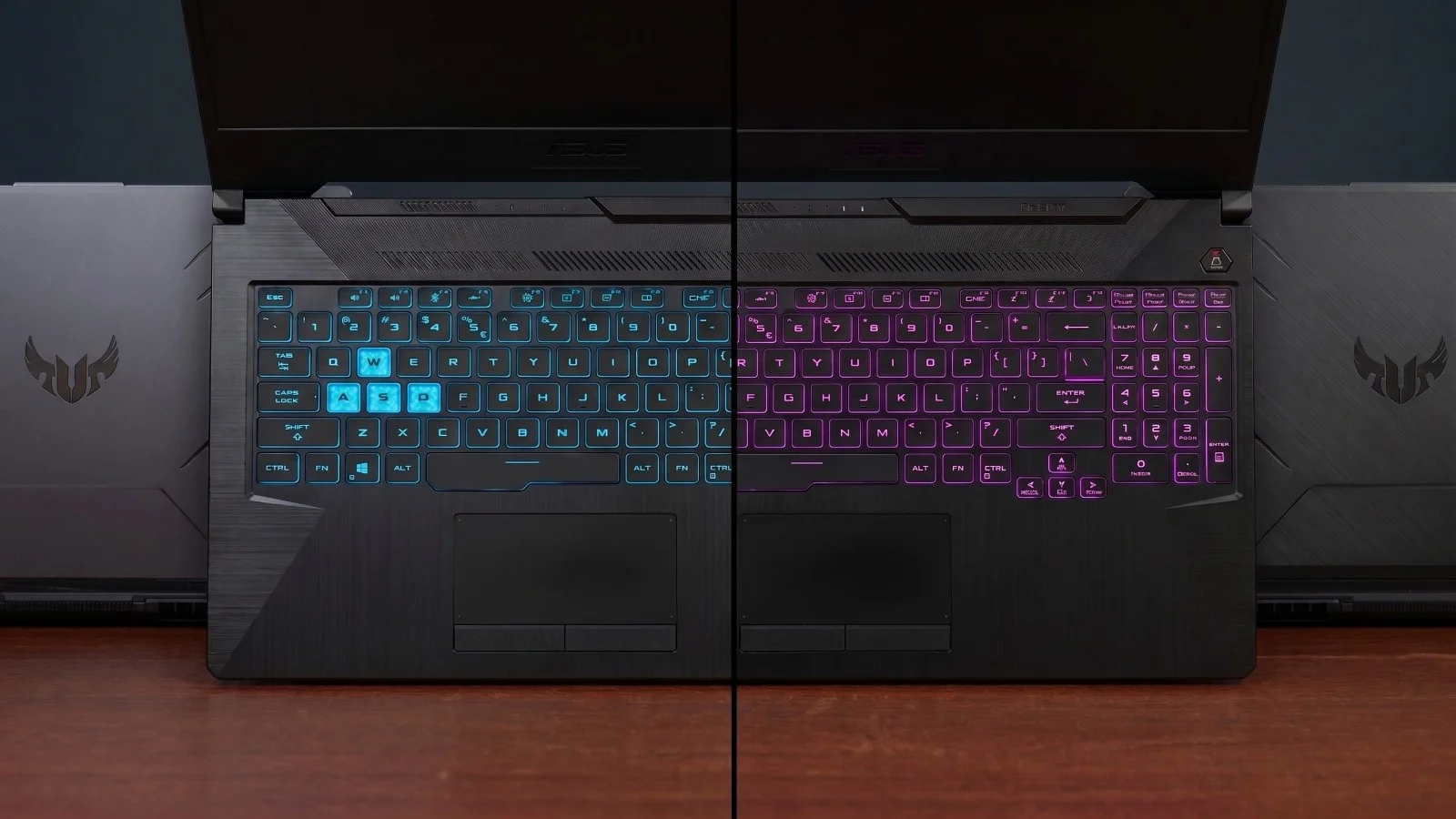
Long gaming sessions require a comfortable deck, and both laptops bring desktop-style 1-zone RGB backlit chiclet keyboards that give off a great glow for night gaming. They feature tactile, responsive keys with transparently highlighted WASD clusters to help guide your fingers in the dark. The trackpads on both models track smoothly for everyday Windows navigation and feature dedicated physical left and right-click buttons, a rare but highly appreciated touch to prevent mis-clicks. Of course, any serious gamer knows the touchpad won't cut it for precise aiming, plugging in a responsive wireless gaming mouse is practically mandatory for both machines.
Connectivity
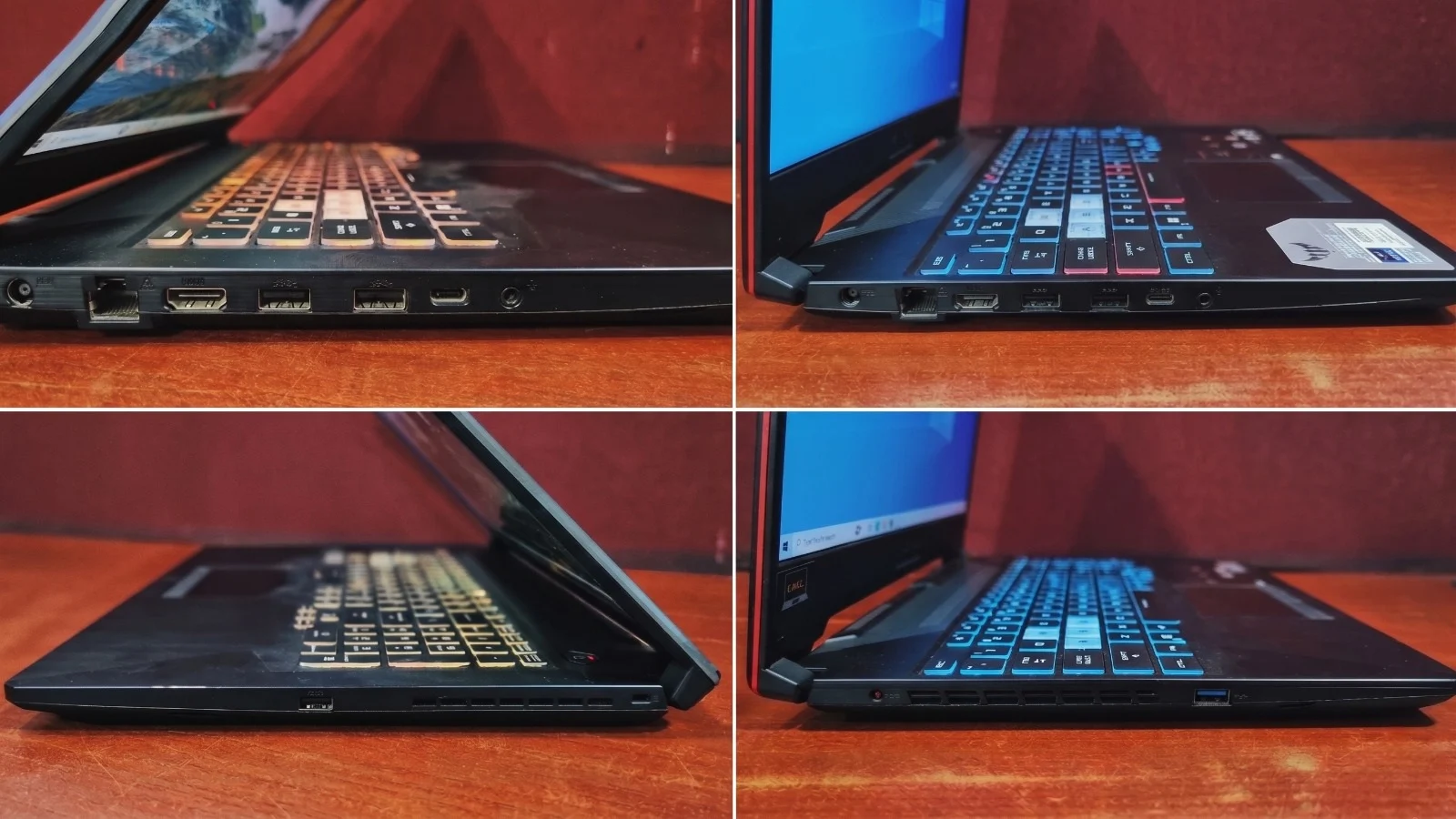
Both laptops feature a highly practical port placement that keeps the majority of thick cables strictly on the left side of the chassis. This design choice ensures your right hand, where a gaming mouse typically sits, remains completely clutter-free.
Left-Side Ports (Both Models)
- Power DC-in port
- 1× RJ45 LAN port (for stable, wired internet)
- 1× HDMI 2.0b (ideal for external monitors)
- 2× USB 3.2 Gen 1 Type-A
- 1× Thunderbolt 4 (supports DisplayPort)
- 1× 3.5mm Combo Audio Jack
Right-Side Ports (Both Models)
- 1× USB 3.2 Gen 1 Type-A
- Kensington Security Slot
Wireless: Both the F17 and F15 are fully equipped with modern Wi-Fi 6 and Bluetooth 5.2
Battery Life
Neither machine is built for all-day battery performance, both laptops will provide roughly 2+ hours of backup for lightweight tasks like web browsing or typing up notes. If you are actively gaming, both systems must remain plugged into a wall outlet. Relying on the battery during gameplay will cause rapid power drain and introduce severe performance lag. Keep in mind that actual runtime on refurbished models will depend heavily on previous usage.
Final Verdict
When you tally it all up, both laptops prove they are highly practical machines that know exactly what they were built to do: provide a reliable, sturdy entry point into PC gaming without any lag.
💡 Bottom line: The ASUS TUF Gaming F15 is a fantastic, budget-friendly machine that handles daily computing and fast-paced esports brilliantly. However, the F17 edges out a slight but definitive victory. Thanks to the superior graphical power of the RTX 2050, crucial DLSS support, and lightning-fast NVMe storage speeds, the F17 is undeniably the better long-term investment for a modern AAA gaming setup.
Ready to Level Up?
Browse EazyPC's certified refurbished ASUS TUF Gaming laptops, every unit quality-checked and warrantied.
Shop Gaming Laptops →Frequently Asked Questions
Which laptop is better for modern gaming?
ASUS TUF Gaming F17 is a clear winner. It has an RTX 2050 GPU with NVIDIA DLSS for higher frame rates, and a newer 11th Gen i5 processor that outperforms the F15's older GTX 1650 and 10th Gen CPU.
Can they run Rocket League and Valorant smoothly?
Yes. Both machines can run Valorant at well over 150 FPS and deliver a smooth 60 FPS in Rocket League on medium to high settings.
Can I upgrade the RAM and storage later?
Yes, both laptops allow you to upgrade the RAM up to 32GB and feature an empty secondary M.2 NVMe slot for easy storage expansion.
How is the battery life on these laptops?
Expect around 2+ hours for basic web browsing or typing. For gaming, you will need to keep them plugged into the wall to avoid fast battery drain and severe lag.
Are they good picks for students and programmers?
Yes, the Intel i5 processors are more than capable for heavy coding software and the robust chassis means they can safely endure a daily commute in your backpack.
