Summary (click to read)
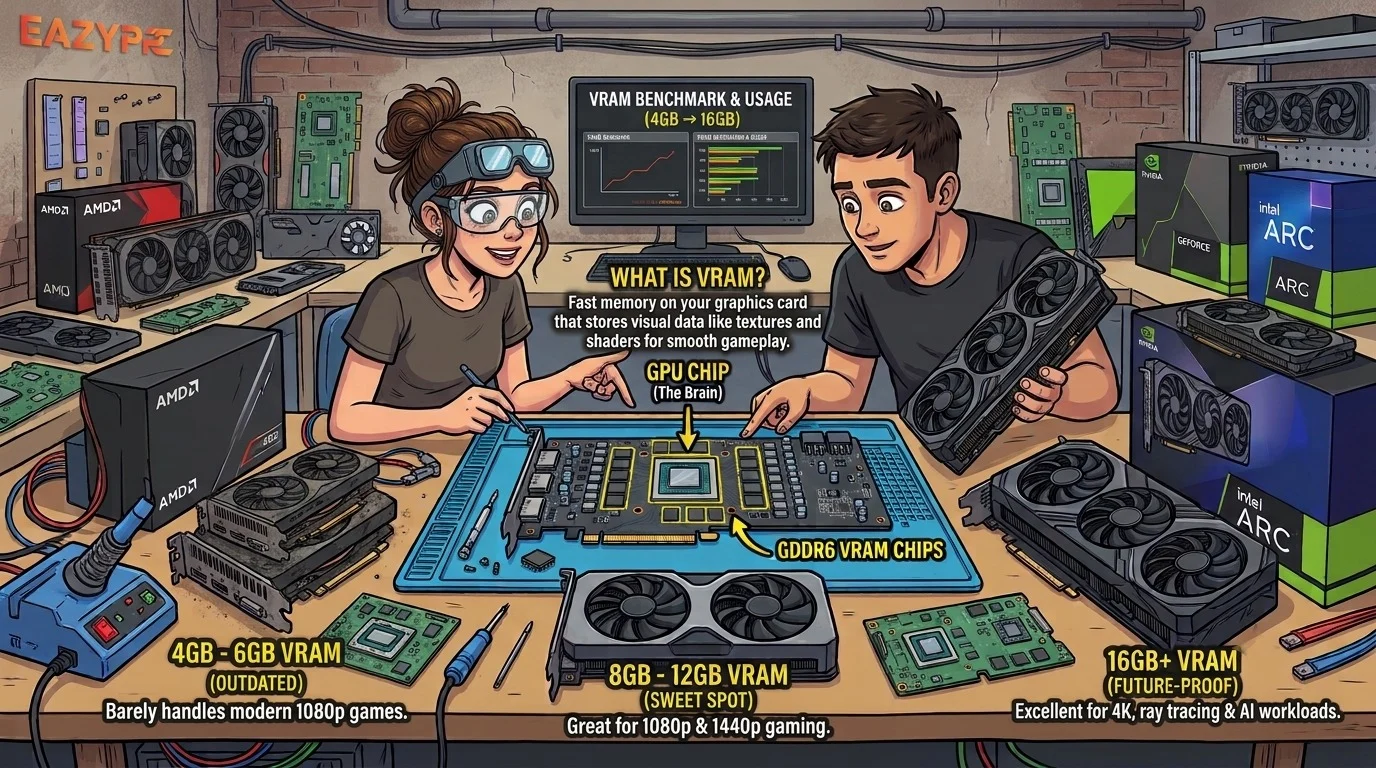
VRAM (video RAM) is the fast memory on your graphics card that holds textures, frame data and other things your GPU needs right now. In 2026, 8GB is still fine for 1080p esports and lighter games, 12GB is the comfortable pick for most 1080p and 1440p gaming, and 16GB or more is the safe target for 4K, ray tracing and anyone keeping a card for three years or longer.
If you've ever seen a game stutter even though your GPU usage looked fine, or watched a spec sheet argue about 8GB versus 16GB, you've bumped into VRAM. It's one of those specs that's easy to ignore until it suddenly isn't.
Let's make it simple, like a friend explaining it while you both stare at a shop's GPU shelf.
At a glance: how much VRAM do you need?
| What you play |
Recommended VRAM |
Notes |
| 1080p esports and older games |
8GB |
Still works well |
| 1080p modern AAA at high settings |
10 to 12GB |
More texture headroom |
| 1440p gaming |
12GB, ideally 16GB |
The new sweet spot |
| 4K gaming and heavy ray tracing |
16GB or more |
24GB+ only for maxed-out extremes |
| Video editing, local AI, 3D work |
16GB or more |
Work uses memory fast |
What is VRAM?
VRAM is dedicated memory built into your graphics card that holds the data your GPU is actively working with, such as textures, models and the frames it's drawing. Think of your GPU as a chef and VRAM as the counter space right beside them. Everything they need for the dish being cooked sits on that counter. Your system RAM is more like the pantry down the hall: bigger, but slower to reach.
When the counter is big enough, cooking is smooth. When it isn't, the chef keeps running to the pantry, and everything slows down.
Modern cards use memory types like GDDR6, GDDR6X and the newer GDDR7. These are built from separate memory chips on the card, so the total capacity depends on how many chips there are and how big each one is. Eight 2GB chips, for example, give you a 16GB card.
What does VRAM actually store?
A lot of what you see on screen lives in VRAM at some point:
- Textures: the surface detail on characters, walls, roads and clothing.
- Frame buffers: the images being built before they reach your monitor.
- Geometry and models: the shapes of everything in the scene.
- Ray tracing data: lighting structures that ray tracing needs to work.
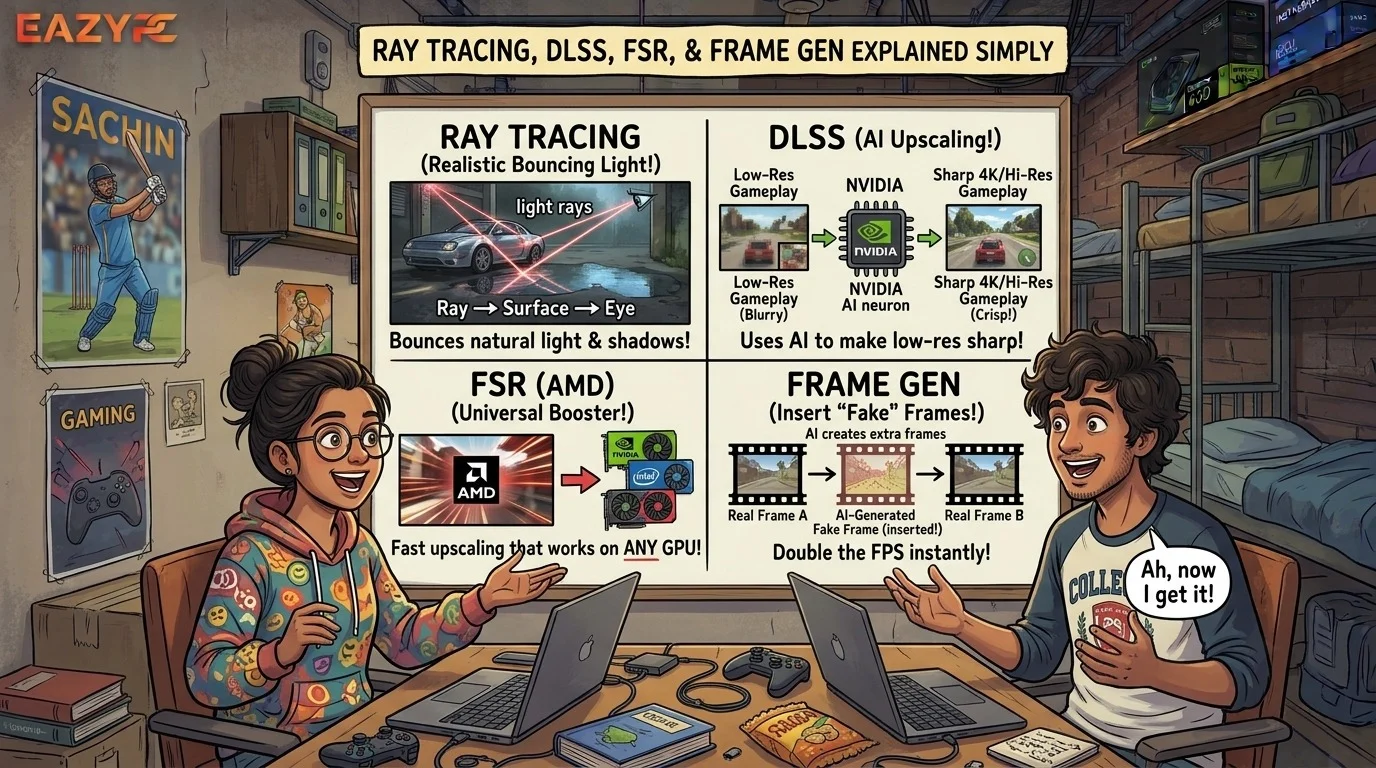
- Frame generation and upscaling data: extra buffers that features like DLSS and FSR use.
That last pair matters in 2026. Turning on ray tracing or frame generation usually adds to memory use, so features that boost fps can quietly eat into your VRAM budget.
Why do modern games need so much VRAM?
Three big reasons, in plain terms:
🖼️ Bigger textures
Higher-quality textures hold much more visual detail, and they take up much more memory.
🌍 Huge open worlds
Games constantly stream in new buildings, characters and objects as you move, and they keep a lot of it ready in memory.
✨ Newer rendering features
Ray tracing, path tracing and frame generation all add memory overhead on top of the base game.
That's why recent heavyweights like Black Myth: Wukong and Monster Hunter Wilds often list 8GB, 12GB or even 16GB in their recommended specs.
What happens when you run out of VRAM?
The tricky part is that your average fps can look fine while the game feels terrible. The slowdowns show up as hitches and "1% lows" rather than a smaller number on the counter.
Signs you might be short on VRAM:
- Textures that look muddy and then pop into sharpness a second later.
- Stutter when turning quickly or entering a new area.
- Frame rate that falls off a cliff after a few minutes of play.
- Settings that work fine at 1080p but fall apart at 1440p with the same GPU.
How much VRAM do you need at each resolution?
How much VRAM for 1080p gaming?
Eight gigabytes is the practical floor and still works for esports and many games. If you're buying new and want to play demanding 2025 to 2026 titles at high settings, 10 to 12GB is more comfortable. Some recent AAA games spill past 8GB even at 1080p high.
How much VRAM for 1440p gaming?
Twelve gigabytes is the sweet spot for most people, and 16GB gives you breathing room if you want to keep the card for years or turn on ray tracing. At 1440p, 8GB cards are increasingly stutter-prone in newer AAA games.
How much VRAM for 4K gaming?
Sixteen gigabytes or more is the realistic starting point. You don't need 24GB just to play at 4K, but with everything maxed out and ray tracing on, extra headroom helps.
Is 8GB of VRAM still enough in 2026?
Here's the fair, balanced take:
- If you already own an 8GB card and your games run well, there's no reason to upgrade just because of the number.
- If you're buying new and plan to play demanding games for the next few years, aim for 12GB or more.
- If you play mostly Valorant, CS2, League or similar, 8GB is genuinely fine.
- You can often fix 8GB problems by lowering texture quality one notch. It's usually the cheapest setting to trade.
One warning from recent price comparisons: the same GPU sold in 8GB and 16GB versions can differ by a lot. For example, an RTX 4060 Ti 8GB has sold for roughly $300 against $450 to $500 for the 16GB model, so it's worth checking whether the extra memory is worth the extra cash.
Read more: Best Gaming Laptop Models in 2026
Does more VRAM mean a faster GPU?
Not by itself. VRAM capacity decides whether a game fits, while the GPU's processing power decides how fast it runs. A weak GPU with 16GB will not beat a strong GPU with 12GB in a game that only needs 10GB. And if a game fits comfortably in 12GB, extra memory does nothing. More VRAM only helps when you're actually running out.
It's also not just about size. Memory speed and bus width affect performance too, which is why you should compare real benchmarks and not only the VRAM number.
How much VRAM do today's GPUs have? A quick look
| Card |
VRAM |
Good for |
| RTX 5060 Ti |
8GB or 16GB versions |
1080p (8GB), 1440p (16GB) |
| RTX 5070 |
12GB GDDR7 |
1080p high refresh, solid 1440p |
| RTX 5070 Ti |
16GB |
1440p high settings, entry 4K |
| RTX 5080 |
16GB |
High-end 1440p and 4K |
| RTX 5090 |
32GB |
4K maxed out, creative and AI work |
Always check the exact model, because some cards come in several VRAM versions with nearly identical names.
Why is VRAM such a big deal in 2026?
Because of a memory shortage that's affecting the whole GPU market. AI data centers are soaking up huge amounts of DRAM, and that has pushed up memory prices.
The knock-on effect is visible. NVIDIA's RTX 50 Super cards, which were expected to bump VRAM by 50 percent (rumored specs included 18GB and 24GB models), were reported to have been delayed indefinitely. Those reports rely on industry sources rather than an official announcement, so treat them as likely but not confirmed.
What that means for you: don't count on a cheap, VRAM-heavy refresh arriving soon. If you need a card now, buy the VRAM you need today.
How can you check how much VRAM your games actually use?
Before spending anything, measure.
- Open a monitoring overlay. Tools like MSI Afterburner, or the performance overlays built into the NVIDIA app and AMD Software, can show VRAM use live.
- Play your most demanding game at the settings and resolution you want.
- Watch dedicated VRAM use, not just allocated memory. Games often reserve more than they truly need.
- Check for stutter, not only averages. If the game hitches when usage nears your card's limit, you've found your bottleneck.
If you stay comfortably below your limit, you don't need more.
Practical tips for getting the most from your VRAM
- Lower texture quality first. It's the biggest memory saver for the smallest visual cost.
- Use upscaling. DLSS, FSR or XeSS render at a lower internal resolution, which can reduce memory pressure.
- Be careful with ray tracing and frame generation on 8GB cards. Both add memory overhead.
- Close background apps. Browsers and overlays can use VRAM too.
- Match VRAM to your monitor. Planning to move to 1440p or 4K soon? Buy for that, not for today's screen.
- Don't overpay for VRAM you won't use. A 24GB card for 1080p gaming is wasted money.
- Think about your next three years, not just this month. Games keep getting hungrier.
- Update drivers. Memory management improves with driver updates.
- Consider creative needs. Video editing, 3D rendering and local AI models gobble memory, and 16GB or more is much more comfortable.
Common VRAM myths
"More VRAM always means more fps."
No. It only helps when you'd otherwise run out.
"I need 16GB for any modern game."
Not at 1080p. Most 1080p high settings sit well below that.
"8GB is dead."
Not dead, but aging. It's fine for esports and lighter games, and tight for new AAA releases.
"The game says it uses 14GB, so I need 14GB."
Not necessarily. Many games reserve extra memory they don't strictly need.
"I can add VRAM later."
No. The memory on a graphics card is fixed for its whole life.
The bottom line
VRAM is your GPU's workspace. Too little, and games stutter. Plenty, and you'll barely think about it.
In 2026, the simple rule is this: 8GB for 1080p esports, 12GB for most gamers, 16GB if you want to relax and keep the card for years. Check what your favorite games actually use, buy for the resolution you're moving to, and don't pay for memory you'll never touch.
Recommendations vary slightly, and new games change the picture quickly, so treat these numbers as a guide and check current benchmarks before you buy.
Frequently asked questions
(Hover over a question to see the answer)
What does VRAM stand for?
VRAM stands for Video Random Access Memory. It's the dedicated memory on your graphics card that stores textures, frame data and other graphics information.
Is 12GB of VRAM enough in 2026?
Yes, for most gamers. It's the sweet spot for 1440p and gives comfortable headroom at 1080p. For 4K or heavy ray tracing, 16GB is safer.
Is 16GB of VRAM overkill?
Not anymore for 1440p and 4K, or if you plan to keep the card for several years. It is overkill for 1080p esports.
Can I upgrade my graphics card's VRAM?
No. VRAM is soldered to the card, so the only way to get more is a new GPU.
Does VRAM affect fps?
Indirectly. When you have enough, it has no effect. When you don't, performance drops sharply with stutters and texture problems.
Does ray tracing use more VRAM?
Yes. Ray tracing and frame generation both add memory overhead, which is a reason to favor 12GB at minimum, and 16GB for heavy ray tracing.
Is VRAM the same as system RAM?
No. VRAM is dedicated memory on the graphics card and is built for GPU speed. System RAM serves the whole computer, and it's slower for graphics work.
Read more: How Much RAM Do You Need in a Laptop in 2026?
How much VRAM do I need for local AI or video editing?
Aim for 16GB or more for comfortable use with local AI models and 4K video editing. Larger projects benefit from more.