




Blogs
Dell Latitude E7470 Review

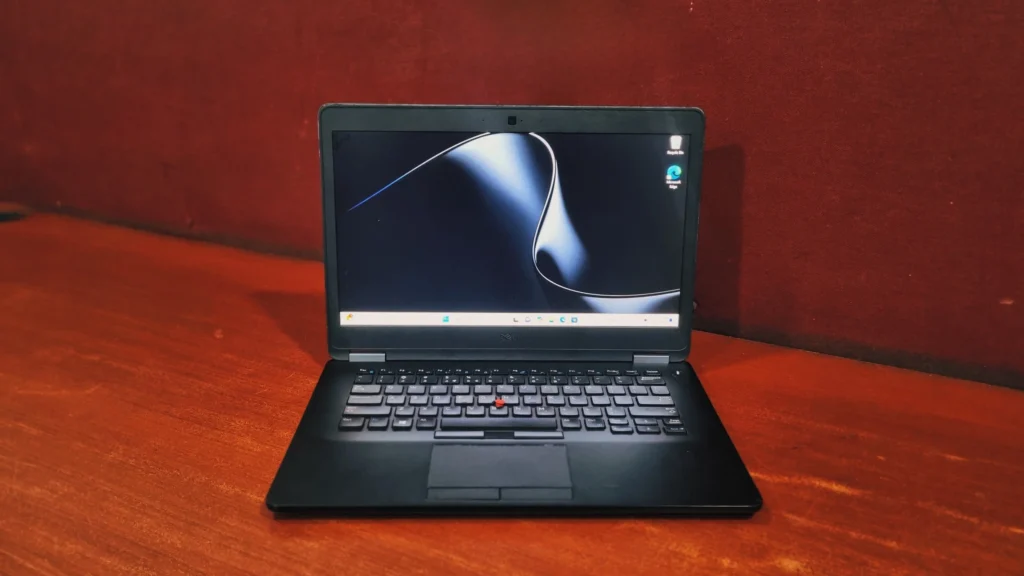
Specifications –
- Processor: Intel Core i5-6300U vPro (2.4 GHz base, up to 3.0 GHz Turbo)
- Graphics: Integrated Intel HD Graphics 520
- Memory: 16GB DDR4 (up to 32GB)
- Storage: 256GB SSD (Expandable up to 1TB)
- Display: 14.0”, Full HD (1920 x 1080), IPS
- Wireless: Wi-Fi 802.11ac, Bluetooth 4.1
- Weight: 1.5 kg
In an era where tech companies chase razor- thin profiles and flashy gimmick, Dell has made a practical laptop with a little heft to it for sturdy and robust design. Enter the Dell latitude E7470. As a flagship from Dell’s premium 7000 business series, it was engineered to survive the grueling demands of corporations without getting slow. If you are looking for a highly reliable, durable, and comfortable secondary laptop or an affordable daily driver, the Latitude E7470 is a masterclass in classic business design.
Here is a closer look at what makes this machine tick.
Design And Build Quality
The chassis is made of a high quality, torsion resistant magnesium alloy. The laptop has been put through military-grade MIL-STD 810G tests so if you try to press down on the keyboard deck or twist the lid you will notice the absence of flex immediately. The bottom cover I like is a solid tub to hold all components. The rugged aluminum capped hinges ensure your screen never wobbles when you are typing on a bumpy commute. It’s not the lightest Ultrabook, coming in at 1.5 Kg, but that little bit of extra weight gives you a machine that feels incredibly solid and robust in the hand.
The Display
The IPS display delivers crisp text, decent colour reproduction, and wide viewing angles, unlike entry level TN panels of its time with washed out colours and poor viewing angles. Colours stay true and readable whether you’re looking at the screen from an angle or tipping it back.
It also features a matte, anti-glare coating instead of a glossy layer so it does a great job of diffusing harsh overhead office lighting or sunlight. This makes it an ideal tool for long hours of reading, writing or programming without eye strain.
Keyboard & Touchpad
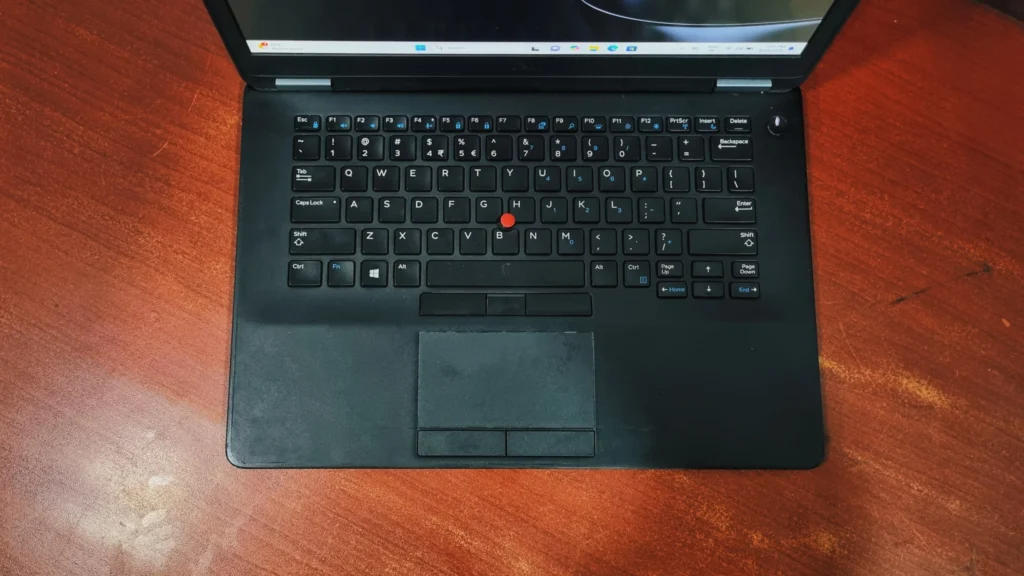
Dell business-class keyboards of this generation are highly regarded and the E7470 is no exception.
Keyboard: The keys have a slight conical curve that fits naturally into your fingertips. The typing experience is crisp and tactile, featuring generous key travel. The bottom chassis of the laptop is made up of solid magnesium so it doesn’t flex or bounce no matter how heavy-handed you are.
The Touchpad & Pointing Stick The touchpad is very responsive and is coupled with physical clicky mouse buttons underneath and on top of it. The buttons in the top row are designed to work in tandem with the traditional rubber pointing stick (TrackPoint) that sits right in the middle of the keyboard, offering a seamless navigation option without taking your hands off the home row.
Performance & Benchmarks
If you’re looking at the numbers and wondering how this laptop will actually perform on a day-to-day basis, we ran it through a few popular benchmark tests:
Storage Performance (CrystalDiskMark)
Sequential Performance
- Read: 1729.9 MB/s
- Write: 960.5 MB/s
Random 4K Performance
- Read: 50.6 MB/s
- Write: 134.8 MB/s
Explanation:
The SSD delivers very fast sequential speeds, resulting in quick boot times, fast application launches, and responsive file transfers. Strong random performance improves everyday responsiveness when opening programs and handling multiple background processes.
Overall System Performance (PCMark 10)
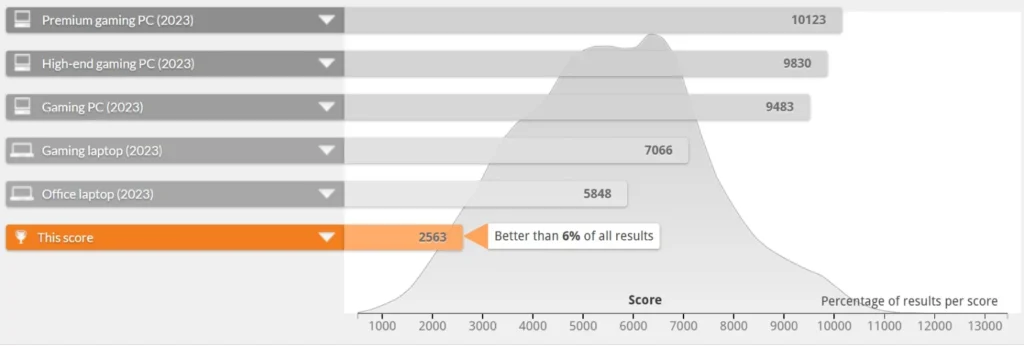
- Overall Score: 2563
Category | Score | Interpretation |
Essentials | 5322 | Ideal for web browsing, video calls, and app startup. |
Productivity | 4653 | Handles spreadsheet, document, and office tasks effectively. |
Digital Content Creation | 1847 | photo editing, rendering, and video editing (Limited Performance). |
The laptop performs well as a business and productivity machine but is not designed for creative or professional media workloads.
In PCMark databases, the system comes in close to the bottom among current laptops. The score is a better indicator of the processor’s age than the performance of the storage. This is a little behind new laptops in overall performance but still capable of handling office work, web browsing, online learning, and business applications.
CPU Performance (Cinebench R23)
- Single-Core Score: 769 points
- Multi-Core Score: 1763 points
Explanation:
- The single-core score indicates decent performance for everyday tasks such as web browsing, office work, and light multitasking.
- The multi-core score is relatively low by modern standards, showing limitations in heavily threaded workloads like video rendering, 3D modeling, and software compilation.
- Suitable for office productivity and light workloads, but not ideal for demanding professional applications.
CPU Benchmark (Geekbench)
- Single-Core Score: 1062
- Multi-Core Score: 1959
Explanation:
- A single-core score above 1000 means the system remains responsive for daily computing tasks.
- The multi-core result reflects the limitations of the older processor generation and lower core count compared to modern CPUs.
Everyday App Checks:
- Tally: Runs smoothly. Tally and similar software are very light and the fast SSD means your data loads and saves in no time.
- Microsoft office: Handles daily spreadsheets, budgeting, and data entry with ease.
- Google Chrome: Comfortably handles about 10 to 15 tabs at once. If you leave 20+ heavy websites open all day, the older dual-core processor will start to lag a bit.
Hardware details
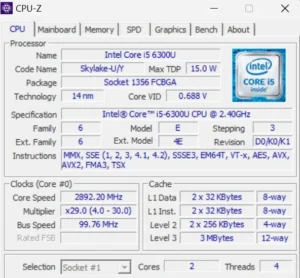
This laptop is powered by a 6th generation intel core i5-6300U “Skylake” processor. It is an energy-efficient chip with a low maximum power draw (TDP) of just 15 watts, which is great for preserving battery life in a light business laptop. Built on a 14-nanometer process, it features a dual-core, four thread architecture with a base clock speed of 2.40 GHz (with max turbo boost up to 3.0 GHz here) and 3 MB of level 3 cache. Ultimately, this hardware confirms that the laptop is designed for light everyday multitasking, browsing, and office productivity.
Battery life
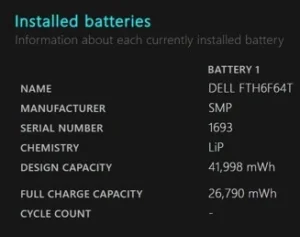
On a refurbished unit, you can realistically expect up to 2 hours of continuous real-world use depending on the battery’s health percentage. Fortunately, Dell engineered this laptop with excellent serviceability. If the battery life degrades too much, the bottom panel can be quickly removed by undoing a few standard screws, giving you direct access to swap out the internal battery yourself in under five minutes.
Ports and Connectivity
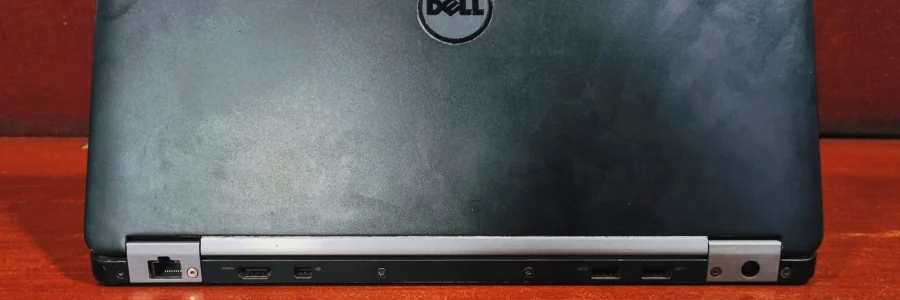
In a modern landscape plagued by sparse USB-C configurations and cumbersome dongles, the Latitude E7470 feels incredibly refreshing. Dell ingeniously placed the majority of the ports on the rear of the chassis, keeping your desk entirely clean of side-jutting cables.
- Left Side: Smartcard reader, cooling vent, and a Kensington lock slot.
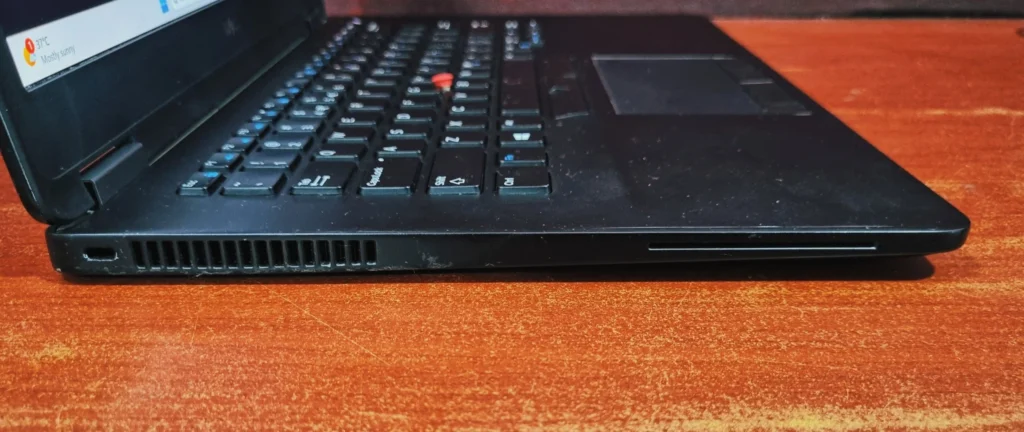
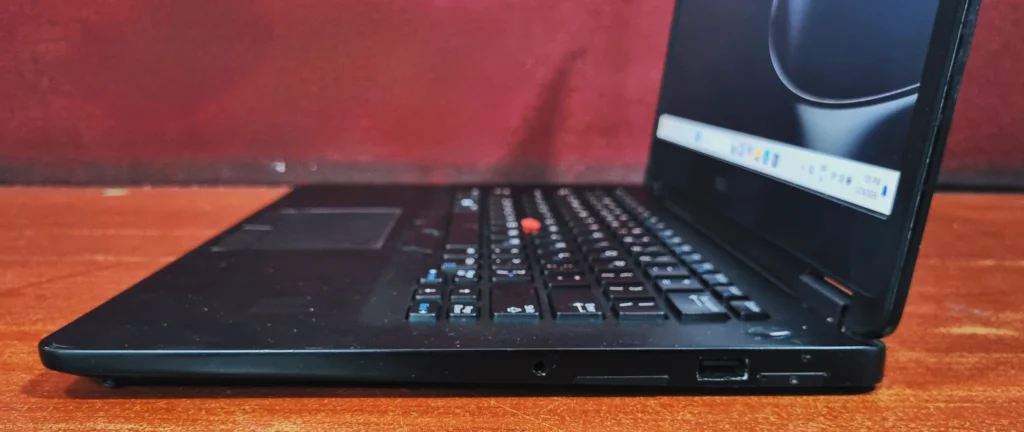
- Right Side, 1x USB 3.0 Type-A, a high-speed SD 4.0 card reader, an audio combo jack, and SIM slot.
- Rear, RJ45 Ethernet, HDMI, DisplayPort, 2x USB 3.0, power
Final Verdict
The Dell latitude E7470 is an aging but exceptionally well-built business laptop that packs reliable everyday performance into a durable, lightweight unit. Weighing around just 1.5 Kg with a sleek, military-grade MIL-STD 810G tested magnesium – alloy and carbon fiber chassis, it easily survives the daily commute. While its older processor won’t handle modern gaming or heavy editing. The fast SSD ensures a surprisingly snappy experience for daily tasks.it features a tactile keyboard which has good key travel and solid selection of legacy ports paired with a crisp 1080p IPS anti-glare display, this laptop remains an outstanding, budget-friendly choice for students, remote workers, and office professionals seeking a comfortable and robust daily driver.
Frequently Asked Questions (FAQs)
Q1. Is the Dell Latitude E7470 still worth buying today?
Yes, its military-build and excellent keyboard make It a fantastic, budget-friendly choice for everyday office work, studying, and web browsing.
Q2. Can I upgrade the RAM and storage on the Dell Latitude E7470?
Absolutely. The laptop is highly serviceable, allowing you to easily upgrade the M.2 SSD up to 1TB and adjust the RAM simply by removing the bottom panel.
Q3. How long does the battery last on a refurbished Dell Latitude E7470?
Depending on the battery’s health, you can realistically expect up to 2+ hours of real-world use on a refurbished unit. Fortunately, swapping in a fresh battery is a quick, five-minute DIY task.
Q4. Does the Dell Latitude E7470 have an HDMI port?
Yes, it features a full-sized HDMI port conveniently located on the back of the chassis, completely eliminating the need for extra display dongles.

About Aryamann Saini
Avid tech enthusiast with a focus on strategic problem-solving. Always looking to tackle the next big challenge or learning milestone. Outside of work and studies, I enjoy traveling to historical sites and exploring the open road.
View all posts by Aryamann Saini
