
Blogs
Lenovo ThinkPad L14 Gen 2 Review: Performance & Features

![Lenovo ThinkPad L14 Gen 2 [Review]](https://eazypc.in/wp-content/uploads/2026/08/WhatsApp-Image-2026-08-26-at-4.00.32-PM-1024x576.webp "Lenovo ThinkPad L14 Gen 2 Review: Performance & Features")
If you're hunting for a budget-friendly business series laptop, it's easy to get lost in a sea of flimsy clamshells. But if you know where to look, there are hidden gems that deliver premium features without the premium price tag. Enter the Lenovo ThinkPad L14 Gen 2 (Intel).
While the "L series" is technically Lenovo's entry-level business line, this specific model has quietly earned a reputation as a sleeper hit. If you're a fan of classic ThinkPad durability, or just someone who wants a lot of bang for their buck, here's why the L14 Gen 2 is worth your attention.
Specifications
Processor
11th Generation Intel® Core™ i5-1145G7
Graphics
Intel Iris Xe Graphics
Memory
8GB RAM (DDR4 3200MHz, 2 x RAM slots, expandable up to 64GB)
Storage
256GB NVMe SSD (expandable)
Display
14" FHD IPS
Keyboard
Backlit keyboard
Weight
1.64 kg
Connectivity
11AX (2x2) & Bluetooth® 5.0
Design & Build Quality
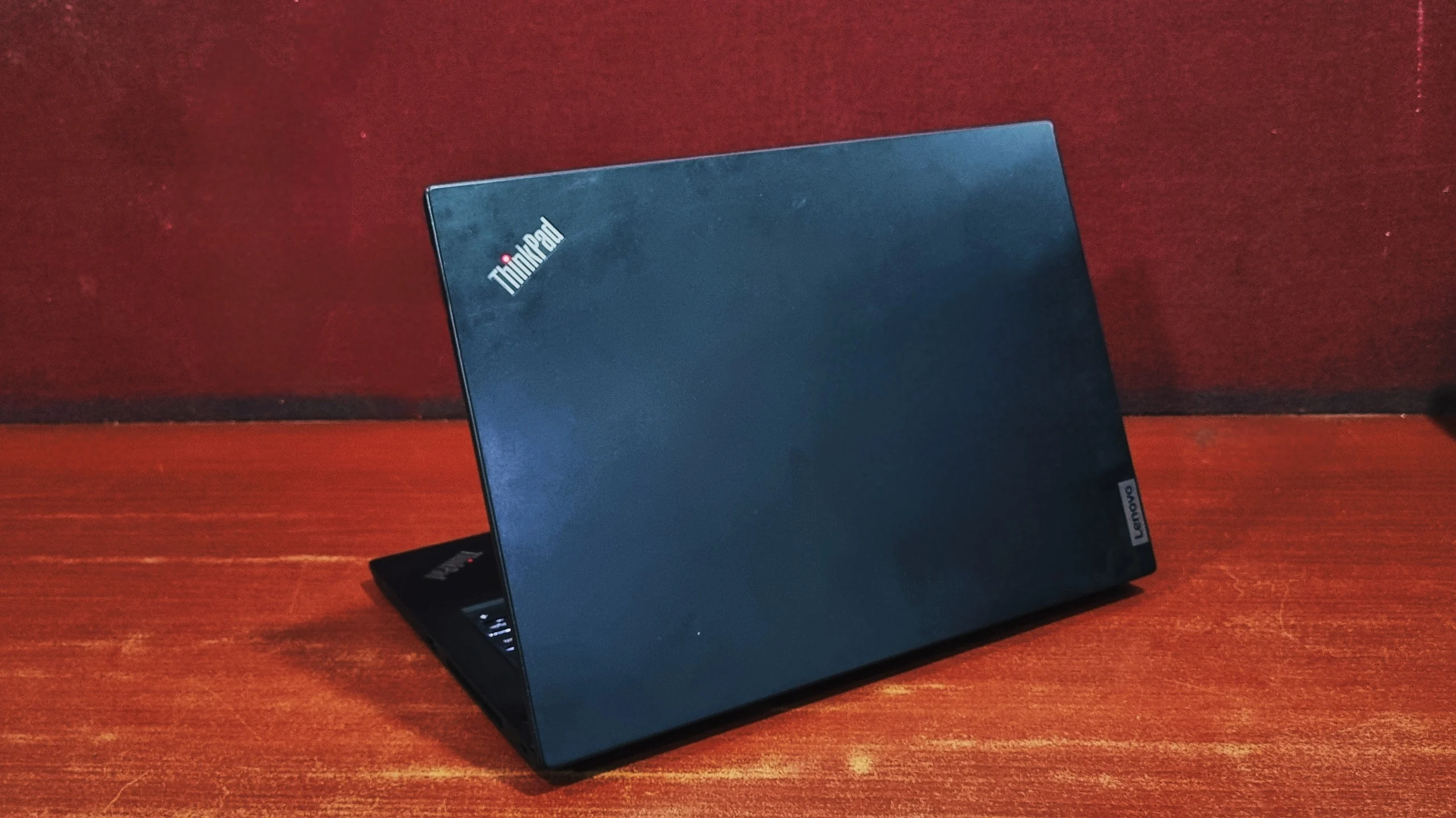
The L14 Gen 2 uses a hard plastic chassis rather than the premium carbon fiber or magnesium alloy found in the flagship T or X series. However, the build quality remains robust. There are no noticeable panel gaps, the hinges firmly hold the display at up to a 180-degree angle, and the chassis has a reassuring stiffness.
While it is exceptionally durable, the trade-off is its footprint. At roughly 1.64 kg, it is noticeably chunkier and heavier than modern Ultrabooks. The display bezels also feature a rather prominent "chin" at the bottom, highlighting its utilitarian design over sleek aesthetics.
Display
The 14-inch FHD (1920x1080) IPS panel is strictly built for productivity. It averages around 280-294 nits of peak brightness (according to Lenovo), which is perfectly adequate for office environments but may struggle in direct sunlight.
With the total absence of PWM (Pulse-Width Modulation) flickering, you can stare at spreadsheets and documents for hours without risking the eye strain and headaches associated with screen flicker. It won't win awards for color accuracy, but it is a reliable display.
Performance
It handles everyday multitasking beautifully. It is perfectly equipped for standard productivity: effortlessly managing dozens of browser tabs, running audits, crunching hefty financial models in Excel, drafting tech content, or handling standard Python scripts in VS Code. However, if the limits are pushed, you might experience some throttling.
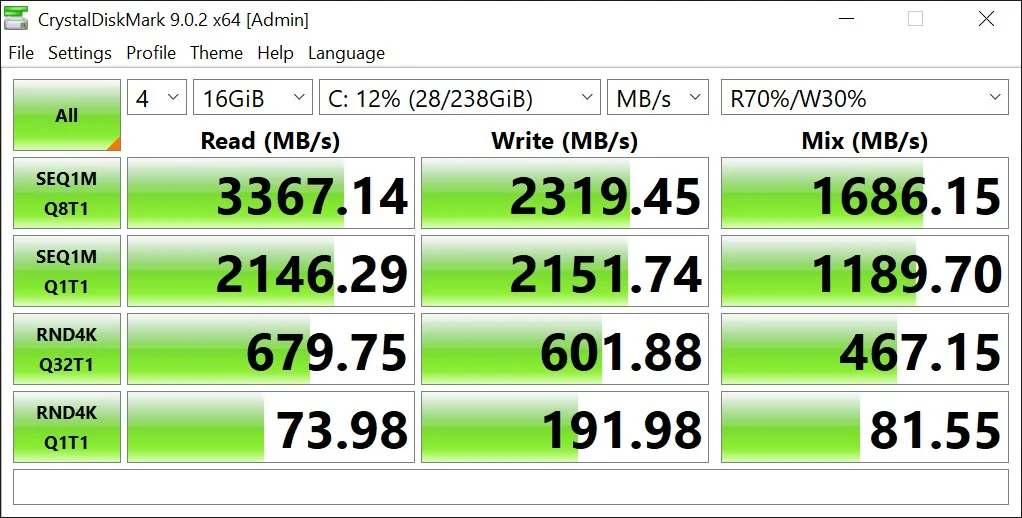
CrystalDiskMark (Storage Speed)
An evaluation of the CrystalDiskMark scores indicates a high-performance PCIe Gen 3 NVMe SSD operating near its theoretical limits. The drive demonstrates excellent efficiency for both sustained data transfers and everyday system responsiveness.
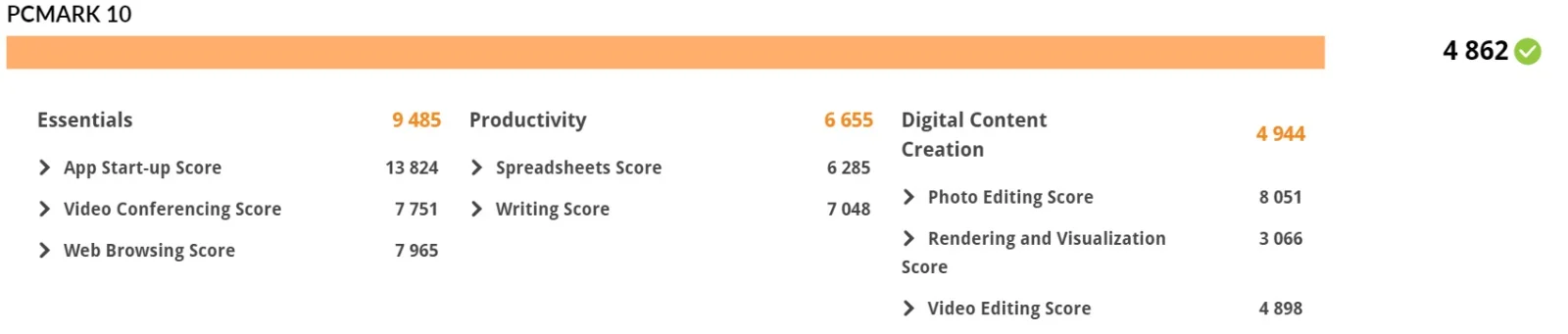
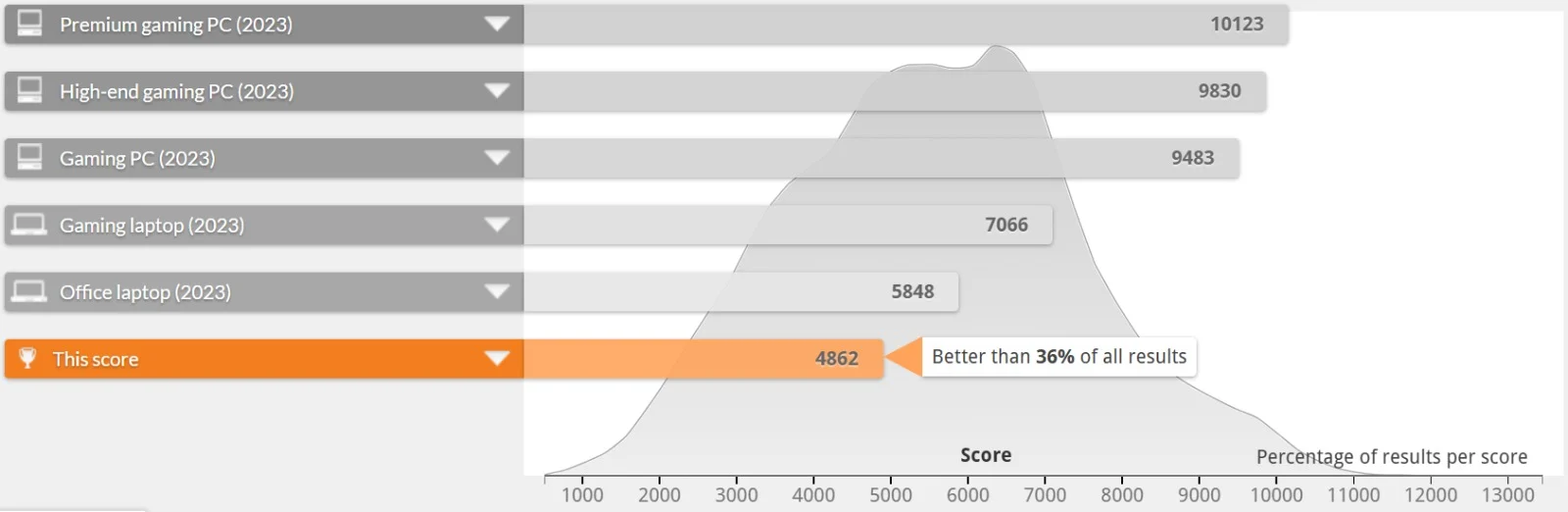
PCMark 10 (Overall System Productivity)
An analysis of the system's benchmark results indicates a highly capable configuration for daily professional and personal use. Below is a detailed breakdown of the performance metrics:
Geekbench CPU Benchmark (Processor Performance)
An evaluation of the Geekbench and OpenCL benchmark results indicates a system optimized for standard workloads and efficient everyday computing.
CPU Details
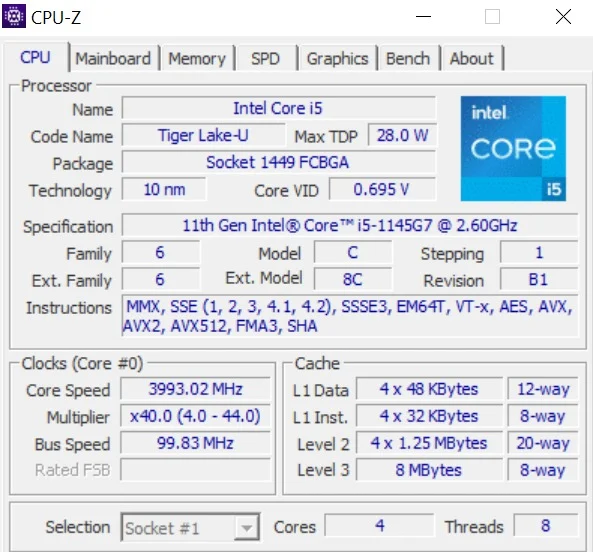
This laptop comes with an 11th Gen Intel Core i5-1145G7 processor from the "Tiger Lake-U" family, built on a 10 nm manufacturing process. It is a power-efficient mobile chip designed to maximize battery life, operating with a maximum Thermal Design Power (TDP) of 28.0 W. Inside, it features 4 cores and 8 threads to handle multitasking, alongside 8 MB of Level 3 cache. While its base clock speed sits at 2.60 GHz, the core speed actively boosts to roughly 3.99 GHz.
Battery Back-up
While the L14 Gen 2 originally shipped with a 45Wh battery, refurbished units often suffer from battery degradation. Expect a battery life of up to 2 plus hours under usage on a refurbished unit. You will need to keep the USB-C charger handy or consider replacing the internal battery if you require true portability.
Connectivity and Security
Users who are always on the hunt for extra security will be impressed with the options offered by this laptop, with biometric login supported by both a fingerprint scanner or facial recognition.
Ports & I/O
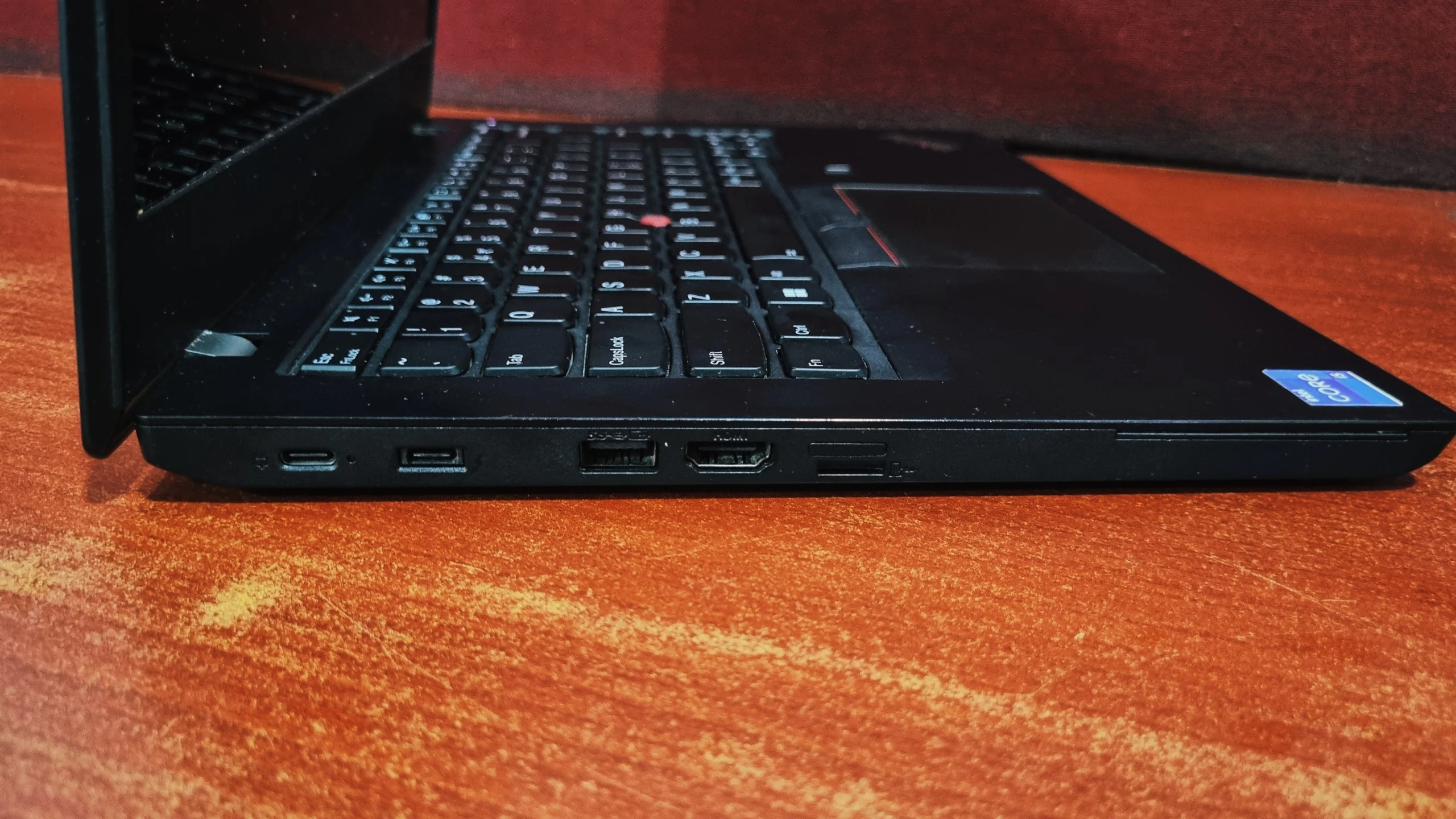
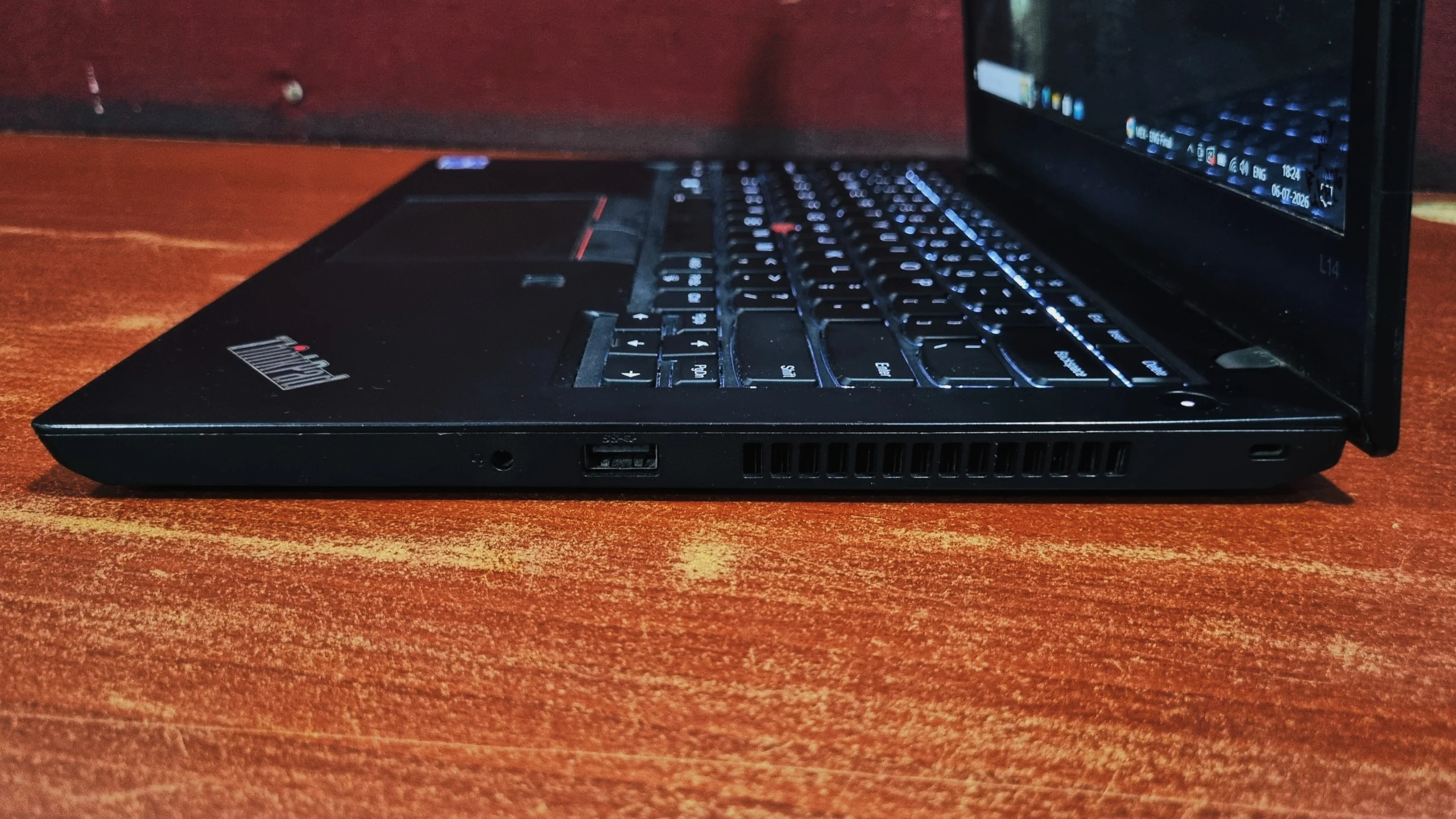
The L14 delivers a solid and highly functional array of ports for an entry-level machine:
Left Side
Right Side
Keyboard and Touchpad
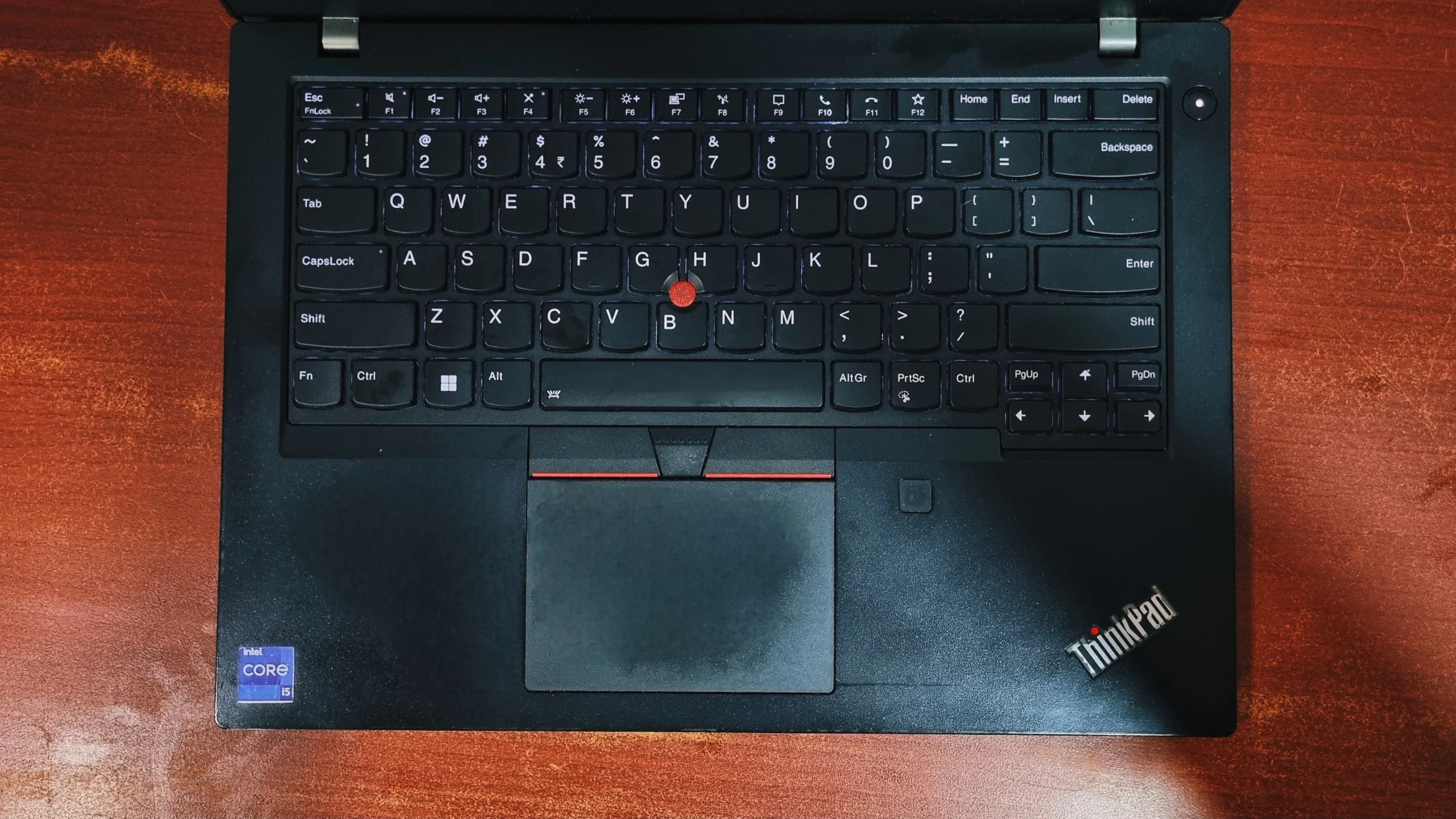
Lenovo did not compromise on these inputs. The L14 Gen 2 features a chiclet-style keyboard, offering deep key travel, a clear actuation point, and a satisfying, tactile feel that is comfortable for long typing sessions. It also features a two-stage white backlight.
Navigating the OS is handled by either the classic red TrackPoint nub nested in the keyboard or the plastic ClickPad. Both input methods are highly responsive, and the dedicated mechanical buttons for the TrackPoint provide excellent tactile feedback.
Bottom Line
Bottom Line
The Lenovo ThinkPad L14 doesn't have a lot of negative qualities, but a few niggles here and there, such as its heavy weight or poor colour fidelity, might be considered a dealbreaker to some. Other than these, it nails the fundamentals. With fast storage speeds, phenomenal thermal management, highly expandable RAM (up to 64GB), and a rock-solid chassis, it is a highly capable and reliable daily driver for productive users.
Frequently Asked Questions
Yes. Unlike many modern Ultrabooks, the ThinkPad L14 Gen 2 is highly upgradeable. It features two RAM slots that can be expanded up to 64GB, and the internal NVMe SSD storage can also be easily upgraded according to your needs.
Yes, the Intel versions of the L14 Gen 2 feature one Thunderbolt 4 port, allowing for high-speed data transfer and eGPU support.
Not really. The IPS panel peaks at around 294 nits of brightness (according to Lenovo). While it has a matte finish to reduce glare, it will still look dim and washed out in direct sunlight.
At 1.64kg (without charger), it is solidly built but definitely on the heavier side for a 14-inch laptop. While the thick plastic and rigid lid offer premium durability, the extra 300g over typical modern Ultrabooks might make it a bit tiresome to carry in a backpack all day.


