
Blogs
Apple MacBook Pro 16” (A2485) Review | Is the M1 Max Still Worth Buying Refurbished in 2026?

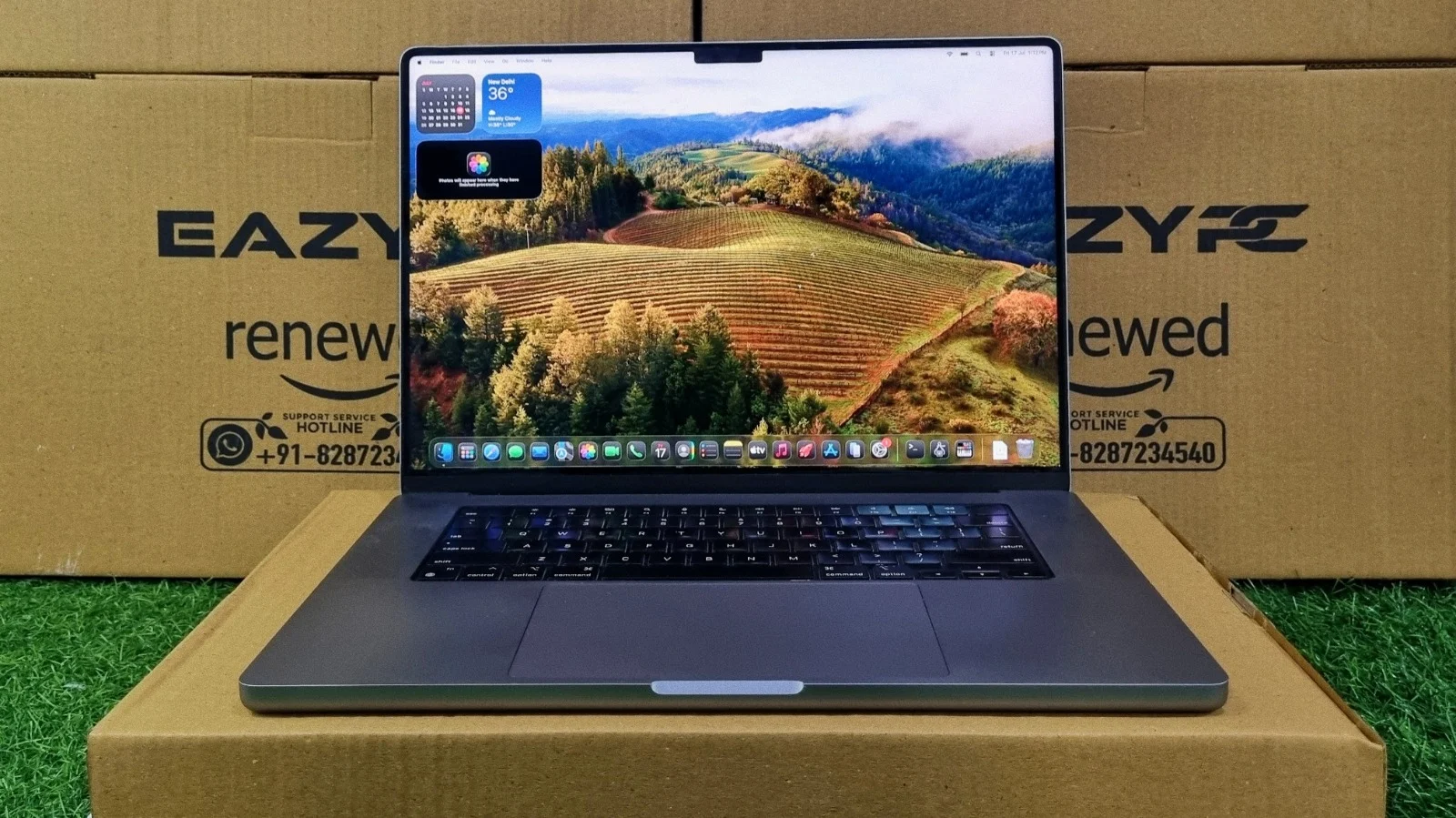
Apple's 2021 return to form for professional users, revisited as a refurbished buy. Here's how the M1 Max configuration holds up on real benchmarks and everyday use.
Summary
The Apple MacBook Pro 16" (A2485) is Apple's 2021 return to form for professional users, and this review looks at the M1 Max configuration as a refurbished buy. The unibody aluminum chassis swaps the old tapered wedge for flat, squared-off edges and weighs 2.1 kg, slightly heavier than the Intel model because of the larger 100Wh battery.
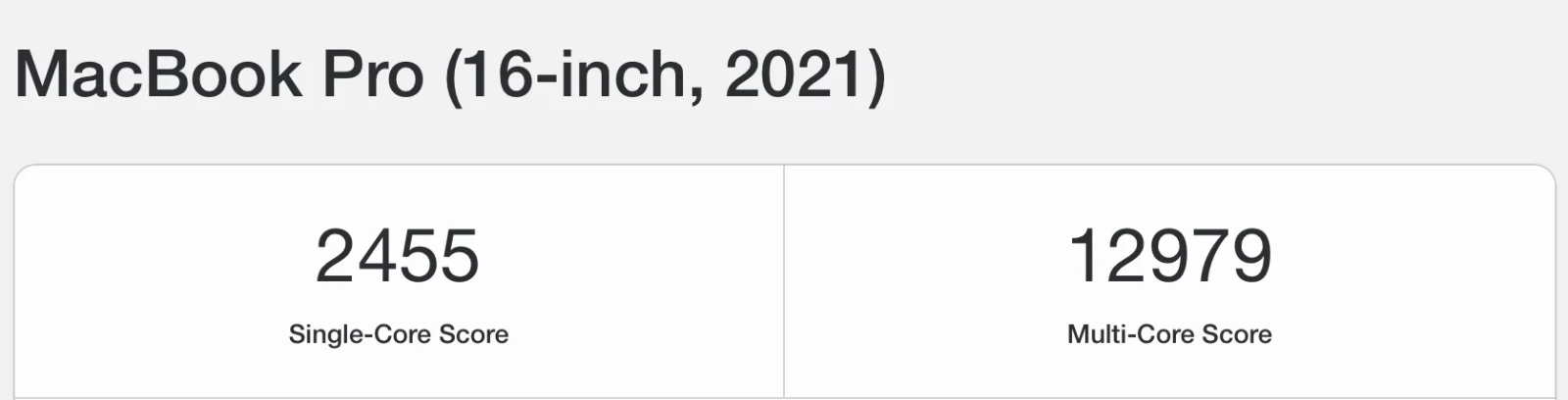
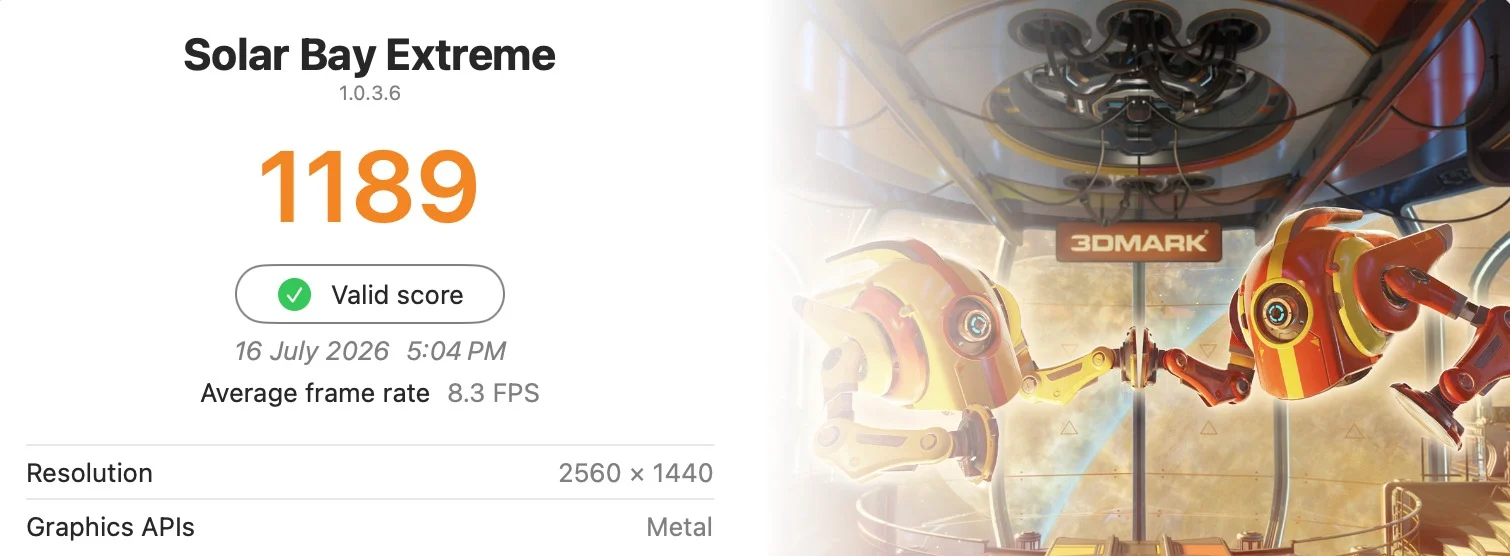
The standout feature is the 16.2-inch Liquid Retina XDR mini-LED display: 1,000 nits sustained (1,600 nits peak), full P3 colour, and ProMotion up to 120Hz. Performance from the 10-core CPU and 32-core GPU remains strong, with Geekbench 6 scores of 2,455 single-core and 12,979 multi-core, an OpenCL score of 61,535, and 15,651 points in 3DMark Wild Life Extreme; only the ray-tracing-heavy Solar Bay Extreme test (1,189 points) shows the chip's age.
Ports are generous again: MagSafe 3, three Thunderbolt 4, HDMI 2.0, SDXC, and a headphone jack, and the Magic Keyboard drops the Touch Bar in favor of physical function keys. Refurbished units typically retain 80-85% battery health, giving roughly 3 to 4 hours of everyday use. Overall, it sits as a capable middle ground between older Intel machines and the newest Apple Silicon, with soldered RAM and SSD and no Boot Camp support as the main caveats.
Specifications
Chip
Apple M1 Max (10-core CPU, 32-core GPU, 16-core Neural Engine)
Memory
32GB of 512-bit LPDDR5 unified memory (configurable up to 64GB)
Storage
512GB PCIe-based onboard SSD
Display
16.2" 3456 x 2234 Liquid Retina XDR mini-LED, ProMotion up to 120Hz
Keyboard
Magic Keyboard (Backlit)
Webcam
1080p FaceTime HD webcam
Audio
High-fidelity six-speaker system with force-cancelling woofers and a studio-quality three-mic array
Weight
2.1 kg
When Apple finally brought back a MacBook Pro that pros actually asked for, the Apple MacBook Pro 16" (A2485) is what landed. If you're eyeing the M1 Max configuration specifically, you're probably wondering whether it's still worth chasing on the refurbished market, or if newer silicon has left it in the dust. Let's get into what this machine is actually made of, backed by benchmark numbers and everyday usage notes.
Design & Build Quality
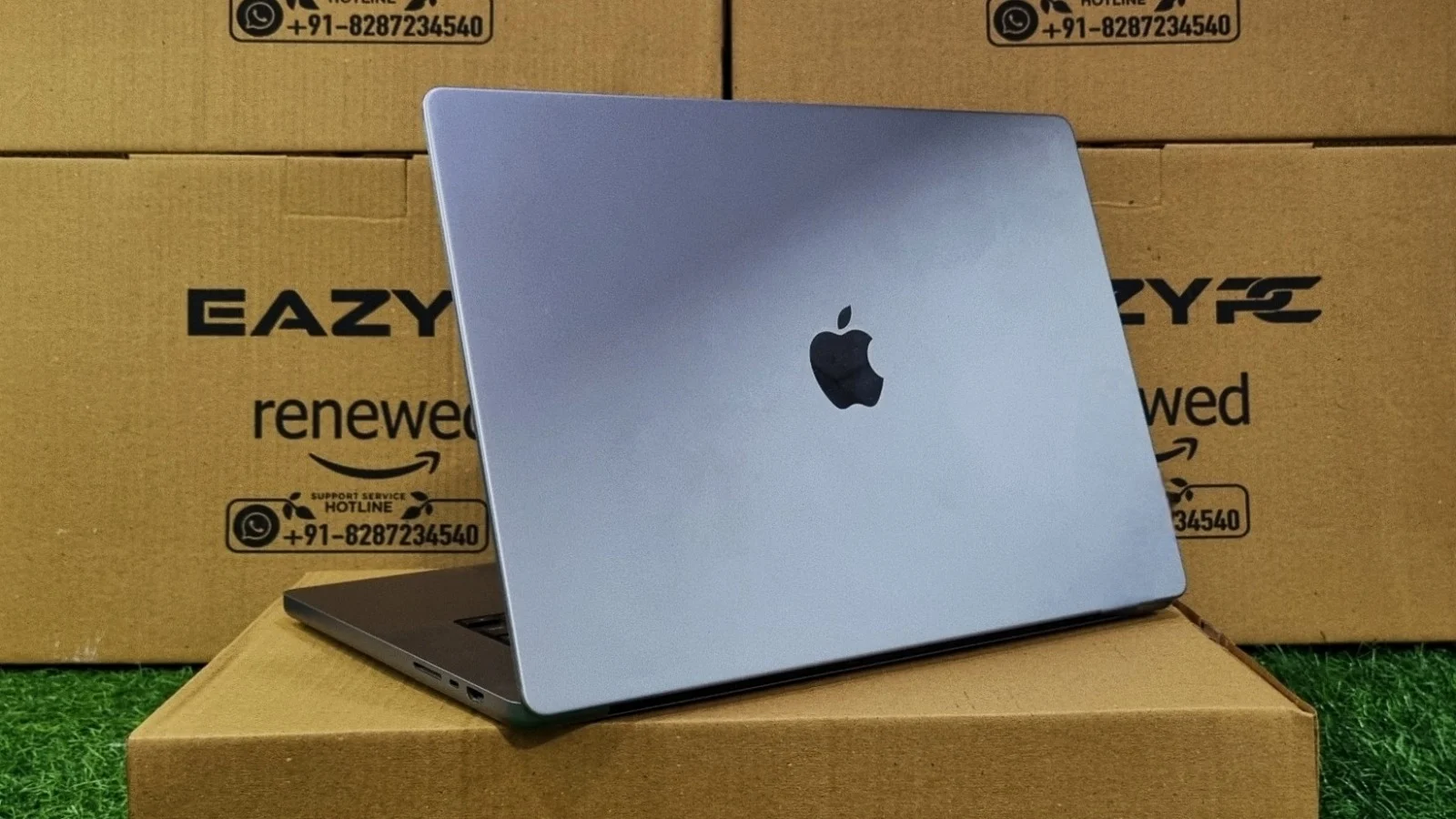
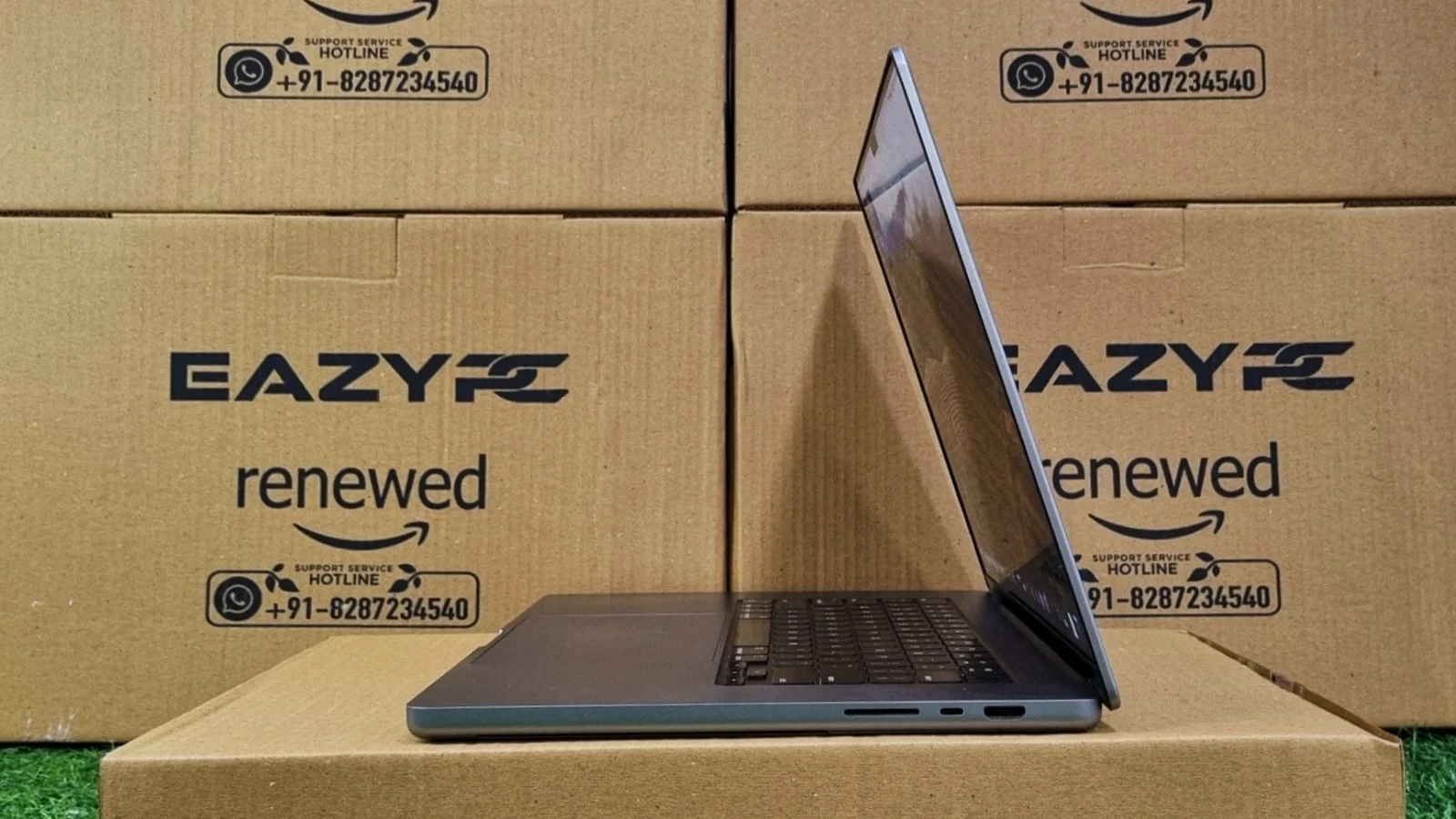
Apple didn't mess with a winning formula here. The Apple MacBook Pro 16" (A2485) is still milled from a single block of aluminum, and the chassis feels every bit as reassuringly solid as its predecessors. What did change is the shape: the tapered wedge design is gone, replaced by flatter, squared-off edges that give it a slightly more industrial, no-nonsense look.
At 2.1 kg, it's not a light laptop by any means, and it's actually a touch heavier than the older Intel-based 16" model. Most of that extra weight comes from the bigger 100Wh battery packed inside. The bezels are noticeably slimmer too, though that does mean you'll notice the display notch housing the webcam, more on that below.
Display
This is genuinely where the A2485 leaves its Intel-era sibling in the dust. The 16.2-inch Liquid Retina XDR display uses mini-LED backlighting, which means proper local dimming zones and blacks that actually look black instead of dark grey. Apple's brightness claims of 1,000 nits sustained (1,600 nits peak for HDR content) hold up in real-world use, this screen gets bright enough to be genuinely annoying to look at directly.
Colour accuracy is outstanding out of the box, with full P3 wide colour gamut coverage, and the ProMotion adaptive refresh rate, scaling smoothly up to 120Hz, makes scrolling and cursor movement feel noticeably smoother than any Intel MacBook that came before it. For photo and video editors, this is about as good as a laptop display currently gets.
Performance & Benchmarks Analysis
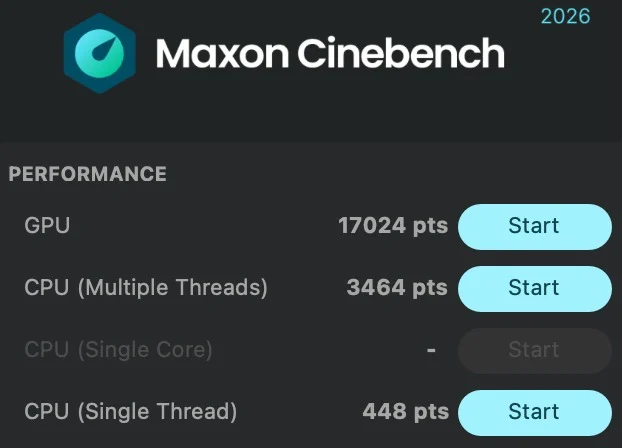
To see how the Apple MacBook Pro 16" (A2485) actually holds up under real workloads, we ran the M1 Max configuration through the usual round of industry-standard benchmarks.
General Productivity & Multi-Core Processing
Apple ditched Intel entirely for this generation, and it shows. The 10-core CPU, paired with 32GB of unified memory, handles multitasking and background rendering without so much as a stutter, and it does it all while staying whisper-quiet under the fans.
Graphical Power & AI Capabilities
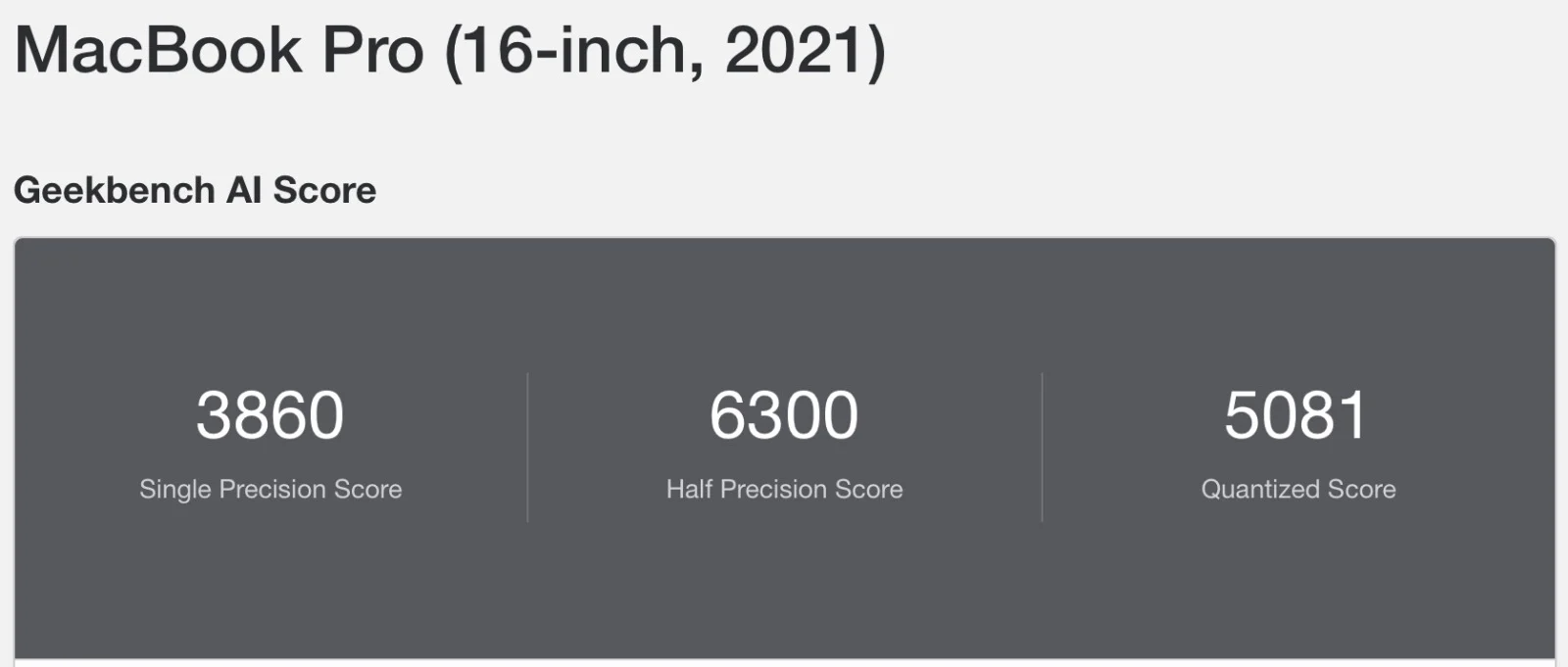
This is where the M1 Max configuration really separates itself from the pack. With a 32-core GPU and a dedicated 16-core Neural Engine, this thing was clearly built with creative professionals in mind.


Hardware Details
Processor Model
10-core Apple M1 Max system-on-chip, purpose-built for demanding creative and professional workloads.
Clock Speed
Base frequency of 3.2GHz across all performance cores, no separate turbo boost needed.
Core Configuration
10 cores total (8 performance, 2 efficiency), 32-core GPU, and a 16-core Neural Engine, all sharing unified memory.
Battery Back-up
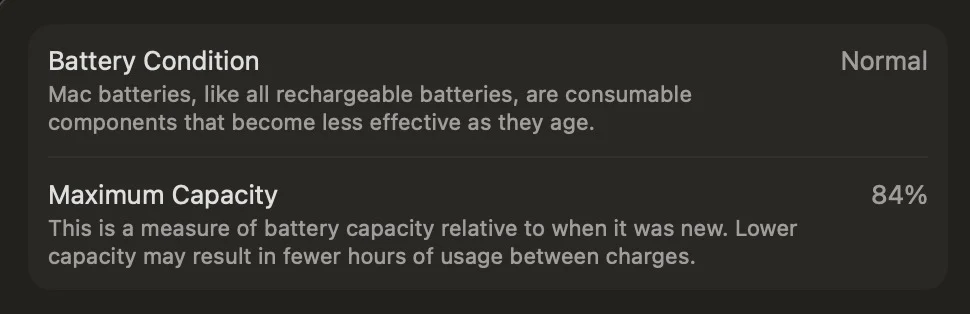
The A2485 packs a substantially bigger 100Wh battery than the outgoing Intel model, and it's still a lithium-ion pack, so it will degrade with age and cycle count. On a refurbished unit, expect battery health to be sitting somewhere around 80% to 85% of original capacity, depending on how heavily it was used.
Even with that degradation, real-world users still typically see somewhere in the range of 3 to 4 hours of everyday use, web browsing, writing, video calls, thanks to how efficient Apple Silicon is compared to the old Intel chips. Push the 32-core GPU hard with video export or 3D rendering and that number drops noticeably faster, so keeping the higher wattage charger within reach is still a good idea.
Connectivity
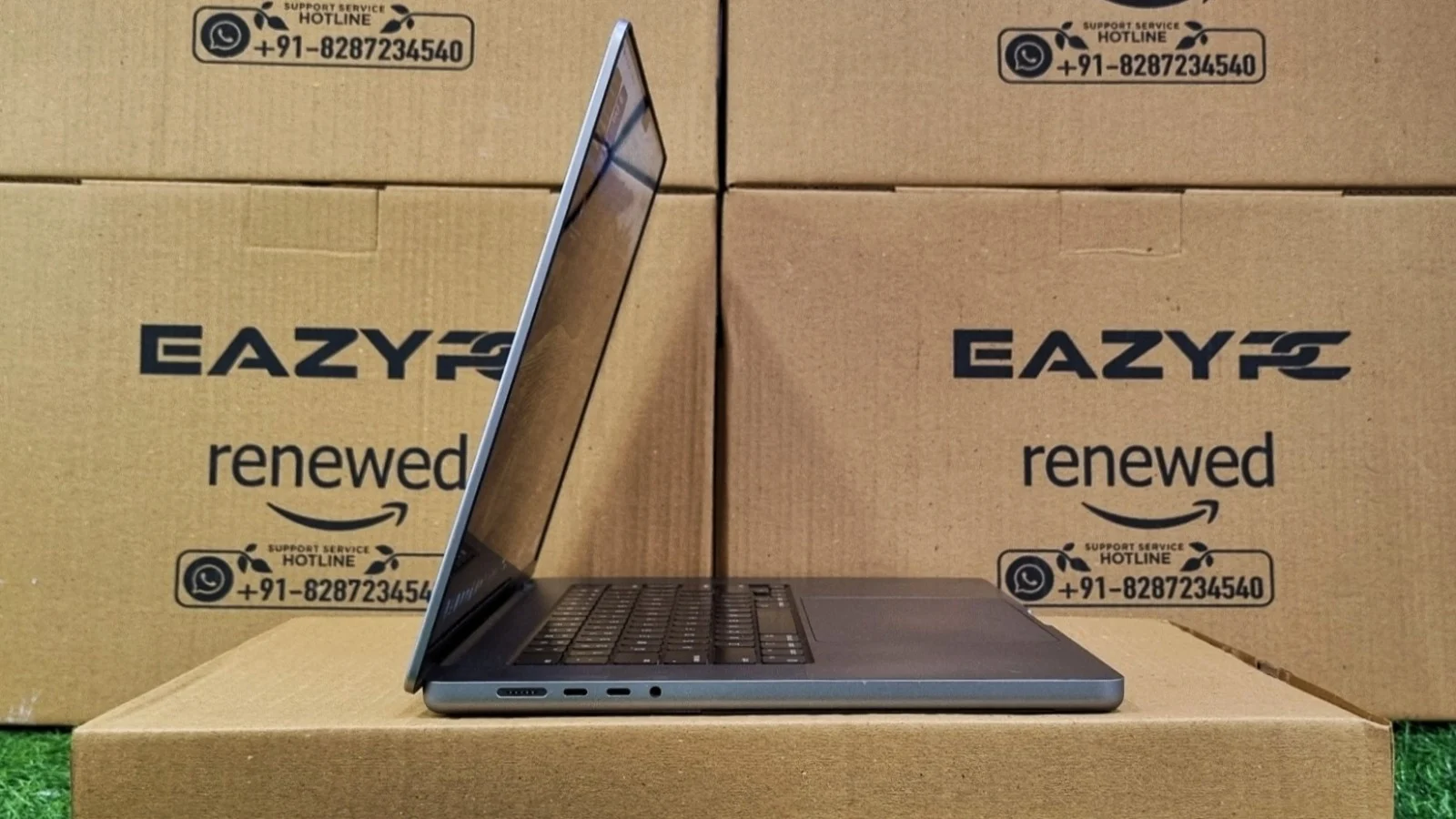
Apple listened to the complaints about the 2019 Intel model's port selection and brought several legacy-friendly ports back, alongside its now-standard Thunderbolt setup.
Left Side
Both Thunderbolt 4 ports support charging, DisplayPort, and data transfer up to 40Gb/s.
Right Side
The headphone jack also supports high-impedance headphones.
Keyboard and Touchpad
The Magic Keyboard carries over from the earlier redesign, and it's still one of the better typing experiences on a laptop: scissor switches, 1mm of key travel, and a proper physical Escape key. The layout gets a small but welcome addition here: a dedicated row of function keys sits above the number row without needing the Touch Bar, which Apple quietly dropped from this generation entirely, something a lot of longtime users were genuinely happy to see go.
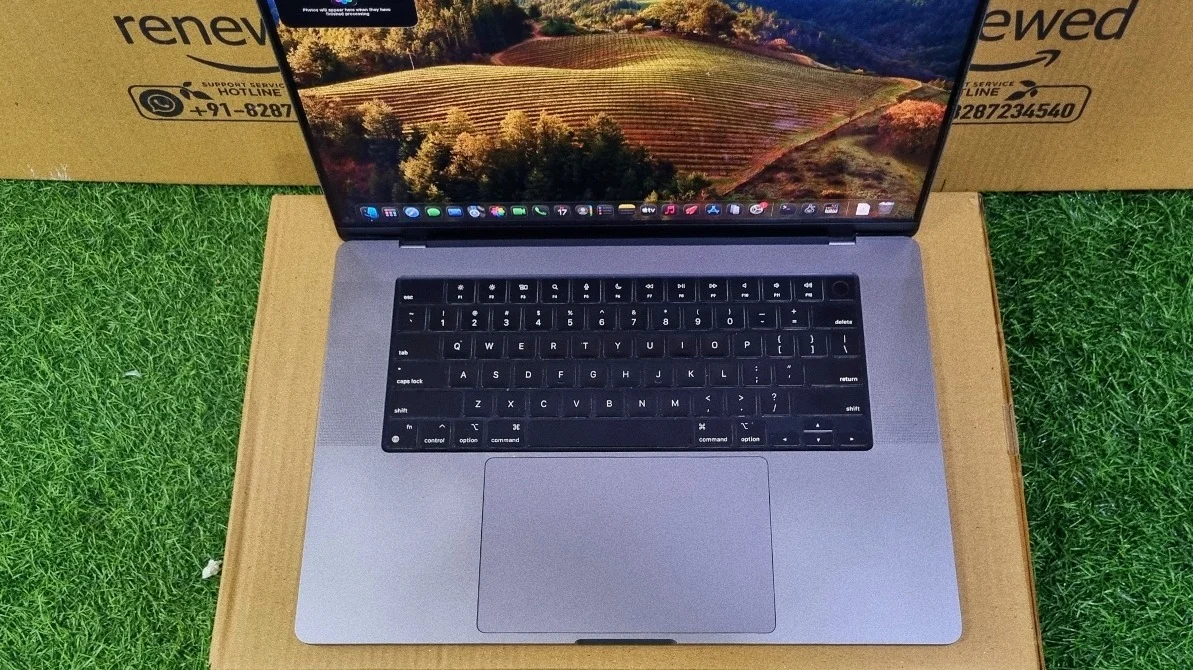
The Force Touch trackpad below it is just as massive and just as accurate as before, haptic feedback, pressure sensitivity, and rock-solid palm rejection make it feel like glass that just happens to click.
Bottom Line
Bottom Line
The Apple MacBook Pro 16" (A2485) marked Apple's full return to form: bigger battery, a genuinely excellent display, more ports, and a chip that doesn't need to be babied to perform. On the refurbished market today, it represents an interesting middle ground between the older Intel machines and the newest M-series silicon.
If you want a MacBook Pro with real creative horsepower, a stunning mini-LED screen, and battery life that actually holds up to a workday, without paying current-generation prices, this is a genuinely strong pick. Just factor in the refurbished battery's reduced capacity and the fact that Apple has moved a couple of generations ahead since this chip launched. It's no longer the fastest MacBook Pro on the shelf, but it's still a remarkably capable, well-built machine.
Read More →Frequently Asked Questions
Yes, it's still worth buying in 2026 if you want professional-grade performance at a refurbished price. The M1 Max chip scores 2,455 single-core and 12,979 multi-core in Geekbench 6, the 16.2-inch Liquid Retina XDR mini-LED display remains one of the best laptop screens available, and the 100Wh battery still supports a full working session. It is no longer the fastest MacBook Pro Apple sells, but for photo editing, video editing, code compilation, and general professional work it remains highly capable.
No. Apple removed the Touch Bar with this 2021 generation and replaced it with a full row of physical function keys above the number row. The Magic Keyboard also retains scissor switches, 1mm of key travel, and a physical Escape key.
No, you cannot run Windows natively. The machine uses Apple Silicon rather than an Intel processor, so Boot Camp is not supported. You can run Windows on ARM through virtualization software such as Parallels Desktop or VMware Fusion, though performance and app compatibility will vary compared with a native install.
A refurbished unit typically delivers 3 to 4 hours of everyday use. Refurbished units usually show battery health between 80% and 85% of the original 100Wh capacity, depending on prior cycle count. Light tasks such as web browsing, document work, and video calls sit at the top of that range, while sustained video export or 3D rendering on the 32-core GPU drains the battery considerably faster.
No. Both the unified memory and the storage are soldered directly to the logic board, so the configuration you purchase is permanent. Choose your memory and storage capacity carefully at the point of purchase, since the only later option is an external drive.
It uses the Apple M1 Max chip. This configuration has a 10-core CPU (8 performance cores and 2 efficiency cores) running at a 3.2GHz base frequency, a 32-core GPU, and a 16-core Neural Engine, all sharing a single pool of unified memory. The A2485 model number also covers M1 Pro configurations, so confirm the exact chip before buying.
It has seven ports. On the left side there is a MagSafe 3 charging port and two Thunderbolt 4 (USB-C) ports supporting charging, DisplayPort, and 40Gb/s data transfer. On the right side there is a third Thunderbolt 4 port, a full-size HDMI 2.0 port, an SDXC card slot, and a 3.5mm headphone jack with high-impedance headphone support.
It weighs 2.1 kg, making it slightly heavier than the previous Intel-based 16-inch MacBook Pro, mainly because of the larger 100Wh battery. The chassis is milled from a single block of aluminum and uses flat, squared-off edges rather than the older tapered wedge profile.


