




Blogs
Lenovo ThinkPad L580 [Review]

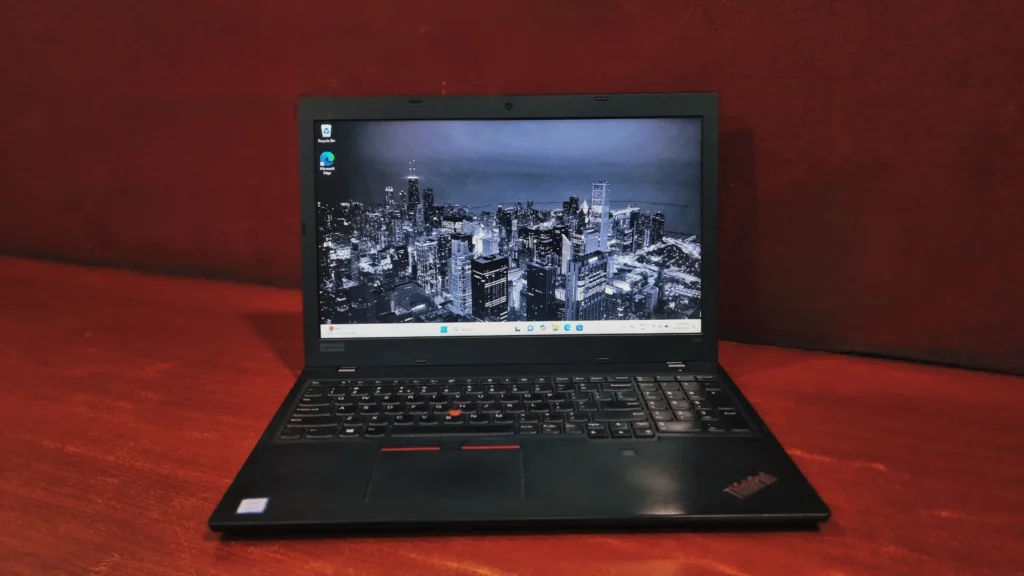
The Lenovo ThinkPad L580 first arrived in 2018, slotting into Lenovo's L-series, the middle tier that sits between the budget-friendly E-series and the premium T-series. It never tried to be the flashiest out of all, and it didn't need to be. Its job was to survive a daily office grind without costing a fortune.
Years later, that same positioning is what makes the L580 interesting on the refurbished market. The retail price tag that once felt average now becomes very affordable in the used market, here's what the specs and benchmarks actually say about buying one today.
Specifications
- 8th Gen Intel Core i5-8250U (Kaby Lake, Quad-Core)
- Intel UHD Graphics 620
- 8GB DDR4-2400 (expandable up to 32GB)
- 15.6" Full HD (1920 x 1080) IPS, Matte/Anti-Glare
- Up to 256GB PCIe NVMe SSD
- Intel Dual Band Wireless-AC 8265 & Bluetooth 4.2
- Weight: 2.04 kg
Lenovo ThinkPad L580: Design & Build Quality
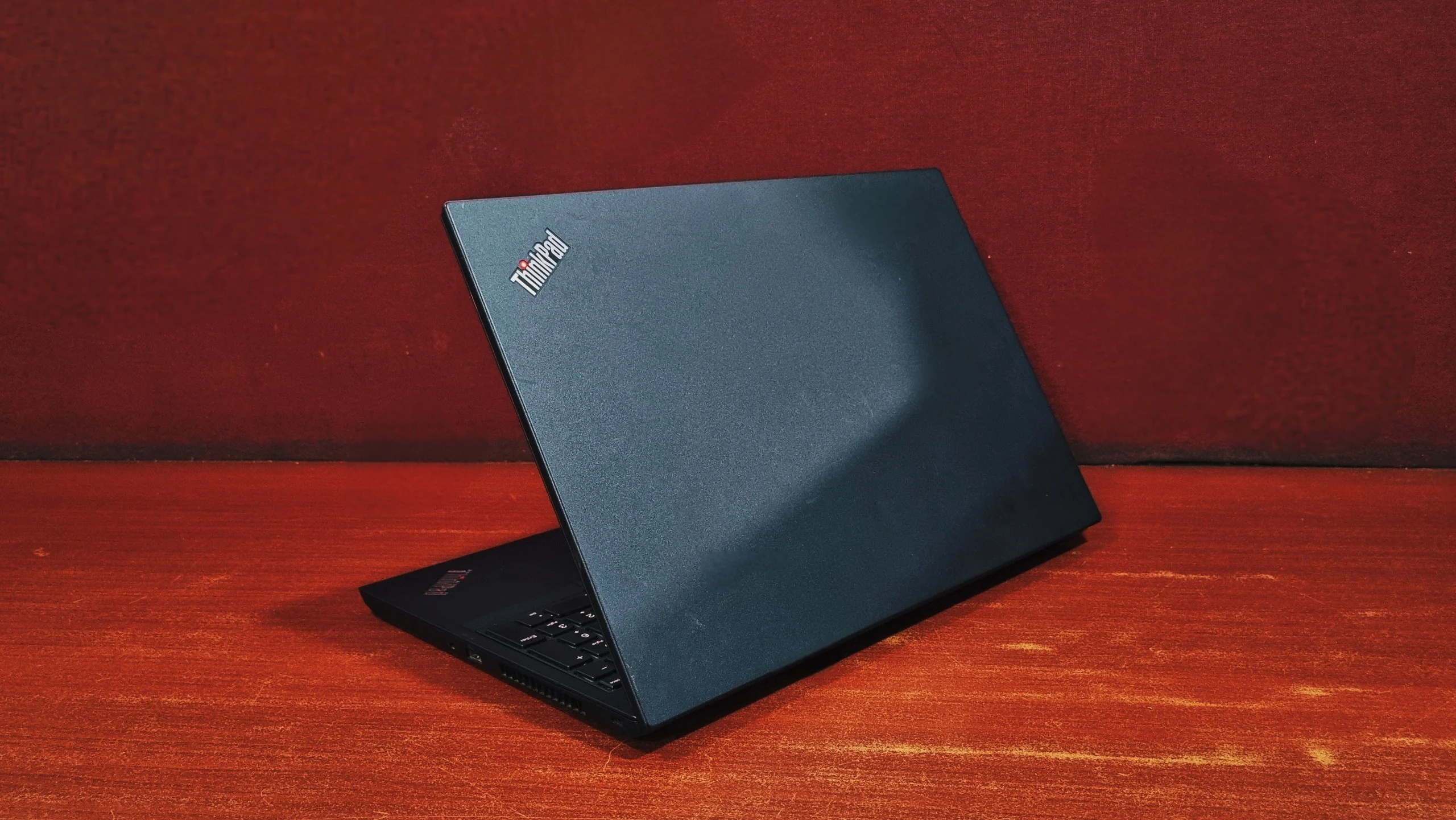
The L580 keeps the unmistakable ThinkPad look: black chassis, silver lettering, red TrackPoint accent, and at a glance, it's easy to mistake for one of Lenovo's pricier business machines. Lenovo ditched the legacy optical drive at the side to build a slimmer chassis. The case is built entirely from plastic rather than the magnesium/carbon-fiber blends found on the T and X series, but don't let that fool you, it still feels rugged, stable, and ready to survive the daily commute. The top surface has a slightly rough, textured finish rather than a smooth, premium feel.
Display
Lenovo sold the L580 with two different 15.6" display options: a budget TN panel and a Full HD IPS panel. It's worth knowing which one you're getting on a refurbished unit because the experience differs a lot. The IPS display produces crisp, vivid colors with better contrast than the TN panel, and the viewing angles are wide enough if you need to show a colleague your screen. However, it isn't the brightest panel on the market. It's perfectly fine for a fluorescent-lit office or your living room, but you might struggle if you try to work outdoors on a sunny day.
Performance & System Benchmark
Storage Performance (NVMe SSD)
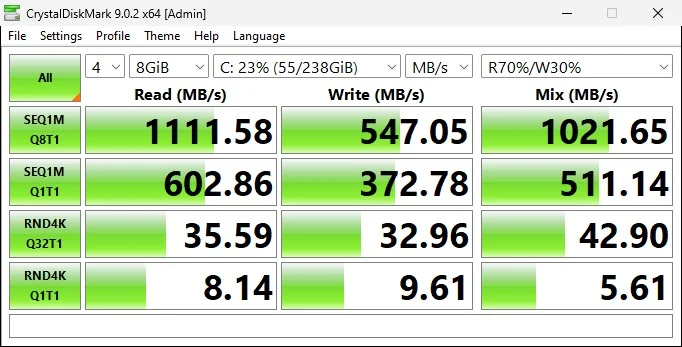
The storage drive is performing like a standard, older-generation NVMe SSD. To put it simply: this drive is completely healthy and more than fast enough for everyday tasks.
Sequential Speeds (the top rows, 1,111 MB/s read and 547 MB/s write): This measures how fast your computer can read and write large, continuous files, like transferring a heavy video file or installing a large program. Breaking the 1,000 MB/s mark on reads means your system will boot up Windows quickly and handle large file transfers without leaving you staring at a loading bar for long.
Random 4K Speeds (the bottom rows): This is arguably the most important metric for everyday "snappiness." It measures how fast the drive can fetch tiny, scattered background files, exactly what your computer does when you open an application, run a web browser, or multitask. While these scores (around 8 to 35 MB/s) are modest compared to modern, high-end gaming drives, they are still vastly superior to older, traditional spinning hard drives.
Everyday Processing (Cinebench R15)
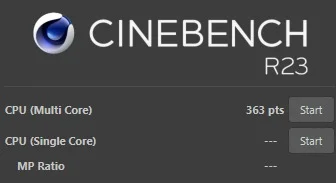
Multi-Core Score: 363 points
The quad-core i5-8250U trades peak single-thread speed for better multitasking than its dual-core predecessor. In practice, that means smoother performance with several browser tabs, a spreadsheet, and a video call all running together without the system grinding to a halt.
Overall System & Productivity (PCMark 10)
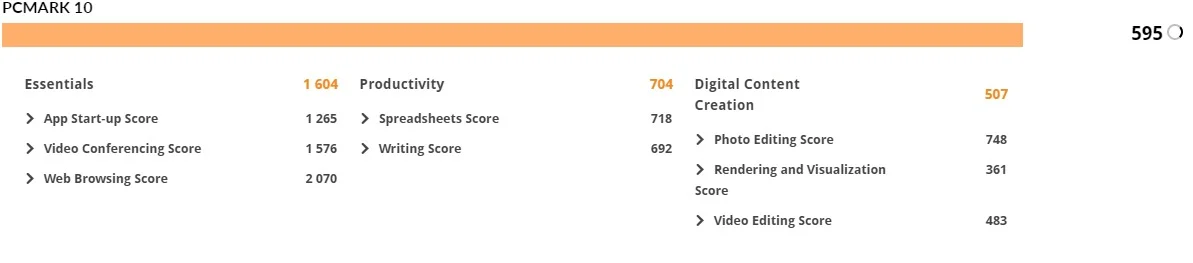
This system's overall score of 595 indicates that it is a gentle, entry-level machine designed for a relaxed pace rather than heavy, demanding workloads, making it a perfectly fine companion for simple digital errands. To break down what this means for daily use:
- Everyday Essentials: Its strongest suit is casual web browsing and running lightweight apps, though it might ask for a little extra patience when booting up or jumping into video calls.
- Light Productivity: It is entirely capable of handling basic word processing and straightforward spreadsheets, working best when you stick to smaller files and focus on one task at a time.
- Media Viewing: While it is not cut out for complex video editing or high-resolution graphic design, it handles viewing your photos, playing standard media, and doing very light image cropping without a hitch.
CPU Details
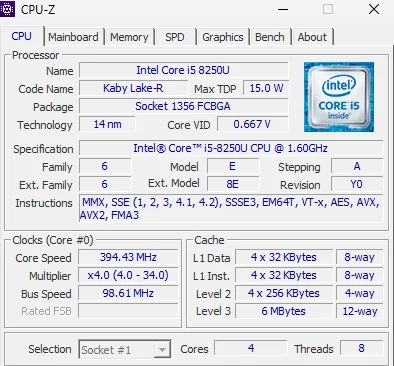
The Lenovo ThinkPad L580 runs on an Intel Core i5-8250U processor, built on the 14-nanometer Kaby Lake Refresh architecture. It's a low-voltage chip with a 15W TDP, designed to balance everyday performance with battery efficiency rather than chase top-end speed. The processor features 4 physical cores and 8 threads, clocked between 1.6 GHz and 3.4 GHz on boost, which is more than enough headroom for office multitasking. Lenovo also offered vPro-enabled configurations of the L580 for businesses that need that extra layer of remote manageability.
Battery Back-up
When purchasing this device as a refurbished or secondhand unit, you should expect a realistic battery backup of up to 2 hours only on a single charge. Because of this limited run-time, the refurbished L580 functions best as a stationary desktop replacement that stays plugged into a wall outlet, or for brief trips between meeting rooms rather than prolonged travel away from power sources.
Connectivity & Security
Lenovo offers a generous array of modern and legacy ports spread cleanly across both sides of the machine, though it intentionally omits high-end Thunderbolt 3 support to maintain its mid-range pricing.
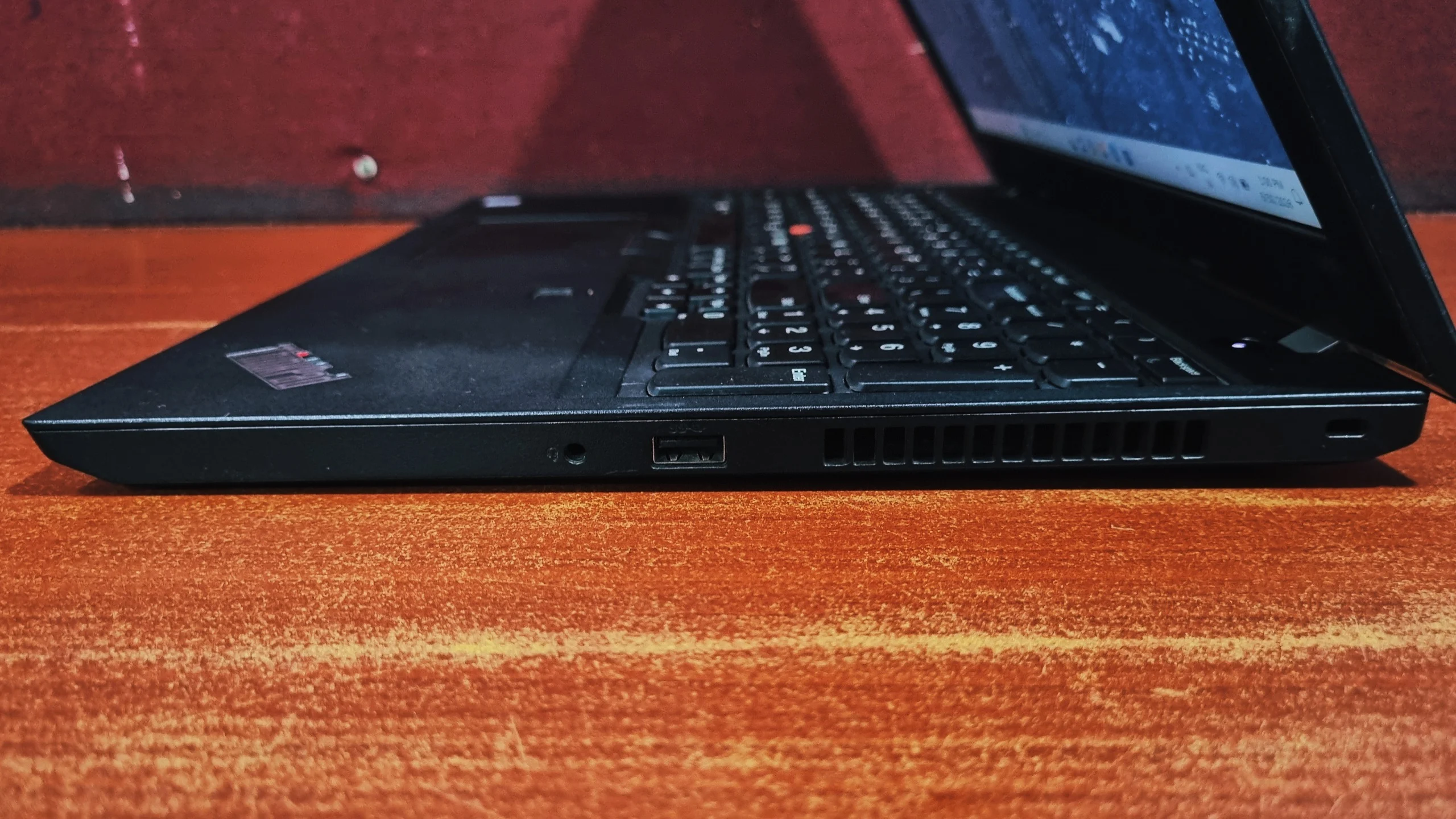
Right
- 3.5mm audio
- USB 3.1 Type-A
- Security lock slot
Left
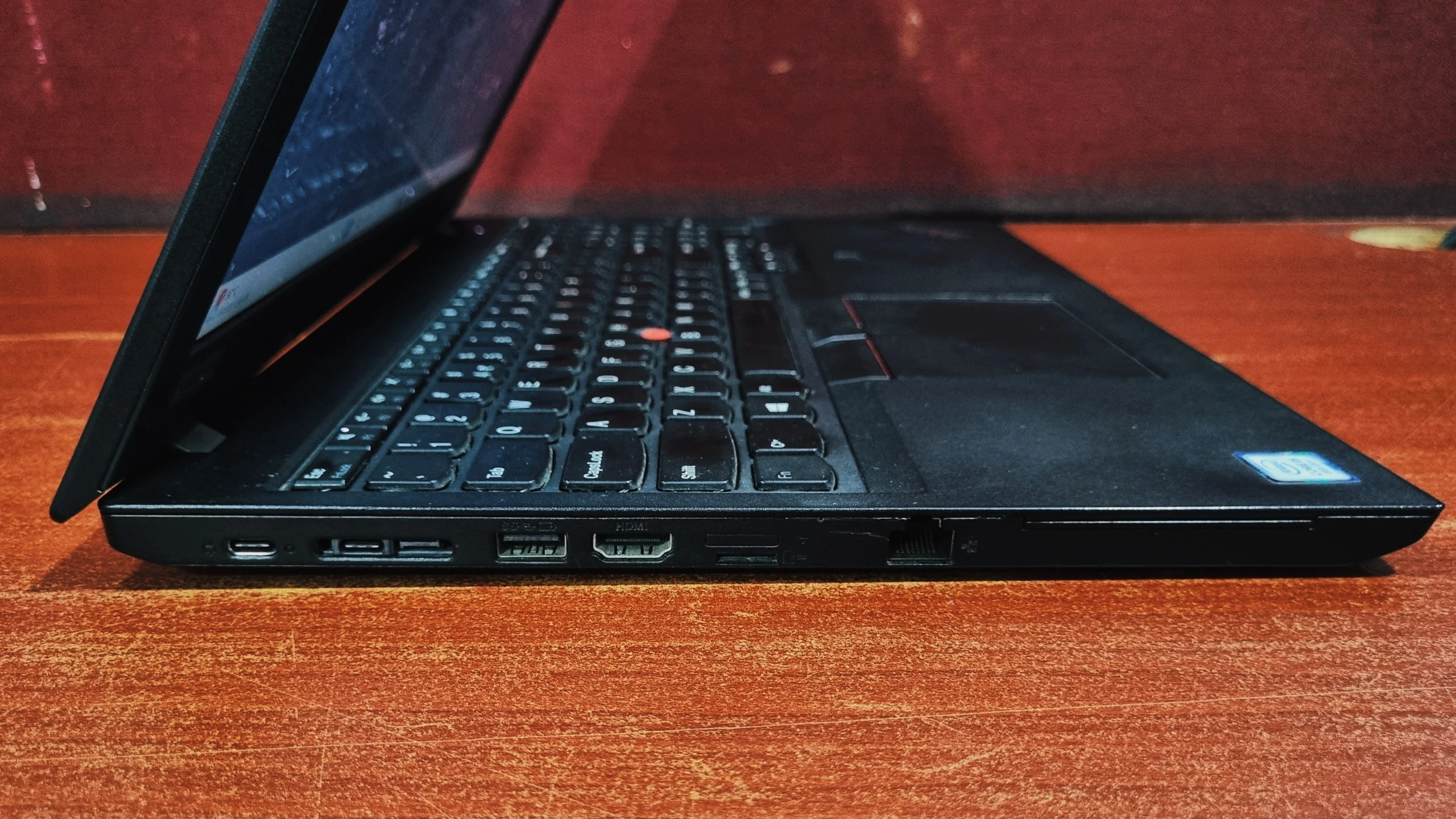
- USB-C Gen.1
- Side-dock connector
- USB 3.1
- HDMI 1.4
- Nano-SIM
- microSD
- RJ45
Lenovo ThinkPad L580 Review: Keyboard and Touchpad
The full-sized chiclet keyboard features a two-step white backlight and a dedicated 10-key numeric pad on the right side, a massive bonus for data entry and accounting interns. The keycaps have a slight curve, which allows fingers to fit perfectly, paired with long key travel and an incredibly tactile, bouncy return mechanism. It offers a quiet yet responsive typing experience that easily outclasses most modern consumer laptops. The iconic red rubber pointing stick sits right between the G, H, and B keys, paired with three dedicated physical click buttons resting right above the touchpad for seamless navigation without lifting your hands from the home row.
💡 Bottom Line: The Lenovo ThinkPad L580 does exactly what its badge promises: a sturdy, dependable office laptop built around a genuinely excellent keyboard and a fast NVMe drive. The benchmarks make clear it's not a machine for gaming, video editing, or anything graphics-heavy, but for browsing, documents, spreadsheets, and video calls, it stays smooth and predictable. On the refurbished market, where the original retail premium has long since evaporated, that combination of reliability and typing comfort makes the L580 a sensible pick for students, remote workers, and small-business use, as long as you go in with realistic expectations about its display and battery health.
Get the Lenovo ThinkPad L580
Click the link below to get the best deal on a refurbished Lenovo ThinkPad L580: https://eazypc.in/product/lenovo-thinkpad-l580-i5-8th-gen/
Shop the ThinkPad L580 →Frequently Asked Questions
Is the Lenovo ThinkPad L580 good for gaming?
Not really. The L580 relies on Intel's integrated UHD Graphics 620, which is built for everyday graphics tasks and video playback rather than gaming. It can run older or lightweight titles at reduced settings, but modern 3D games are out of reach.
Is the RAM in the Lenovo ThinkPad L580 upgradeable?
Yes. The L580 has two accessible SO-DIMM slots supporting DDR4-2400 memory, with a maximum capacity of 32GB. Many units shipped with just one slot populated, so there's often easy room to add more once you open the bottom panel.
Is the ThinkPad L580 still worth buying today?
Yes, particularly for office-style work. It pairs a durable ThinkPad chassis and one of the better keyboards in its class with genuinely fast NVMe storage. Just go in knowing the display is a budget panel and that battery life on a used unit will depend heavily on the condition of the cell.
Does the ThinkPad L580 charge via USB-C?
Yes. The L580 charges through a standard 45W or 65W USB-C adapter, and supports Rapid Charge for faster top-ups when you're short on time.


