Blogs
Dell Latitude 7410 Review
Specifications –
- Processor: Intel Core I7-10610U
- Graphics: Intel UHD Graphics 620
- Memory: 32GB 2667MHz DDR4
- Storage: 256GB SSD
- Display: 14 inch 16:9, 1920 x 1080 IPS panel
- Wireless: Wi-Fi 6, Bluetooth 5.1
- Weight: 1.4 kg
When you think of Premium business laptops, the Lenovo ThinkPad X1 Carbon usually dominates the field. However, with the release of Dell’s latitude 7410 it emerged as the most eligible competitor of X1.
Coming together with a full HD screen and a rock-solid chassis, the 14-inch Dell Latitude 7410 is designed to be an all-rounder machine for the professionals. But is it worth buying a refurbished Dell Latitude 7410? Let’s dive into what makes this laptop desirable, where it excels and where it falls just a bit short.
Design And Build Quality
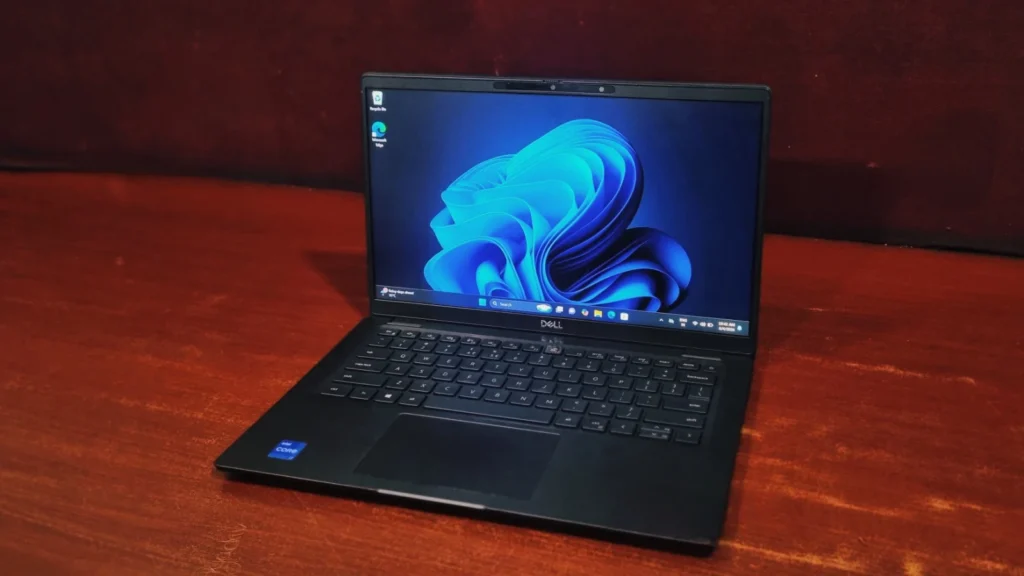
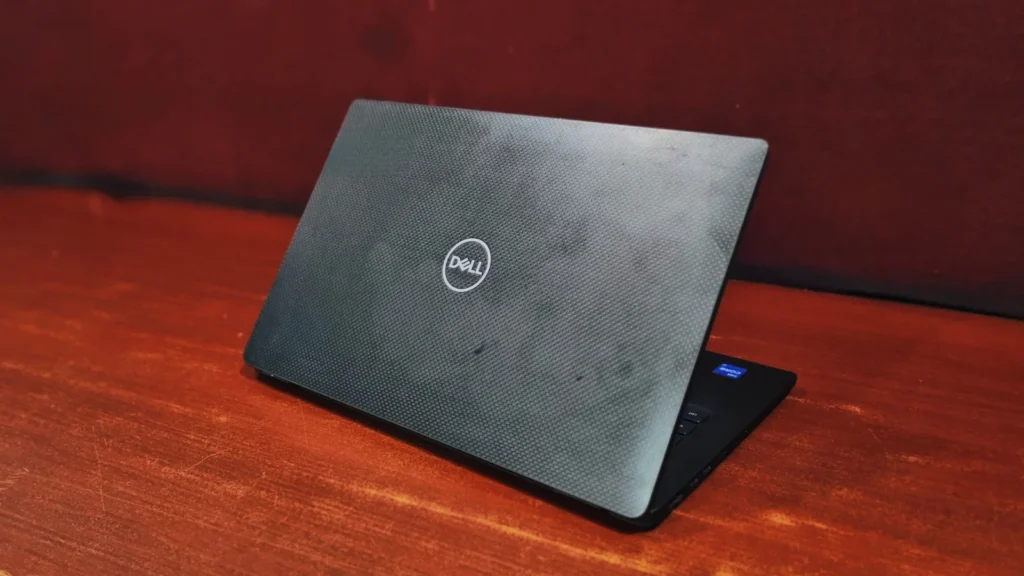
Right out of the box, the Dell Latitude 7410 feels incredibly premium. Wrapped in a brushed aluminum casing with rounded corners, it looks sleek and professional without being too flashy. Also, it feels sturdy while holding. Dell didn’t just go for an ultra-thin form factor for the sake of portability; they had built this machine to meet MIL-STD 810G durability standards. There’s also no flex in the keyboard with a slightly stiff hinge of the screen.
At 1.4 Kg, Dell Latitude 7410 is noticeably heavier than the ThinkPad X1 Carbon (1.1 kg) If you prioritize a sturdy chassis over absolute lightness, this won’t bother you, but frequent travelers might feel that extra weight in their bags.
Dell Latitude 7410 Review: The Display
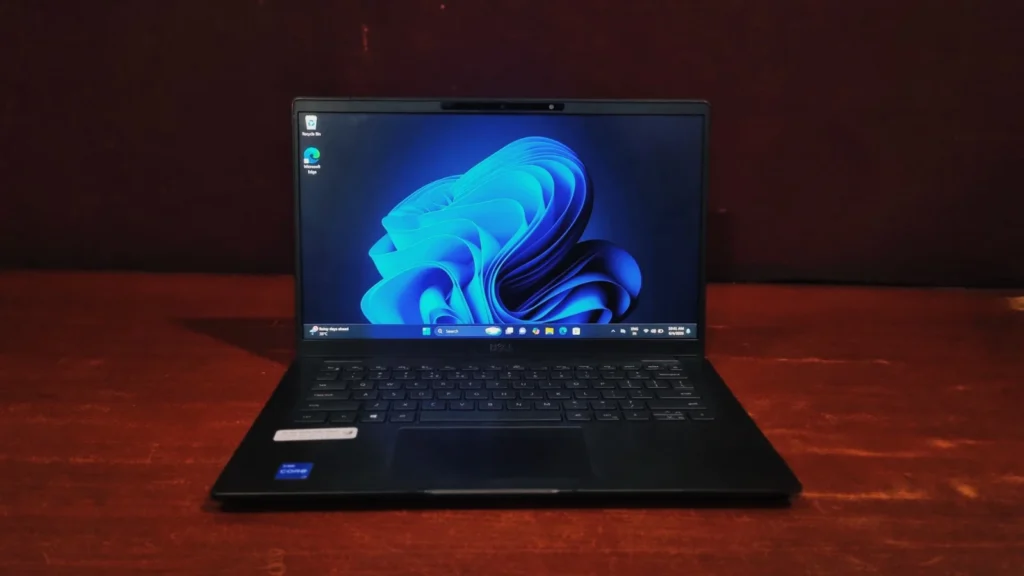
The Dell Latitude 7410 comes with a 1920 x 1080 IPS panel, anti-glare display. Pumping out an impressive 402 nits of brightness as per dell. The screen is vibrant and crisp, viewing angles are improved due to anti-glare. It’s an absolute joy for everything from filling-up excels to streaming movies.
What truly sets it apart, however, is the built-in low blue light technology. Unlike software filters that tint your screen an aggressive shade of orange, Dell’s hardware-level calibration reduces eye-straining blue light emissions without compromising color accuracy. If you regularly pull 10-to-12-hour shifts staring at a screen, your eyes will thank you.
Keyboard & Touchpad
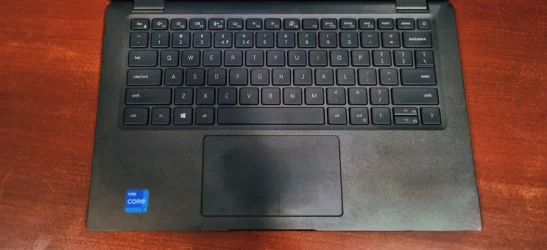
Dell has outdone themselves in the typing experience here. The chiclet-style keyboard is pleasantly clicky, bouncy which is just perfect for taking notes during a zoom meeting without distracting everyone else. The touchpad is spacious, smooth, and handles windows multi – touch gestures seamlessly.
Performance & Benchmarks
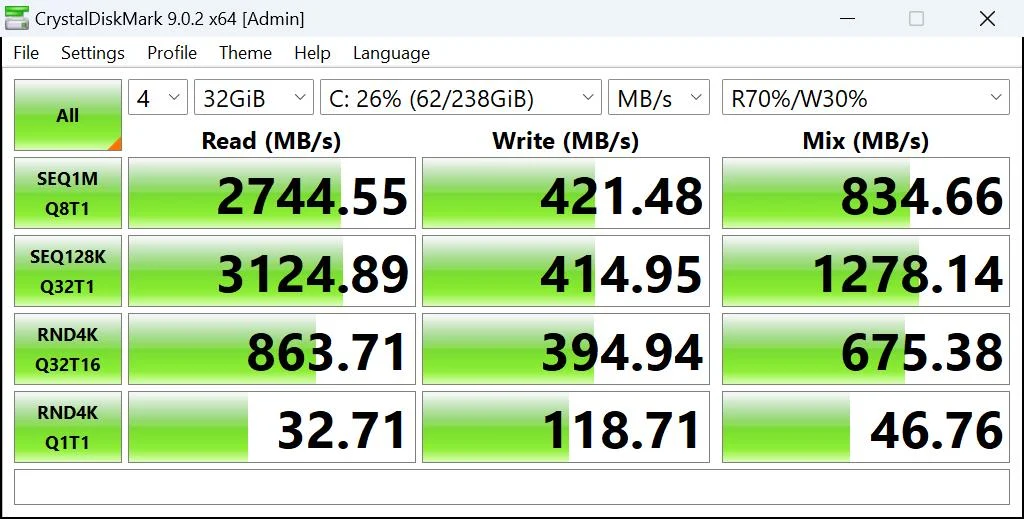
Storage Performance (CrystalDiskMark)
- Sequential Read Speed: 2,744.55 MB/s
- Sequential Write Speed: 421.48 MB/s
Crystal Disk Mark tests the performance of the internal Solid-State Drive (SSD). A sequential read speed crossing 2700 MB/s and write speed over 420 MB/s indicate a high-quality PCIe Gen 3 NVMe SSD. In everyday use, this translates to fast boot times (less than 10 seconds to desktop), instant file transfers, and zero lag when moving large folders or launching enterprise software suites.
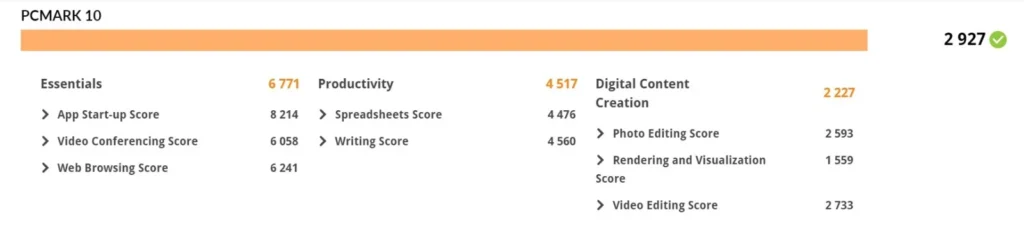
General System Productivity (PC-Mark 10)
- Essentials (6771): Measures everyday tasks like app startup, web browsing, and video conferencing. A score this high shows that the laptop feels incredibly snappy and responsive during routine office tasks.
- Productivity (4517): Evaluates office applications, focusing heavily on Excel spreadsheets and document editing. This confirms its capability as an excellent corporate machine.
- Digital Content Creation (2227): This evaluates Photo editing, video rendering, and web content creation software can run but due to the lower score it can handle basic edits. It is not built for intensive creative design.
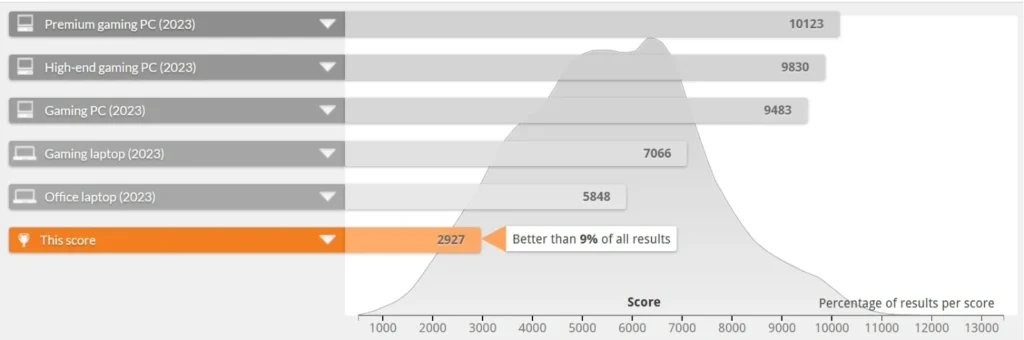
With Overall Score: 2927 the system shines brightest in Essentials (6771), meaning it boots up quickly, loads web pages instantaneously, and handles Zoom/Teams calls flawlessly. It is also excellent for Productivity (4517), effortlessly sorting Excel data sheets and documents. The bottleneck appears in Digital Content Creation (2227), demonstrating that while light image editing is fine, the laptop is not built for serious creative workstations due to its integrated graphics architecture.
Processing Power (Geekbench 6)
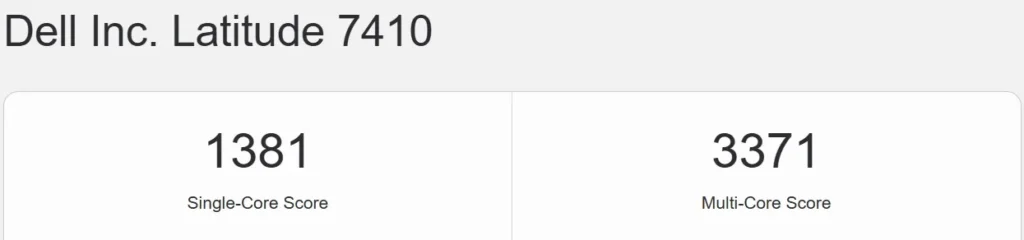
- Single-Core Score: 1381
- Multi-Core Score: 3371
Geekbench Benchmark evaluates the raw processing power of the CPU. A single-core score of 1381 Shows solid efficiency for daily single tasks like – web browsing, scrolling through social media, and word processing. The multi-core score of 3371 shows its capacity for handling multitasking, for example – running a video call while having multiple background applications open. For a 10th gen. A low power quad-core processor, these scores represent a highly capable daily office machine, though it will sit behind modern-core power handling in heavy video editing or rendering.
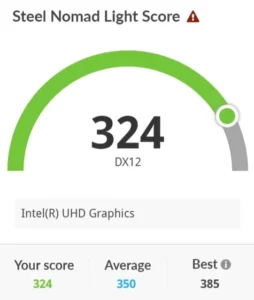
Graphics & Gaming Capability (3DMark – Night Raid)
- Graphics Score: 324
Night Raid is a DirectX 12 benchmark specifically tailored for systems with integrated graphics. A score of 324 proves that the system’s Intel UHD Graphics can easily handle high-definition video playback (like HD media streaming) and basic, older eSports gaming titles. However, it highlights that this device is firmly tailored for corporate environments rather than high-end 3D gaming or intense GPU-accelerated tasks.
3D Rendering & Modeling (Blender)
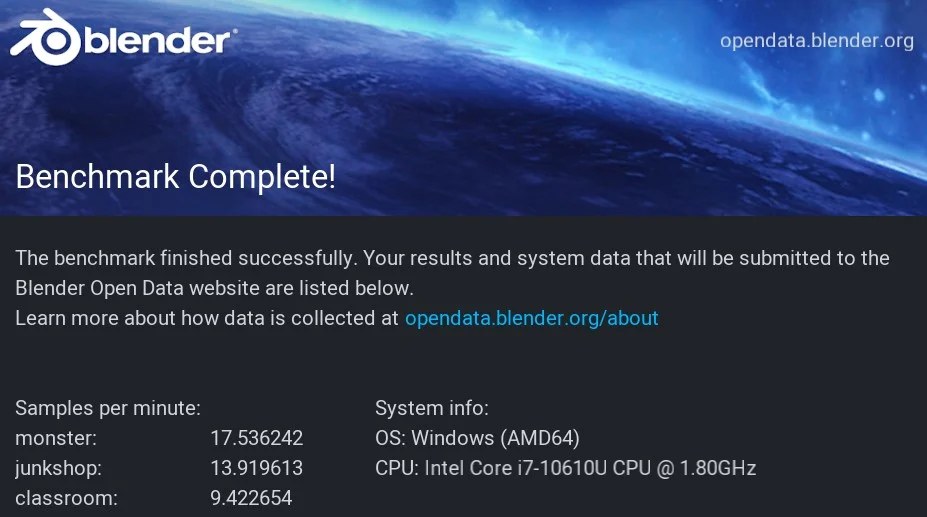
- CPU Render Time (Monster – 17.53 | Junkshop – 1391 | Classroom – 9.42): Evaluates how efficiently the processor handles raw 3D geometry and ray-tracing calculations.
Blender tests pure computational rendering endurance across three standardized scenes. The single-digit and low double-digit sample counts per minute indicate that the CPU is taking its time to compute complex geometry and lighting paths. This reinforces that while the machine can handle brief, light design alterations on the go, it shouldn’t be relied upon for heavy 3D asset creation or long animation renders.
Artificial Intelligence Inference (Geekbench AI)
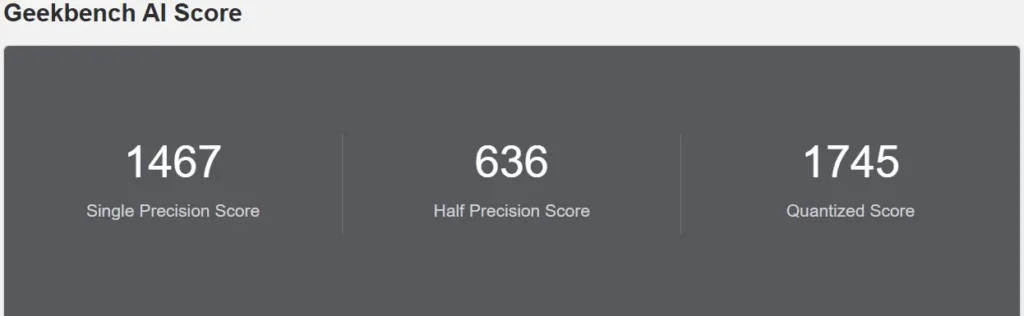
- The Scores: Single-Precision: 1467 | Half-Precision: 636 | Quantized: 1745
This benchmark evaluates the machine’s ability to process machine learning models local to the hardware. The higher score shows that the processor handles basic, AI tasks efficiently, which is how most modern consumer web and office applications execute as low-level smart features in the background.
Hardware details
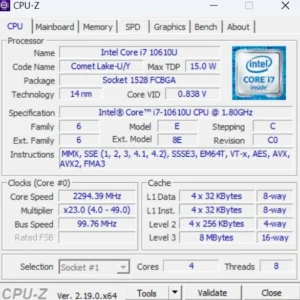
- Processor: It is equipped with an Intel Core i7-10610U, a 10th-generation mobile processor.
- Architecture: This chip uses the Comet Lake architecture and is built on a 14-nanometer (nm) manufacturing process.
- Cores and Threads: It features 4 cores and 8 threads, making it capable of handling multitasking and standard office workloads efficiently.
- Clock Speed: The base speed is 1.80 GHz, though it can boost up to 4.90GHz.
- Power Efficiency: It has a Max Thermal Design Power (TDP) of just 15.0 W, which is typical for “U-series” processor.
Battery life
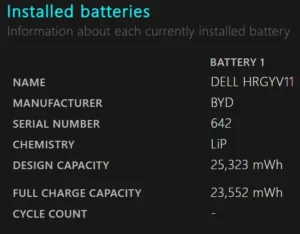
A refurbished laptop’s battery health is essentially its current capacity to hold a charge compared to its original factory design. This laptop can get you somewhere around 2-3 hrs. of backup but the actual battery runtime will depend heavily on the laptop’s previous usage. A battery naturally degrades based on its history of charge cycles, exposure to heat, and the charging habits of its user.
Ports and Connectivity
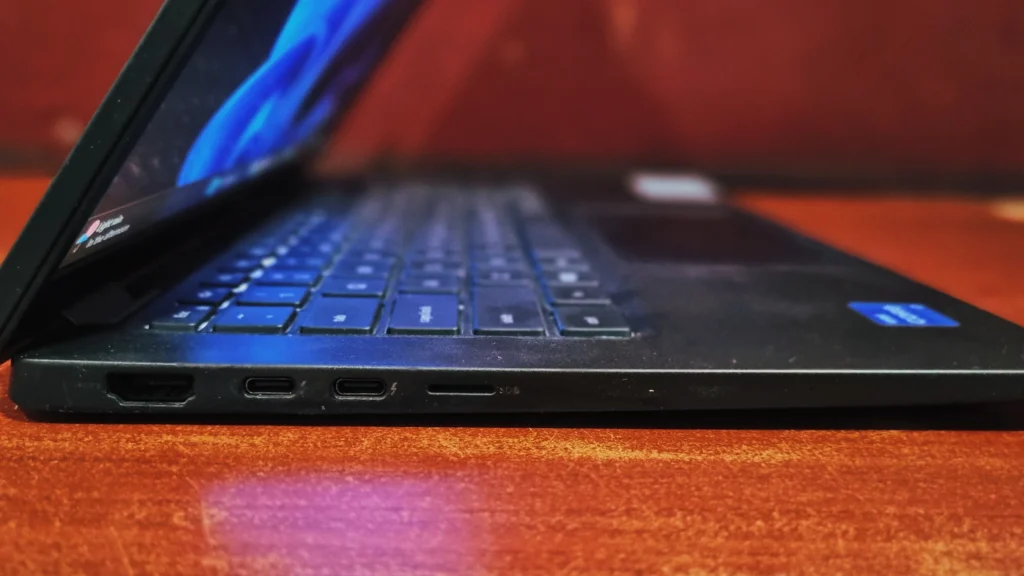
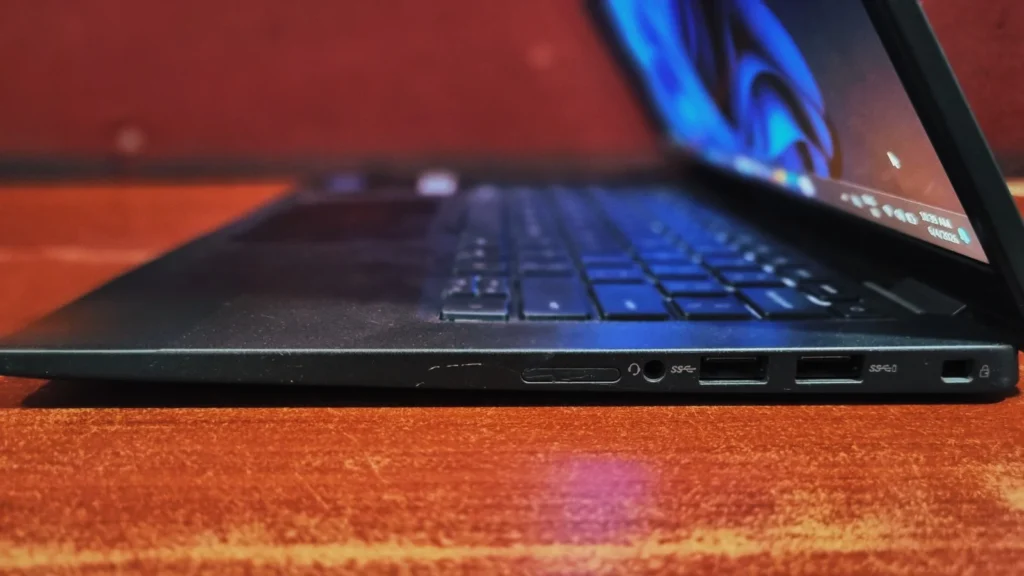
Dell made a great move by ditching the old proprietary barrel charger. The I/O is thoroughly modern:
- Left Side: Two Thunderbolt 3 (USB-C) ports (both support power delivery and DisplayPort), one HDMI 2.0 port, and a microSD card reader
- Right Side, Two USB 3.2 Gen 1 Type-A ports (one with power-share to charge devices while the laptop is off), a 3.5mm combo audio jack, and a Kensington slot.
Final Verdict
The Dell Latitude 7410 is a brilliant business laptop in terms of productivity. Dell knows exactly who its audience is.it focuses on the things professionals actually care about: top-tier build quality, a wonderfully comfortable keyboard and a screen that actively protects your eyes. If you demand absolute portability or top-tier raw performance, you might still prefer the ThinkPad X1 Carbon. But if you want a machine that feels like a reliable, comfortable, and long-lasting all – rounder, the Dell Latitude 7410 is an exceptional laptop that won’t let you down.
Frequently Asked Questions (FAQs)
Q: Is ram upgradable on Dell Latitude 7410?
No. The RAM on the Dell Latitude 7410 is soldered directly to the motherboard and cannot be upgraded later. You can choose from the available option (8,16 or 32GB) at the time of purchase.
Q: Can I play games on Dell Latitude 7410?
No. The Dell Latitude 7410 is a strict business machine equipped with integrated Intel UHD Graphics 620. While it can handle light media consumption or older, low-demand games, it is not built to run modern games.
Q: Does the Dell Latitude 7410 charge via USB-C?
Yes. Dell has dropped the older proprietary barrel charger for this model. Dell Latitude 7410 charges via either of its two Thunderbolt 3 (USB-C) ports and supports Express Charge, taking the battery from 0% to 80% in about an hour.
Q: Dell Latitude 7410 vs. Lenovo ThinkPad X1 Carbon: Which is better?
It depends on your priorities. The ThinkPad X1 Carbon is lighter (1.1 kg vs. 1.4 kg) and often yields slightly better benchmark performance. However,Dell Latitude 7410 offers a sturdier chassis, smarter proximity security features, and generally longer battery life.