




Blogs
Lenovo ThinkPad P50 (intel i7 6th gen) Review

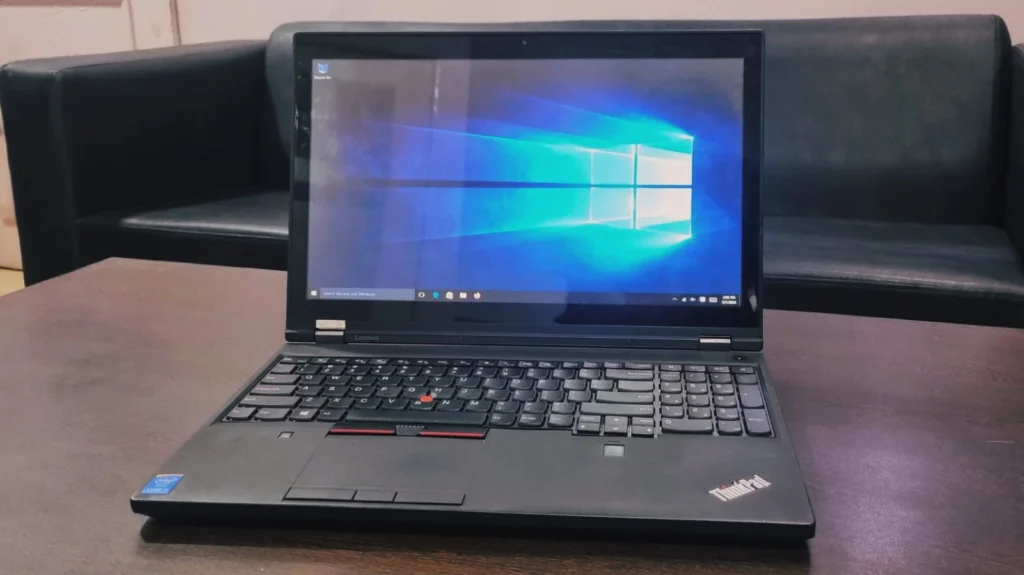
Here, we're again looking at a hotshot from Lenovo's enterprise series: the Lenovo ThinkPad P50. This powerhouse is designed for professionals who need desktop-class performance in a portable form factor. While originally released as a high-end mobile workstation, its robust build makes it a highly capable and reliable choice in the refurbished market today.
Specifications
- Intel Core i7-6820HQ Processor (8M Cache, 2.7GHz), Turbo Boost 2.0 (3.6GHz)
- 15.6″ FHD (1920×1080), anti-glare, IPS
- 16GB DDR4 (4 x DDR4 SO-DIMM sockets, 64GB max)
- NVIDIA Quadro M2000M 4GB Graphics
- Keyboard with Number Pad
- 3-button TrackPoint pointing device and 3-button multi-touch touchpad
- Integrated Fingerprint Reader
- 500GB HDD
- 256GB SSD (expandable)
- 170W AC Adapter (3-pin)
- Intel Dual Band Wireless-AC 8260, 2×2, Wi-Fi with Bluetooth 4.0
Design & Build Quality
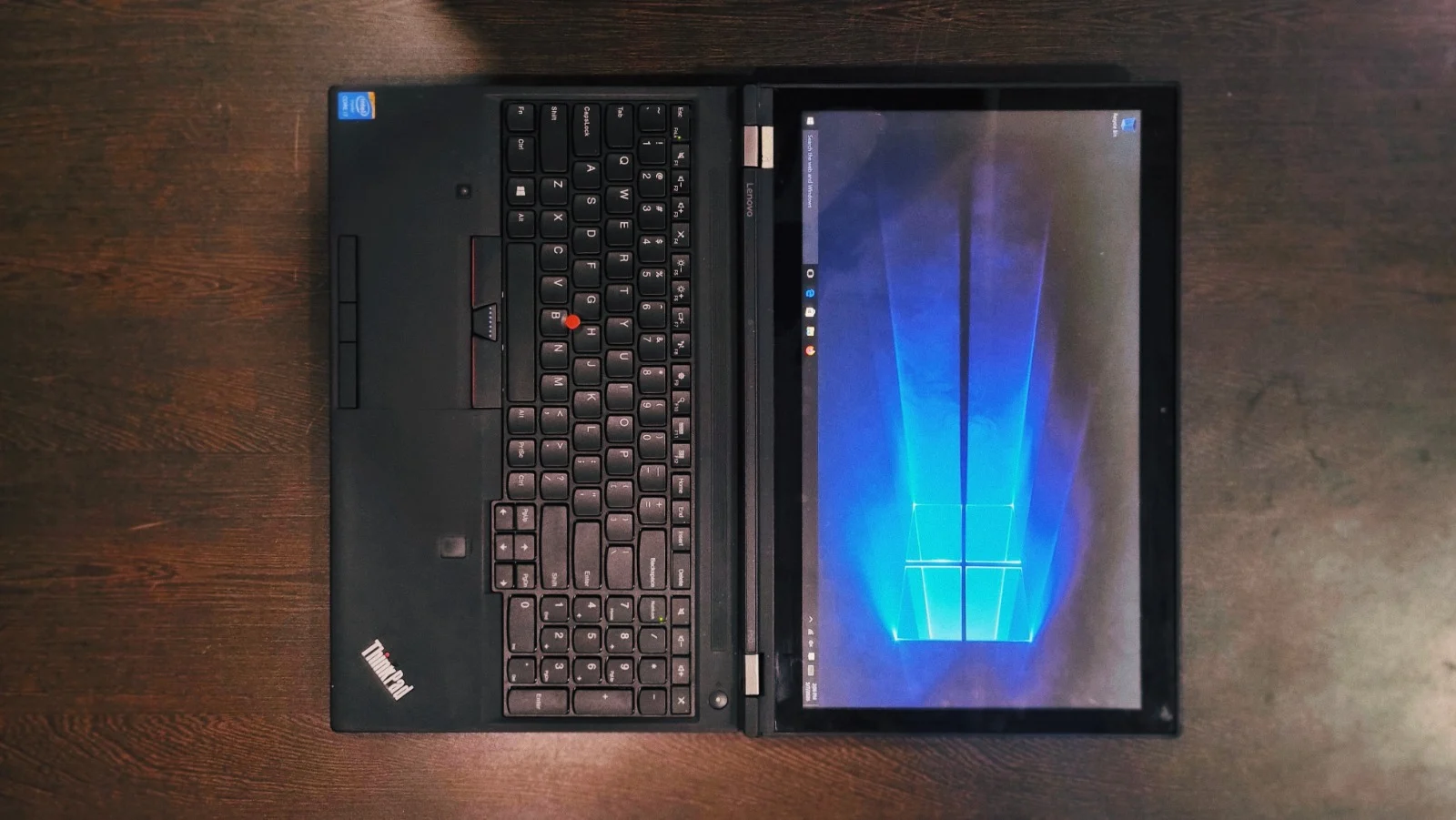
The Lenovo ThinkPad P50 maintains its classic, no-nonsense ThinkPad aesthetic. It is built like a tank, and comes with a MIL-STD-810G rating. This means it will survive rigorous drop, dust, and temperature testing. The hinges are durable, keeping the display firmly in place with zero wobble. The chassis is made up of a glass-reinforced plastic lid and magnesium/aluminum base, providing incredible structural rigidity. Unlike thinner laptops, there is almost zero keyboard flex in the base.
Display
The 15.6-inch Full HD (1080p) screen offers wide viewing angles and an anti-glare coating to reduce reflections. The FHD panel provides decent color reproduction suitable for most engineering and office tasks.
Performance & System Benchmark
To figure out how this ThinkPad P50 actually feels to use, we ran it through a bunch of popular tests. Here is the breakdown of what those scores mean for your daily workflow.
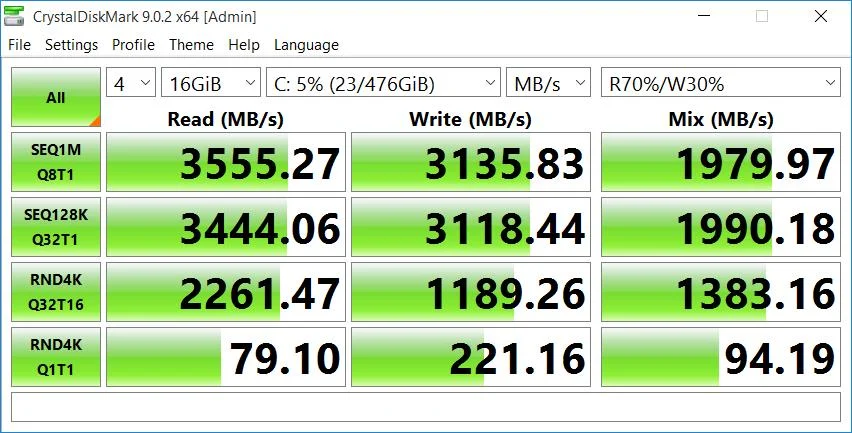
Storage Speed: The Star of the Show (CrystalDiskMark)
The Numbers: Around 3,555 MB/s read speed and 3,135 MB/s write speed.
What it means for you: This laptop feels snappy. The solid-state drive (SSD) inside is fast enough to load applications in a few seconds, heavy applications opening almost instantly, and moving massive video files or folders happening in the blink of an eye.
Everyday Processing: The Daily Grind (Geekbench)
The Numbers: A Single-Core score of 1,280 and Multi-Core score of 3,442 on Geekbench.
What it means for you: The CPU is perfectly capable of handling your everyday hustle. If your typical day involves swinging between 30 Chrome tabs, running Microsoft Office, and hopping on Zoom calls all at the same time, this machine won't break a sweat. The 16GB of RAM with NVIDIA Quadro M2000M graphics will give it plenty of breathing room for heavy multitasking and some light 3D rendering in Blender or CAD.

CPU Details
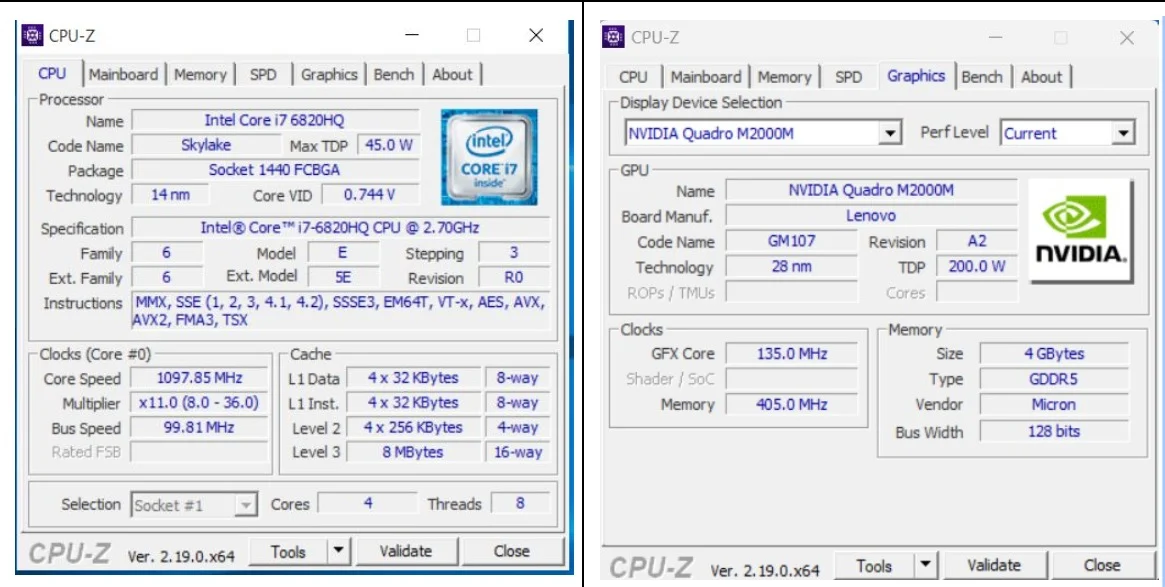
The laptop is powered by a heavy-duty Intel Core i7-6820HQ processor from the Skylake family with clock speed ranging from 2.70 GHz to 3.60 GHz. Based on 14nm architecture, with 4 cores and 8 threads, it's exceptionally good at handling demanding tasks at once without slowing down.
GPU Details
This laptop comes with an NVIDIA Quadro M2000M graphics card based on 28nm architecture with 4GB of video memory. Instead of relying on the CPU for visuals, it has separate memory solely for graphics-heavy tasks.
Battery Back-up
Since our review unit is refurbished, we got about 3 to 4 hours of battery life. This is perfectly fine, as you likely won't be carrying this heavy workstation around much anyway. The laptop weighs in at 2.8kg. It's not designed to discreetly fit into a small bag, you can't contain a beast like this that way.
Connectivity and Security
The P50 was ahead of its time regarding ports, making it highly relevant today without the need for any dongles:
Left Side
- Express Card/34 slot
- 4-in-1 reader (MMC, SD, SDHC, SDXC)
- Smartcard reader
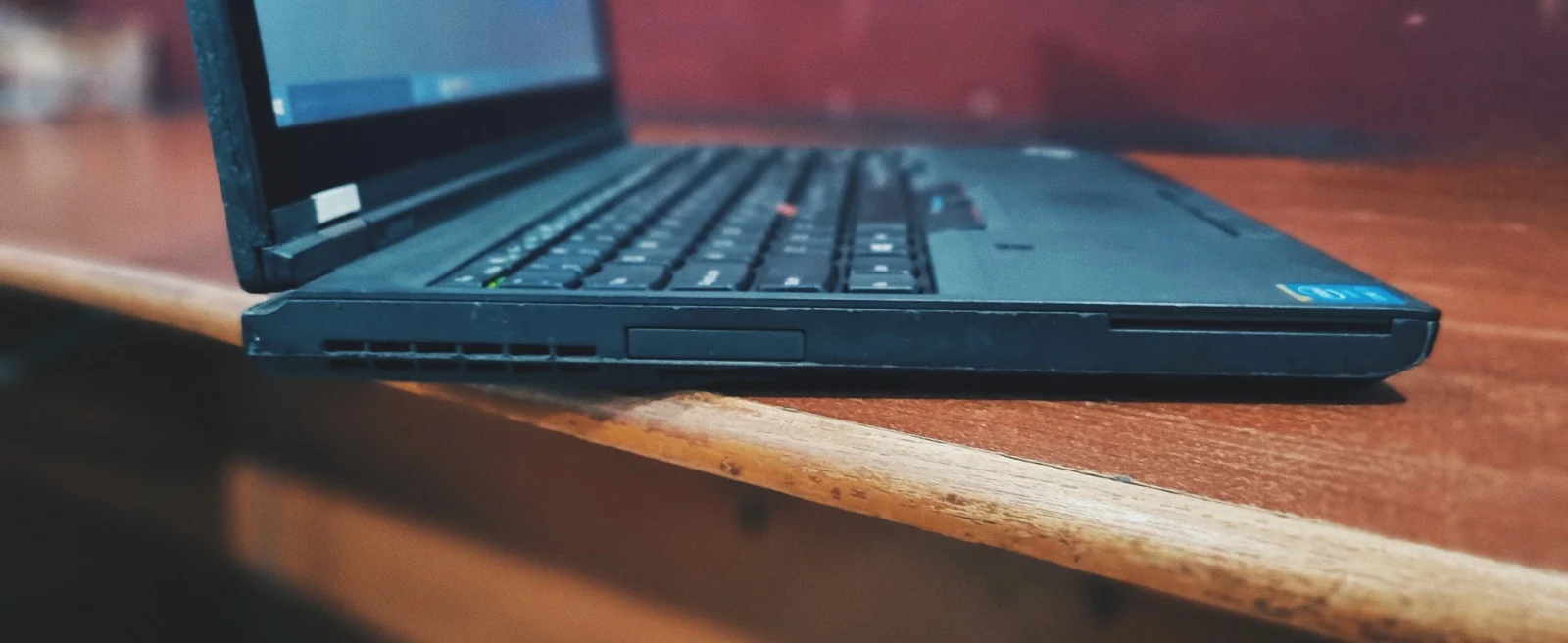
Right Side
- 3.5mm audio out
- 2× USB 3.0
- Mini DisplayPort
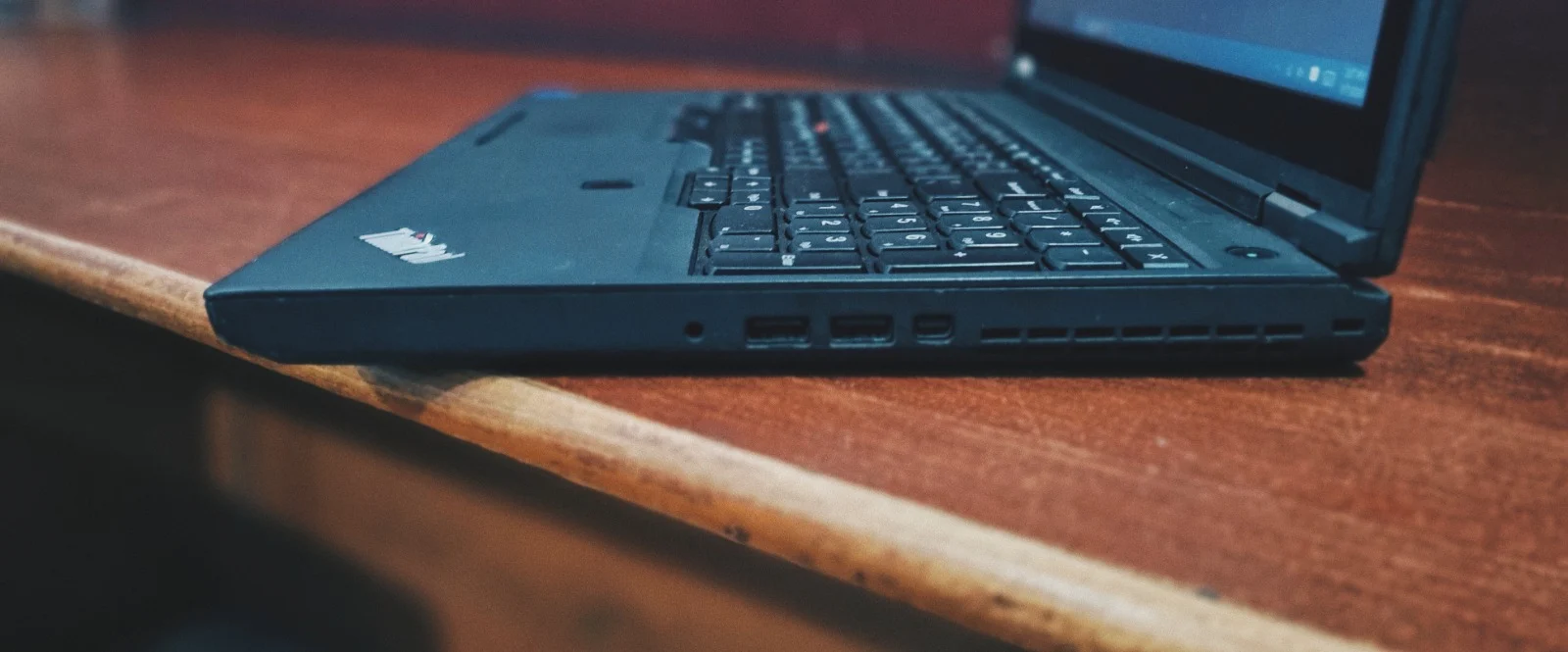
Back
- USB 3.0 (always on)
- USB 3.0
- Ethernet
- USB Type-C/Thunderbolt
- HDMI
- Power
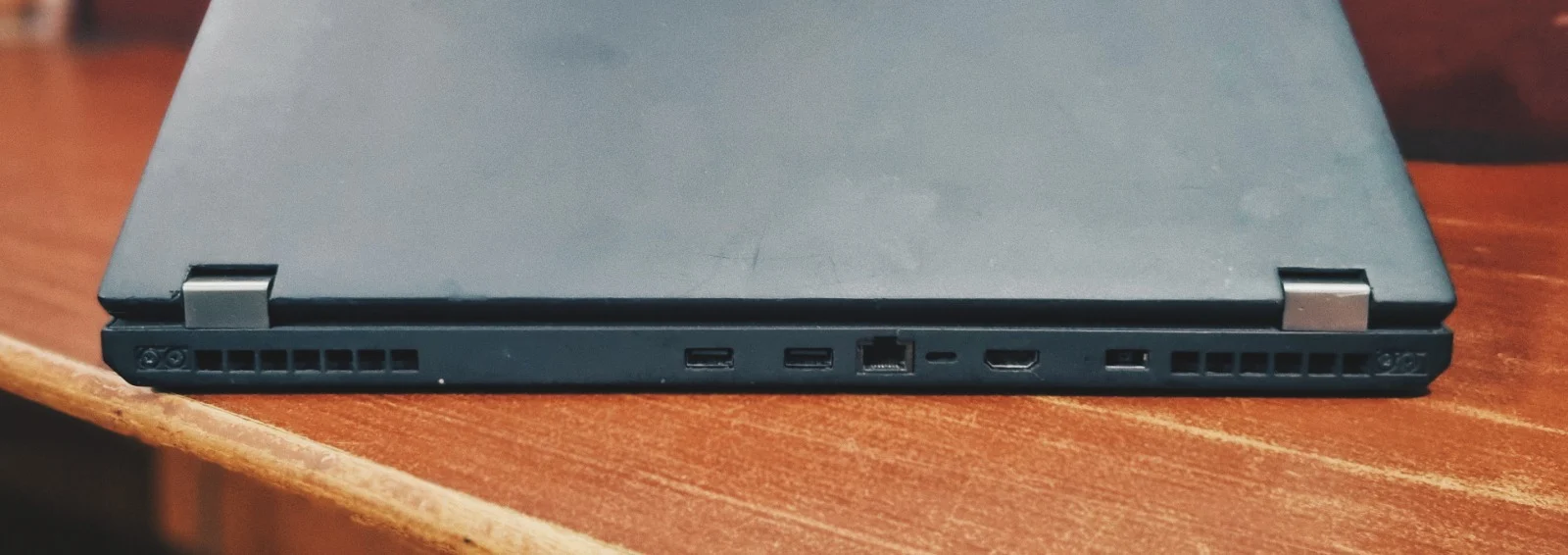
Keyboard and Touchpad
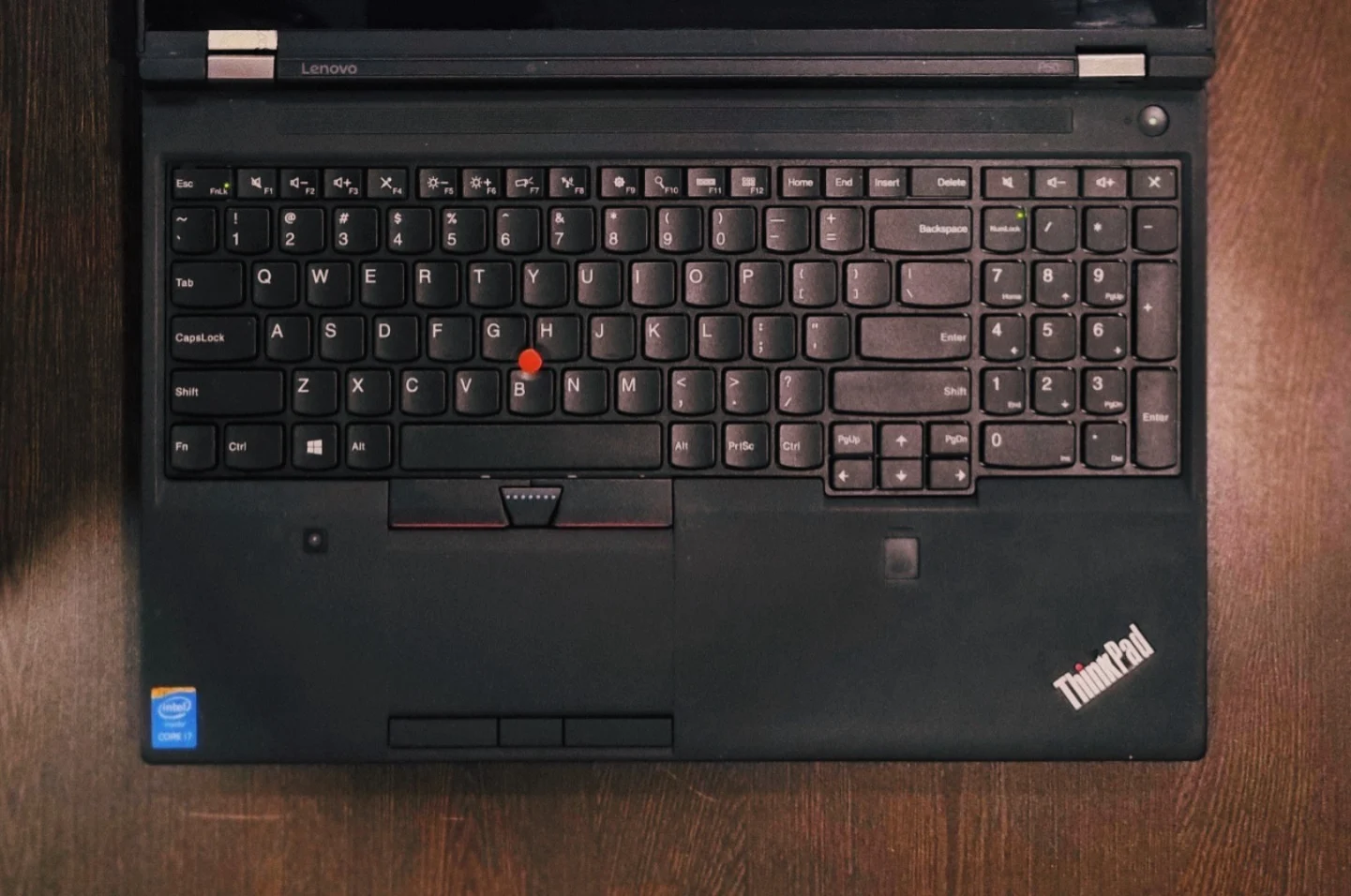
Lenovo's keyboards are industry-leading, and the P50 is no exception.
Keyboard: Features a full numeric keypad. The deep key travel provides a satisfying feel rarely found in modern laptops, while the tactile "click" ensures comfort during long typing sessions. The TrackPoint, which people like to call the "nub," is also pretty accurate for navigating around Windows. Additionally, the keyboard is spill-resistant for added durability.
Touchpad: It is smooth and includes dedicated physical buttons for the 3-button TrackPoint pointing device and 3-button multi-touch touchpad.
💡 Bottom Line: Think of this ThinkPad P50 as a reliable, heavy-duty office worker compared to other laptops in the ThinkPad series. It is built to power through massive spreadsheets, heavy web browsing, and fast file transfers without a hiccup. Think of this less like a portable laptop and more like a desktop that you can occasionally move around. As long as you don't push it beyond what it was made for, it will serve you incredibly well.
Get the Lenovo ThinkPad P50
You can find the refurbished Lenovo ThinkPad P50 at the lowest prices at: https://eazypc.in/product/lenovo-thinkpad-p50-i7-6th-gen-2gb-graphics/
Shop the ThinkPad P50 →Frequently Asked Questions
Is a refurbished Lenovo ThinkPad P50 still worth buying today?
Absolutely! Even with an older processor, it's a beast for multitasking. Thanks to its tough build and fast SSD with 16GB of RAM, it easily breezes through heavy web browsing and everyday office work.
Is it easy to carry around every day?
Not really. It's built to be a desktop replacement, meaning it's heavy (around 2.8 kg) and comes with a massive charger. It's much happier sitting on your desk than riding around in your backpack.
Can I use the Lenovo ThinkPad P50 for gaming?
We wouldn't recommend it for modern gaming. The basic graphics just aren't built for it. However, if you stick to light, older, or classic titles, it will do just fine.
Can I upgrade the storage and RAM later?
Yes, very easily. There's a super convenient access hatch on the bottom. You can load it up with up to 64GB of RAM total across four slots and easily pop in some extra storage when in need.


