




Blogs
Best Laptop for Coding Students in 2026: Specs, Top Picks, and Budget Refurbished Options in India

Choosing the right laptop isn't about chasing the flashiest spec sheet on paper. It's about finding a machine that can genuinely keep up with your daily grind, whether that's running VS Code with dozens of Chrome tabs open, sitting through lectures without the fan screaming for mercy, or compiling code at 1 AM right before a submission deadline. This guide focuses on real-world performance, not just marketing numbers.
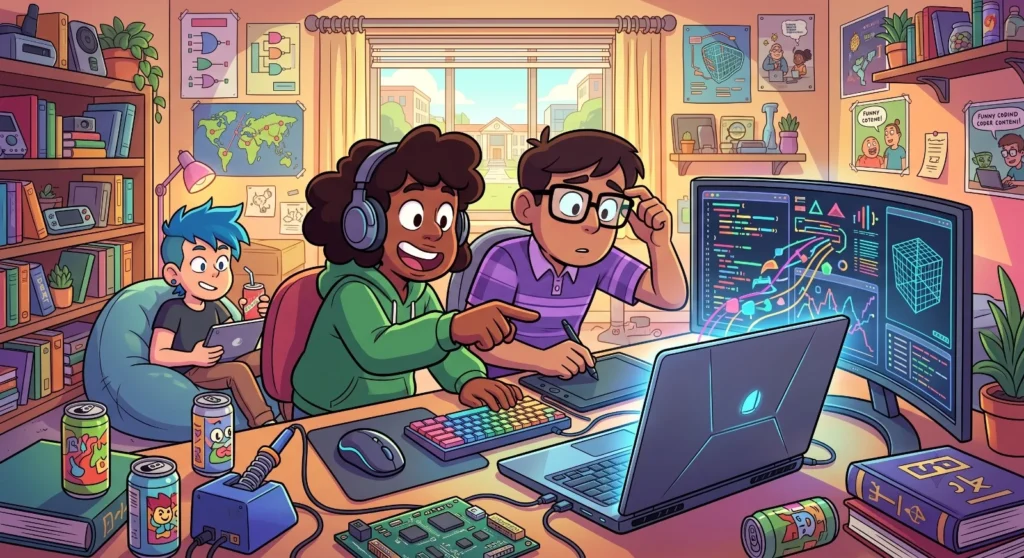
Best Laptops for Coding Students in 2026
Whether you're just starting out with Python or fighting with data structures and algorithms as a CS student, your laptop is arguably your most-used tool. Here's a mix of powerful new releases and budget-friendly refurbished options to fit your course and your wallet.
From running IDEs and testing apps to spinning up virtual machines and publishing code to GitHub, everything runs through this one device. In this guide, we'll walk through the best laptops for coding students in 2026, so you can find something that fits your course and your wallet.
Why the Right Laptop Actually Matters for Coding
Coding isn't just typing in a text editor and hitting run. Depending on what you're studying, you might also need to:
- Run multiple code editors like VS Code, IntelliJ, or PyCharm at the same time
- Compile and debug memory-heavy C++ or Java applications
- Work with databases and local servers
- Spin up Docker containers or virtual machines
- Handle web development frameworks or machine learning libraries
Any one of these can bring an underpowered or aging laptop to its knees. Get the specs right from the start, and you save yourself a lot of frustration, and a few all-nighters lost to freezing screens.
Minimum and Recommended Specs for Coding Laptops
Before jumping into specific models, here's a quick cheat sheet on what actually matters:
Processor
Intel Core i5 or AMD Ryzen 5 at minimum. Go for i7/Ryzen 7 for heavy compiling or multitasking.
RAM
8GB is the bare minimum. 16GB is where things feel smooth with an IDE and multiple tabs running together.
Storage
SSD, no exceptions. 256GB works, but 512GB gives you breathing room.
Display
A 13" or larger Full HD screen makes a real difference during long coding sessions.
Whether you're learning Python, building web apps, or getting into mobile development, here are the models worth your attention, balancing performance, portability, and battery life.
Also read → Thinkpad vs new budget LaptopTop Picks: New Laptops for Coding Students
1. Apple MacBook Air M3
- Processor: Apple M3 chip, 8-core CPU, 10-core GPU
- Display: 13.6" Liquid Retina with True Tone
- RAM: Starts at 8GB unified memory
- Storage: 256GB SSD (configurable)
2. Dell XPS 13
- Processor: Snapdragon X Elite
- Display: 13.4" FHD+ 120Hz
- RAM: 32GB LPDDR5x (soldered, dual-channel)
- Storage: Up to 1TB PCIe Gen 4 SSD
- Graphics: Integrated Qualcomm Adreno GPU
3. Lenovo ThinkPad E14
- Processor: Intel Core i5 (13th Gen)
- Display: 14.0" WUXGA IPS 300 nits
- RAM: Up to 16GB
- Storage: 512GB SSD
4. HP Pavilion Aero 13
- Processor: AMD Ryzen 5 7535U
- Display: 13.3" FHD anti-glare, 100% sRGB
- RAM: 16GB
- Storage: 512GB SSD
5. ASUS ZenBook 14
- Processor: Up to AMD Ryzen 7 7730U or Intel Core i7 (13th Gen)
- Display: 14" 2.8K OLED
- RAM: Up to 16GB
- Storage: 512GB–1TB SSD
Best Budget Option: Refurbished Laptops from EazyPC
Not everyone needs or can afford a brand-new laptop in their first year of college, and honestly, you probably shouldn't spend premium money on something that's going to get coffee spilled on it during a hackathon anyway. This is where refurbished laptops make a lot of sense. EazyPC sells certified refurbished laptops that handle everything from C++ to JavaScript to SQL without breaking a sweat, at a fraction of the price of new.
Here are some solid picks currently in stock:
Refurbished Dell Latitude 7490
Processor: Intel Core i5/i7 (8th Gen)
RAM: 8GB/16GB DDR4 (expandable up to 32GB)
Storage: 256GB/512GB SSD (expandable)
Refurbished Dell Latitude 7420
Processor: Intel Core i5 (11th Gen)
RAM: 16GB DDR4
Storage: 256GB SSD
Refurbished Lenovo ThinkPad T14 Gen 2
Processor: Intel Core i5 (11th Gen)
RAM: 16GB DDR4
Storage: 256GB/512GB SSD
Refurbished Dell Latitude 7410
Processor: Intel Core i7 (10th Gen)
RAM: 16GB DDR4
Storage: 256GB/512GB SSD
Refurbished Dell Latitude 5430
Processor: Intel Core i7 (12th Gen)
RAM: 8GB/16GB DDR4
Storage: 256GB/512GB SSD
Final Thoughts
Coding is a skill built through hours of practice, debugging, with a fair amount of trial and error. Your laptop shouldn't be the thing slowing you down while you're figuring that out. If you want a premium, out-of-the-box experience, the MacBook Air M3 or Dell XPS 13 are excellent choices. But if you're working with a tighter student budget, a refurbished laptop from EazyPC gives you serious value. Models like the Dell Latitude series or the Lenovo ThinkPad let you compile code, manage git repos, and explore new frameworks without draining your savings.
FAQs
For overall value, the Dell XPS 13 and MacBook Air M3 stand out among new laptops. For budget options, a refurbished Dell Latitude or ThinkPad from EazyPC is hard to beat.
8GB is the minimum, but 16GB is where you'll stop noticing lag, especially once you're running multiple tools, browser tabs, and an IDE together.
Yes. An SSD makes a noticeable difference to boot time, app responsiveness, and how fast heavy tools like Android Studio or Visual Studio load.
Absolutely, as long as it has a decent processor, an SSD, and 8GB or more of RAM, a refurbished laptop can run all the popular programming tools without issue.
All three work well for coding. Windows and macOS are the most common defaults, but a lot of developers lean toward Linux for system programming and open-source tool compatibility. If that's you, just make sure your laptop supports dual boot.

About Aryamann Saini
Avid tech enthusiast with a focus on strategic problem-solving. Always looking to tackle the next big challenge or learning milestone. Outside of work and studies, I enjoy traveling to historical sites and exploring the open road.
View all posts by Aryamann Saini
