




Blogs
Apple MacBook Pro (A1707) Review: Is the 15-Inch 2016 Model Still Worth Buying in 2026?

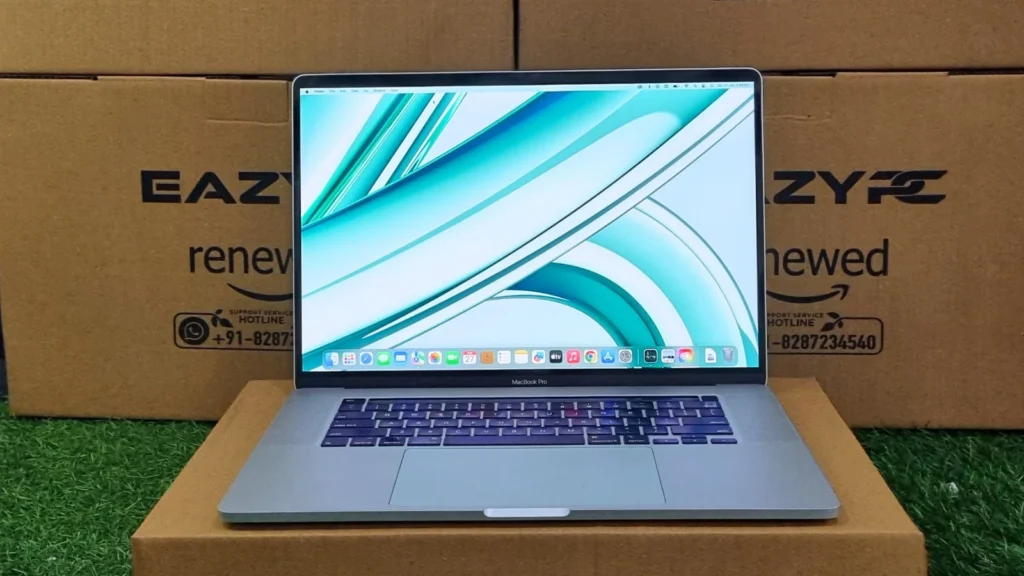
The 15-inch, quad-core sibling that introduced the Touch Bar, and the machine that was built for people who needed real multi-threaded performance in a portable chassis.
The Apple MacBook Pro (A1707) is the late-2016 (and 2017) 15-inch, quad-core sibling of the smaller 13-inch A1708, and it was the first MacBook Pro to introduce the Touch Bar, a slim OLED strip that replaces the physical function-key row. Because it uses a full 45W quad-core H-series processor instead of the 15W dual-core chip in the 13-inch models, this machine was aimed squarely at users who needed real multi-threaded performance in a portable chassis: developers, editors, and creative professionals.
The Apple MacBook Pro (A1707) is still worth buying refurbished in 2026 if you want a 15-inch Retina screen and quad-core performance on a budget, especially for students, developers, and office users. Its quad-core Core i7 scored 3818 in Geekbench multi-core, about 47% higher than the dual-core 13-inch A1708, and battery life runs around 4–6 hours. Skip it if you need the latest macOS releases, upgradeable storage, or strong GPU performance.
Here is a breakdown of what this 15-inch machine has to offer, based on a full round of benchmarking on a refurbished test unit. Last tested and updated: October 2026.
Apple MacBook Pro (A1707) Specifications
Processor
6th Gen Intel Core i7-6700HQ Quad-Core (2.6GHz base, up to 3.5GHz Turbo Boost)
Graphics
AMD Radeon Pro 450 (2GB GDDR5) with automatic switching to integrated Intel HD Graphics 530 (1536MB shared)
Memory
16GB 2133MHz LPDDR3 (soldered, non-upgradable RAM)
Storage
Soldered PCIe SSD (256GB, 512GB, 1TB, or 2TB configurations)
Display
15.4-inch Retina IPS panel (2880 × 1800 resolution)
Input
Full-size backlit butterfly keyboard with Touch Bar & Touch ID
Camera
Built-in 720p FaceTime HD webcam
Weight
1.83 kg
Battery
76Wh lithium-polymer
Operating System
macOS Monterey 12 (latest officially supported on the 2016 model)
Design & Build Quality
Like its 13-inch sibling, the A1707 carries Apple's signature aluminum unibody, and the build quality is exceptional; there is virtually no flex anywhere in the chassis. At 1.83 kg it is noticeably heavier than the 13-inch A1708, but that extra weight buys you a bigger screen and a proper quad-core processor, which is a trade-off most buyers were happy to make.
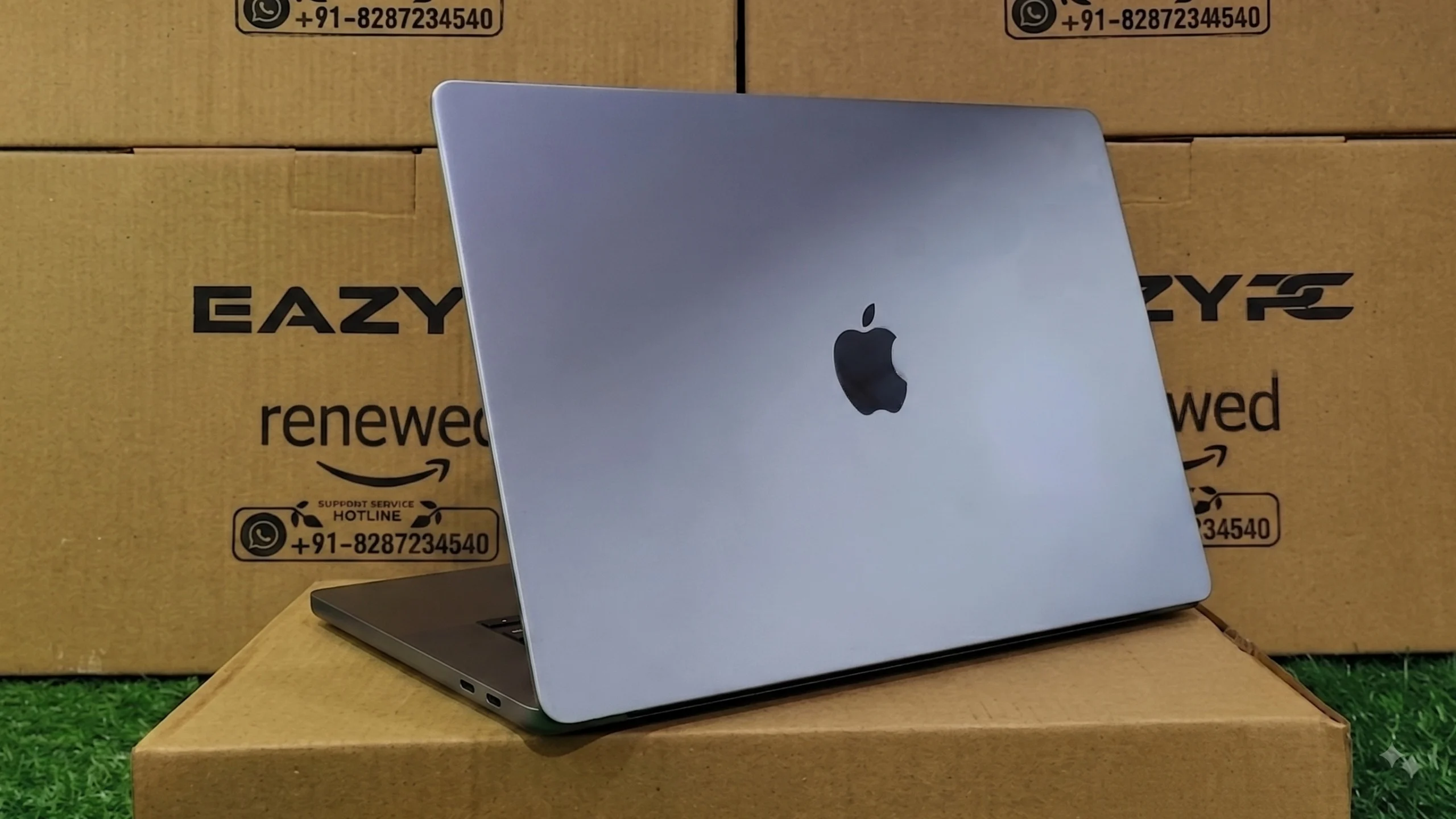
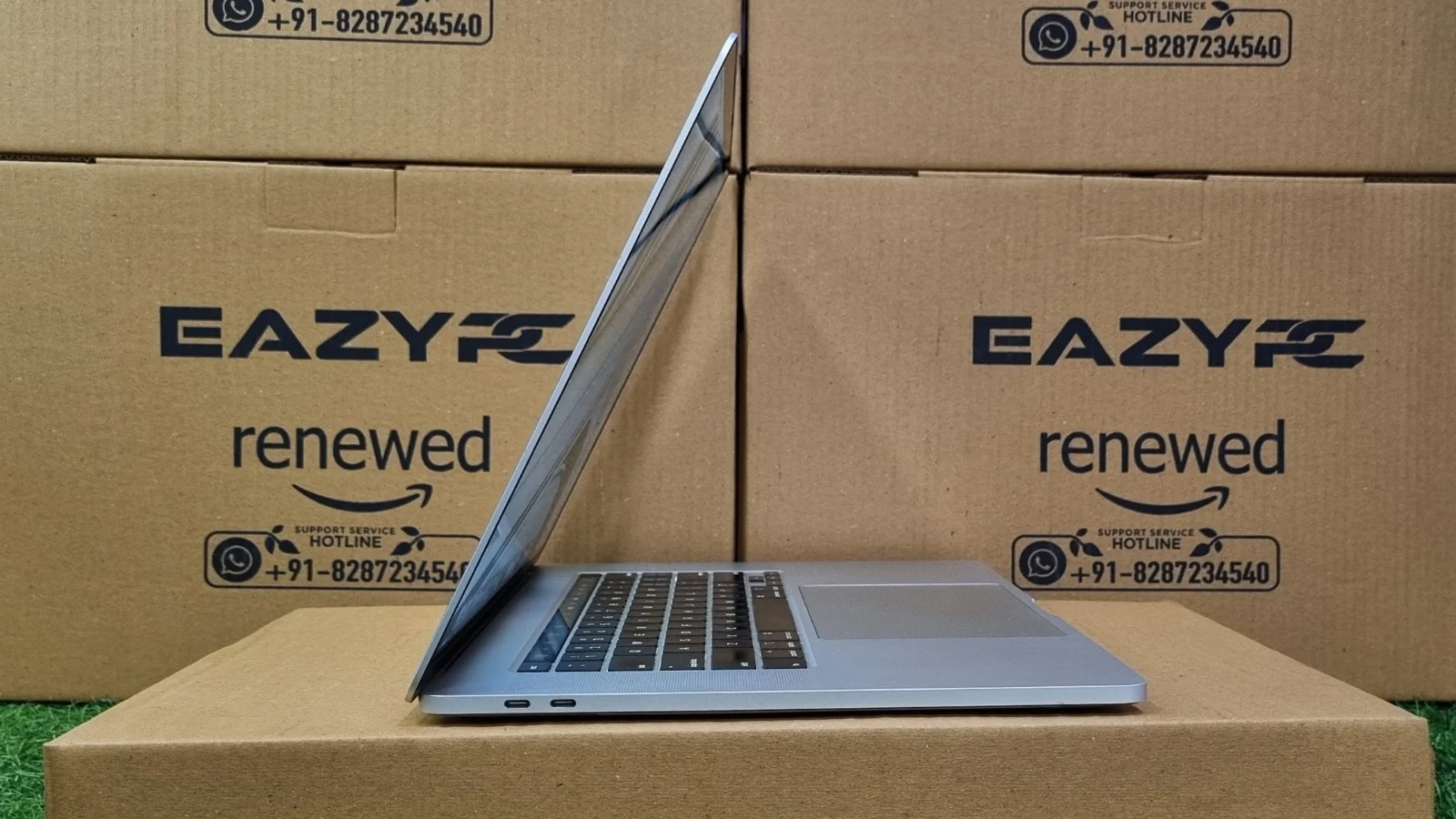
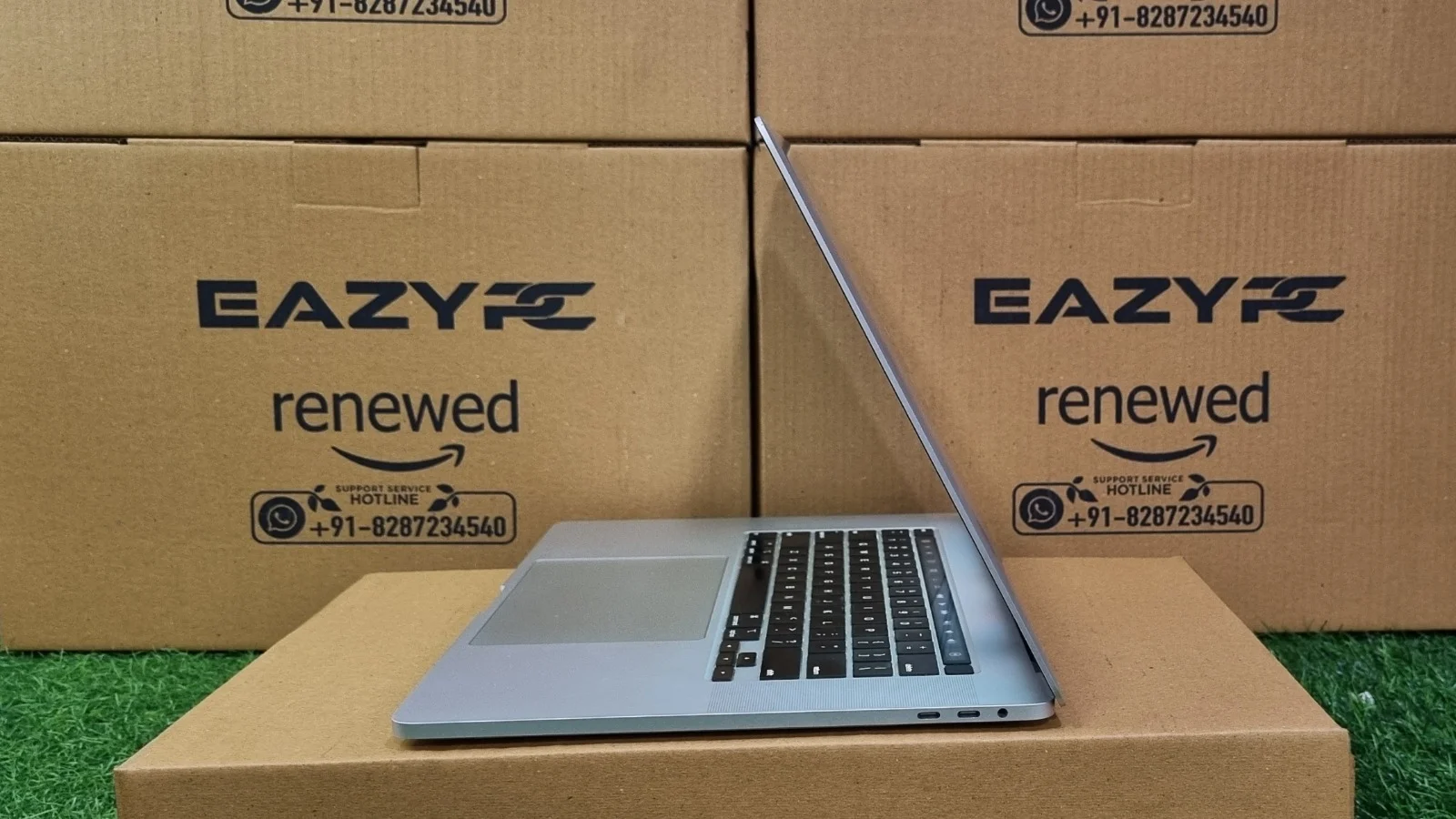
Port selection follows the same controversial USB-C-only route as the rest of the 2016 MacBook Pro lineup: four USB-C/Thunderbolt 3 ports (two on each side) and a 3.5mm headphone jack, and nothing else. There's no card reader, no USB-A, and no HDMI, so budget for a dongle or hub if you're connecting older peripherals.
Display & Audio
The 15.4-inch Retina display pushes a 2880 × 1800 resolution, giving it noticeably more screen real estate than the 13-inch model's 2560 × 1600 panel while keeping the same excellent pixel density. It supports the DCI-P3 wide color gamut and hits roughly 500 nits of brightness, so it holds up well for photo and video work as well as everyday use in bright rooms.
Audio is a step up from the 13-inch model too. The larger chassis has room for larger speakers, which give noticeably deeper bass and a fuller, louder sound than most ultraportables in this class manage.
Performance & System Benchmarks
The quad-core i7-6700HQ inside the A1707 is the headline difference versus the dual-core 13-inch A1708, and it shows clearly across every benchmark below. The test unit was running macOS Monterey (version 12.7.6), which is also the newest macOS version this model officially supports.
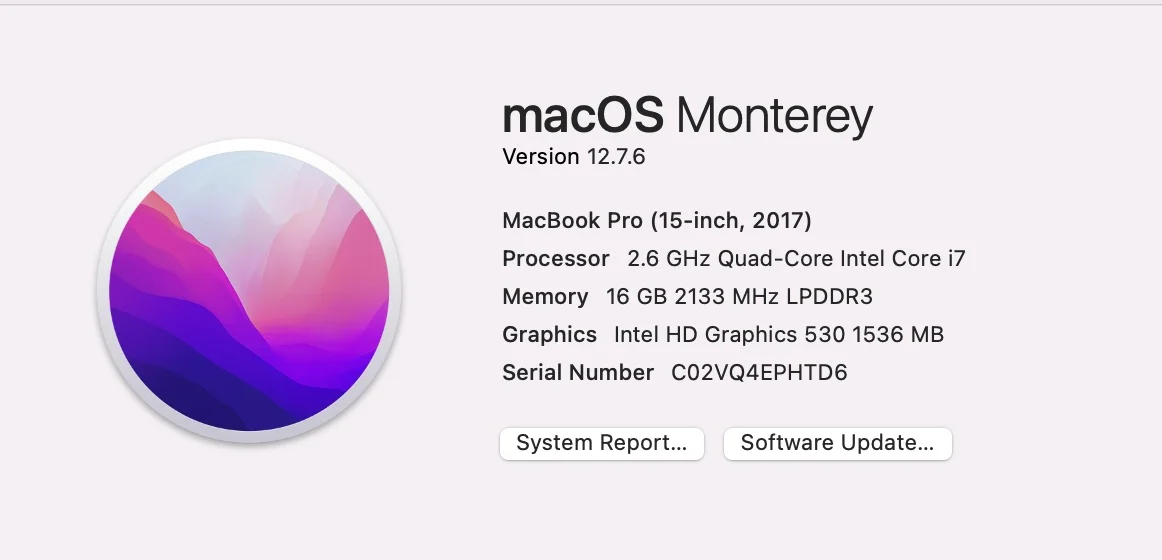
System overview — macOS Monterey 12.7.6, 2.6GHz Quad-Core i7, 16GB RAM
Geekbench CPU Performance
The machine achieves a Single-Core Score of 1162 and a Multi-Core Score of 3818. The single-core score is in line with what you'd expect from a 6th-gen H-series chip: responsive enough for web browsing, document editing, and general navigation around macOS. The multi-core score is roughly 47% higher than the dual-core 13-inch A1708 (2605). That quad-core advantage is exactly where this model earns its keep: exporting video, compiling code, or running multiple demanding apps at once is noticeably faster and less bottlenecked here.
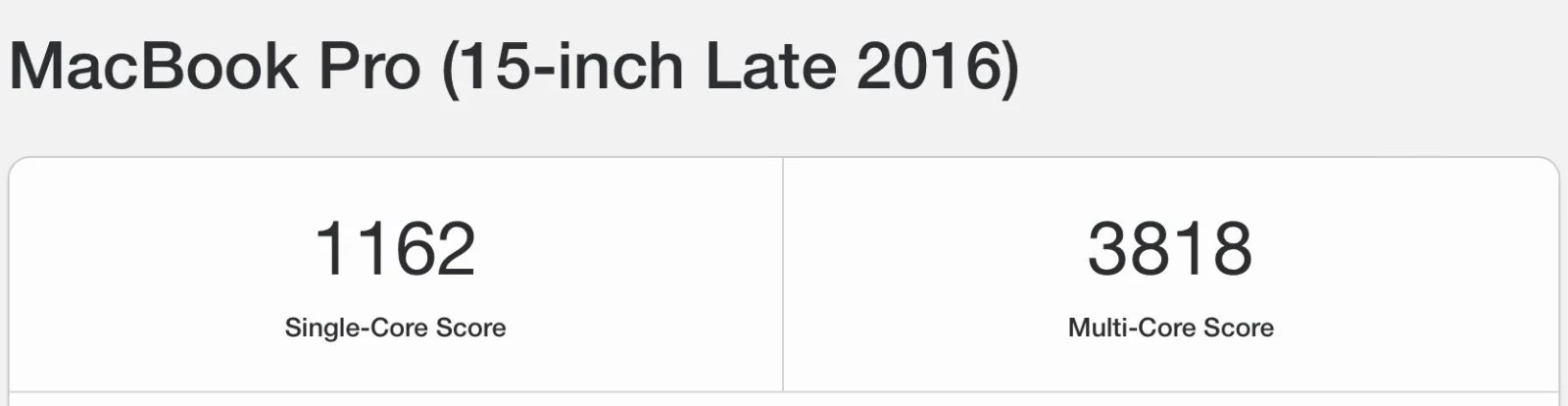
Geekbench CPU and OpenCL Results
The OpenCL score of 9768 reflects the compute performance of the integrated Intel HD Graphics 530 alone; this test unit did not report a discrete GPU, so the score reflects the integrated chip alone, which is adequate for light GPU tasks but not built for heavy 3D or GPU-accelerated video work. Every 15-inch A1707 shipped with an AMD Radeon Pro 450, 455, or 460, so if you buy one refurbished, confirm the Radeon GPU appears under About This Mac > System Report > Graphics/Displays.

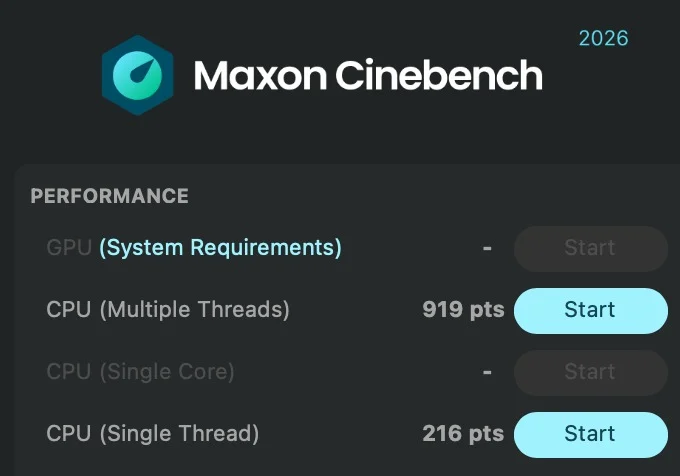
Maxon Cinebench 2026
Multi-threaded CPU performance scored 919 pts, with a single-thread score of 216 pts. The GPU test could not run, as the integrated graphics don't meet Cinebench 2026's minimum requirements, a good real-world reminder of how far integrated graphics from 2016 sit below current standards.
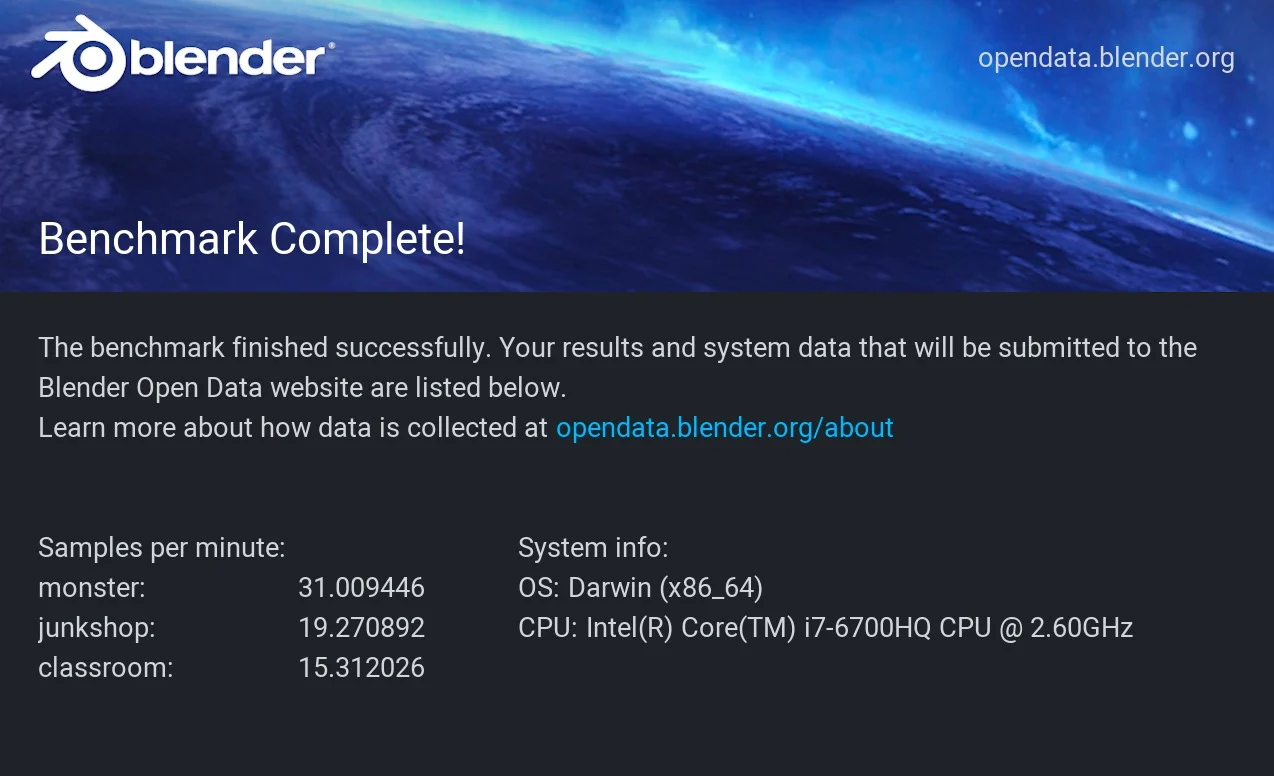
Blender Benchmark (CPU Rendering)
Samples per minute came in at 31.01 for the Monster scene, 19.27 for Junkshop, and 15.31 for Classroom, all rendered on the CPU, since there's no discrete GPU to offload to. These numbers illustrate why this generation of MacBook Pro is best suited to lighter 3D work or short renders rather than production-length Blender projects; a current-generation machine will finish the same scenes several times faster.
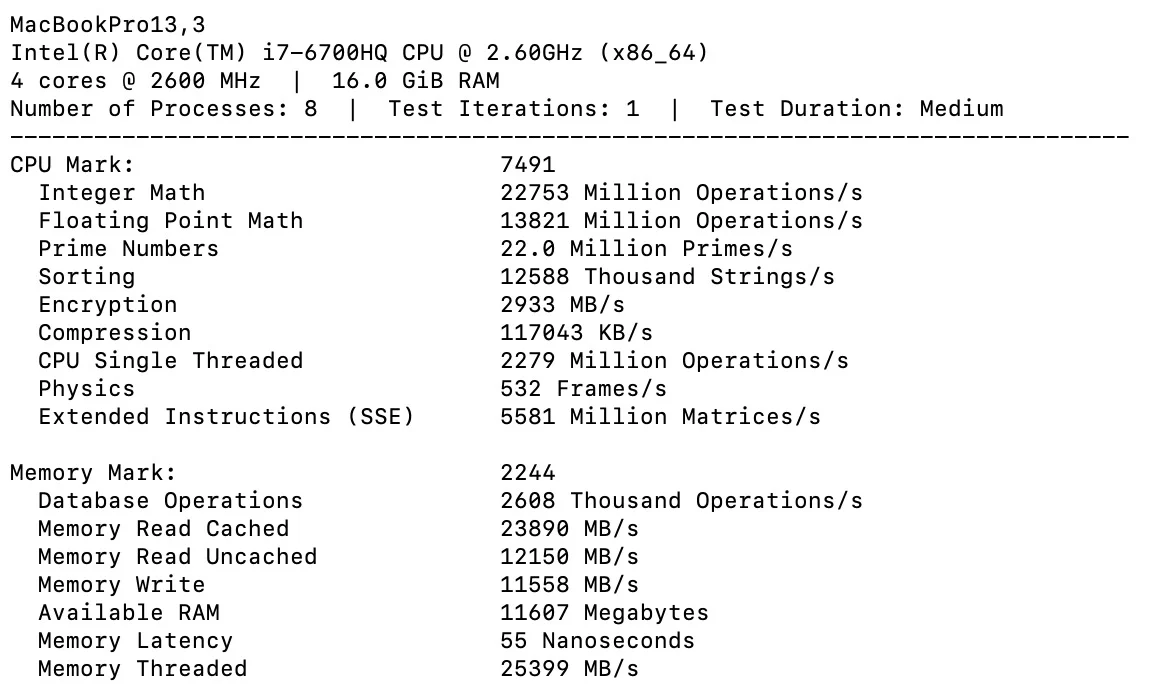
PassMark Performance Test (Mac)
The PassMark suite gives a more granular look at the hardware. The CPU Score of 7491 is well ahead of the dual-core 13-inch A1708's CPU Mark of 4545 (about 65% higher), which lines up with the extra two cores. Physics scored 532 frames/s, and the individual sub-scores (22753 Mbps/s integer math, 13821 Mbps/s floating point, 22.0M primes/s) confirm this chip handles day-to-day and moderately demanding productivity work comfortably, even if it will still bottleneck genuinely CPU-bound gaming or simulation workloads by modern standards. The Memory Score of 2244 reflects the 16GB of 2133MHz LPDDR3's solid read/write throughput for memory of this era (23890 MB/s cached read, 11558 MB/s write). 16GB is a comfortable amount for heavy multitasking and dozens of open browser tabs, and is double what the base 13-inch A1708 typically shipped with.
Battery Back-up
The 15-inch A1707 packs a larger 76Wh battery than the 13-inch models, and on a refurbished unit you can realistically expect somewhere around 4–6 hours of battery life for web browsing, writing, and general office work, with that number dropping noticeably faster under sustained multi-core loads like exporting video or compiling. It's enough to comfortably get through a working session, but heavier users will still want the charger within reach for a full workday.
Connectivity
The Apple MacBook Pro (A1707) follows the same streamlined, dongle-dependent approach as the rest of the 2016/2017 lineup.
Left Side
Right Side
Storage Upgradability
Storage on the A1707 is soldered directly to the logic board, unlike the 13-inch non-Touch Bar A1708, which uses a removable SSD module. That means the SSD cannot be upgraded after purchase, so buy the capacity you need up front (256GB, 512GB, 1TB, or 2TB) and plan on external USB-C storage if you need more space.
Apple MacBook Pro (A1707) Review: Keyboard and Touchpad
This was the first MacBook Pro generation to introduce the Touch Bar, a slim OLED touch strip that replaces the physical function-key row and adapts contextually to whatever app is in focus, alongside a Touch ID sensor for fingerprint unlock and Apple Pay. It uses the same second-generation butterfly switches as the 13-inch model, with shallow key travel that some users find uncomfortable over long typing sessions, and the keyboard area can run warm under sustained heavy workloads.
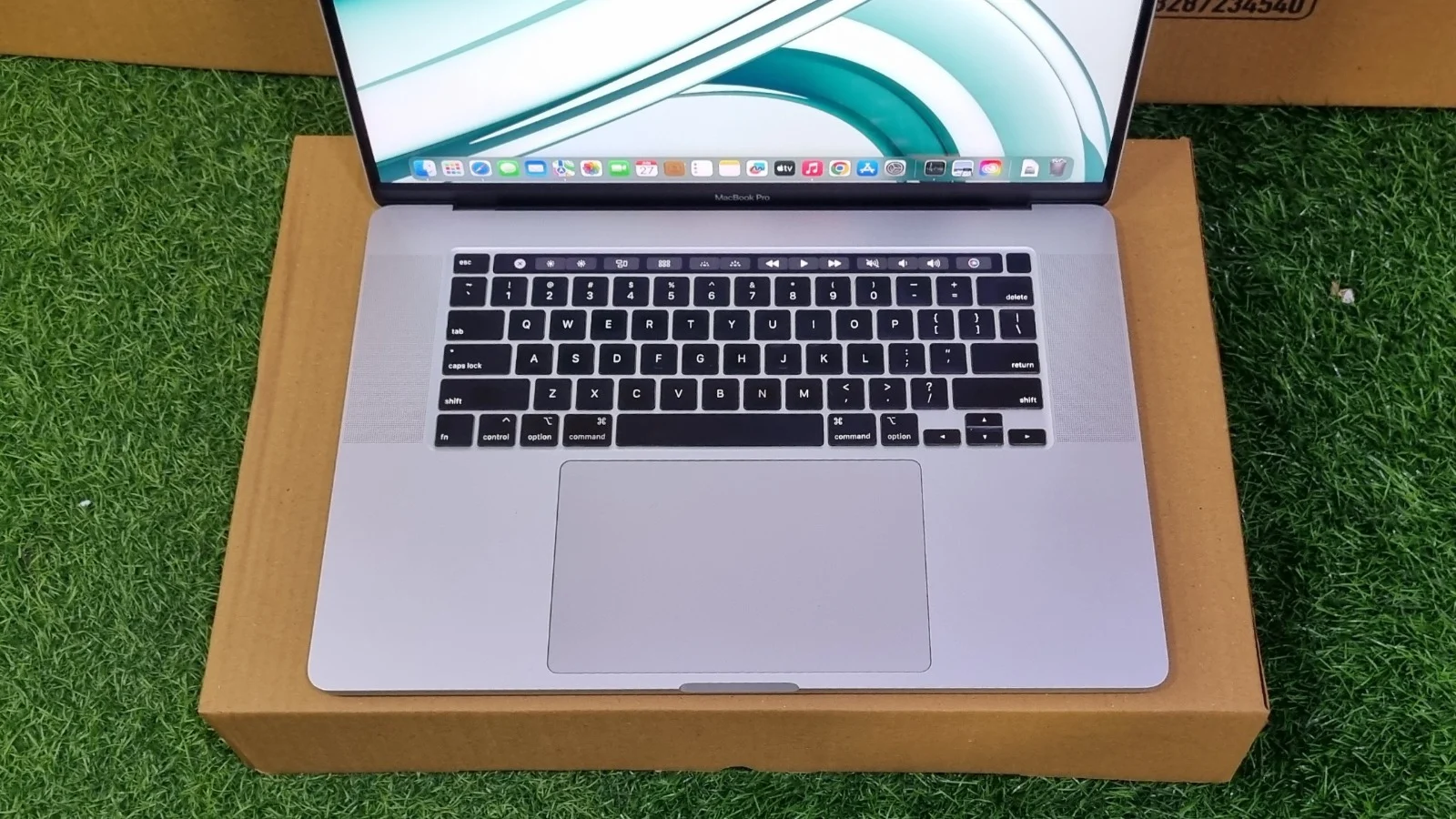
The 15-inch chassis have room for an even larger Force Touch trackpad than the 13-inch model, one of the biggest trackpads Apple has ever shipped on a MacBook Pro at the time. It's accurate and spacious, though, as with the smaller model, the haptic "force-press" gestures take a little getting used to.
Bottom Line
Bottom Line
The MacBook Pro (A1707) is a well-built, genuinely capable quad-core machine that still holds its own for everyday productivity years after release. It's the better pick over the 13-inch A1708 if your work leans on multi-core performance (video exports, compiling, multitasking across many apps), thanks to roughly 47% higher multi-core Geekbench scores and a 65% higher PassMark CPU Mark. You get a bigger, sharper 15.4-inch Retina display, noticeably better speakers, and a Touch Bar/Touch ID setup that's still handy today.
The trade-offs are a heavier 1.83 kg chassis, dongle-dependent connectivity, a keyboard that some find uncomfortable over long sessions, soldered, non-upgradable storage, and an entry-level GPU that will bottleneck GPU-heavy or 3D work by current standards. For students, developers, and everyday users who want a bigger screen and more CPU headroom than the 13-inch model without paying current-generation prices, the A1707 remains a solid value in the refurbished market.
Click the button below to get the best deal on a refurbished MacBook Pro (A1707):
Shop Now →Frequently Asked Questions
Yes, for everyday productivity, web browsing, word processing, email, streaming, and even moderate multitasking, the quad-core A1707 remains a solid, affordable choice, and it's noticeably more capable than the dual-core 13-inch models of the same era. It will struggle with GPU-heavy tasks like modern 3D rendering, as the benchmarks above show.
No. Both the 16GB of RAM and the SSD are soldered to the logic board, so neither can be upgraded after purchase. Buy the storage capacity you need up front, or add an external USB-C SSD.
Officially, the A1707 (2016) tops out at macOS Monterey (version 12), the same version installed on this test unit. The 2017 A1707 (7th-gen Kaby Lake Core i7) officially supports up to macOS Ventura 13. Neither version runs current macOS releases, so check that the apps you rely on still support your macOS version before you buy.
The A1707 is the 15-inch MacBook Pro (2016–2017) with a quad-core Intel Core i7, a 15.4-inch 2880 × 1800 display, Touch Bar, Touch ID, and four Thunderbolt 3 ports. The A1708 is the 13-inch model without a Touch Bar, with a dual-core processor and two Thunderbolt 3 ports. In our testing, the A1707 scored about 47% higher in Geekbench multi-core.
Expect around 4–6 hours of web browsing and office work from a refurbished unit's 76Wh battery, and less under sustained multi-core loads like video exports or compiling.
Yes, for most web, scripting, and general development work. The quad-core i7, 16GB of RAM, and large 15.4-inch display handle IDEs, local servers, and many browser tabs comfortably. It's less suited to work that needs the latest Xcode or macOS, or to GPU-heavy machine learning.


