Blogs
Lenovo ThinkPad X390 Review
Specifications –
- Core i5-8365U (4C8T, 1.6GHz base, 3.9GHz max) w/ UHD 620 graphics
- 16GB DDR4-2400 MHz RAM, (soldered – non expandable)
- 256GB NVMe SSD ( expandable)
- 1366 x 768 TN non-touch display,
- Intel Wireless-AC 9560 2×2 w/ Bluetooth 5, integrated on chip
- Non-backlit keyboard, compact layout
- Standard 720p webcam and dual microphones
- Weight – 1.330 kg
Design & Build Quality
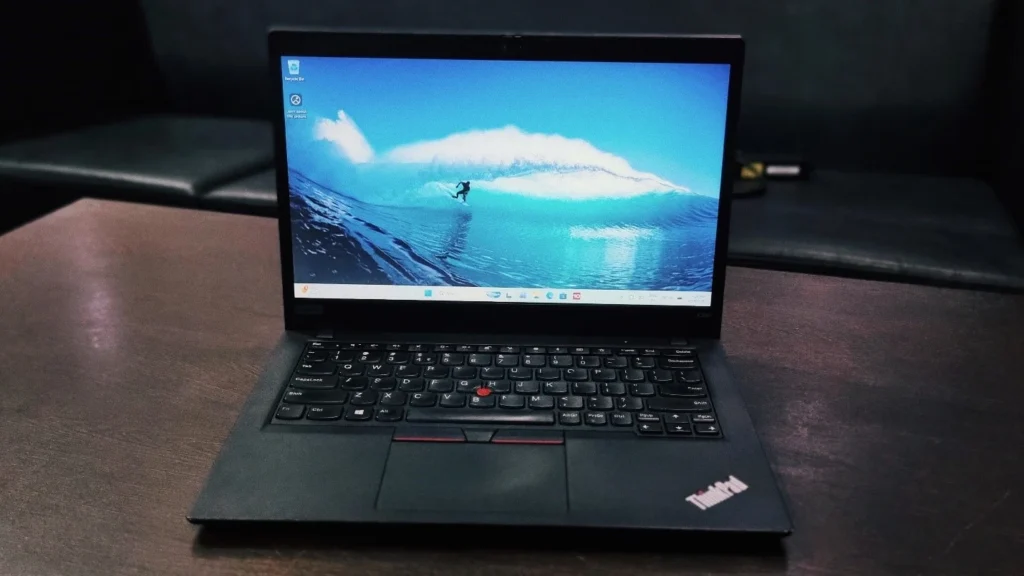
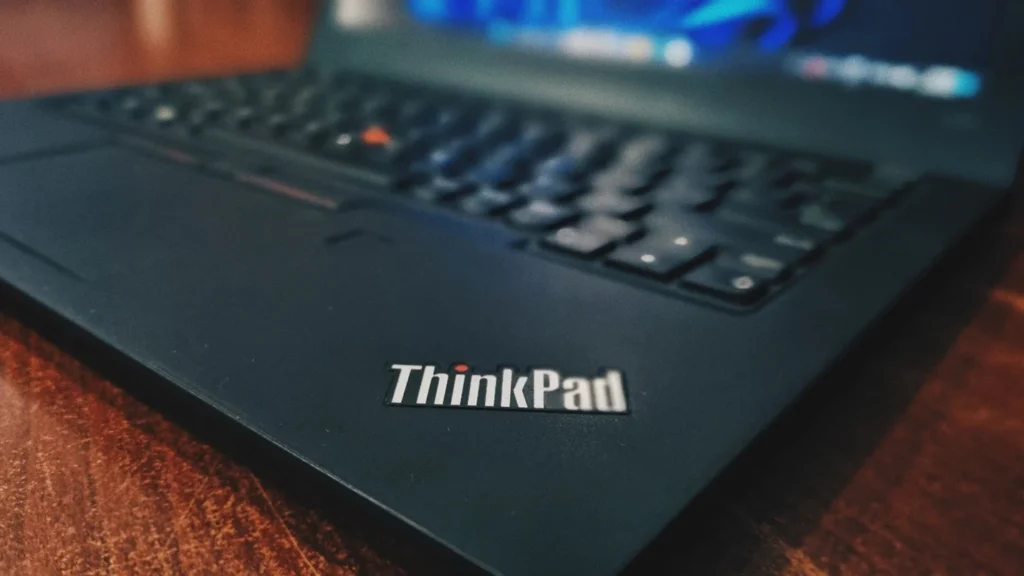
The lenovo ThinkPad X390 is essentially a shrunken version of the larger ThinkPad T490s. It replaces the older 12.5-inch ThinkPad X280, but thanks to trimmed-down, narrow bezels, Lenovo managed to fit a 13.3-inch screen into a chassis that is only a little wider than its predecessor. The chassis is constructed from magnesium alloy, which ensures maximum strength and durability while giving the palm rest a cool, high-quality metallic feel. While it is slightly thicker than some consumer ultra books like the Dell XPS 13, this thickness is practically utilized to house a full array of ports. It features the classic ThinkPad all-black slab design.
Lenovo ThinkPad X390 Carbon review: Display
The laptop features a 13.3-inch TN display with 1366 x 768 resolution, providing crisp visuals for work and media. Lenovo offers both touch and non-touch variants. The screen is not as bright when compared to X1 Carbon The non-touch 13 inch display is an excellent, practical choice for developers and students who want to avoid the screen-smudging that comes with accidental touches.
Performance & System Benchmark
To give you a real-world idea of what this laptop can handle, we put it through a few popular benchmark tests. Powered by the Intel Core i5-8365U processor and Intel UHD Graphics 620.
Storage Performance (CrystalDiskMark)
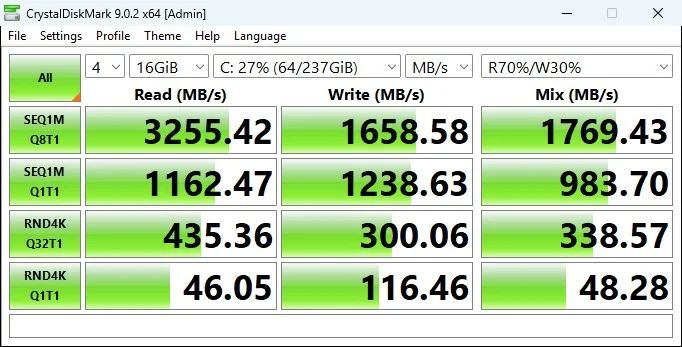
The storage benchmark indicates that the X390 is equipped with a very fast Gen. 3 PCIe NVMe Solid State Drive (SSD).
- Read Speeds: The sequential read speed tops out at a blazing 3,255.42 MB/s. In everyday use, this translates to incredibly fast boot times, near-instant application launches, and the ability to load large datasets or files without waiting.
Write Speeds: The sequential write speed sits at 1,658.58 MB/s. While about half the speed of the read performance, this is still exceptionally fast for an ultrabook and will easily handle saving large documents, installing software, and transferring files.
Everyday Processing: (Geekbench)
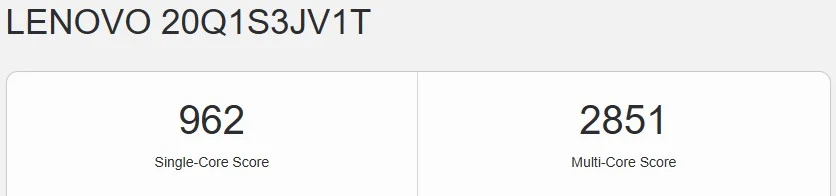
The Geekbench results show how well the central processor handles tasks.
- Single-Core Score (962): This score indicates strong performance for single-threaded tasks, which include everyday activities like loading complex web pages, running older legacy software, and basic office applications.
- Multi-Core Score (2851): It proves the laptop can comfortably handle standard multitasking like having multiple browser tabs open alongside Zoom, Excel, and Slack but it is not intended for heavy multi-threaded workloads like compiling massive codebases or exporting 4K video.
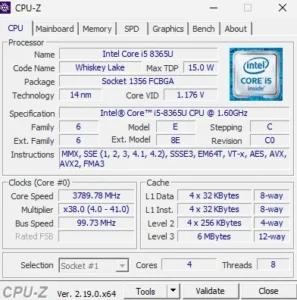
With Intel Core i5-8365U inside (code-named “Whiskey Lake”). This is an 8th-generation mobile processor designed for thin and light laptops. It has 4 Cores and 8 Threads. This Laptop is excellent for handling everyday multitasking, such as having multiple browser tabs, office documents, and background apps open simultaneously. The base speed is 1.60 GHz, but the Core Speed shows it actively boosting to roughly 3.79 GHz. The processor automatically increases its speed like this when more demanding tasks are running. The Max TDP (Thermal Design Power) is 15.0 W. This low wattage means it is highly power-efficient, designed to maximize battery life while minimizing heat generation in ultraportable laptops. It is built on a 14 nm technology process.
Battery Back-up
Given that my review unit is refurbished, I am getting roughly half the battery life of a brand-new model, yielding about 2 to 3 hours of use. This is perfectly acceptable, especially considering the age of a laptop with such an ultra-thin chassis still working well.
Connectivity
Lenovo has worked pretty well to give decent port connectivity for their Ultrabook series:
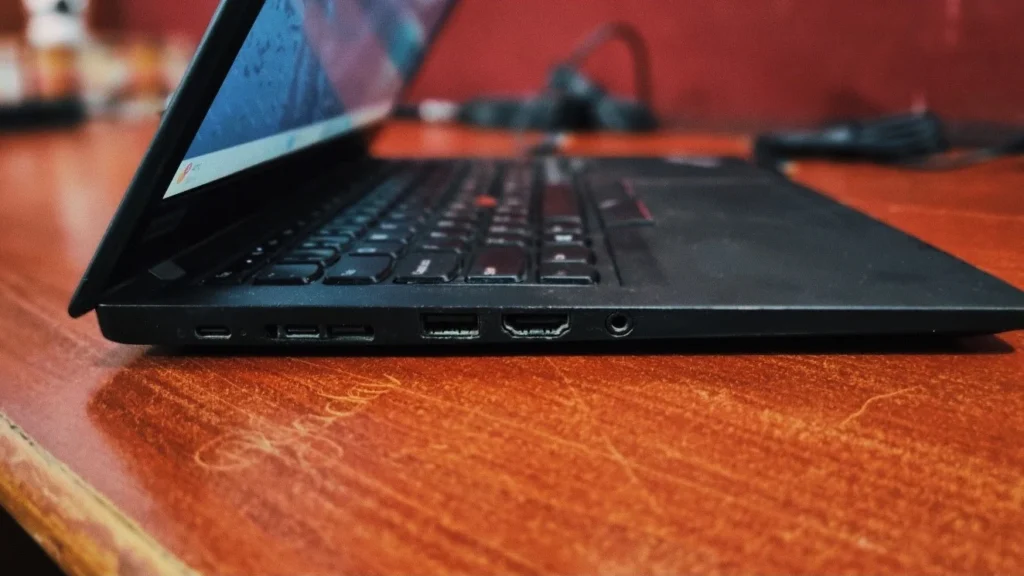
On the left side, USB-C AC power, USB-C Thunderbolt™ 3, Ethernet, USB 3.1, HDMI 1.4, Headphone/mic combo
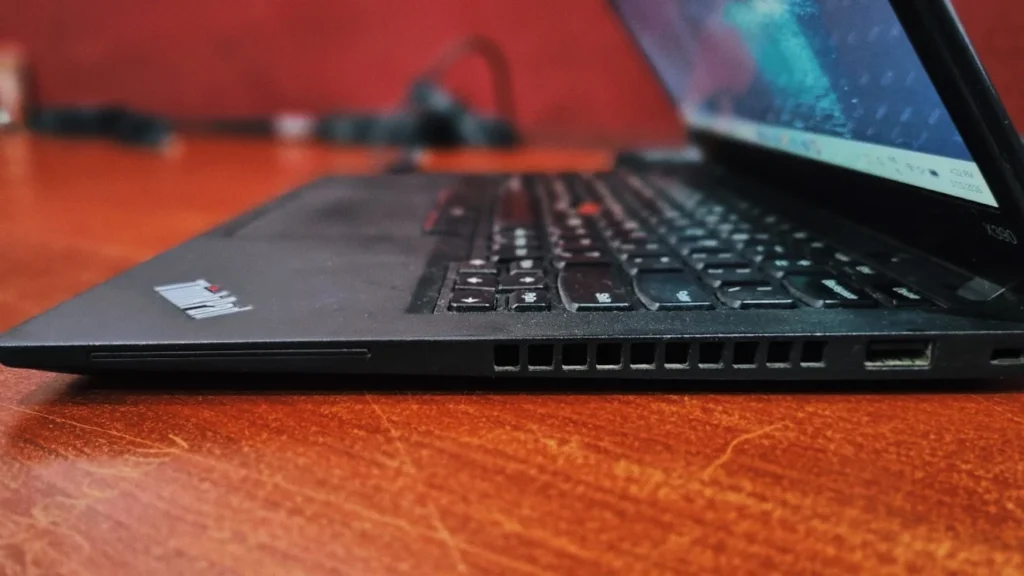
On the right side, USB 3.1, Kensington lock slot, Right side features a USB port and cooling vents.
Lenovo ThinkPad X390 review: Keyboard and touchpad
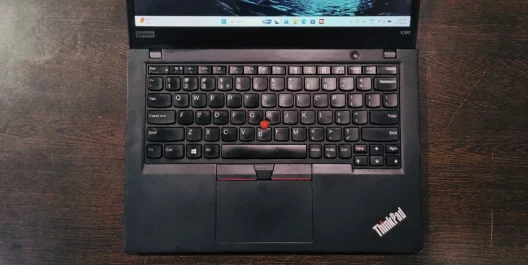
Lenovo continues its legacy of creating best-in-class typing experience. Despite the laptop’s compact size, comfortable keys and practical layout make you quickly forget it isn’t full-size. The navigation is handled by either the classic red TrackPoint “nub” embedded in the keyboard or a standard touchpad made out of plastic.
Bottom Line
The Lenovo ThinkPad X390 is a business Ultrabook. It is a highly durable, practical machine built for getting work done. With a highly tactile keyboard, a sturdy magnesium frame, fantastic battery life, and excellent compatibility, the X390 easily earns its status as a top-tier choice for professionals, students, and developers.
Frequently Asked Questions (FAQs)
Q. Is the RAM on the Lenovo ThinkPad X390 upgradable?
No, the RAM on the ThinkPad X390 is soldered directly to the motherboard, meaning it cannot be upgraded after purchase. If you plan on heavy multitasking or running memory-intensive applications, it is highly recommended to purchase a configuration with 16GB of RAM right from the start.
Q. Does the Lenovo ThinkPad X390 support Linux/Ubuntu?
Yes, the X390 is highly regarded in the developer community for its flawless Linux compatibility. Distributions like Ubuntu run perfectly right out of the box. Essential features like Wi-Fi, power management, sleep states, and keyboard shortcuts work immediately without the need for complex troubleshooting or custom drivers.
Q. Does the ThinkPad X390 have a touch screen?
Lenovo offers the ThinkPad X390 in both touch and non-touch configurations.. The non-touch model is slightly lighter and is often preferred by users who want a matte finish to reduce glare and avoid screen smudges.
Q. Does the ThinkPad X390 have Thunderbolt 3 ports?
Yes, despite its compact size, the X390 includes a robust port selection, featuring one Thunderbolt 3 port. This allows for fast data transfer, connecting to high-resolution external monitors, and utilizing modern docking stations, alongside a standard USB-C port used for charging.