




Blogs
Lenovo ThinkPad T15 Review: Performance, Ports, and Battery Tested

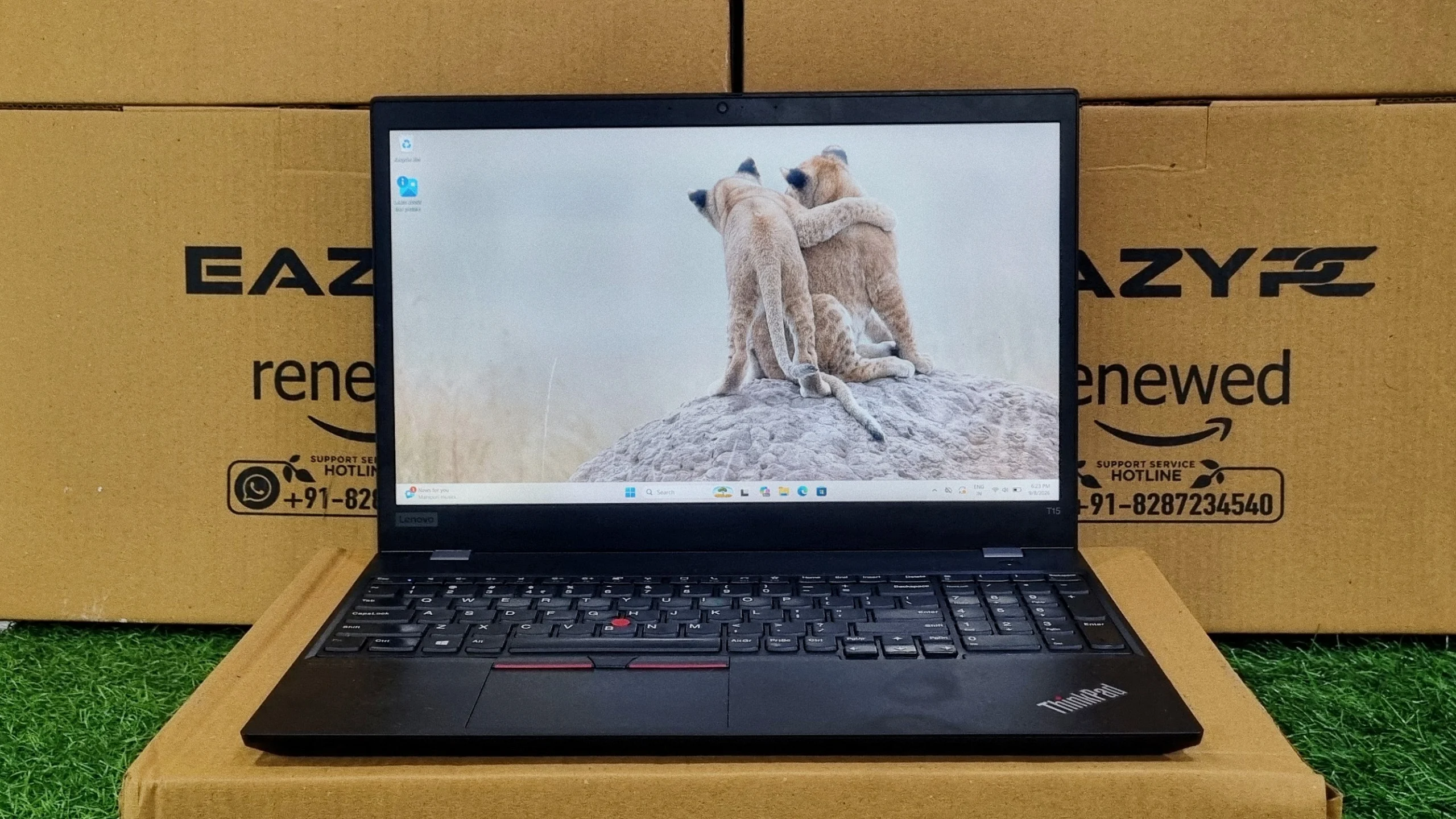
The 15.6-inch ThinkPad IT departments buy by the pallet: legendary keyboard, tough chassis, no-drama performance.
The Lenovo ThinkPad T15 is a 15.6" business laptop from Lenovo's flagship enterprise line, built around 10th Gen Intel Comet Lake-U silicon. Our review unit came with a Core i5-10310U, 8GB of RAM, and integrated Intel UHD Graphics, the kind of configuration IT departments actually buy by the pallet, rather than the flashiest spec sheet Lenovo offers. It's aimed squarely at people who live in spreadsheets, email, and video calls, not creative professionals chasing render times. The benchmark numbers below paint a picture of a laptop that's comfortably adequate for that job, with a legendary keyboard and a chassis built to survive years of commuting thrown in for good measure. Verdict: a dependable, no-drama pick for office work, let down a little by an ageing chip and modest graphics that show their age against newer machines.
✅ Pros
Excellent ThinkPad keyboard with numeric keypad; MIL-STD 810H durability; very fast NVMe storage (3,346 MB/s reads); HDMI and Ethernet without dongles; Thunderbolt 3; upgradeable RAM and SSD; 7–9 hours of battery on the larger pack.
⚠️ Cons
Ageing quad-core chip with limited multi-core headroom; modest Intel UHD graphics; heavier than ultraportables at about 1.81 kg; weak for rendering, creative work, and gaming.
Lenovo ThinkPad T15 Specifications
Processor
Intel Core i5-10310U (4 cores, 8 threads, up to 4.4 GHz Turbo)
Graphics
Integrated Intel UHD Graphics (optional NVIDIA GeForce MX330 on higher configs)
Memory
8GB–48GB DDR4-2666 (partly soldered, one SO-DIMM slot for expansion)
Storage
Up to 2TB PCIe NVMe SSD (M.2, user-serviceable)
Display
15.6", Full HD (1920 x 1080) IPS, anti-glare, with an optional 4K UHD panel
Wireless
Wi-Fi 6, Bluetooth 5.1, optional 4G LTE
Weight
Starting at around 1.81 kg
The T15 is Lenovo's way of keeping the classic T-series alive on a larger 15.6-inch canvas, aimed at buyers who want ThinkPad reliability but don't want to squint at a 14-inch screen all day. It doesn't have the ultraportable ambitions of the X1 line, and it isn't trying to. This is a laptop built for a desk, a docking station, and the occasional trip to a conference room.
We spent time with a Core i5-10310U configuration, ran it through a full suite of benchmarks, and came away with a clear sense of where this machine is comfortable and where its age starts to show. Here's the full breakdown.
Lenovo ThinkPad T15 Design & Build Quality
Lenovo doesn't experiment much with the T-series formula, and the T15 is no exception: a matte-black, carbon-fiber-reinforced chassis with the understated styling ThinkPads have carried for two decades. It's not going to turn heads in a coffee shop, but it wasn't designed to. This is a laptop meant to disappear into a corporate fleet while quietly outlasting whatever gets stacked on top of it in a bag.
Like the rest of the ThinkPad range, the T15 is put through MIL-STD 810H testing, covering drops, vibration, dust, humidity, and temperature extremes. The keyboard deck resists flex even under firm typing, and the hinge holds the display steady at any angle rather than drooping over time, a small detail that matters after a few hundred open-and-close cycles.
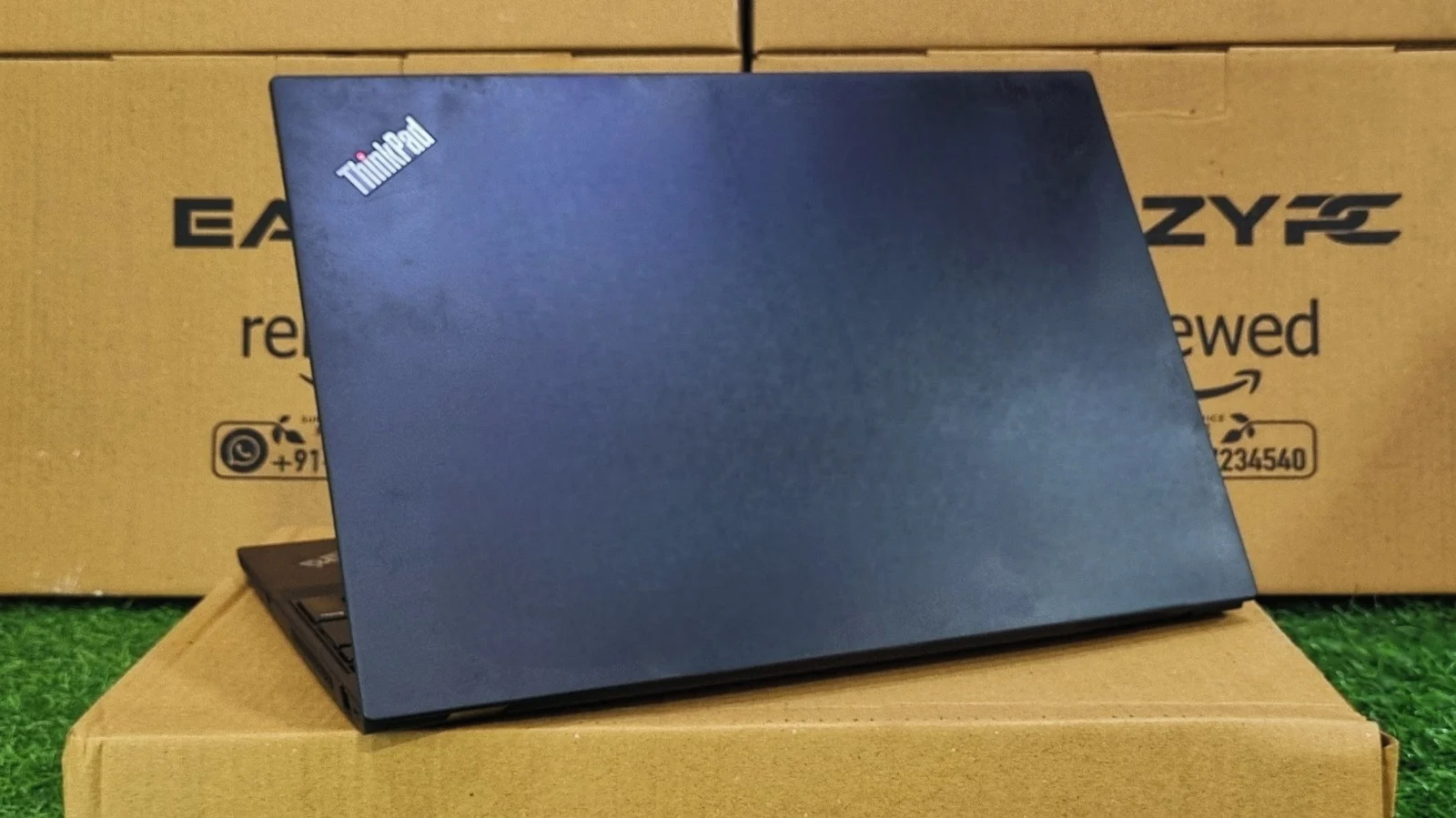
At just over 1.8 kg, it's heavier than the ultraportable competing for desk space, but that extra weight buys a genuinely rigid chassis and room for a full-size keyboard with a numeric keypad, something a lot of 15-inch business laptops skip.
How Good Is the ThinkPad T15 Display?
Our review unit shipped with the Full HD IPS panel, and it does exactly what a business display needs to do: legible text, even backlighting, and an anti-glare finish that holds up under fluorescent office lighting or a window seat. It's not going to wow anyone doing colour-critical work, but for the eight-hour stretch of email and document editing this laptop is built for, that's beside the point.
Viewing angles are wide enough that presenting a screen to a colleague across a desk doesn't wash the image out, and brightness is sufficient for most indoor settings without needing to be cranked to maximum. Buyers who need more can step up to the optional 4K UHD panel, which adds sharper detail and wider colour coverage for anyone doing photo work or presentation design on the side.
ThinkPad T15 Keyboard and Touchpad
Keyboard
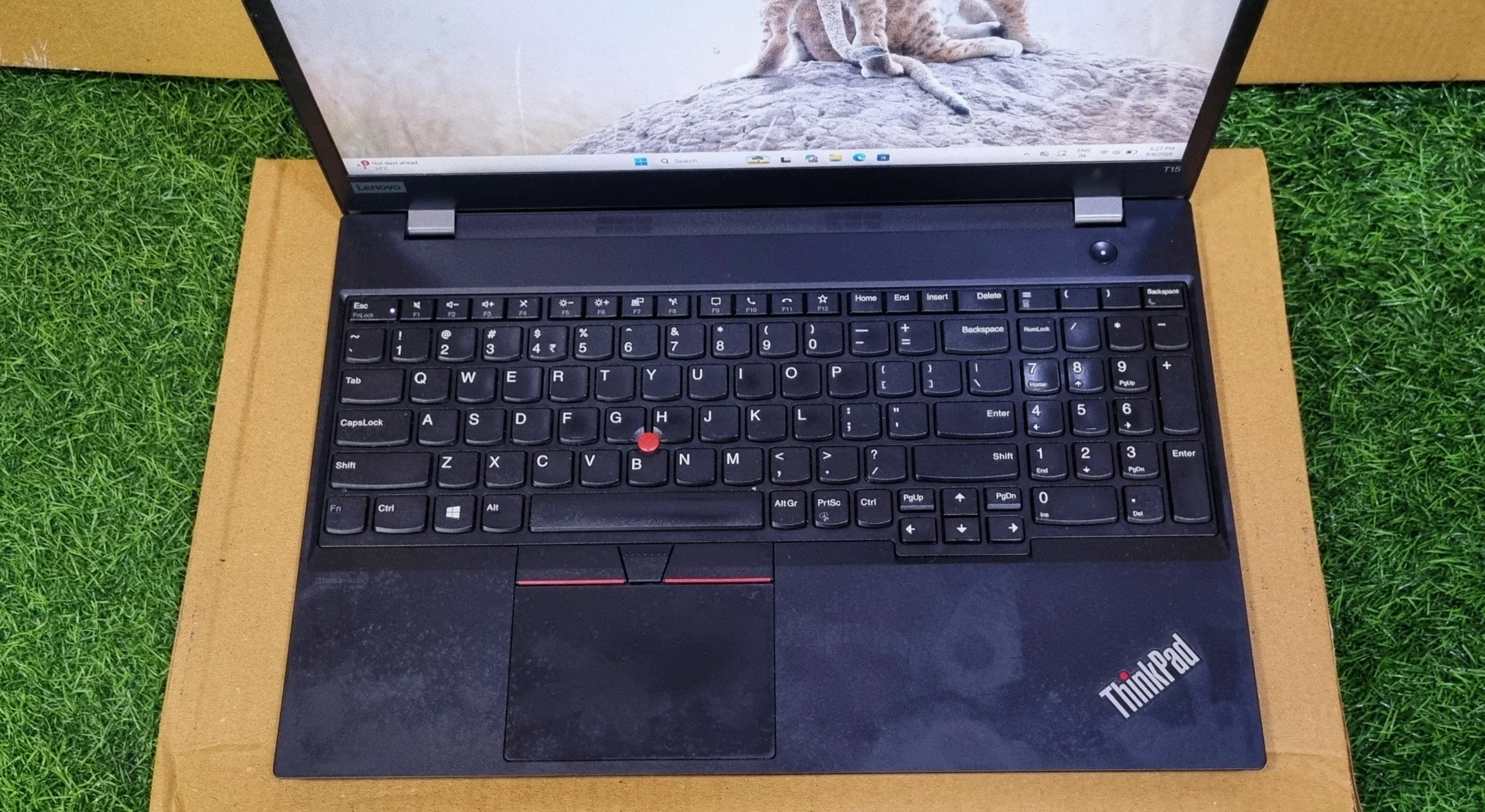
ThinkPad keyboards have a reputation to protect, and the T15 lives up to it. Key travel is deep by 2026 laptop standards, the bottom-out is crisp rather than mushy, and the layout includes a full numeric keypad thanks to the extra width of a 15.6-inch chassis. The signature red TrackPoint nub sits in the middle of the keyboard for people who never fully switched to trackpads, complete with its own set of physical mouse buttons above the touchpad.
Touchpad
The glass touchpad supports Windows Precision gestures cleanly, with reliable multi-finger swipes for switching apps and desktops. It's not the largest surface on the market, partly because it shares deck space with the TrackPoint's dedicated buttons, but tracking is accurate and consistent. A fingerprint reader sits to the right of the touchpad on most configurations, making Windows Hello logins quick without reaching for the webcam.
ThinkPad T15 Performance and Benchmarks
Specs on a page only tell part of the story, so we ran the review unit through a full suite of benchmarks to see how the i5-10310U and its integrated graphics actually hold up under load.
CPU Details (CPU-Z)
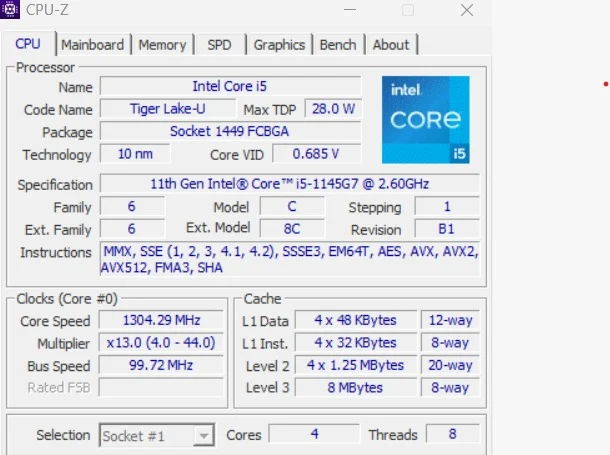
CPU-Z confirms what's under the hood: an Intel Core i5-10310U, codenamed Comet Lake-U, built on Intel's mature 14nm process. It's a straightforward quad-core, eight-thread design with a 15W max TDP, and during testing the core speed climbed as high as 3989 MHz on its 4.0–4.4 GHz boost range. With 6MB of L3 cache, this is Intel's last major refresh of the older Skylake-derived architecture before Tiger Lake and its hybrid successors arrived. It is a chip built for consistent, predictable performance rather than headline numbers.
CPU Performance (Cinebench R23)
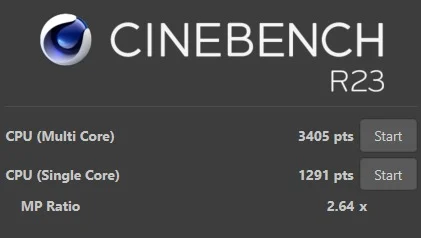
A single-core score just above 1000 is a solid showing for everyday responsiveness. Apps open promptly and switching between windows doesn't feel like waiting. The multi-core number, with an MP ratio of 3.26x, shows the classic ceiling of a four-core chip: there's decent scaling across all cores, but nowhere near the headroom that a hybrid or higher-core-count processor offers when several demanding tasks run at once. It's a chip suited to one focused task at a time rather than heavy multitasking under load.
CPU Benchmark (Geekbench 5)

Geekbench tells a consistent story with Cinebench: a healthy single-core result that lines up with the snappy, no-lag feel of everyday tasks, and a multi-core score that reflects the reality of only having four cores to share the load across. For a 15W chip that's now a couple of generations old, it's a respectable result rather than an exciting one, enough for spreadsheets, browser tabs, and office software, with less headroom for anything that leans on all cores at once.
Graphics Performance (Geekbench OpenCL & 3DMark Time Spy)

An OpenCL score of 4810 is roughly what you'd expect from Intel UHD Graphics of this generation, enough to accelerate everyday photo edits and video playback, but a clear step behind the Iris Xe and newer integrated GPUs found in more recent business laptops.
3DMark's Time Spy test, which leans harder on gaming-style graphics workloads, returned a score of 483, rated "Great" for this hardware class, but a number that confirms the UHD Graphics silicon was never built with games or GPU-accelerated creative work in mind. It handles a second monitor, video calls, and document rendering without complaint, which covers the overwhelming majority of what this laptop will actually be asked to do.
Storage Performance (CrystalDiskMark)
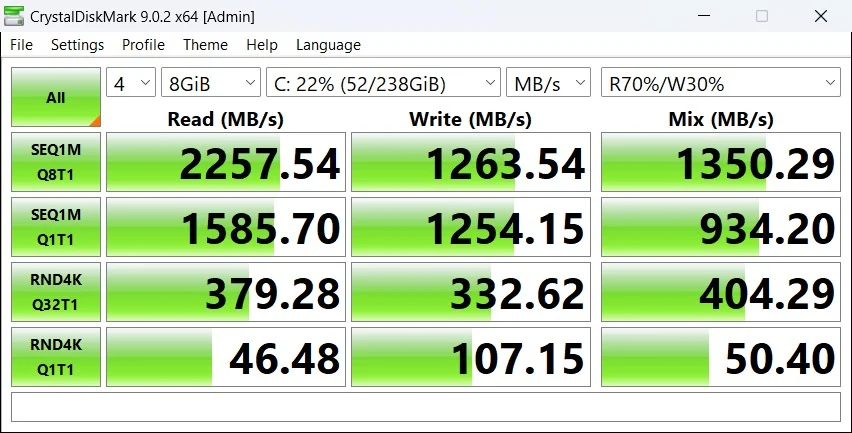
This is where the T15 quietly earns its keep. Sequential read speeds over 3300 MB/s mean Windows boots quickly and large file transfers finish in a fraction of the time an old SATA drive would take, while strong random 4K write numbers keep the system feeling responsive even when several background processes are reading and writing small files at once. Whatever the CPU can't do with brute force, this NVMe drive makes up for how fast the whole machine feels to actually use.
Overall System Performance (PCMark 10)

A total PCMark 10 score of 4022 lands the T15 comfortably in office-laptop territory rather than anywhere near a creative workstation, and the breakdown explains exactly why. The Essentials score, boosted by that fast NVMe drive, shows a system that starts apps and browses the web without friction. Productivity holds up well for spreadsheets and document work. Digital Content Creation is clearly the soft spot, with the Rendering and Visualization figure in particular showing where the aging quad-core CPU and modest integrated graphics start to run out of steam. For the spreadsheets-and-meetings crowd this laptop is built for, none of that gets in the way of a normal workday.
Everyday App Checks
ThinkPad T15 Hardware Details
The T15 runs on a 10th Gen Intel Core i5-10310U from Intel's Comet Lake-U family, built on a mature 14nm process and confirmed directly from our test unit via CPU-Z. It's a conventional quad-core, eight-thread design, a meaningfully different approach from the hybrid Performance-and-Efficiency-core chips that arrived in the generations after it.
It carries a 15W max TDP, so Lenovo has tuned it toward a sensible balance of performance and battery life rather than sustained peak output. Paired with 6MB of L3 cache and Intel UHD Graphics sharing the same package, it's a chip built for steady office computing rather than anything demanding like gaming or serious content creation, and the benchmark numbers above back that positioning up consistently.
ThinkPad T15 Battery Life
The ThinkPad T15 ships with either a 3-cell (~45Wh) or a larger 6-cell battery depending on configuration, and Lenovo rates the bigger option for close to a full working day of mixed use. In practice, realistic day-to-day use tends to land in the 7-to-9-hour range on the larger battery, helped by the 15W chip's efficient idle behavior even if it isn't the newest silicon on the market.
True to ThinkPad tradition, Lenovo hasn't made the battery a headache to deal with. Depending on configuration, it can be accessed for replacement through the base panel, so a worn-out cell a few years down the line is a manageable repair rather than a trip to a specialist.
ThinkPad T15 Ports and Connectivity
Lenovo spreads the T15's ports generously across both sides of the chassis, and doesn't skimp on legacy connectivity the way some newer ultra portables do.
Left Side
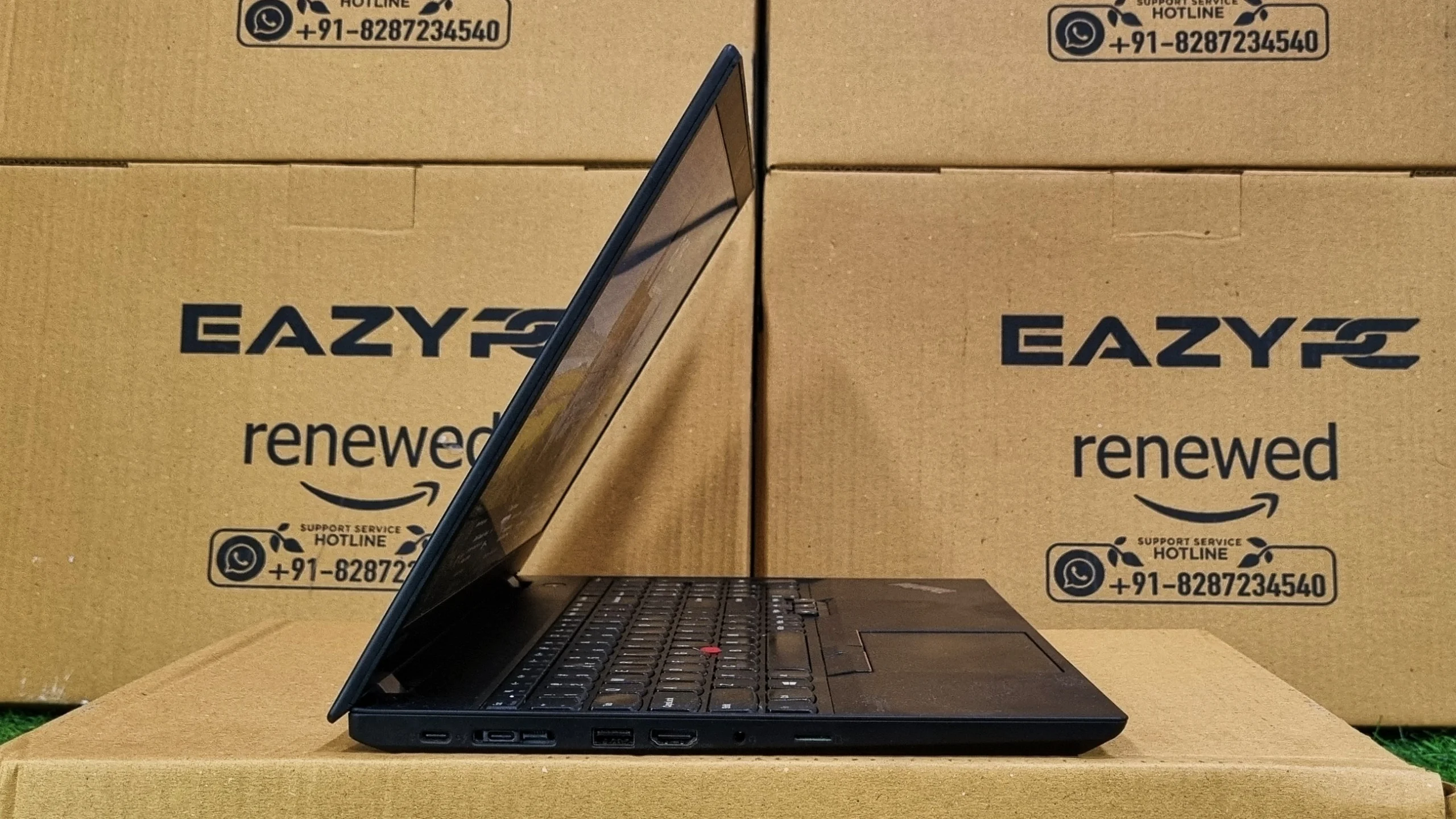
Right Side
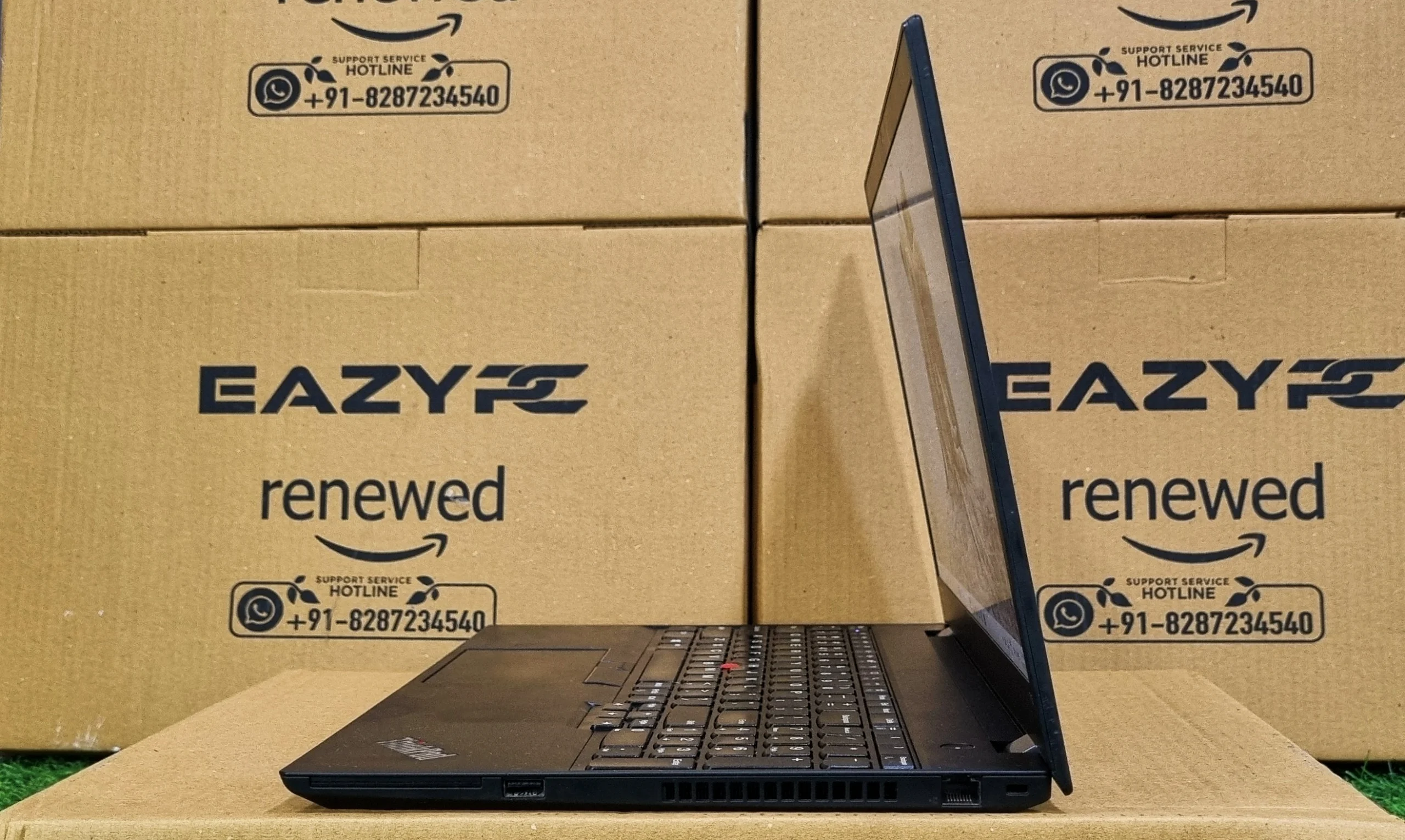
Full-size Ethernet and HDMI without a dongle in sight is a genuinely useful holdover for an office laptop that's going to live on a desk half the week, and the Thunderbolt 3 port covers docking, external displays, and fast data transfer for the days it travels. Combined with Wi-Fi 6, it's a laptop that plugs into both a modern setup and an older conference-room projector without any fuss.
Verdict: Should You Buy the ThinkPad T15?
Final Verdict
The Lenovo ThinkPad T15 does what a T-series ThinkPad has always done. It types well, survives being knocked around, and gets through a normal office workload without drama. The Core i5-10310U isn't going to impress anyone chasing benchmark charts in 2026, and the integrated UHD Graphics is firmly a spreadsheets-and-video-calls GPU rather than anything more, but the fast NVMe storage and that famous keyboard does a lot of the heavy lifting in how the machine actually feels to use.
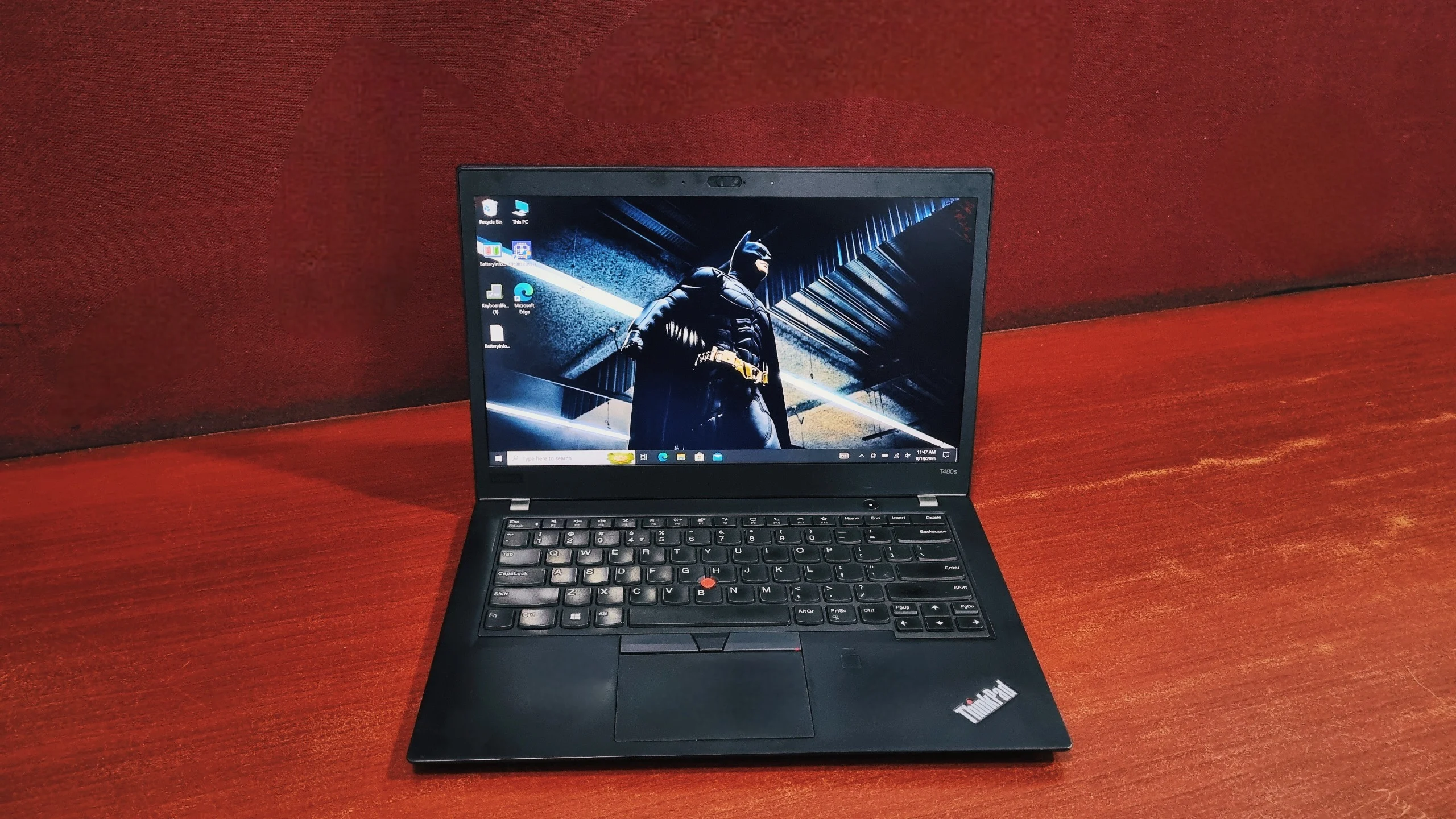
The Full HD display holds up well for long typing sessions, the port selection means fewer dongles than most modern rivals, and the chassis is built to survive years of commuting rather than just looking good on day one. The trade-offs are the ones you'd expect from an older-generation chip: multi-core performance and graphics both show their age next to newer business laptops, and buyers chasing raw speed should look at a more recent ThinkPad generation. For an IT department equipping an office, or anyone who just wants a dependable machine that won't complain about another decade of Excel, the T15 remains a sensible, unglamorous pick. If you'd rather go lighter, check our ThinkPad T480s review, or see the Dell Latitude 7320 review for a newer 11th Gen alternative.
Frequently Asked Questions
Yes. The T15 handles everyday office work comfortably. Its Core i5-10310U processor, fast NVMe SSD, and PCMark 10 scores of 7851 (Essentials) and 6822 (Productivity) confirm it manages spreadsheets, video calls, and web browsing without slowdown.
Partially. The T15 has one soldered memory module plus a single SO-DIMM slot, so total memory can be expanded up to 48GB depending on the base configuration. The M.2 NVMe SSD is also user-serviceable and can be swapped for a larger drive.
Our review unit used a 10th Gen Intel Core i5-10310U from Intel's Comet Lake-U family, built on a 14nm process. It is a quad-core, eight-thread chip with 6MB of L3 cache, a 15W max TDP, and Turbo speeds up to 4.4 GHz.
The T15 lasts roughly 7 to 9 hours in realistic mixed use on the larger battery option. Lenovo offers different battery sizes depending on configuration, and the 15W chip's efficient idle behavior helps stretch runtime across most of a working day.
Yes. The T15 includes a USB-C port with Thunderbolt 3 support, alongside a second standard USB-C port. A single Thunderbolt dock can handle charging, an external display, and high-speed data transfer at once.
On the left side, the T15 has two USB-C ports (one for charging and one USB-C / Thunderbolt 3), a side docking connector, one USB-A 3.2 port, HDMI, a 3.5mm audio combo jack, and a microSD card reader. On the right side it has an Ethernet (RJ-45) port, a second USB-A 3.2 port with Always On charging, an optional Smart Card reader, and a Kensington lock slot.
The T15's integrated Intel UHD Graphics scored 4810 in Geekbench OpenCL and 483 ("Great" for its class) in 3DMark Time Spy. That's enough for video calls, everyday photo editing, and driving an external monitor, but well short of what's needed for gaming or GPU-accelerated creative work.
Yes. The T15 is tested to the MIL-STD 810H durability standard, covering drops, dust, humidity, and temperature extremes, with a carbon-fiber-reinforced chassis that resists flex across the keyboard deck.
No, not meaningfully. The integrated Intel UHD Graphics scored 483 in 3DMark Time Spy, which is far below what modern titles need. Light or older games at low settings are the practical limit. Configurations with the optional NVIDIA GeForce MX330 fare slightly better but are still not gaming machines.
Very fast. Our test unit's PCIe NVMe SSD recorded 3345.74 MB/s sequential read and 2924.48 MB/s sequential write in CrystalDiskMark, with 272.41 MB/s random 4K read and 457.08 MB/s random 4K write. That means quick Windows boots and near-instant file transfers.
Yes. The standard panel is a 15.6-inch Full HD (1920 x 1080) anti-glare IPS display, and Lenovo offers an optional 4K UHD panel with sharper detail and wider colour coverage for photo work or presentation design.
The T15 suits office and enterprise users who work primarily in spreadsheets, email, documents, and video calls, and IT departments equipping fleets that need MIL-STD 810H durability and easy serviceability. Buyers who need strong multi-core performance or GPU-accelerated creative work should look at a newer ThinkPad generation instead.