Blogs
HP EliteBook 840 G7 Review: Performance, Storage & Benchmarks

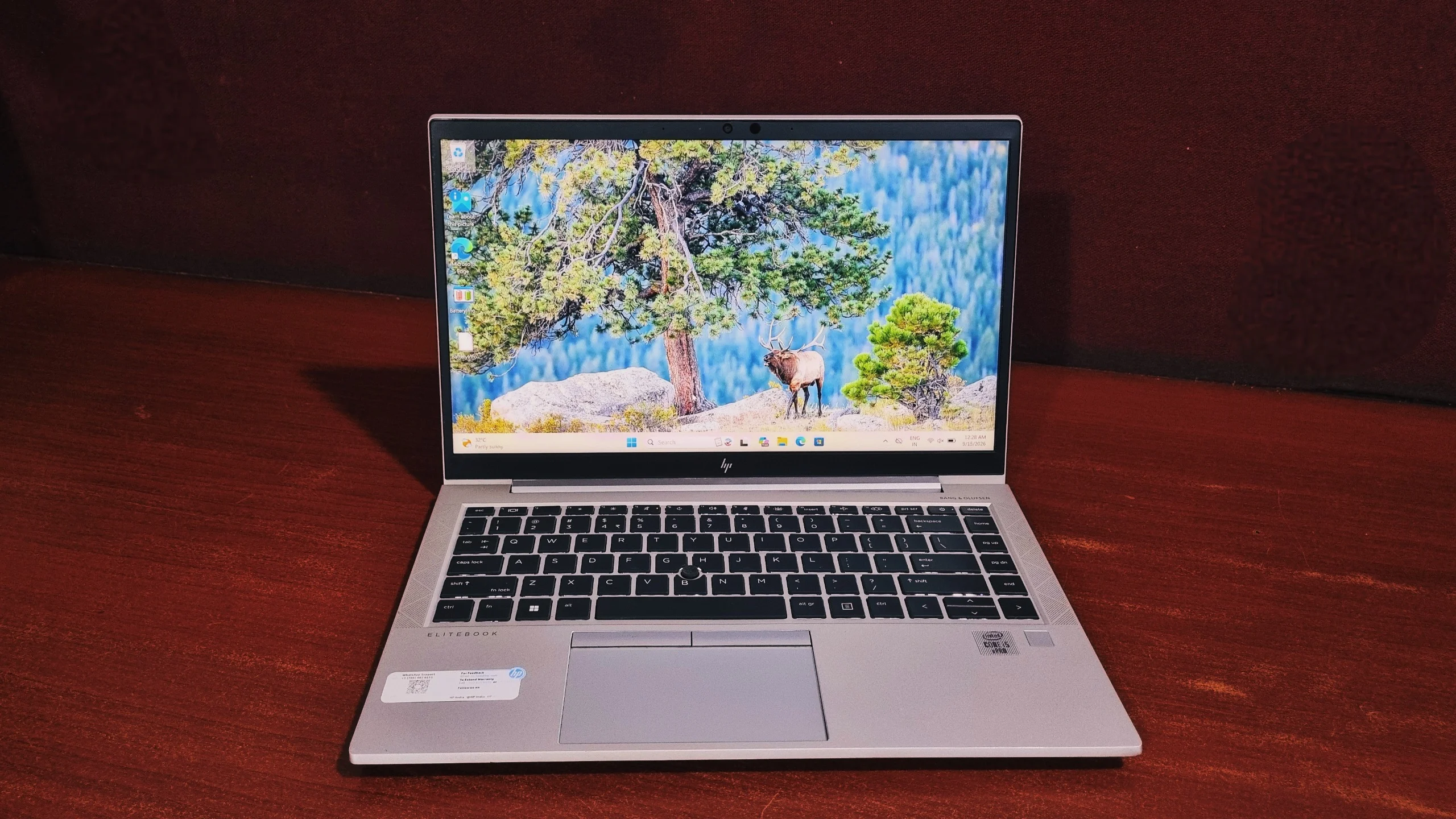
A 10th Gen quad-core business laptop put through a full benchmark suite, so you know exactly where it still earns its keep and where the years show.
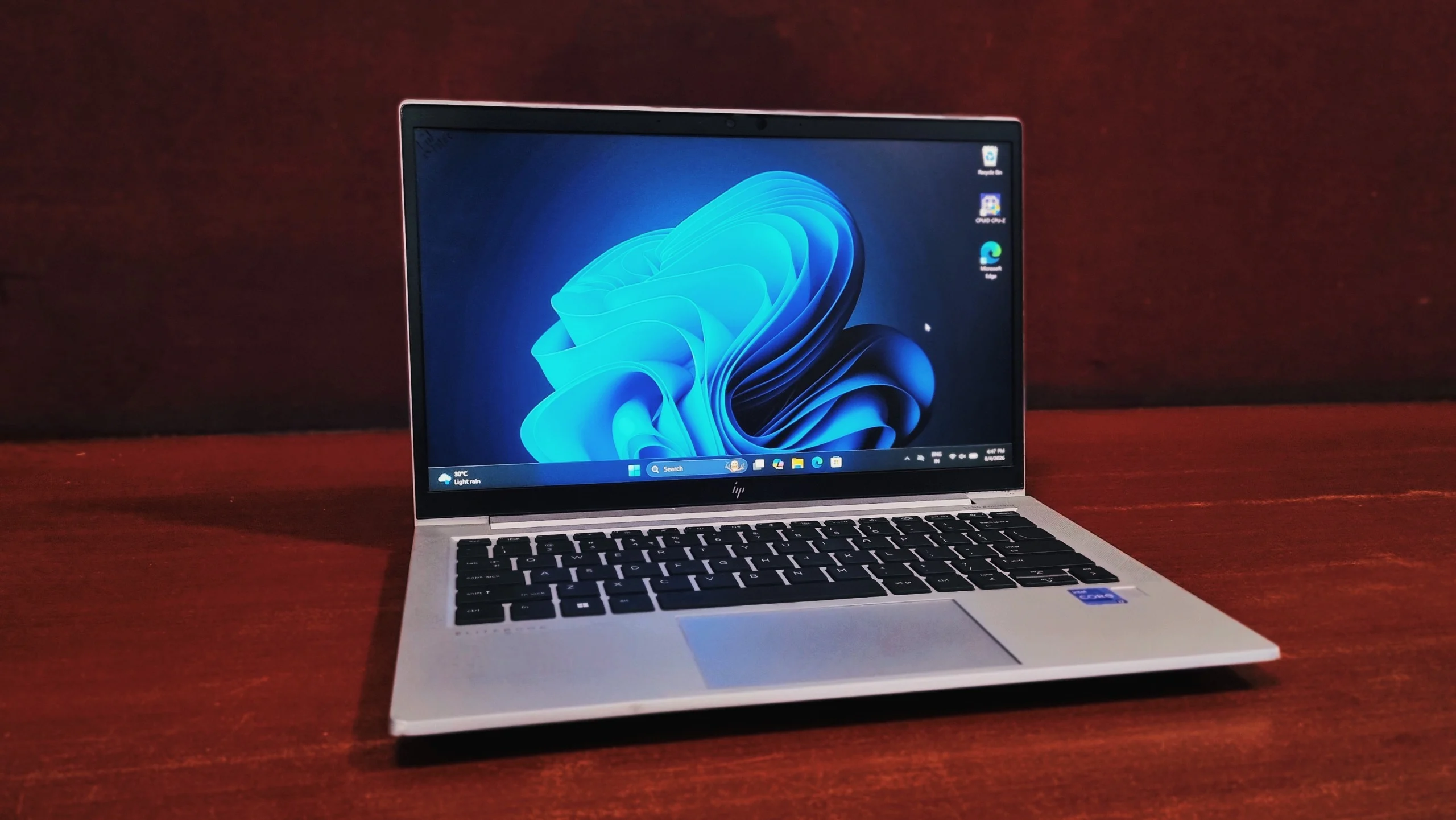
The HP EliteBook 840 G7 with an Intel Core i5-10310U is a good fit for basic office work such as email, spreadsheets, browsing, and video calls, but it is not a strong performer by current standards. It scored 3574 in PCMark 10, ranking behind 81% of all submitted results and below the 2023 office-laptop average of 5848. Its 256GB NVMe SSD (up to 553 MB/s sequential read) is the strongest part of the system, while its Intel UHD integrated graphics (3DMark Time Spy: 384) rule out gaming or video editing.
Key Takeaways
- Processor: Intel Core i5-10310U, 4 cores, 8 threads, up to 4.4 GHz, 15W TDP.
- PCMark 10 overall score: 3574 (Essentials 6986, Productivity 6174, Digital Content Creation 2874).
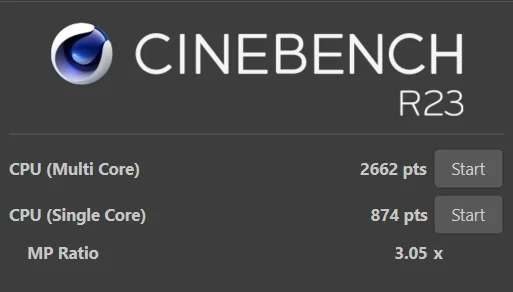
- Cinebench R23: 2662 points multi-core, 874 points single-core.
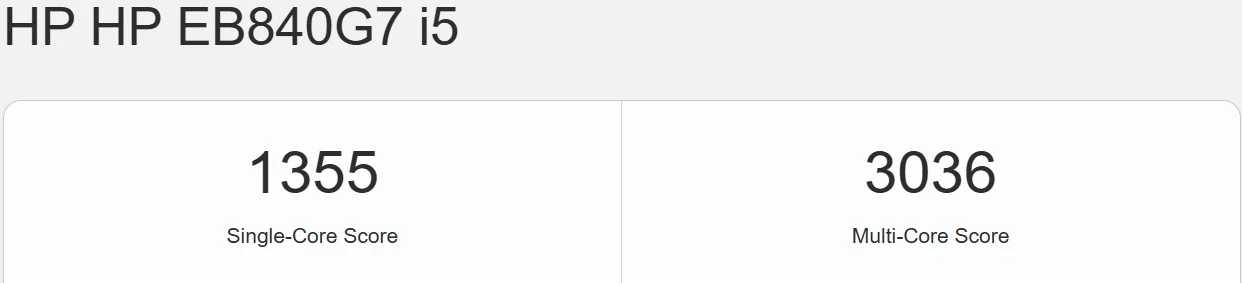
- Geekbench 5: 1355 single-core, 3036 multi-core.
- Storage: 256GB NVMe SSD, up to 553.13 MB/s sequential read.
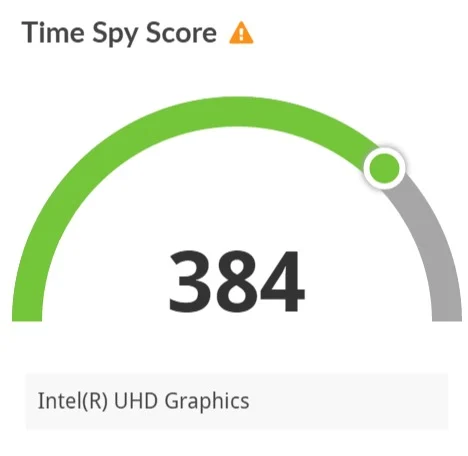
- Graphics: Integrated Intel UHD Graphics; 3DMark Time Spy score of 384, not suitable for gaming.
- Best for: everyday office work, web browsing, spreadsheets, and video calls.
- Not recommended for: gaming, video editing, or heavy multitasking with many apps open.
Specifications
| Spec | Detail |
|---|---|
| Processor | Intel Core i5-10310U (4 cores, 8 threads, up to 4.4 GHz Turbo, 6MB L3 cache) |
| Graphics | Integrated Intel UHD Graphics |
| Memory | 8GB or 16GB DDR4 2666 MHz, depending on configuration |
| Storage | 256GB PCIe NVMe SSD (M.2, configurable up to 512GB/1TB) |
| Display | 14", Full HD (1920 x 1080), anti-glare IPS panel |
| Wireless | Wi-Fi 6 (802.11ax), Bluetooth 5.0 |
| Weight | From approximately 1.36 kg |
| Battery | 3-cell, approximately 53Wh |
HP built the 840 G7 around a 10th Gen Comet Lake-U chip at a point when Intel was still leaning on a quad-core design rather than the hybrid architecture that would arrive a generation later. That makes it a straightforward, uniform four-core-eight-thread part, the kind of chip IT departments were rolling out by the thousand a few years back for exactly the workload it's still handling in refurbished form today. If you're new to buying this way, it's worth understanding what a refurbished laptop actually is and how grading works.
We spent time with an i5-10310U configuration, ran the full benchmark suite, and pulled together an honest read on where this machine still earns its keep and where the years show. Here's the breakdown.
Design & Build Quality
The HP EliteBook 840 G7 has an aluminum chassis with MIL-STD 810H durability testing, meaning it's rated to withstand drops, dust, humidity, and temperature extremes typical of daily business travel.
The 840 G7's shell keeps to HP's usual EliteBook restraint: a muted silver finish that looks the same whether it's sitting on a CEO's desk or the twentieth cubicle down the row. There's very little flex through the keyboard deck, and the hinge holds its position without drooping, even one-handed.
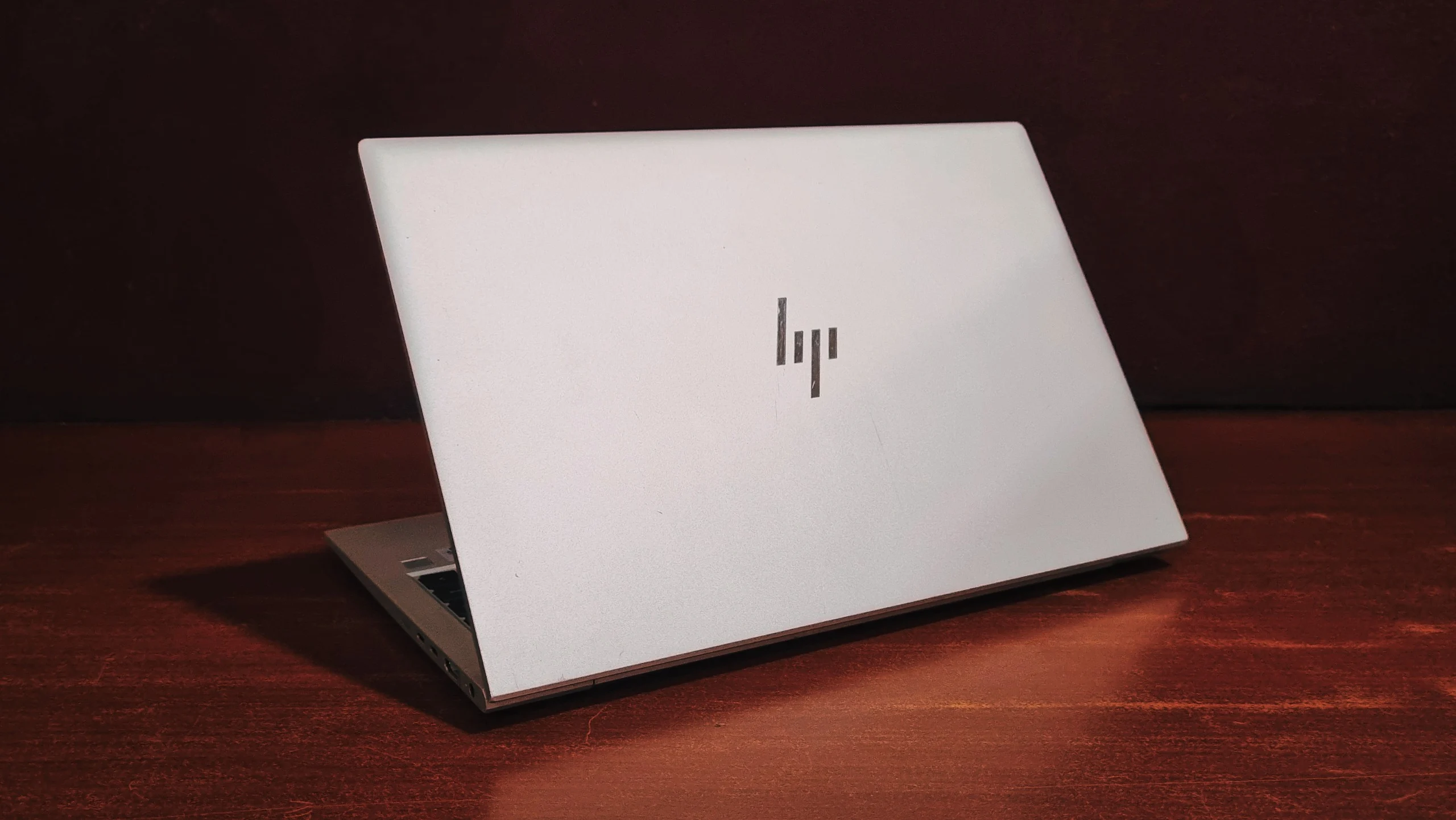
At roughly 1.36 kg, it's easy to carry through a full day without noticing the extra weight, and the 14-inch footprint keeps it a size smaller than most 15.6-inch business laptops without shrinking the typing experience down with it.
The Display
The HP EliteBook 840 G7 uses a 14-inch Full HD (1920 x 1080) anti-glare IPS panel, rated at approximately 250 nits of brightness.
Text stays sharp, colours stay consistent from most viewing angles, and the anti-glare coating keeps window reflections from becoming a fight during a video call. It won't wow anyone doing photo work, but that was never the assignment. For a screen that's mostly going to show email, spreadsheets, and a video call window for eight hours a day, that's a fair trade.
Keyboard & Touchpad
Keyboard
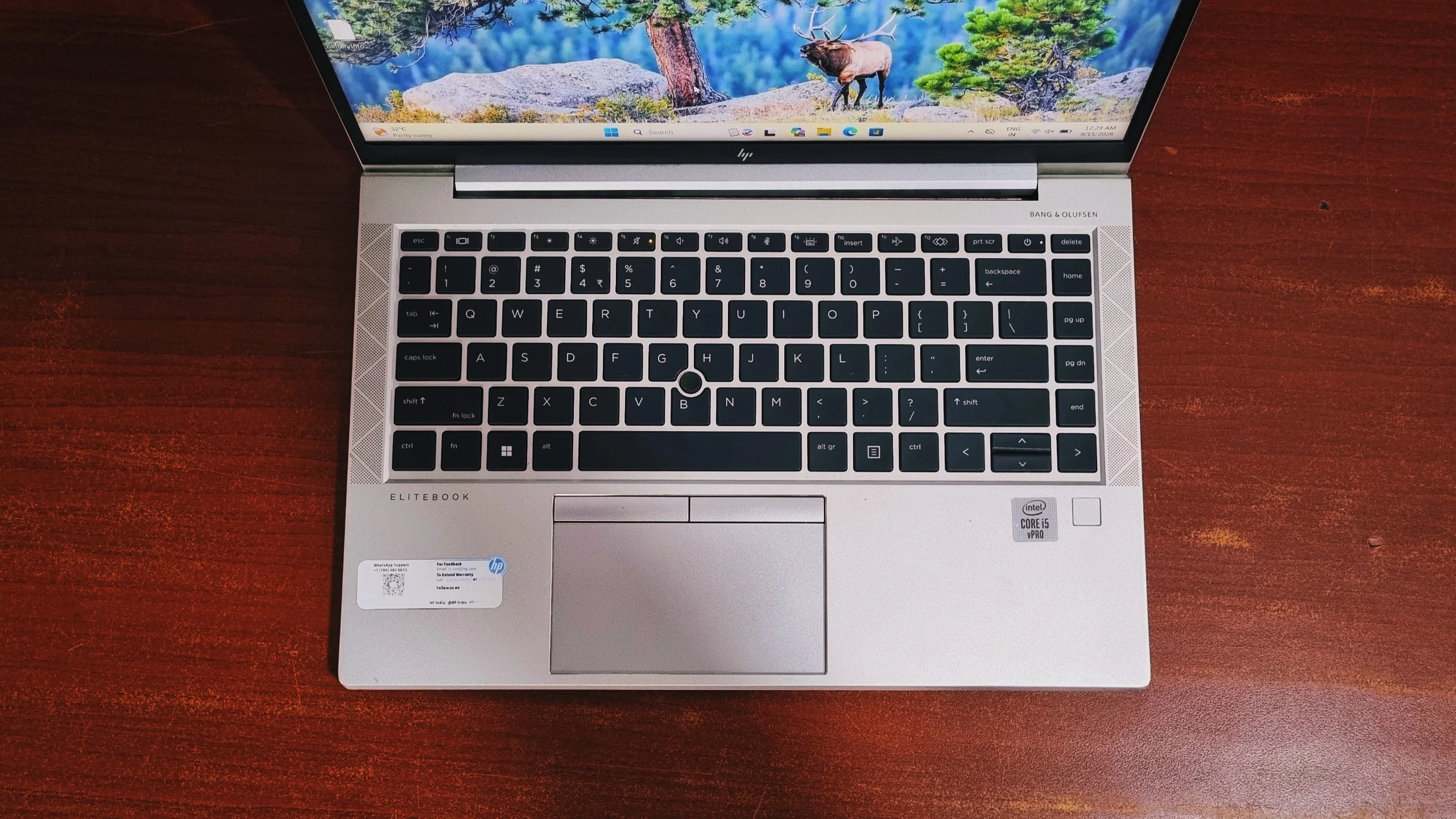
The backlit keyboard carries the firm, well-defined key travel HP's business line is known for, with a solid bottom-out that holds up to long typing sessions without feeling mushy. Key spacing is generous for a 14-inch chassis, and there's no awkward compression around the arrow keys the way some smaller laptops manage.
Touchpad
The touchpad is smooth, accurate, and supports Windows Precision gestures cleanly, so three- and four-finger swipes register on the first try rather than needing a second attempt. A fingerprint reader sits below the keyboard, a small convenience that matters on a machine that gets picked up and unlocked all day long.
Performance & Benchmarks
Specs on a spec sheet only tell part of the story, so we ran the review unit through a full round of benchmarks to see how it actually behaves once it's doing real work.
Benchmark Scores at a Glance
| Test | Result |
|---|---|
| Cinebench R23 (multi-core) | 2662 points |
| Cinebench R23 (Single-Core) | 874 points |
| Geekbench 5 (Single-Core) | 1355 |
| Geekbench 5 (multi-core) | 3036 |
| 3DMark Night Raid (Graphics) | 336 |
| 3DMark Night Raid (CPU) | 2190 |
| 3DMark Time Spy | 384 |
| CrystalDiskMark (Seq. Read Q8T1) | 553.13 MB/s |
| CrystalDiskMark (Seq. Write Q8T1) | 478.30 MB/s |
| PCMark 10 (Overall) | 3574 |
CPU Details (CPU-Z)
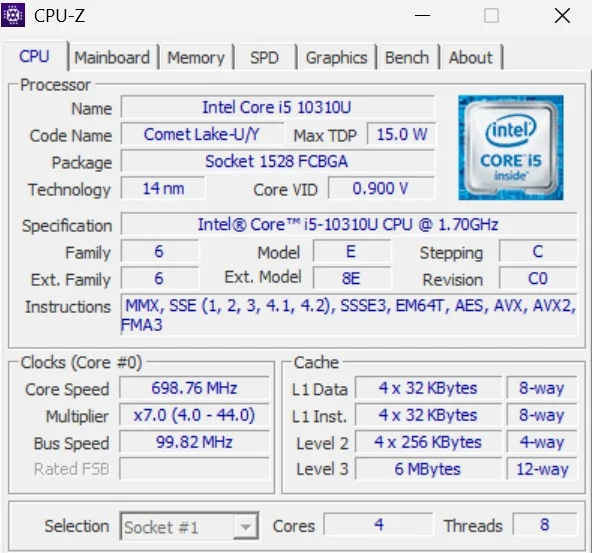
CPU-Z confirms the chip inside: an Intel Core i5-10310U, codenamed Comet Lake-U/Y, built on Intel's 14nm process in a Socket 1528 FCBGA package. It's a conventional 4-core, 8-thread design with a 15.0W max TDP and a Core VID of 0.900V, base clocked at 1.70GHz with a multiplier that ranges from x7.0 up to x44.0, meaning it can turbo as high as 4.4GHz under the right conditions. It's backed by 6MB of L3 cache and supports the full run of AVX2, AES, and FMA3 instruction sets. There's no hybrid core split here; this is Intel's older, simpler approach to squeezing threaded performance out of a thin-and-light chassis, one generation before Alder Lake changed the formula.
CPU Performance (Cinebench R23)
It's a competent showing for a 15W part from 2020, just not a fast one by current standards.
CPU Benchmark (Geekbench 5)
In Geekbench 5, the HP EliteBook 840 G7 posts a single-core score of 1355 and a multi-core score of 3036.
For a 15W chip pushing four years old, it's still enough headroom for spreadsheets, a dozen browser tabs, and a video call running at the same time. Just don't expect it to fly through anything heavier.
Graphics Performance (3DMark)
It's fine for driving an external monitor, handling video calls, and playing back everyday video, but 3D workloads of any kind, games included, are off the table. This is graphics silicon built to stay out of the way, not to be noticed.
Storage Performance (CrystalDiskMark)
The 256GB NVMe SSD hits 553.13 MB/s sequential read and 478.30 MB/s sequential write, which is well ahead of a SATA SSD but behind current Gen4 NVMe drives.
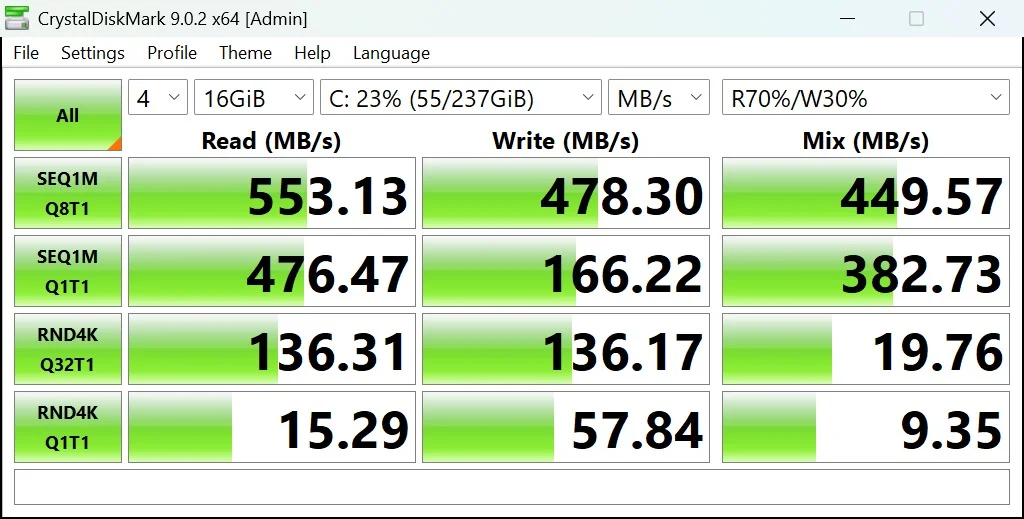
It's the component doing the most to keep the system feeling current despite the older CPU.
Overall System Performance (PCMark 10)
The HP EliteBook 840 G7 scores 3574 overall in PCMark 10, behind 81% of all submitted results and below the "Office laptop (2023)" average of 5848.
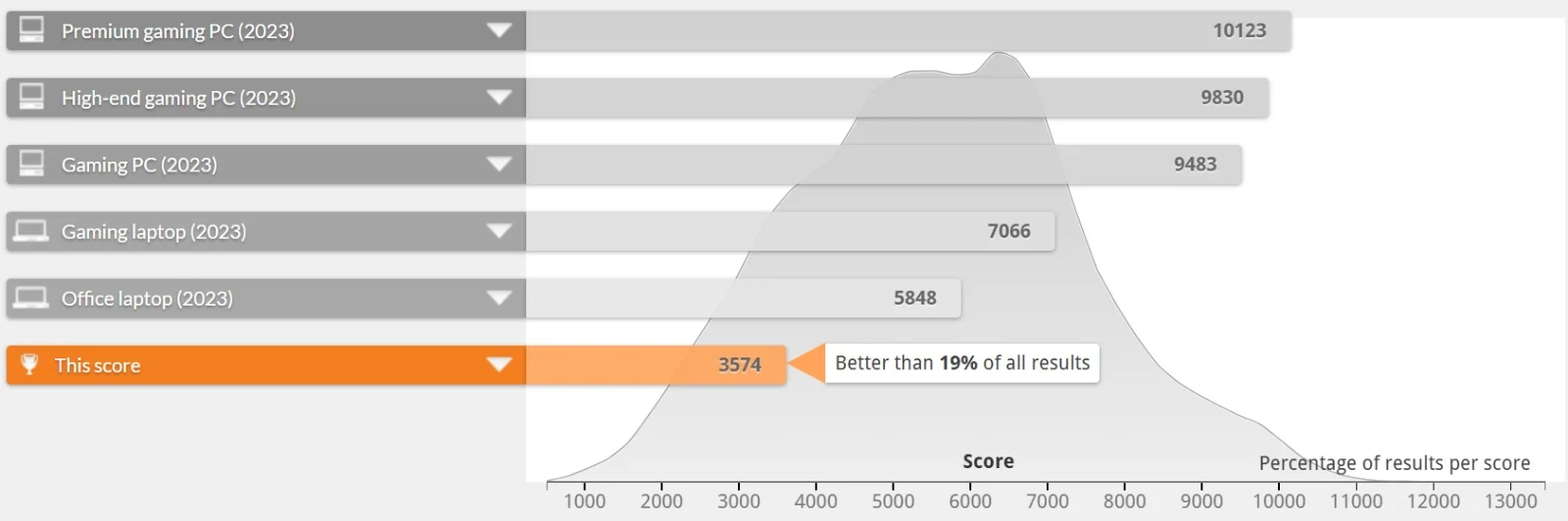
That's a meaningful gap, and it tracks with a quad-core, 15W chip from 2020 being measured against a benchmark pool that's increasingly full of newer hybrid-core machines. The Essentials and Productivity scores are the ones that matter most day to day, and they still land in a comfortable zone for web browsing, spreadsheets, and writing.
Everyday App Checks
- Microsoft Office: Opens and saves typical office files without noticeable delay, helped by the NVMe drive.
- Google Chrome: Handles 10-15 tabs comfortably; push past that during a video call and the quad-core CPU starts to show it.
- Video Conferencing: Smooth for 1080p calls on their own, though CPU load climbs quickly once other apps are running alongside a call.
Hardware Details
The EliteBook 840 G7 runs on a 10th Gen Intel Core i5-10310U, part of Intel's Comet Lake-U family and built on a 14nm process, confirmed directly from our test unit via CPU-Z. It's a conventional four-core, eight-thread design, the same core architecture Intel had been refining for several generations before the hybrid Alder Lake chips arrived.
It carries a 15W max TDP, so HP has tuned it for a sensible balance of battery life and responsiveness rather than sustained peak output. Paired with 6MB of L3 cache and Intel UHD Graphics on the same die, it's a chip built for office computing and video calls, not gaming or content creation, and every benchmark above backs that positioning up.
Battery Life
The HP EliteBook 840 G7 typically ships with a 3-cell, roughly 53Wh battery, delivering an estimated 7 to 9 hours of real-world mixed use.
As with the rest of the EliteBook range, HP hasn't made the battery a nightmare to service. Getting to it involves the base panel and a standard set of screws, so a worn cell further down the line is a routine swap rather than a repair-shop trip.
Ports and Connectivity
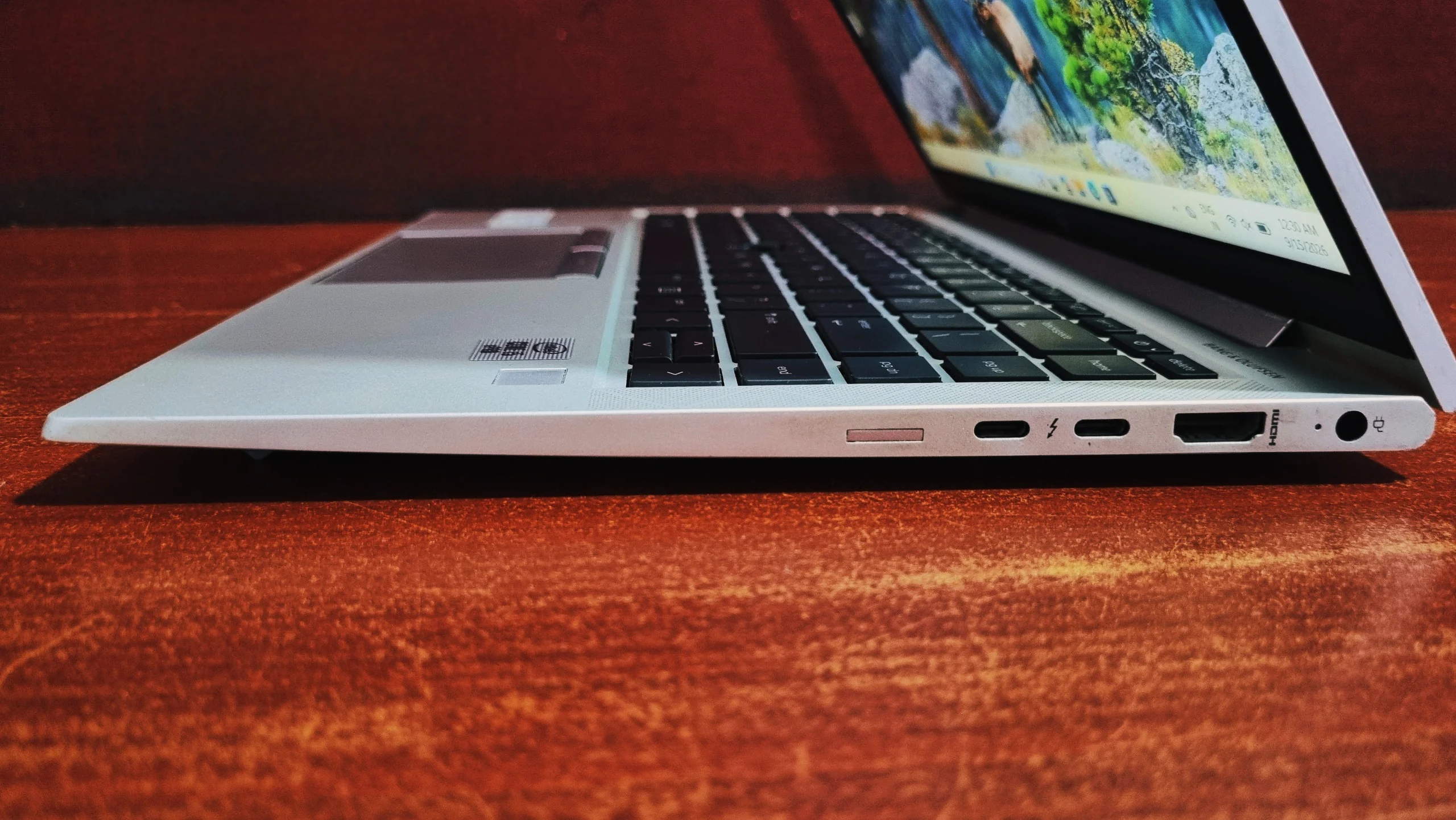
HP spreads the port selection across both sides of the chassis, keeping cable clutter away from either hand.
Right Side
Left Side
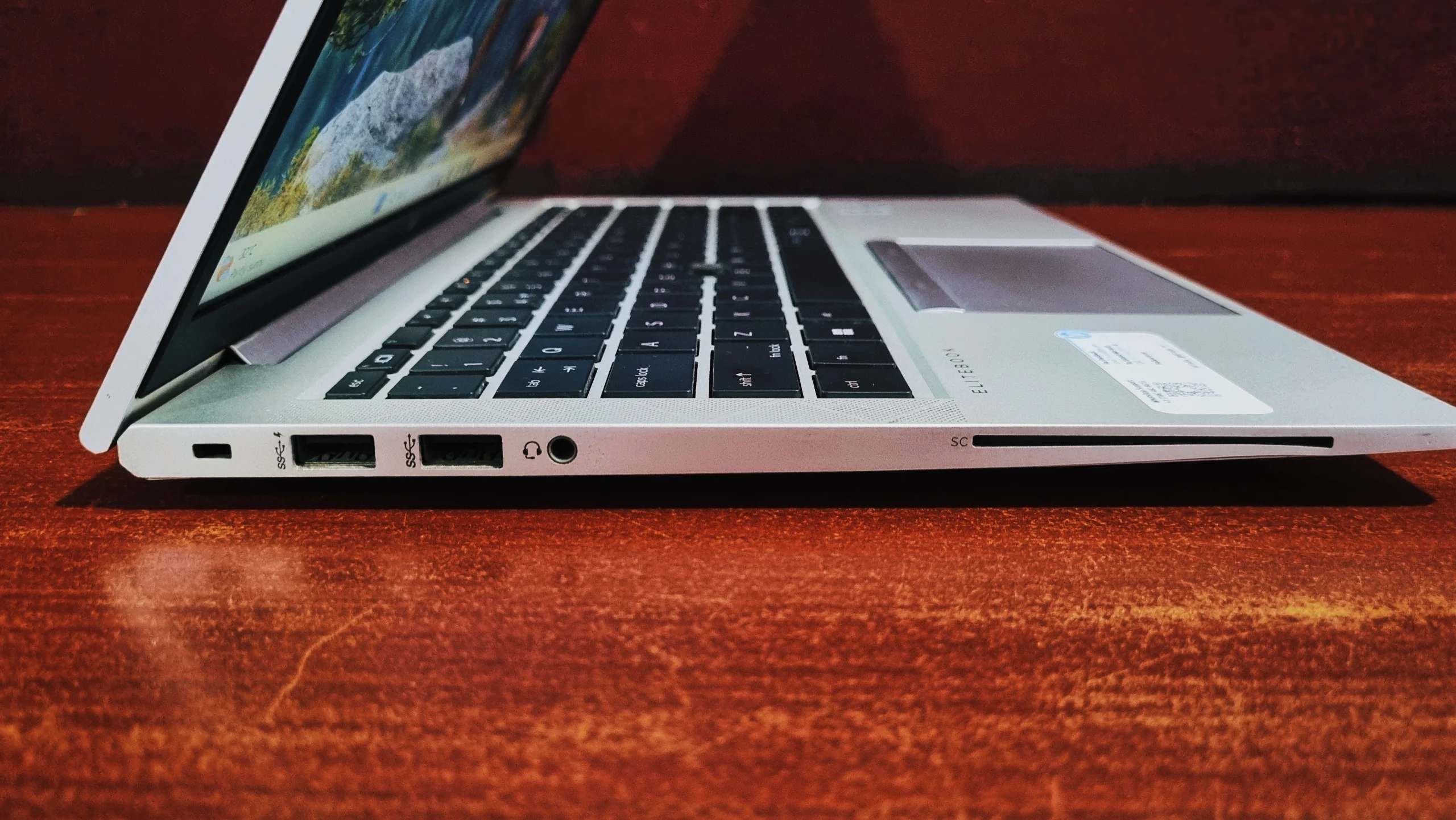
Two Thunderbolt-capable USB-C ports mean a single dock can charge the laptop, drive an external display, and move data at the same time, which covers most modern office docking setups without extra dongles. The separate barrel power connector is a useful fallback, letting you charge from the original HP adapter while both USB-C ports stay free. Wi-Fi 6 support adds a faster, less congested wireless connection on networks that support it.
HP EliteBook 840 G7 vs. a Current Office Laptop
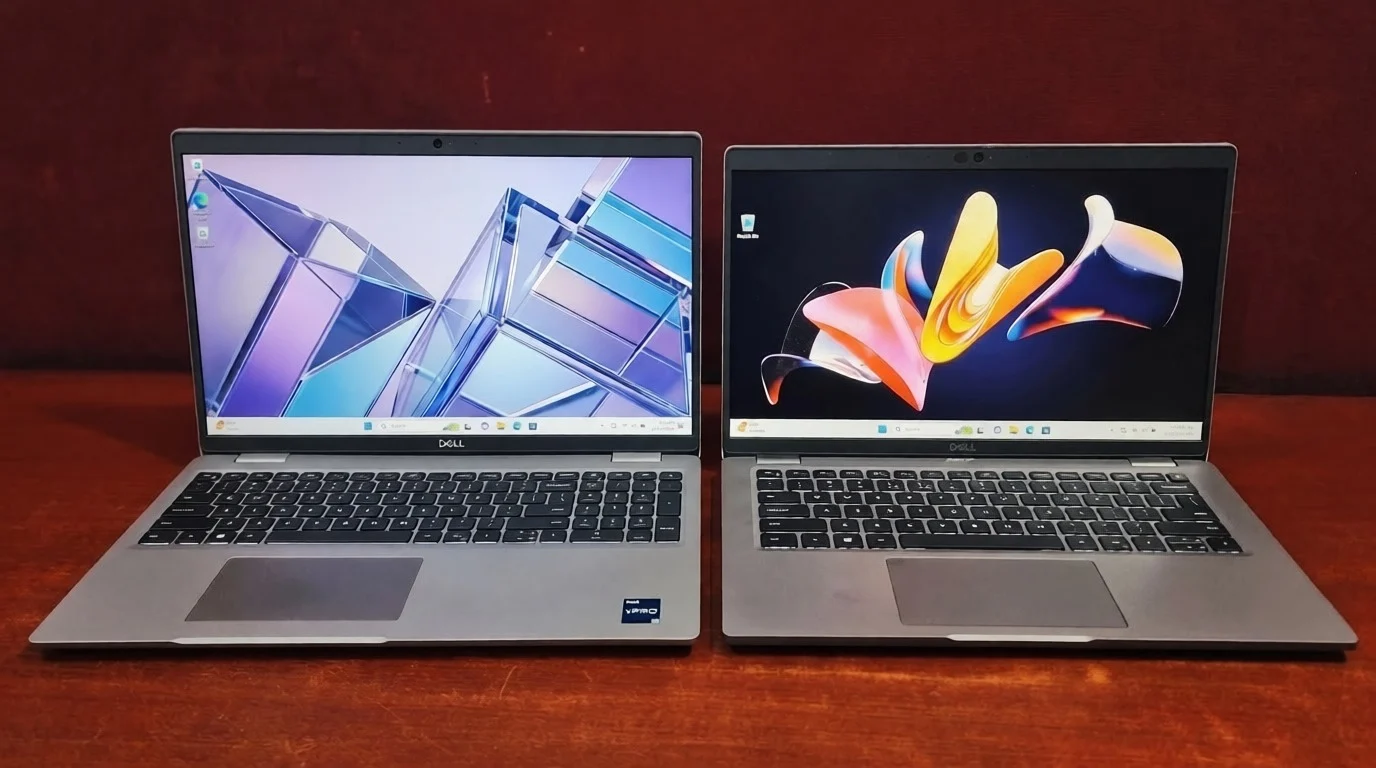
Here's how the 10th Gen HP EliteBook 840 G7 stacks up against a typical current-generation (2023-2026) office laptop, based on PCMark 10 data. For a like-for-like refurbished comparison, our Dell Latitude 5400 review covers a similarly priced 8th Gen Core i7 machine.
| Metric | HP EliteBook 840 G7 | Typical Office Laptop (2023) |
|---|---|---|
| PCMark 10 Overall | 3574 | 5848 |
| Processor generation | 10th Gen (Comet Lake-U) | 12th–13th Gen or newer |
| Core design | Quad-core, uniform | Hybrid Performance + Efficient cores |
| Graphics | Intel UHD | Intel Iris Xe or better |
| Storage type | NVMe SSD (256GB, ~553 MB/s) | NVMe SSD (often 1000+ MB/s) |
| Best suited for | Basic office tasks | Office tasks + light multitasking/creative work |
Final Verdict
Final Verdict
The HP EliteBook 840 G7 still does the basics well: it's solidly built, the keyboard and touchpad hold up to daily use, and the NVMe drive keeps the system feeling quicker than the CPU benchmarks alone would suggest. The Core i5-10310U's quad-core design and 15W tuning were competitive for their time, and the PCMark 10 Essentials and Productivity scores confirm it still handles spreadsheets, browsing, and writing without friction.
Where it shows its age is anywhere the workload gets heavier: Digital Content Creation, graphics, or juggling a genuinely large number of browser tabs and apps at once. Against a current "Office laptop (2023)" benchmark average, the 3574 PCMark 10 score is a clear step behind, a reminder that this is 10th Gen Comet Lake silicon being asked to keep pace with newer hybrid-core chips. If you're weighing generations against each other, our best laptop processor guide for 2026 sets out where each tier lands. For light, predictable office work, or as a budget-friendly refurbished pickup, the 840 G7 remains a sensible, well-built option. Just don't expect it to feel current.
Related Reads
Frequently Asked Questions
Yes. The Core i5-10310U handles spreadsheets, web browsing, and video calls comfortably, and PCMark 10's Essentials (6986) and Productivity (6174) scores back that up. Heavier multitasking with a large number of apps and tabs open at once is where the quad-core chip starts to feel its age.
It uses a 10th Gen Intel Core i5-10310U, part of Intel's Comet Lake-U family on a 14nm process. It's a quad-core, 8-thread chip with 6MB of L3 cache, a 15W max TDP, and Turbo speeds up to 4.4GHz.
The 256GB NVMe SSD posts sequential read speeds above 550 MB/s in CrystalDiskMark, comfortably ahead of a SATA SSD, though behind the fastest current-generation NVMe drives. It's fast enough to keep boot times and everyday file access feeling quick.
With the typical 53Wh battery, realistic mixed-use lands in roughly the 7-to-9-hour range, enough to cover most of a working day depending on screen brightness and workload.
Yes. It includes two USB-C ports with Thunderbolt 3 support, Power Delivery, and DisplayPort Alt Mode, so a single dock can handle charging, an external display, and data transfer together.
It scores 3574 in PCMark 10, well behind the 2023 average office-laptop benchmark of 5848, and behind 81% of all submitted results. The gap reflects its age and quad-core Comet Lake design rather than any fault in the specific unit.
No. Its integrated Intel UHD Graphics scored 384 in 3DMark Time Spy and 336 in Night Raid's graphics test, well within entry-level territory. It can handle video playback and light photo work, but not gaming or serious video editing.
Yes. The Intel Core i5-10310U is on Microsoft's list of supported 8th Gen and newer processors, and the 840 G7 ships with TPM 2.0 and UEFI Secure Boot, so it meets the Windows 11 hardware requirements. Most refurbished units are supplied with Windows 11 Pro already installed.
Yes. It's tested to the MIL-STD 810H durability standard, covering drops, dust, humidity, and temperature extremes, inside an aluminum chassis that shows minimal flex under normal use.
The SSD can be upgraded. The 256GB M.2 PCIe NVMe drive sits in a standard slot behind the base panel and can be swapped for a 512GB or 1TB drive. The RAM cannot, because memory is soldered to the board on this model, so the 8GB or 16GB configuration you buy is the one you keep.
The HP EliteBook 840 G7 (i5-10310U) scores 3574 overall in PCMark 10, with an Essentials score of 6986, a Productivity score of 6174, and a Digital Content Creation score of 2874.
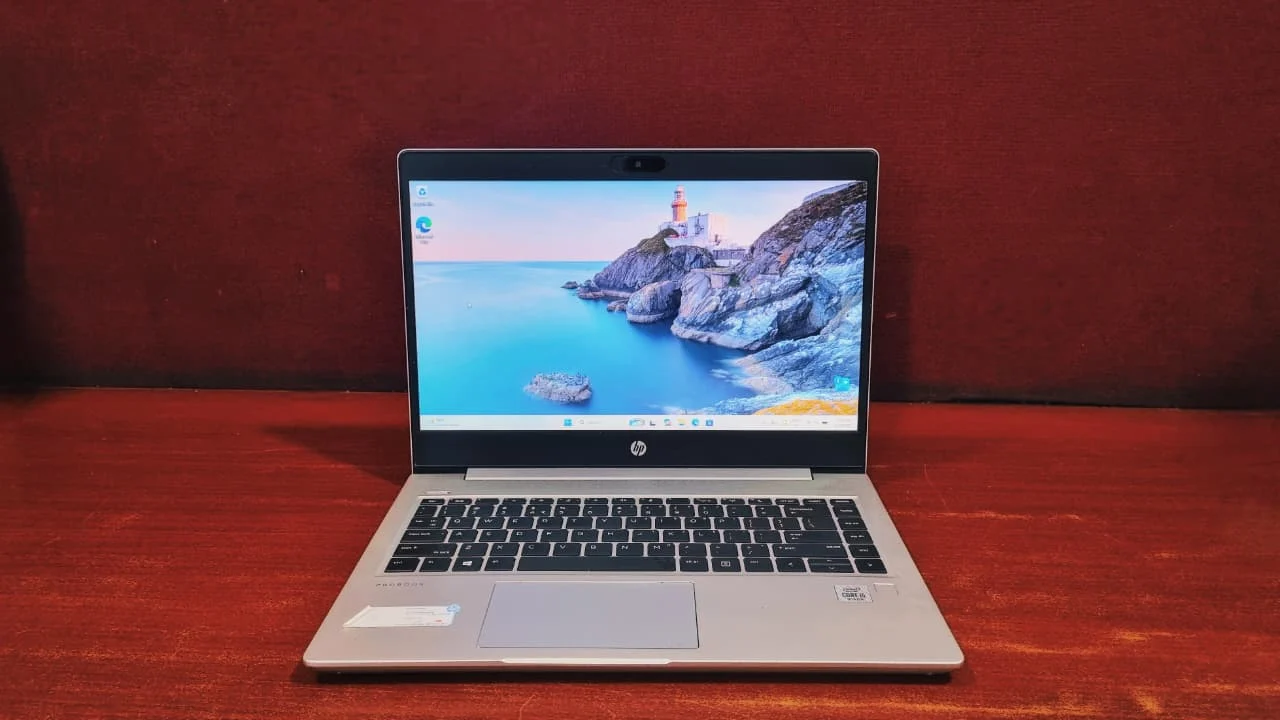
As a refurbished buy for light office work, yes. The build quality, keyboard, Thunderbolt 3 ports, and NVMe storage all hold up, and Windows 11 support means it stays current on updates. It is not worth buying if you need creative applications, gaming, or heavy multitasking, in which case a 12th Gen or newer machine is the better spend. You can compare it against the rest of the refurbished HP EliteBook and ProBook range before deciding.