




Blogs
Lenovo ThinkPad E15 Gen 2 Review: Is It Worth Buying in 2026?

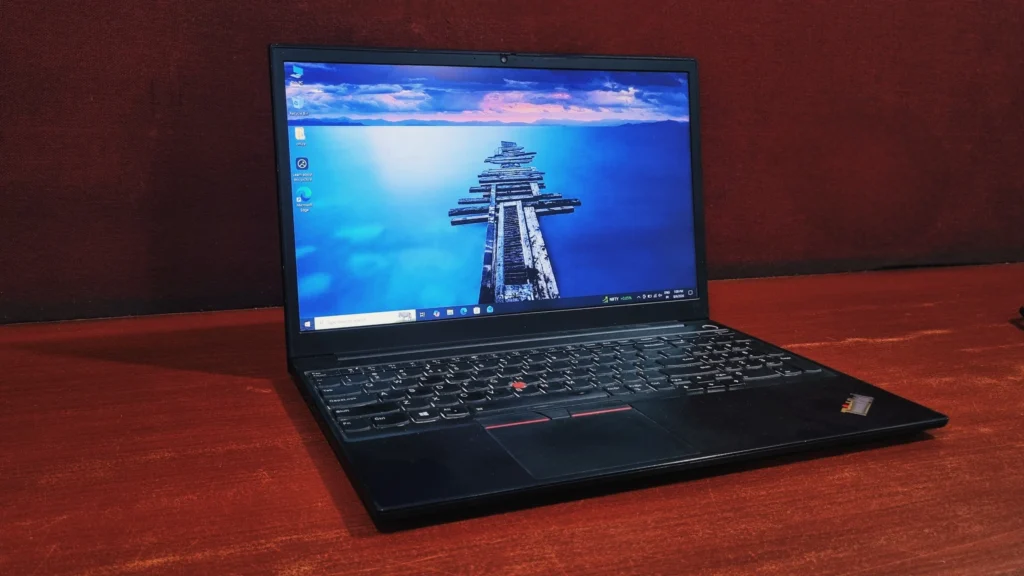
If you've been eyeing a 15-inch business laptop that doesn't completely fold under performance pressure, the ThinkPad E15 Gen 2 deserves a spot on your shortlist.
This laptop brings genuinely useful CPU and GPU performance to the budget end of Lenovo's business lineup. The headline change for this generation is the move to Intel's Tiger Lake processors, a real leap over the outgoing Comet Lake and Ice Lake chips that powered older ThinkPads. Depending on the configuration you pick, you can stick with Intel's built-in Iris Xe graphics, for light photo editing, CAD viewing, or the odd game after work hours.
Specifications
Processor
11th Generation Intel Core i5-1135G7
Graphics
Intel Iris Xe Graphics
Memory
16GB, up to 32GB DDR4 3200MHz (single SODIMM slot)
Storage
Dual M.2 PCIe x4 slots, extendable up to 2TB
Display
15.6" FHD (1920x1080) IPS, non-touch, matte finish
Keyboard
Spill-resistant chiclet keyboard, backlit
Weight
1.70 kg
Connectivity
Wi-Fi 6 (802.11ax) & Bluetooth 5.0/5.1, optional Thunderbolt 4
Design & Build Quality
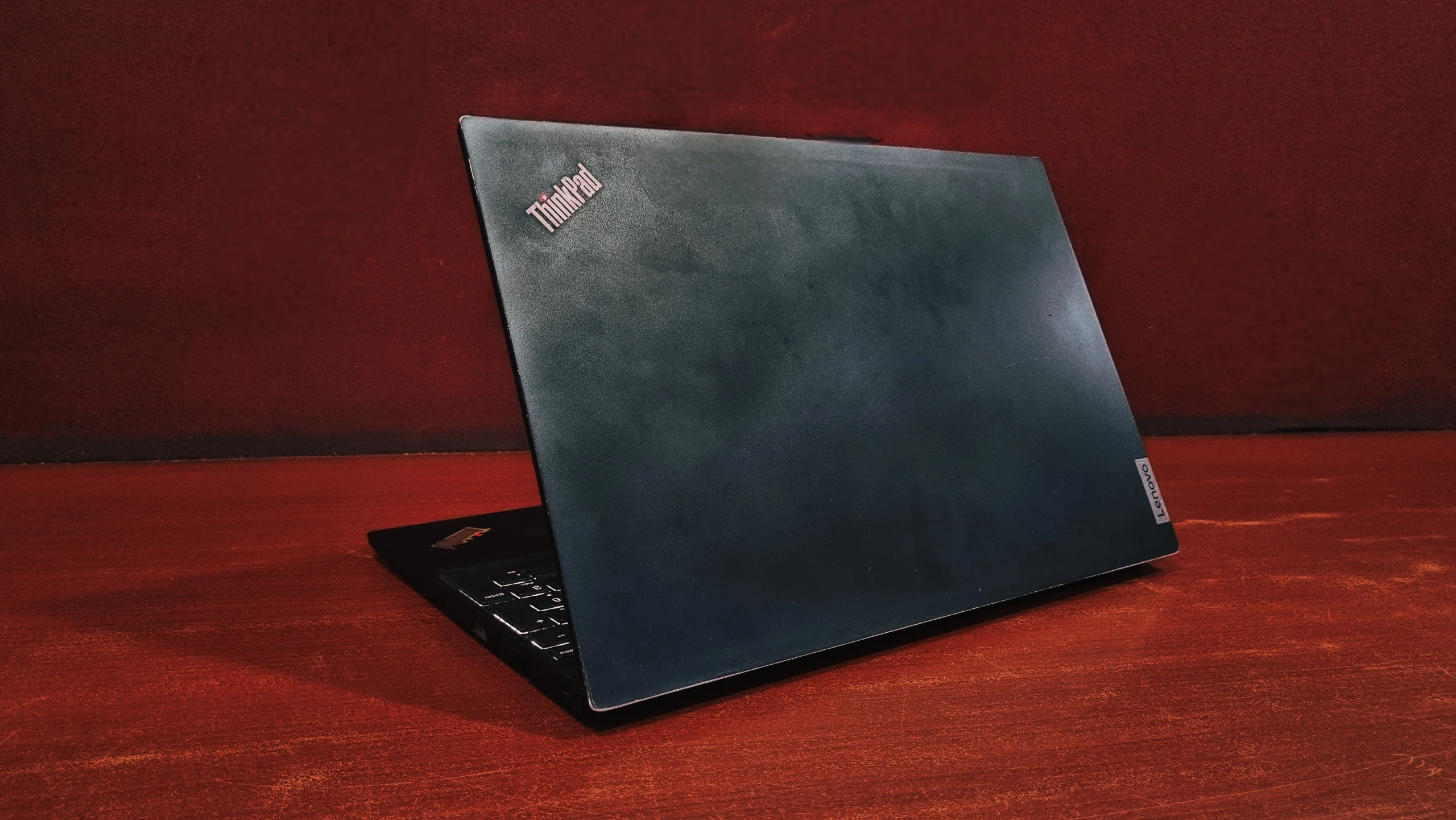
The Lenovo ThinkPad E15 Gen 2 looks almost identical to its predecessor, and that's by design. Lenovo kept the same basic shape, moved the speaker grilles around slightly. The bigger story is the scale: this year's model sheds close to 200 grams compared to the original E15 Gen 1, landing at roughly 1.70 kg.
The chassis is built from plastic rather than the carbon fiber or magnesium found on Lenovo's flagship T- and X-series machines, but it doesn't feel cheap. There's some flex if you put some resistance, though nothing outside what you'd expect from a laptop in this price bracket. Lenovo states the device has been put through MIL-STD-810H military-grade durability testing, which is a nice reassurance for anyone who travels with their laptop often. The lid is aluminum and cool to the touch. You do get an HD webcam with a physical privacy shutter.
Display
Every E15 Gen 2 configuration comes with a 15.6-inch Full HD (1920x1080) IPS panel, and thankfully there's no PWM flickering at any brightness level, so long sessions of reading or spreadsheet work shouldn't leave your eyes feeling tired. According to Lenovo, the peak brightness is somewhere in the 244 to 319 nits range depending on the exact unit and measurement point, which is serviceable indoors but underwhelming outdoors or near a sunny window.
Coverage of the sRGB color space lands somewhere between roughly 51% and 58% depending on the specific test, and AdobeRGB coverage sits even lower. In plain terms, this isn't a screen for photo editors or anyone who needs color-critical accuracy, but for email, documents, and browsing it's perfectly fine. The panel also has a matte, anti-glare coating that helps a bit when you're working near a window.
Performance
This is genuinely where the E15 Gen 2 earns its keep. With Tiger Lake on board, day-to-day multitasking feels noticeably snappier than the previous generation, whether that's juggling a dozen browser tabs, running through Excel models, or compiling code in VS Code. Push it hard enough with sustained, demanding workloads, and you will eventually run into some thermal throttling, but for typical office tasks it rarely becomes an issue.
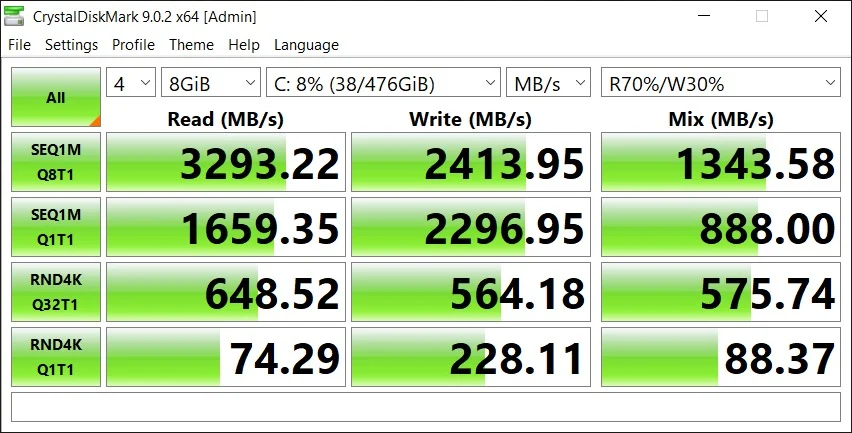
Storage Drive Performance Analysis
Based on the testing, the storage drive is performing optimally, exhibiting speeds which are identical to a PCIe 3.0 NVMe solid-state drive.
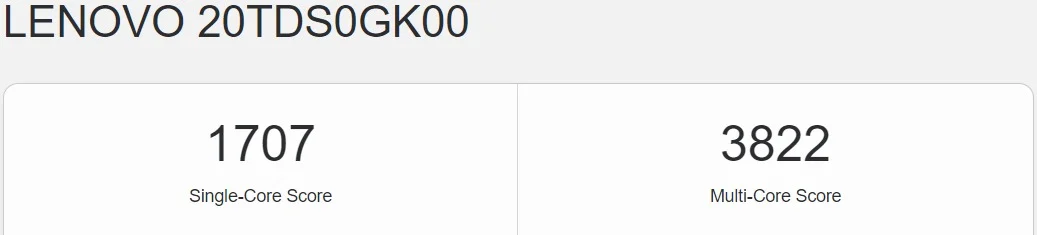
Geekbench CPU Scores
OpenCL GPU Score

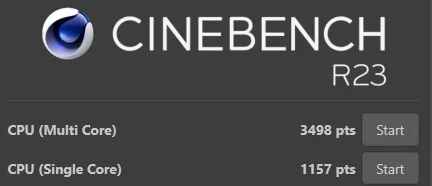
Cinebench R23 Performance
Blender Open Data Performance
Blender relies heavily on massive multi-core scaling and dedicated GPU rendering to process scenes efficiently. Because the i5-1135G7 is an entry-level quad-core mobile processor running on integrated graphics, these low output numbers are completely expected.

Battery Back-up
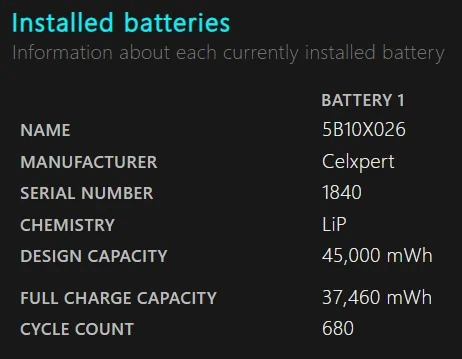
The E15 Gen 2 originally shipped with a 45Wh battery, but refurbished units often suffer from battery degradation. Expect a battery life of up to 2 plus hours under usage on a refurbished unit. You will need to keep the USB-C charger handy or consider replacing the internal battery if you require true portability.
Connectivity and Security
Security-conscious users will appreciate what's on offer here. Depending on configuration, you get biometric login through either a fingerprint reader built into the power button or an optional IR-based facial recognition camera.
Ports & I/O
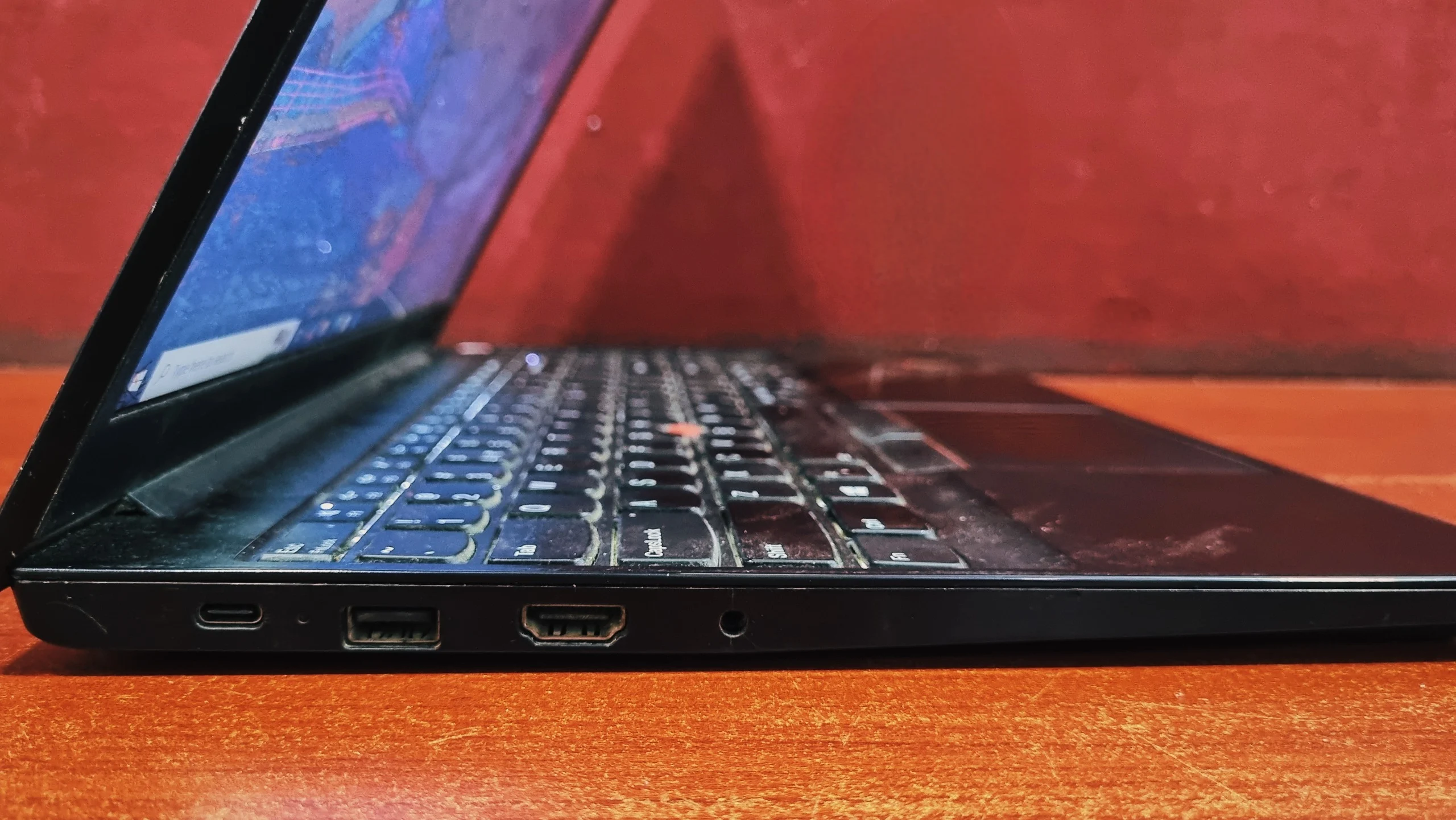
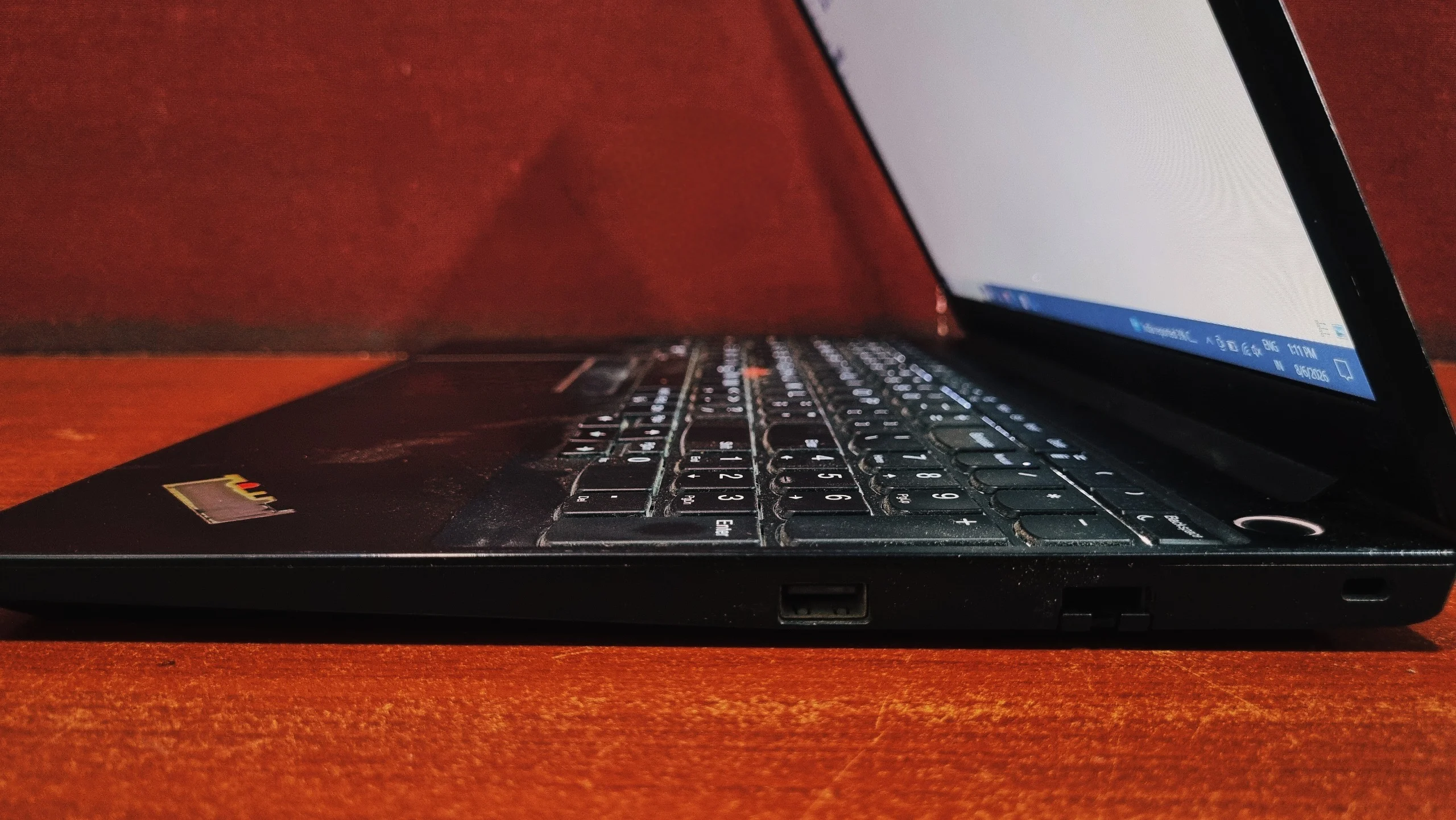
The port selection is a little bit of a mixed bag for a business laptop in this class.
Left Side
Right Side
Keyboard and Touchpad
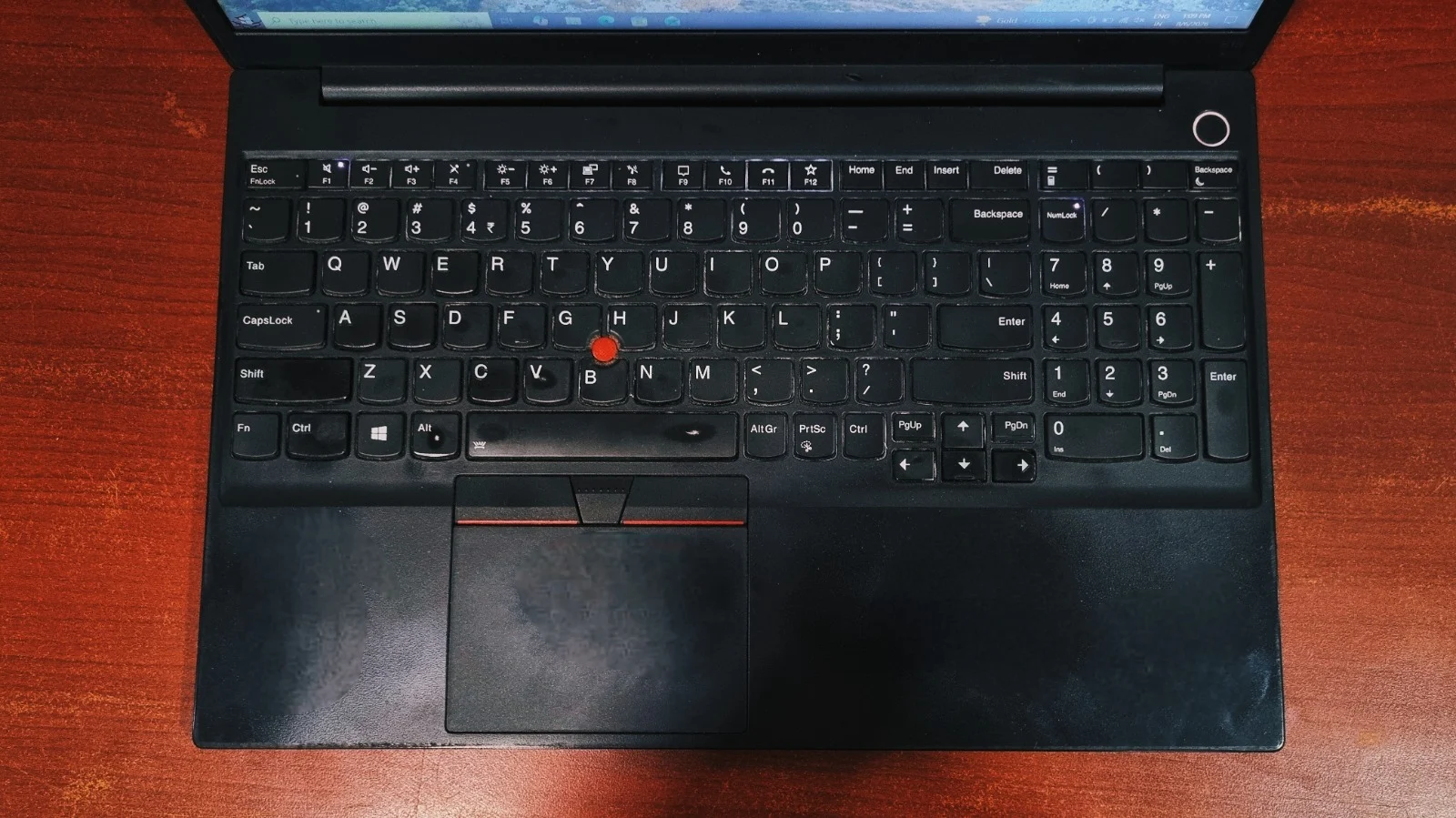
The E15 Gen 2 keeps that streak alive. The chiclet-style keyboard offers deep key travel, a crisp, quiet actuation point, and a spill-resistant design that can survive the occasional liquid mishap. A two-stage backlight makes it easy to work in dim rooms.
For navigation, you get the classic red TrackPoint nub nestled between the G, H, and B keys, paired with its own set of dedicated mechanical buttons above the touchpad, plus a standard Click Pad with a matte, mylar-style surface. Both are responsive.
Bottom Line
Bottom Line
The Lenovo ThinkPad E15 Gen 2 doesn't try to be flashy, and it mostly succeeds at what it sets out to do: deliver dependable, business-grade performance without a business-grade price tag. The keyboard remains one of the best in its class.
If your priorities lean toward maximum port variety and connectivity, a rival like the HP ProBook 450 G8 makes a stronger case. But if raw CPU performance, a comfortable typing experience, and upgradeability matter more to you, the ThinkPad E15 Gen 2 is a sensible, well-rounded choice.
Shop Coding & Programming Laptops →Frequently Asked Questions
Yes, to an extent. It has a single SODIMM slot supporting up to 32GB of DDR4-3200 memory, plus two M.2 PCIe x4 slots for storage upgrades, so you can boost capacity well beyond the stock configuration.
Yes, but only on the Intel version. The Tiger Lake configurations include a single Thunderbolt 4 port that also handles charging and DisplayPort output.
Not particularly. Peak brightness tops out somewhere between roughly 250 and 320 nits depending on the unit, and while the matte coating cuts down on glare, the panel will still look dim in direct sunlight.
It's on the heavier side for a 15.6-inch laptop, weighing in around 1.70 kg to 1.8kg depending on configuration. It's noticeably lighter than the original E15, but still heavier than most modern 15-inch ultrabooks, so it's more "desk companion" than "daily backpack carry."


